dsh-system-prompt
Run the following command in DeepSeek Harness:
dsh plugin install elonnzhang/dsh-system-prompt
Paste the following prompt into your AI chat to install this plugin:
Install the dsh-system-prompt plugin from https://github.com/elonnzhang/dsh-system-prompt by running dsh plugin install elonnzhang/dsh-system-prompt to add it to your DeepSeek Harness profile.
About this plugin
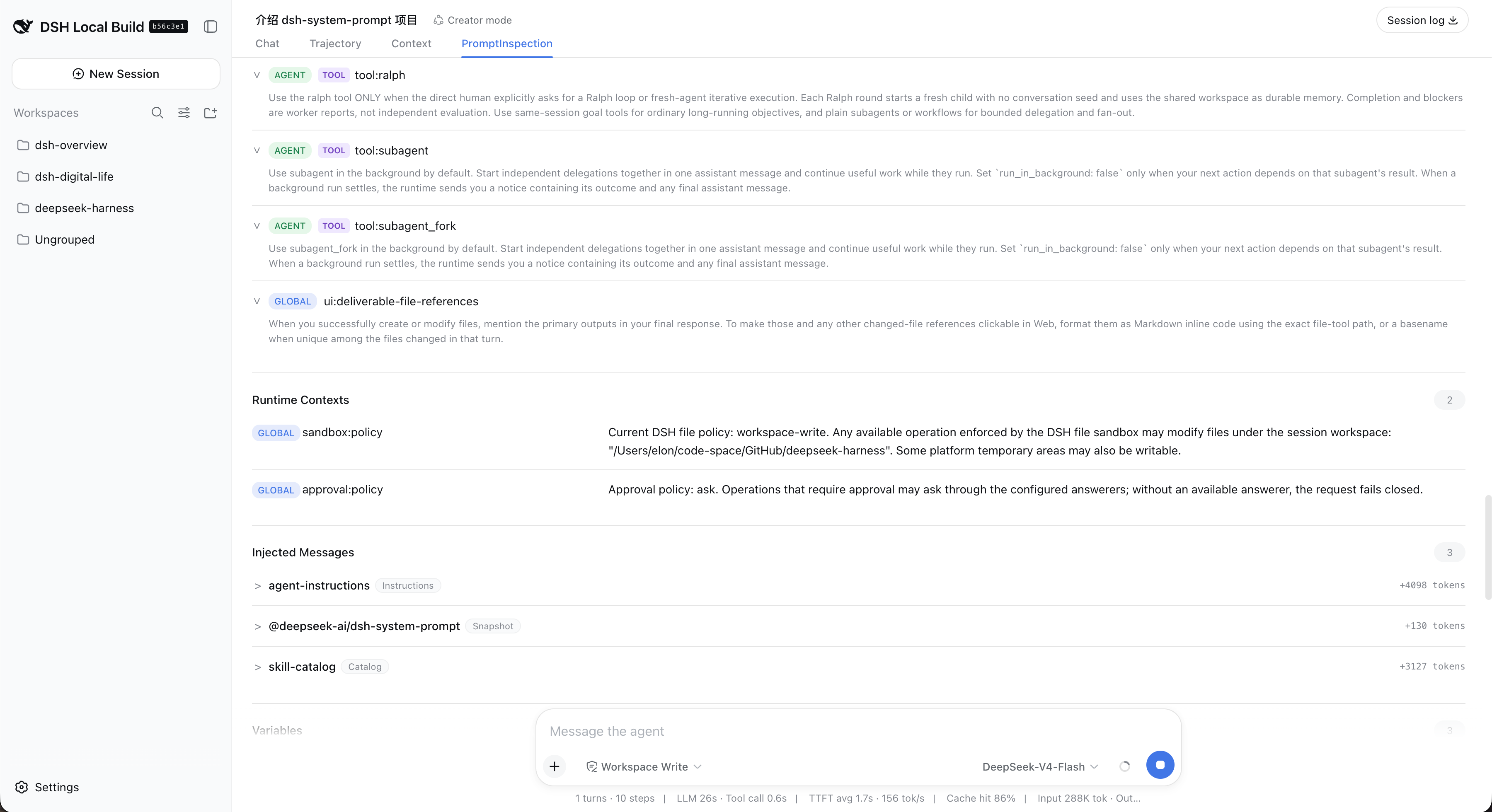
In DeepSeek Harness, the effective prompt actually delivered to the model is rarely a single string. It is a layered composite built from global presets, agent-level configuration, runtime contexts, variables, tools, and producer-injected messages. Without an intuitive inspection surface, debugging model behavior becomes a guess in the dark.
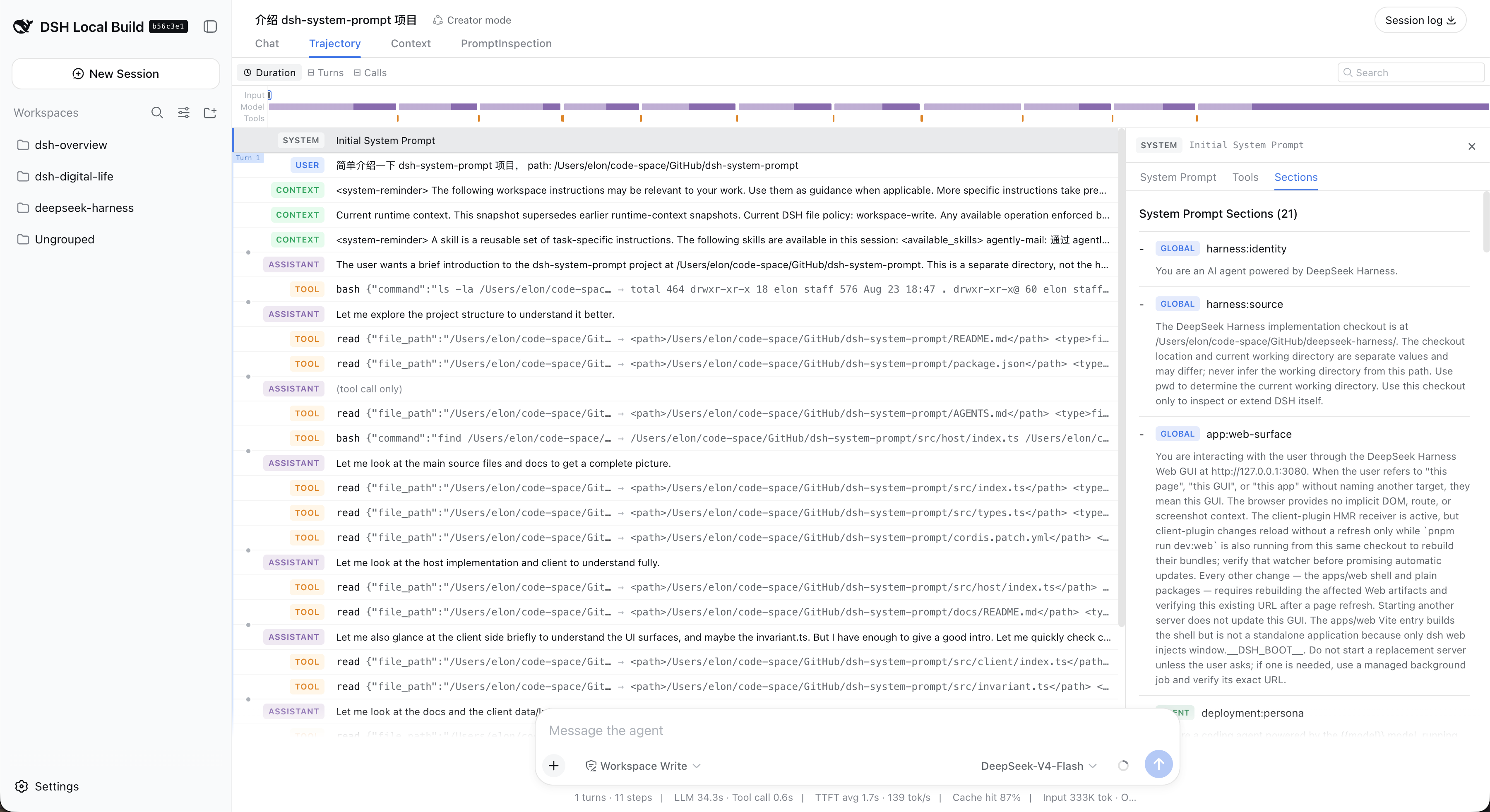
dsh-system-prompt adds a read-only inspection panel inside the session view. It breaks the effective prompt into labelled sections and places runtime contexts, variables, tools, and producer-injected messages side by side with the trajectory System Prompt tabs. Under the hood it reads only the matching live session and returns a small JSON projection; it never serialises a full Context, Agent, or Service object, so the running session is left completely untouched.
It is built for developers and debuggers who compose prompts across multiple scopes, inject dynamic contexts, and want to verify in real time exactly what the model is seeing without pausing the session or digging through server logs.
Screenshots
Use Cases
- Inspect the full effective prompt when debugging multi-scope prompt composition
- Verify that runtime variables and tool injections take effect as expected in the active prompt
- Check whether producer-injected messages appear correctly in the live session
Best For
- Harness developers composing prompts across multiple scopes
- Engineers debugging model behavior who need to see the live effective prompt
- Plugin authors verifying context and tool injection effects
Related Plugins

ModLens is a vision plugin for DeepSeek Harness that gives text-only models sight by reading images pasted directly into chat, with zero-config setup and multiple vision engines.

On-demand vision for text-only DeepSeek Harness agents: built-in free keyless vision chain and 14 vision tools, routing image turns as tool calls to vision models with pixel fidelity, no Python needed, one-command install.

Give text-only models in DeepSeek Harness eyes, enabling image Q&A, long-screenshot OCR, UI restoration, and GUI visual tasks.
An armor-breaking plugin for DeepSeek: rewrites instruction priority, expands refusal-blocked phrases, persists across sessions, and shows a green active indicator.