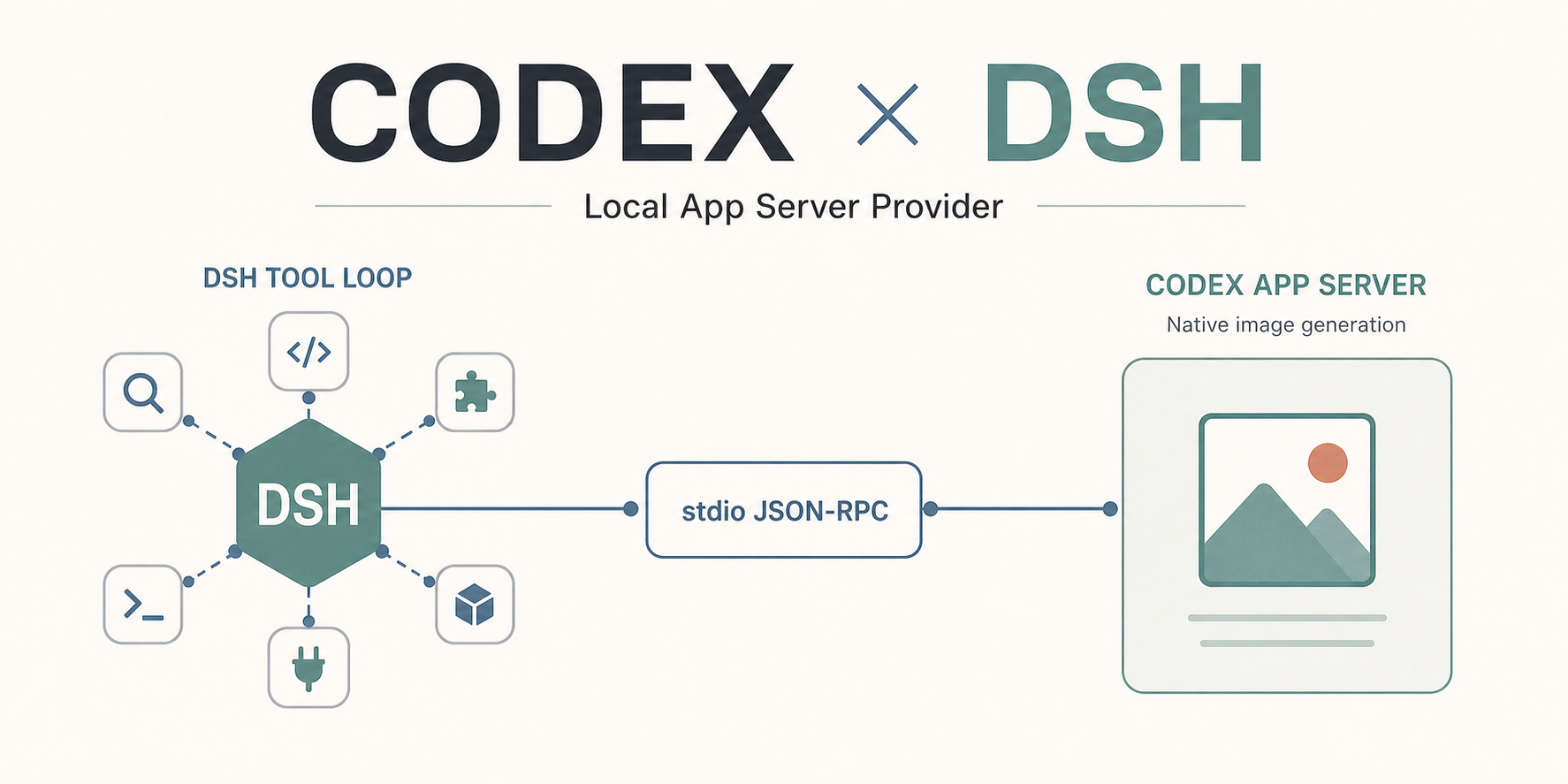
codex-plugin-dsh
Run the following command in DeepSeek Harness:
dsh plugin install wingoo/codex-plugin-dsh
Paste the following prompt into your AI chat to install this plugin:
To install this plugin in DeepSeek Harness, use the command dsh plugin install wingoo/codex-plugin-dsh, or visit the GitHub repository at https://github.com/wingoo/codex-plugin-dsh for more information.
About this plugin
When using DeepSeek Harness for model inference, users often need to configure API keys to access external models, which adds complexity and management overhead. The codex-plugin-dsh plugin addresses this by allowing you to directly leverage your locally logged-in Codex account without entering an OpenAI API Key in DSH, simplifying the process and enhancing security.
In terms of core capabilities, the plugin adds a 'Codex App Server (local)' group to the DSH model selector, enabling conversations once selected. It supports image input and can directly write back Codex's native image generation results into DSH dialogs, enriching the interaction experience. Additionally, session management and tool calls remain under DSH's control, ensuring existing plugins and tools can be used seamlessly for workflow continuity.
This plugin is particularly suitable for users who have already installed and logged into the Codex CLI, especially developers, data scientists, and AI enthusiasts looking for a more convenient way to access Codex's powerful features within the DSH environment without redundant configurations. If you're seeking an efficient, frictionless method to integrate Codex into your DSH workflow, codex-plugin-dsh is an ideal choice.
Screenshots
Use Cases
- Directly invoke local Codex in DeepSeek Harness for conversations without API key configuration.
- Enhance interactive content creation with image input and generation capabilities.
- Maintain seamless use of existing DSH tools and plugins to streamline workflows.
Best For
- AI developers needing to quickly integrate Codex models in the DSH environment.
- Data scientists performing model inference and image processing, seeking efficient workflows.
- DeepSeek Harness users looking to simplify external model access and configuration processes.
Related Plugins
A unified suite combining hot runtime injection, task-aware thinking-mode routing, and a graded session protocol with red-team gates to sustain model diligence across long-horizon inference.

ModLens is a vision plugin for DeepSeek Harness that gives text-only models sight by reading images pasted directly into chat, with zero-config setup and multiple vision engines.

On-demand vision for text-only DeepSeek Harness agents: built-in free keyless vision chain and 14 vision tools, routing image turns as tool calls to vision models with pixel fidelity, no Python needed, one-command install.

Give text-only models in DeepSeek Harness eyes, enabling image Q&A, long-screenshot OCR, UI restoration, and GUI visual tasks.