dsh-operating-context
Run the following command in DeepSeek Harness:
dsh plugin install AIMFllyYS/dsh-operating-context
Paste the following prompt into your AI chat to install this plugin:
Run dsh plugin install AIMFllyYS/dsh-operating-context in the terminal to install; the source code is hosted at https://github.com/AIMFllyYS/dsh-operating-context .
About this plugin
When running multiple model services under DeepSeek Harness, context window sizes are scattered across the catalog, per-model lists, and defaultContextWindow, with no intuitive single place to keep them consistent. Hand-editing settings.yaml is error-prone, and patching adapter config directly risks wiping endpoints, credentials, and other critical fields.
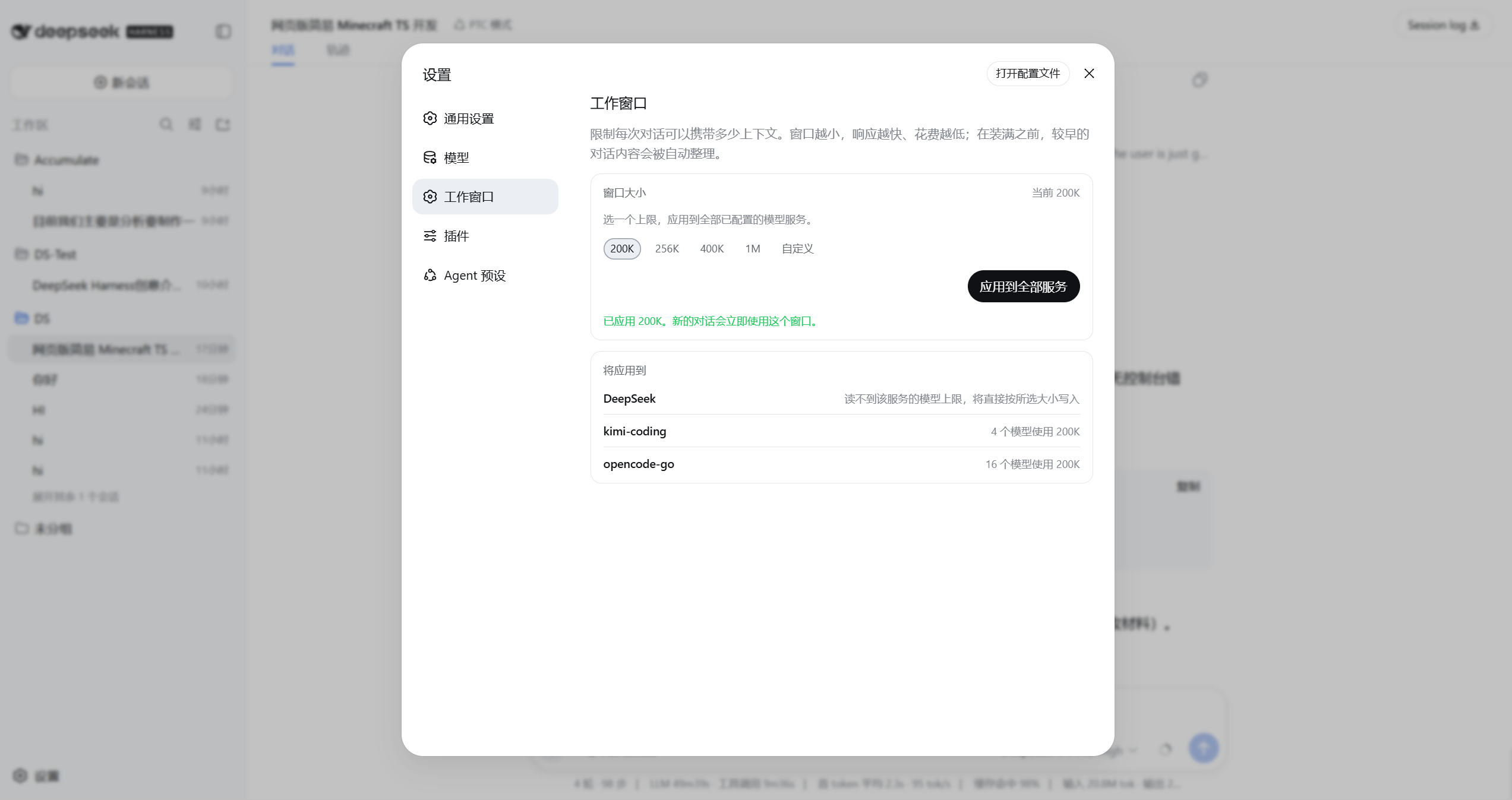
dsh-operating-context adds a Working Window option to the Settings page. All writes go through settings.mutate in the user layer: it does not mount a second compaction engine or alter adapter internals. It reads each model's native ceiling from the installed catalog, guaranteeing the chosen window never exceeds what a model can actually hold. When the selected value is at or below a model's ceiling, the plugin removes any existing capacity override so the catalog native value takes effect again, making the operation idempotent and reversible. Cross-namespace batch writes report the exact number of completed batches on partial failure and reload authoritative state rather than presenting a partial write as a rollback.
Ideal for users managing multiple providers (DeepSeek, Kimi, Anthropic, OpenCode, and beyond) in Harness who need a unified context window size and want to avoid manual YAML edits. Catalog routes, routes with explicit model lists, and hand-declared routes are all supported through the same settings page.
Screenshots
Use Cases
- Unify context window size across multiple model services
- Cap the selected window at each model native ceiling
- Avoid manual YAML edits or risky adapter config patching
Best For
- Users running multiple providers under DeepSeek Harness
- Teams needing centralized context window control without manual YAML upkeep
- Developers who want to adjust model capacity without touching adapter internals
Related Plugins

ModLens is a vision plugin for DeepSeek Harness that gives text-only models sight by reading images pasted directly into chat, with zero-config setup and multiple vision engines.

On-demand vision for text-only DeepSeek Harness agents: built-in free keyless vision chain and 14 vision tools, routing image turns as tool calls to vision models with pixel fidelity, no Python needed, one-command install.

Give text-only models in DeepSeek Harness eyes, enabling image Q&A, long-screenshot OCR, UI restoration, and GUI visual tasks.
An armor-breaking plugin for DeepSeek: rewrites instruction priority, expands refusal-blocked phrases, persists across sessions, and shows a green active indicator.