dsh-vision-subagent
Run the following command in DeepSeek Harness:
dsh plugin install ruby1304/dsh-vision-subagent
Paste the following prompt into your AI chat to install this plugin:
Run dsh plugin install ruby1304/dsh-vision-subagent in DeepSeek Harness to install; the source repository is at https://github.com/ruby1304/dsh-vision-subagent . After installation, configure a vision route in your profile cordis.patch.yml.
About this plugin
When running a DeepSeek Harness agent on a text-only model, a common gap is the inability to process images directly—screenshots, error logs, and design mockups all need manual transcription. dsh-vision-subagent fills that gap by giving the main agent a dedicated pair of visual eyes: image understanding is delegated to a one-shot subagent on a separately configured vision route (Kimi, MiniMax, or any OpenAI-compatible provider). Crucially, image bytes and the vision model's intermediate context never enter the main session window; only the final text answer returns to the primary model, eliminating the problem of large screenshots crowding out the context window.
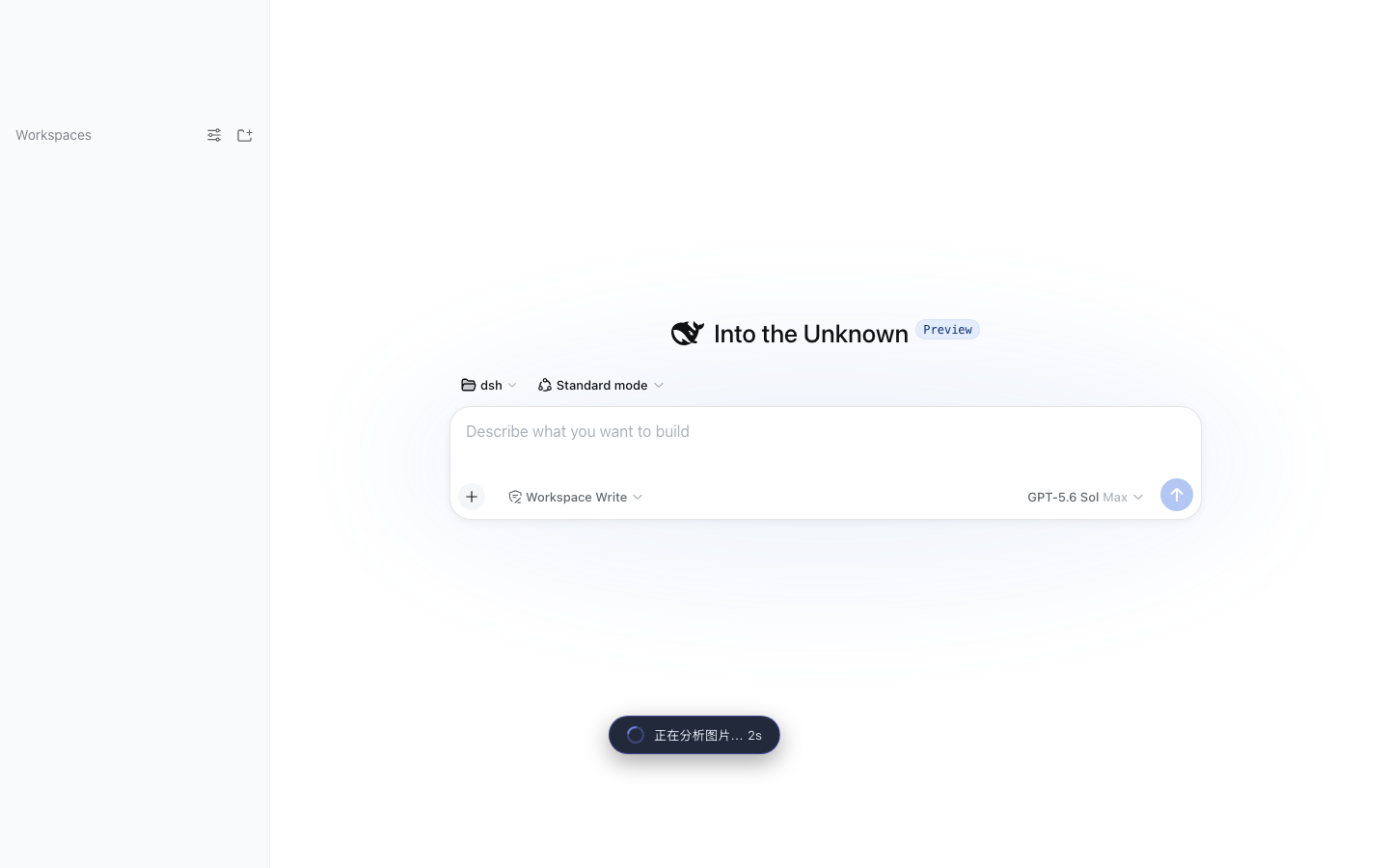
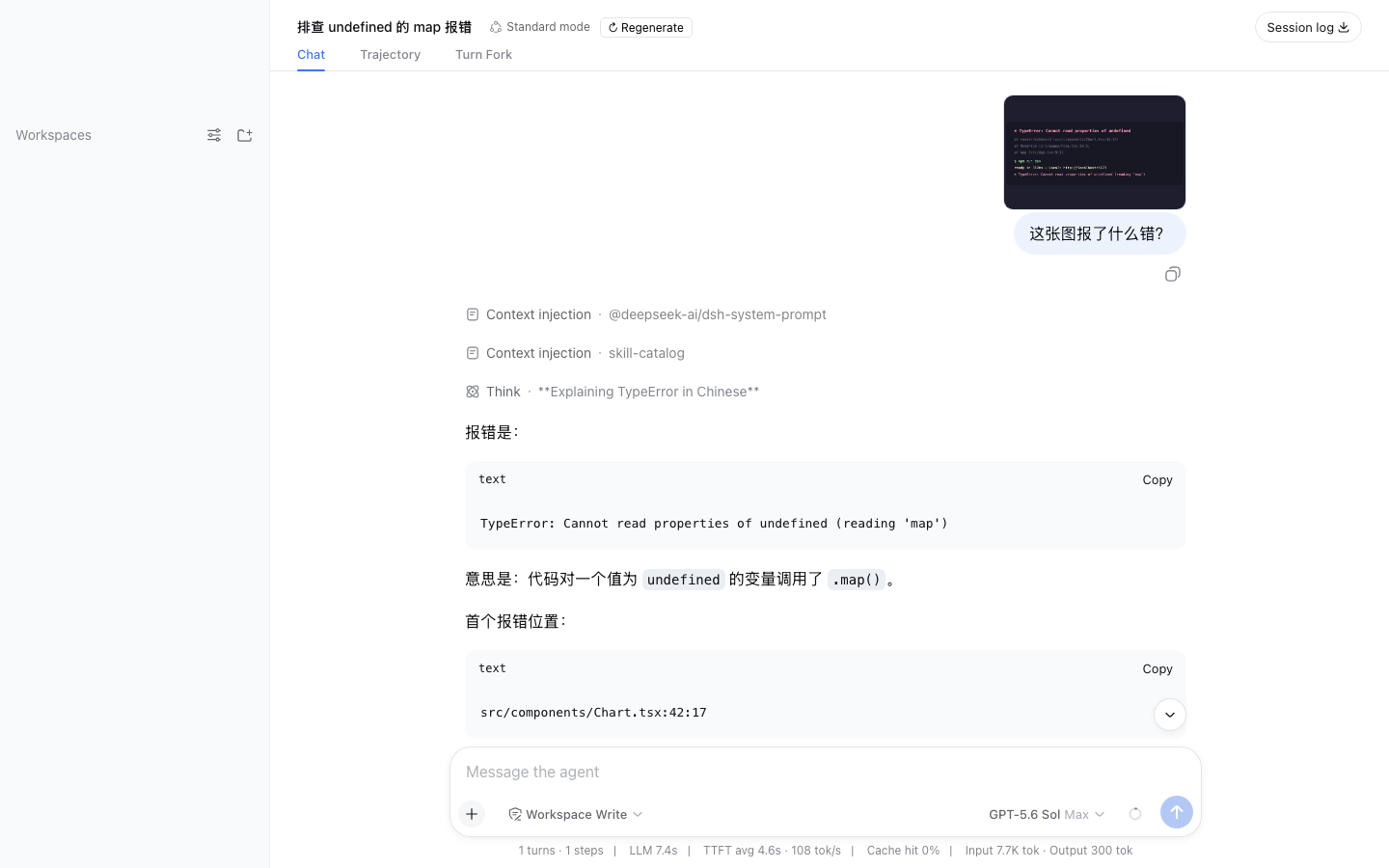
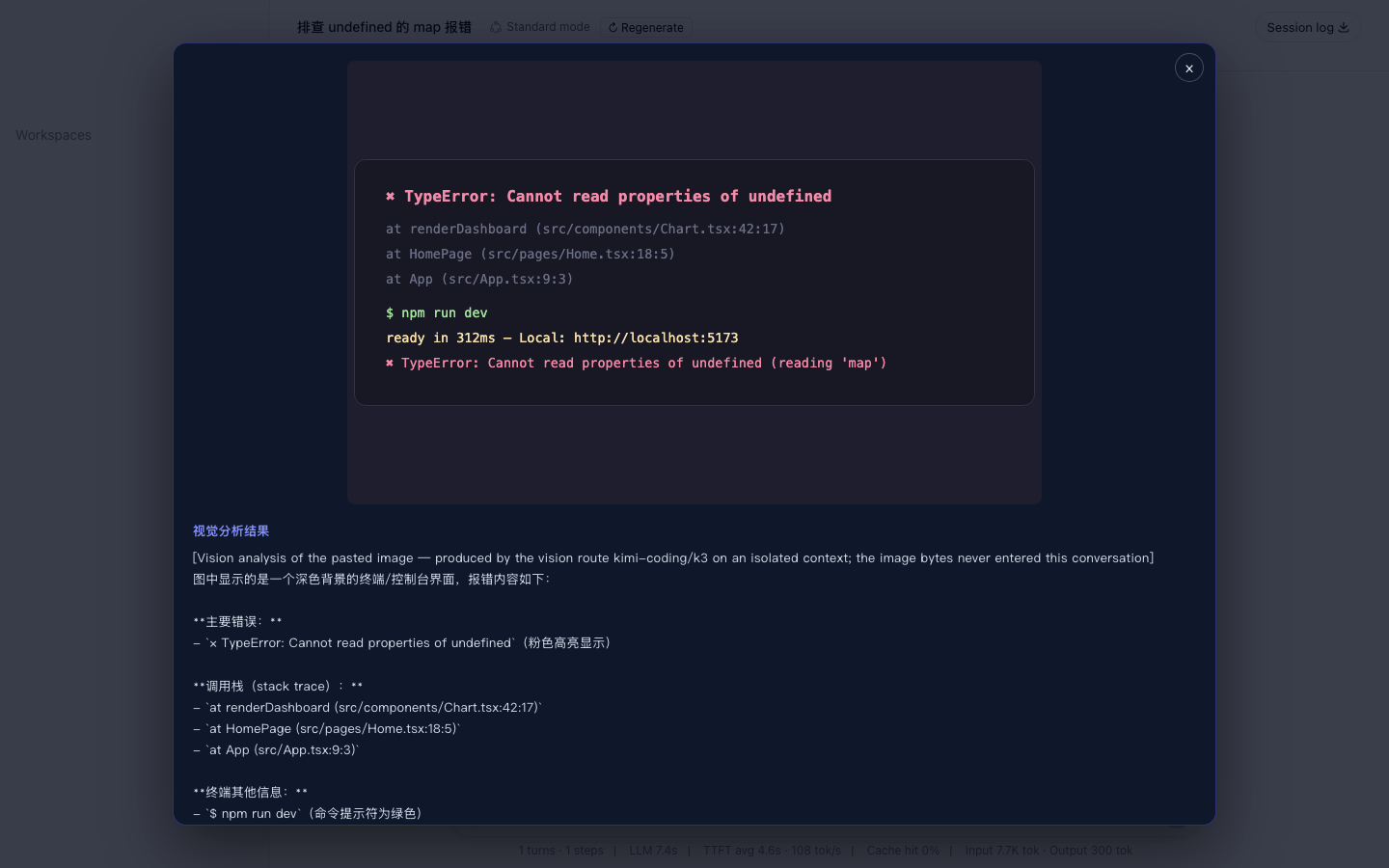
Beyond basic image reading, the plugin supports multi-turn visual reasoning—the child agent can call read_image on additional workspace files before answering. In the Web composer, pasting an image triggers context-aware analysis steered by your draft message (debugging asks focus on error text, styling asks on outfit details), while the chat bubble stays clean with just your words plus thumbnails; the full analysis lives in a lightbox. When you need the original file for pixel-level work, vision_image_fetch materializes a full-fidelity copy under .dsh-vision/.
It is well suited for developers whose primary model is text-only but who regularly need to look at images; cost-sensitive teams that want vision calls billed on a separate route rather than mixed into the main model's token count; and compliance-conscious setups where image data must be kept out of the main session context.
Screenshots
Use Cases
- A text-only agent delegates a screenshot or error log to a vision subagent and receives only the text conclusion
- Pasting a design mockup or error screenshot in the Web composer triggers context-aware analysis with a clean chat bubble
- Multi-image comparison or iterative visual reasoning where the subagent inspects workspace files step by step before answering
Best For
- Harness developers whose primary model is text-only but who regularly need to inspect images
- Teams that want to keep vision context isolated from the main session to save window space
- Cost-sensitive teams that prefer vision calls billed separately on a dedicated route
Related Plugins

ModLens is a vision plugin for DeepSeek Harness that gives text-only models sight by reading images pasted directly into chat, with zero-config setup and multiple vision engines.

On-demand vision for text-only DeepSeek Harness agents: built-in free keyless vision chain and 14 vision tools, routing image turns as tool calls to vision models with pixel fidelity, no Python needed, one-command install.

Give text-only models in DeepSeek Harness eyes, enabling image Q&A, long-screenshot OCR, UI restoration, and GUI visual tasks.
An armor-breaking plugin for DeepSeek: rewrites instruction priority, expands refusal-blocked phrases, persists across sessions, and shows a green active indicator.