dsh-token-anxiety
Run the following command in DeepSeek Harness:
dsh plugin install mov-eax-eax/dsh-token-anxiety
Paste the following prompt into your AI chat to install this plugin:
Install in DeepSeek Harness by running dsh plugin install mov-eax-eax/dsh-token-anxiety; source available at https://github.com/mov-eax-eax/dsh-token-anxiety
About this plugin
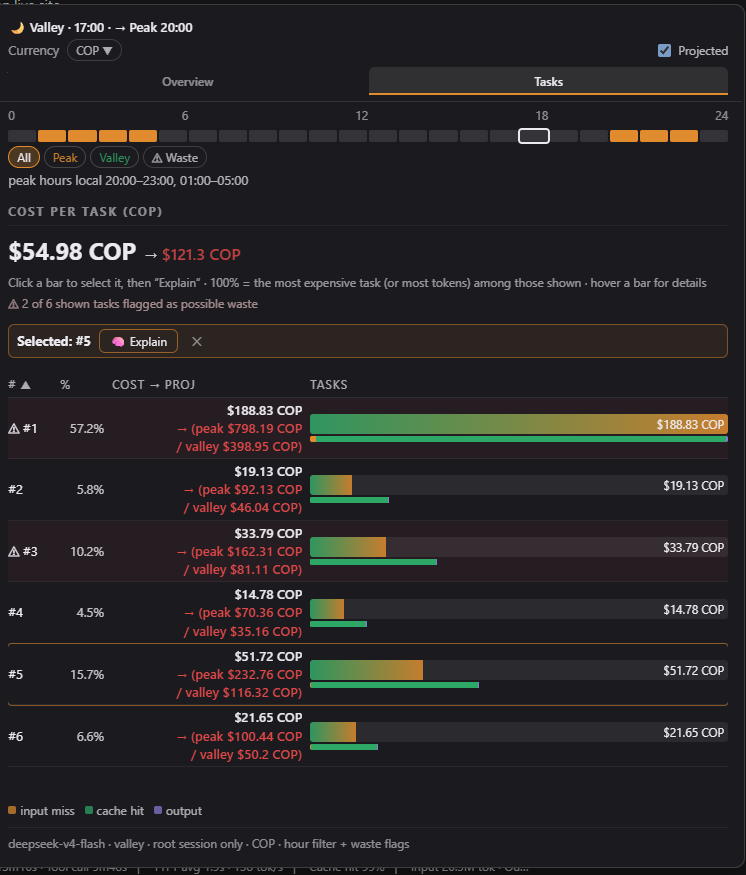
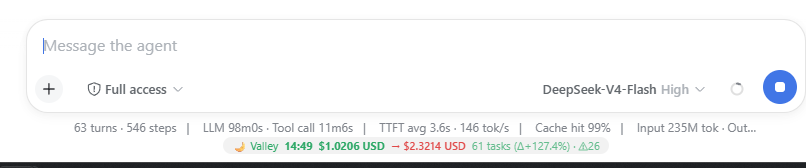
After a long DeepSeek session you inevitably wonder: how much did it actually cost, which task burned the most tokens, and am I in a peak or valley window right now? dsh-token-anxiety answers all three questions in a compact widget that sits in the band beneath the chat composer, giving you a live, per-task cost breakdown the moment you hover over it.
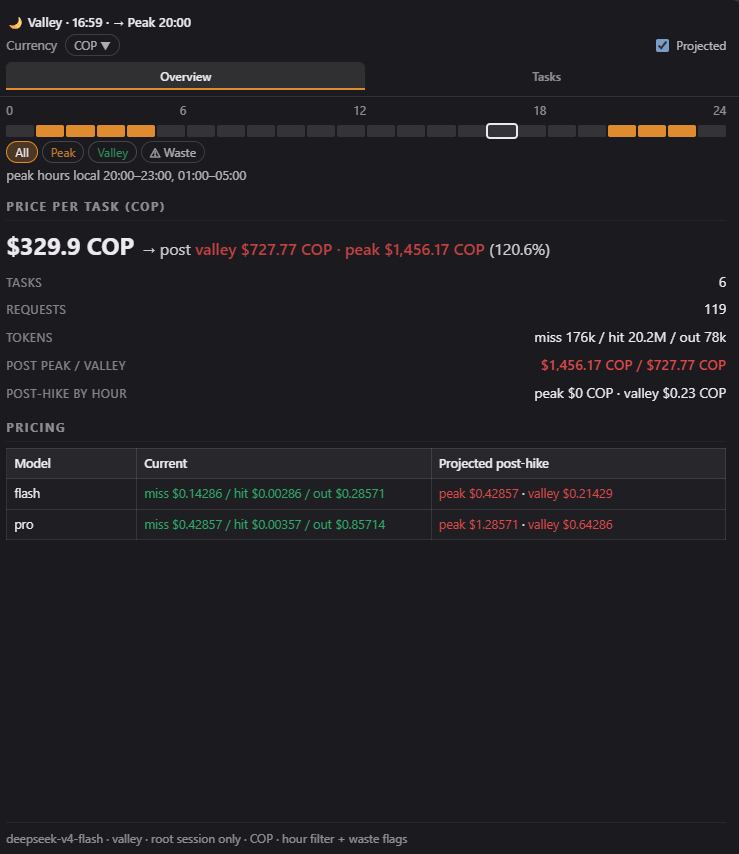
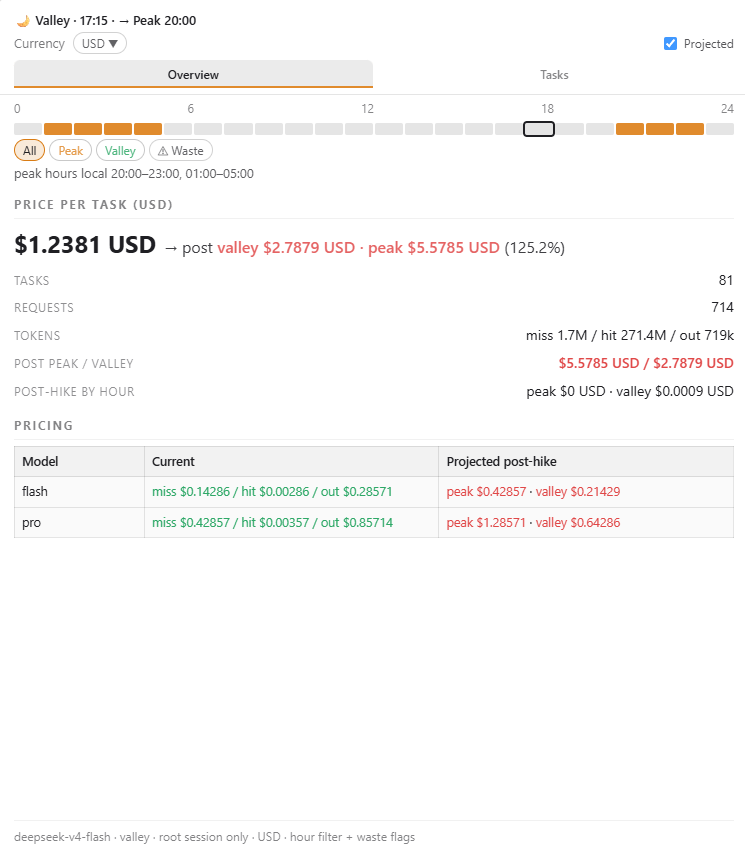
Under the hood the widget offers a sortable table of every task with its token usage and total spend, a real-time peak/valley indicator tied to your local timezone, and currency switching across roughly forty locales with regional formatting and live FX rates. The standout feature is Explain: one tap fires a small LLM call that streams back a 60-to-100-word diagnosis in your conversation's language, structured as Wanted / Happened / Avoid / Next time, so you immediately know where the overhead came from and how to trim it next round. Pricing can be refreshed straight from DeepSeek's official page with a single host-side call—no manual edits, no scraping scripts.
The whole bundle ships with zero runtime dependencies (Node builtins only), persists through your harness profile across restarts, and follows your existing theme and locale for a fully localized dark/light, English/Chinese experience. It is built for anyone running multi-turn conversations or heavy tool-calling workflows in DeepSeek Harness who wants visibility into per-task cost, wants to catch unnecessary token spend, or simply wants to know which pricing window applies right now.
Screenshots

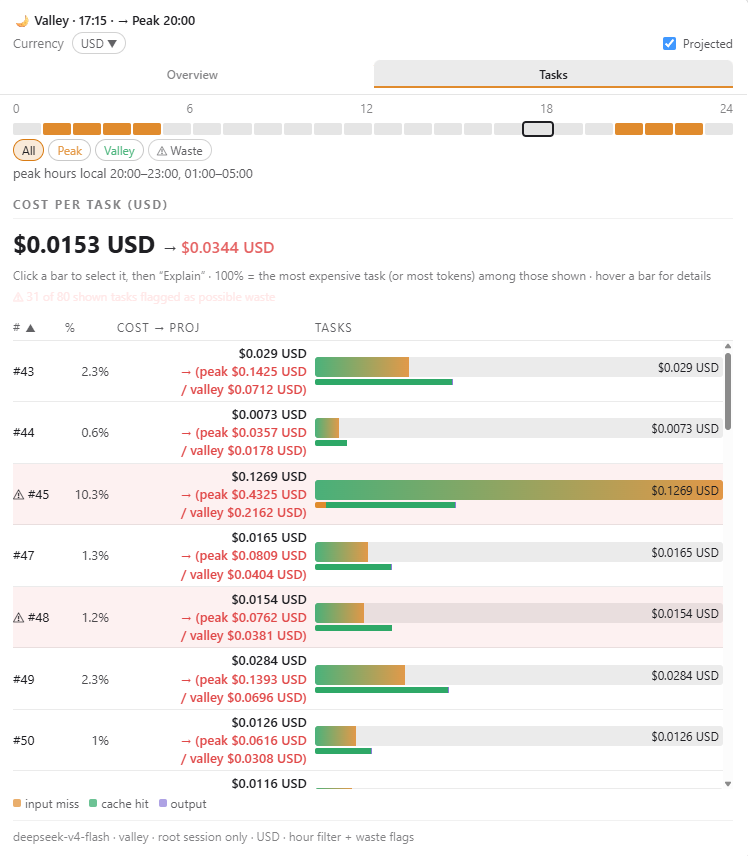
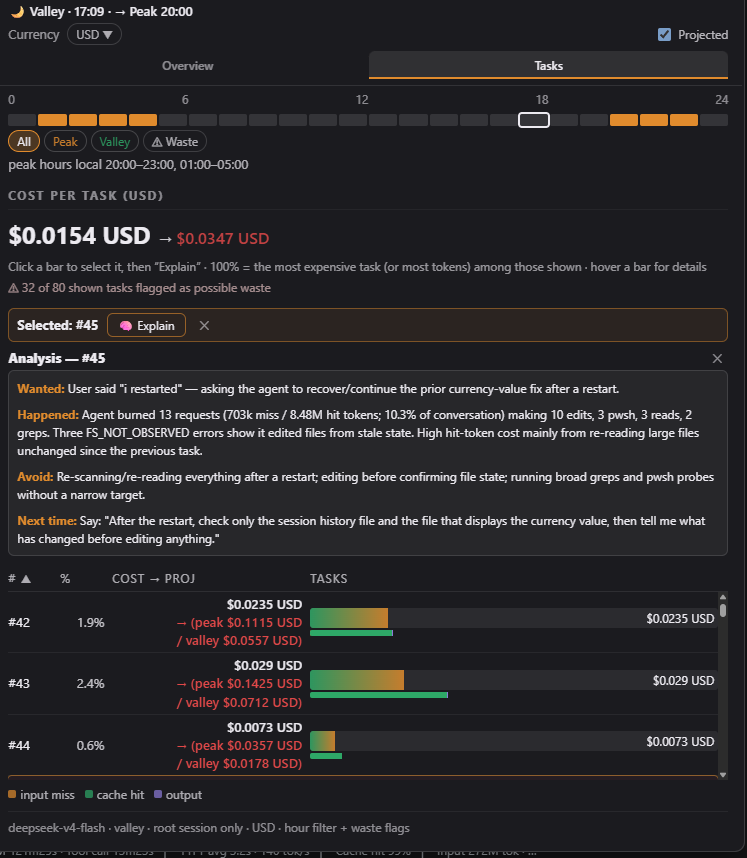
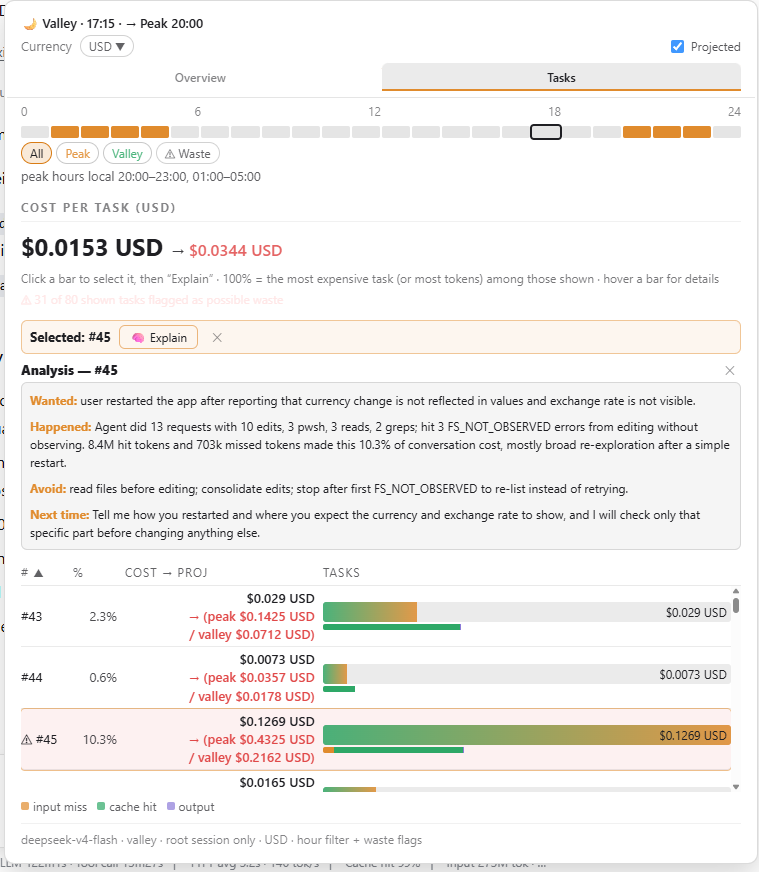
Use Cases
- Review per-task token spend at the end of a long multi-turn conversation
- Check live peak/valley status before deciding whether to keep generating expensive tool calls
- Run Explain on an unusually costly task to see a streamed, language-matched diagnosis
Best For
- Developers running heavy tool-calling workflows in DeepSeek Harness who need token-budget visibility
- Independent developers who want real-time peak/valley awareness to time expensive generations strategically
- Research or engineering leads who need to present per-task cost breakdowns to teams
Related Plugins

ModLens is a vision plugin for DeepSeek Harness that gives text-only models sight by reading images pasted directly into chat, with zero-config setup and multiple vision engines.

On-demand vision for text-only DeepSeek Harness agents: built-in free keyless vision chain and 14 vision tools, routing image turns as tool calls to vision models with pixel fidelity, no Python needed, one-command install.

Give text-only models in DeepSeek Harness eyes, enabling image Q&A, long-screenshot OCR, UI restoration, and GUI visual tasks.
An armor-breaking plugin for DeepSeek: rewrites instruction priority, expands refusal-blocked phrases, persists across sessions, and shows a green active indicator.