dsh-project-knowledge-review
Run the following command in DeepSeek Harness:
dsh plugin install HeWhenJay/dsh-project-knowledge-review
Paste the following prompt into your AI chat to install this plugin:
Run dsh plugin install HeWhenJay/dsh-project-knowledge-review in your terminal to install the plugin; the source code is hosted at https://github.com/HeWhenJay/dsh-project-knowledge-review , then restart the DSH Web process and refresh the page.
About this plugin
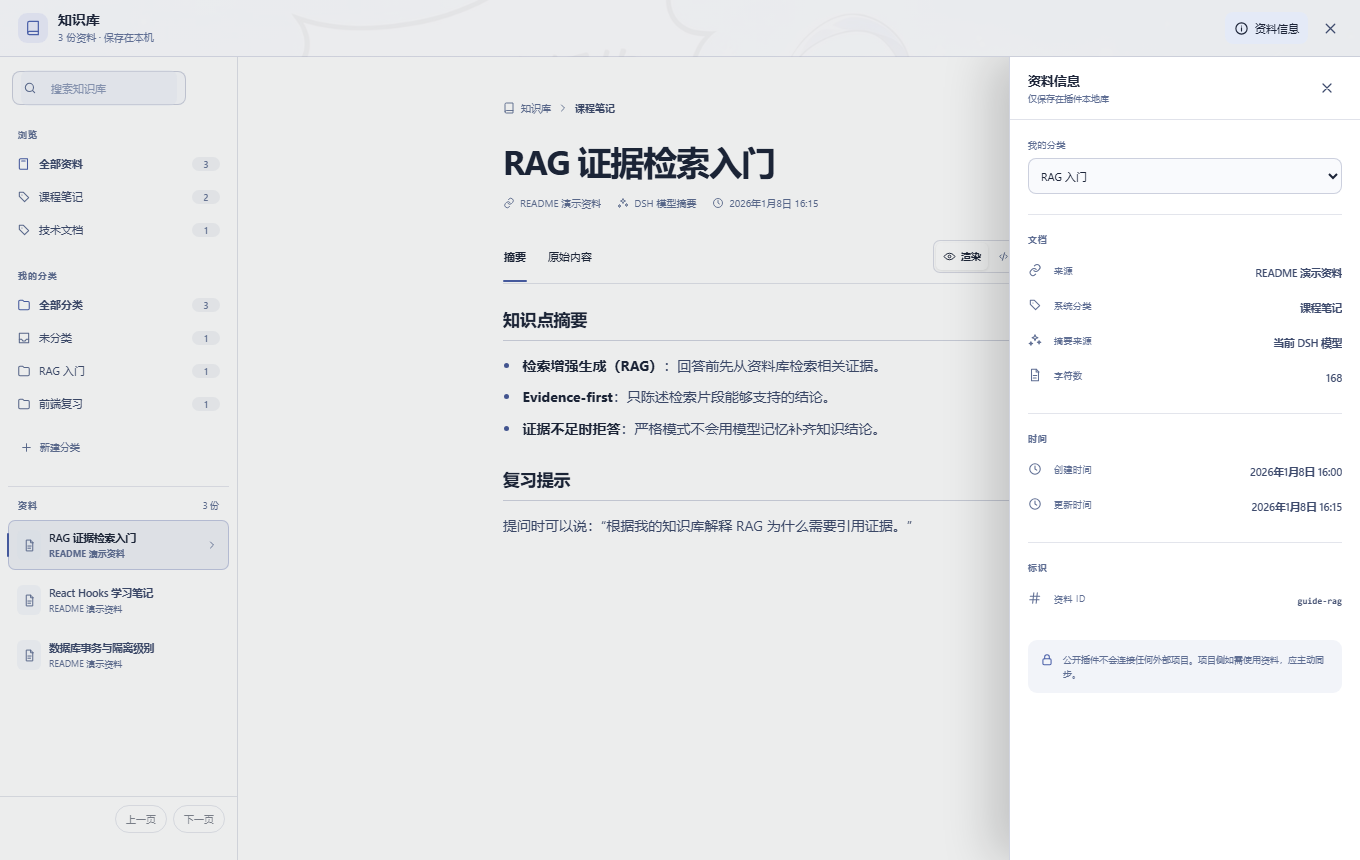
The most frustrating part of revision is asking your model a question you clearly read before, only to get a confident answer stitched together from fuzzy recall. dsh-project-knowledge-review hands the answer back to local files: text you have the right to use, OCR output from public images, and ASR transcripts from public audio all land in your own directory as JSONL indexes and per-document files. No database, no vector model, no account or project token required, and no connection to any external project—your materials never leave the machine.
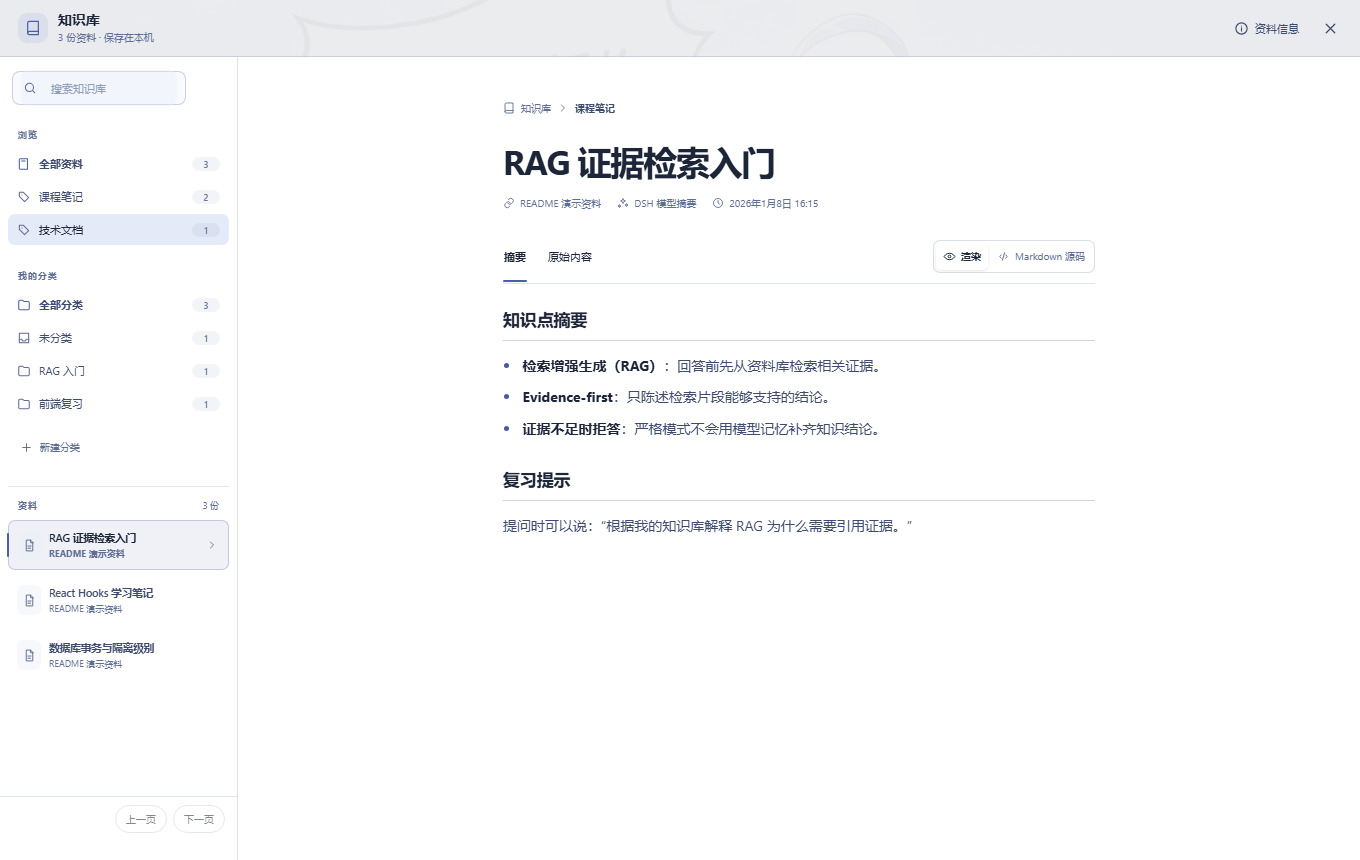
The core workflow is Evidence-first: before every knowledge question the plugin retrieves local evidence, then the current session model answers strictly on that evidence. In strict mode, insufficient evidence triggers an explicit refusal rather than a guess. Newly added documents get instant Markdown auto-summaries, and a two-level classification system pairs system-generated categories with your own user-defined folders. The sidebar knowledge base page offers summary/original toggles, rendered/source view switching, responsive drawer layouts for narrow screens, and keyboard-friendly navigation.
It is built for DSH users who revise from their own notes, public literature, or course transcripts on a regular basis. If you care about data sovereignty, do not want to feed content into an external vector store, and want your model to cite the exact local passages you have read, this zero-config standalone plugin is designed for exactly that.
Screenshots
Use Cases
- Paste your own notes into the library, then ask questions and get answers strictly grounded in cited local passages instead of model guesswork
- Ingest subtitle text or audio transcripts from public courses, organize them by category, and browse in the knowledge base sidebar anytime
- OCR a public technical diagram, get an auto-generated Markdown summary, and file it under your own custom category for later review
Best For
- Developers who revise from technical docs and personal notes and want every model answer traceable back to a local source
- Independent users who value data sovereignty and refuse to pipe content into external vector stores or third-party SaaS
- Lightweight DSH users who want a zero-config, database-free, account-free local knowledge management setup
Related Plugins

Traceable, searchable cross-session memory for AI agents that turns conversation knowledge into a typed knowledge graph and recalls relevant subgraphs instead of replaying full history, natively integrated with DeepSeek Harness.
Gives DSH AI cross-session long-term memory, to-do and skill management, plus multi-session orchestration, external AI delegation, and an infinite canvas that grows with you.

dsh-mnemon is a three-tier, pluggable, Agent-driven memory system for DeepSeek Harness, combining Runtime memory, Project Documents, and replaceable Memory Spaces with nine long-term providers.
An opinionated, zero-infrastructure file-based memory protocol: human-readable markdown files plus a bounded always-loaded index, curation discipline, and no database or embeddings.