dsh-spend
Run the following command in DeepSeek Harness:
dsh plugin install nonewind/dsh-spend
Paste the following prompt into your AI chat to install this plugin:
Install the plugin in DeepSeek Harness by running `dsh plugin install nonewind/dsh-spend`, or install from source with `dsh plugin --profile web add github:nonewind/dsh-spend`. Source code: https://github.com/nonewind/dsh-spend
About this plugin
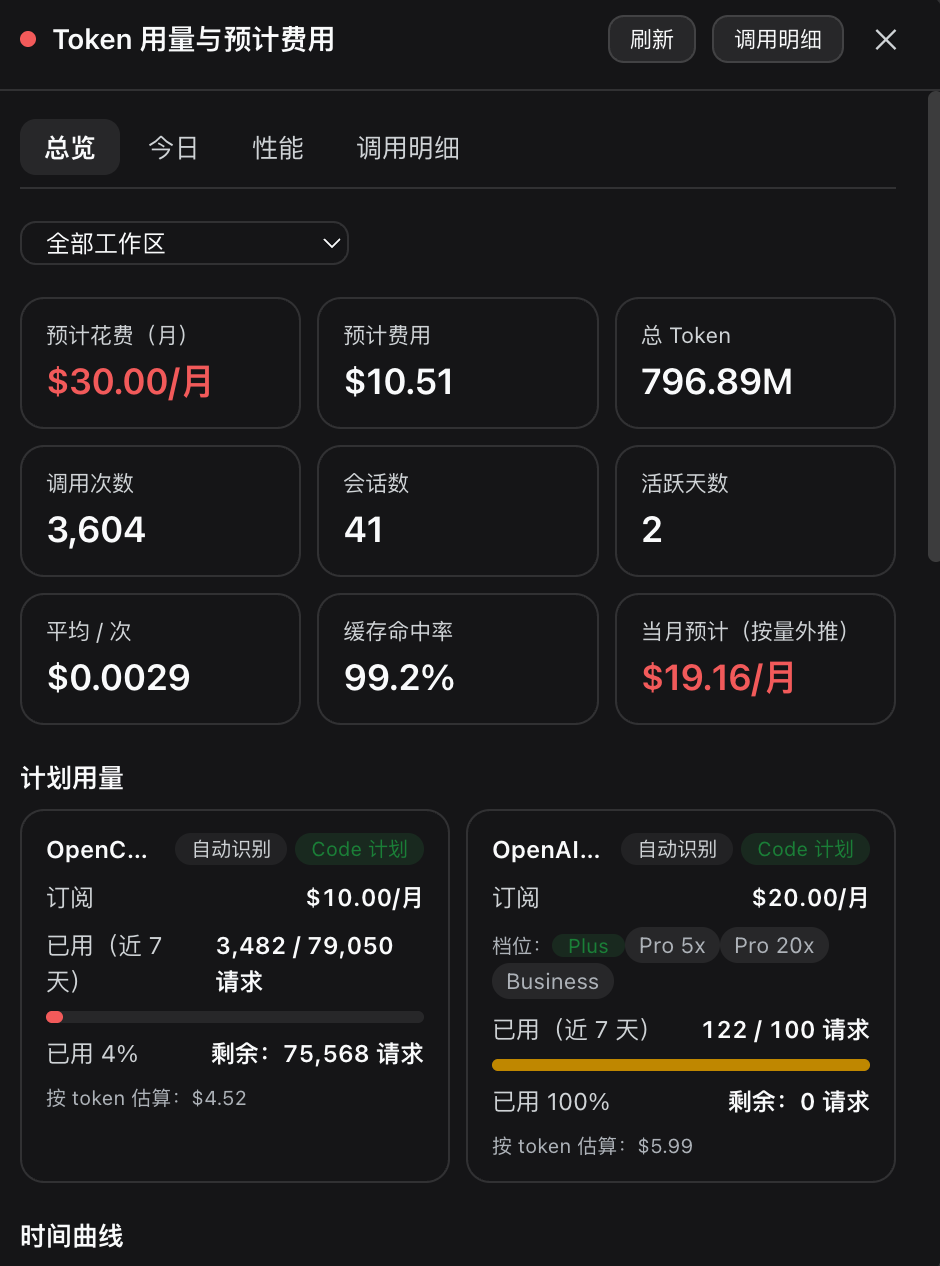
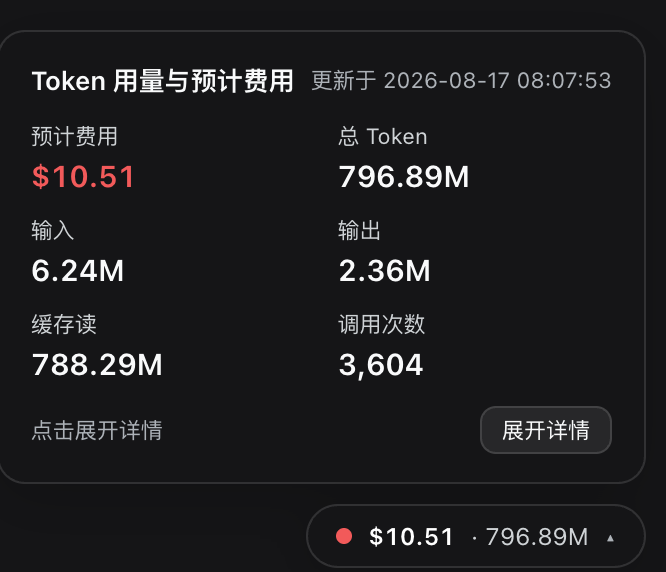
For developers who frequently call multiple LLM services, usage and cost data are often scattered across different provider consoles with inconsistent metrics and billing models, making real-time cost tracking a real challenge. dsh-spend is a one-stop usage and billing monitor built for DeepSeek Harness users. It presents a persistent floating capsule in the bottom-right corner of the Web UI—hover to preview cost and token summaries, click to expand a four-tab panel covering Overview, Today, Performance, and Call Details to analyze every call from dimensions such as provider, model, hour, day, session, and working directory.
The plugin ships with a built-in knowledge base of official pricing for 17 providers and 131 models, enabling zero-config auto-detection of subscription (Code) and pay-as-you-go (Token) billing plans. For Code plans, it directly reads provider APIs to display real quota usage percentages and reset times; for Token plans, it estimates costs based on official unit prices, with support for DeepSeek peak/off-peak pricing, real-time $ / ¥ currency switching, and workspace filtering. Call details can be exported as CSV / JSON, and abnormally expensive calls are highlighted in red to help spot cost anomalies quickly.
Whether you are an individual developer aiming to control monthly AI spending or a team lead needing per-project cost accounting across multiple model providers, dsh-spend delivers a zero-config, real-time, transparent view of token usage and expenses, making every token consumption clearly visible.
Screenshots
Use Cases
- Monitor token consumption and cost in DeepSeek Harness in real time
- View per-model costs by project and working directory
- Track quota usage and reset times for subscription-based Code plans
Best For
- Developers using DeepSeek Harness
- Team leads who need to control AI costs
- Researchers calling multiple LLM APIs
Related Plugins
A unified suite combining hot runtime injection, task-aware thinking-mode routing, and a graded session protocol with red-team gates to sustain model diligence across long-horizon inference.

ModLens is a vision plugin for DeepSeek Harness that gives text-only models sight by reading images pasted directly into chat, with zero-config setup and multiple vision engines.

On-demand vision for text-only DeepSeek Harness agents: built-in free keyless vision chain and 14 vision tools, routing image turns as tool calls to vision models with pixel fidelity, no Python needed, one-command install.

Give text-only models in DeepSeek Harness eyes, enabling image Q&A, long-screenshot OCR, UI restoration, and GUI visual tasks.