dsh-image-tools
Run the following command in DeepSeek Harness:
dsh plugin install JuneLearn/dsh-image-tools
Paste the following prompt into your AI chat to install this plugin:
Run dsh plugin install JuneLearn/dsh-image-tools inside DeepSeek Harness to install this plugin; the full source repository is https://github.com/JuneLearn/dsh-image-tools .
About this plugin
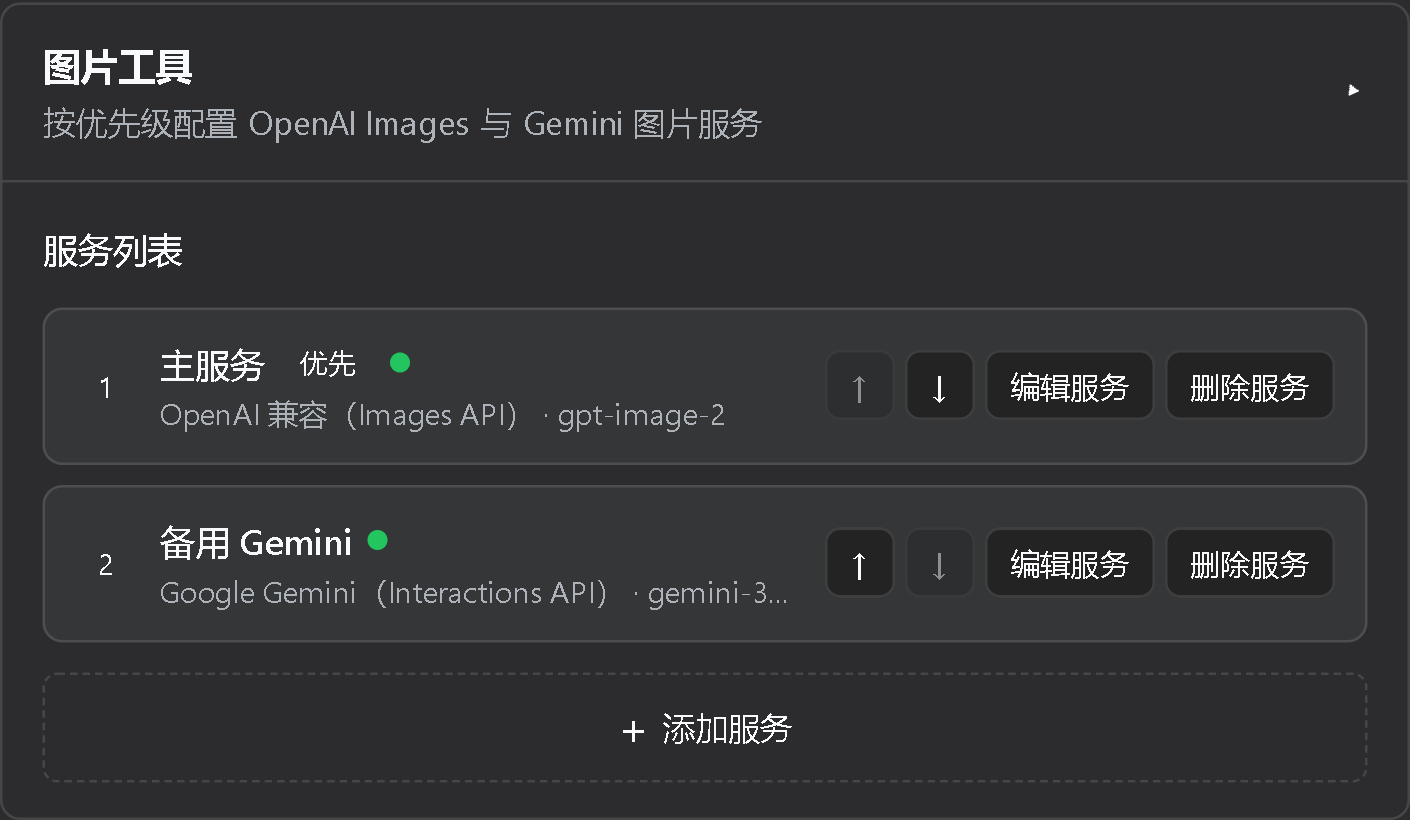
Image generation and editing inside DeepSeek Harness has historically meant wiring up different provider APIs by hand, with little fault tolerance in between. dsh-image-tools wraps OpenAI Images-compatible services and the Google Gemini Interactions API behind a single pair of provider-neutral tools (image-generate and image-edit), so you simply describe what you want in conversation and the plugin handles the rest.\n\nKey capabilities: ordered multi-service failover that only triggers on connection-class failures and never auto-retries ambiguously billed requests; sequential batches of up to eight images; fine-grained controls over dimensions, aspect ratio, resolution (up to 4K on Gemini), quality, output format, compression, background, and alpha masks; multi-reference and mask-based editing; and automatic saving of results to outputs/images/ with a same-name JSON sidecar that records prompt, protocol, model, timing, and dimensions while keeping all keys and raw headers out of the file.\n\nIt is well suited for creators and developers who produce concept art, product shots, illustrations, or edited assets regularly inside a Harness workflow and want one configuration, multi-provider hot-standby, and predictable billing behaviour without managing API plumbing themselves.
Screenshots
Use Cases
- Describe what you want in conversation and the plugin auto-invokes OpenAI or Gemini to generate concept art, product shots, or illustrations
- Keep chatting after a generate to swap backgrounds, replace elements, or apply alpha masks without re-specifying tools or parameters
- Configure multiple providers with priority-based failover so connection-level outages are transparent and never interrupt your workflow
Best For
- Creators and designers producing visual assets regularly inside a Harness workflow
- Developers who need multi-provider hot-standby to mitigate single-vendor API outages
- Technical teams that prefer natural-language prompts over manual parameter forms to drive generation and editing
Related Plugins

ModLens is a vision plugin for DeepSeek Harness that gives text-only models sight by reading images pasted directly into chat, with zero-config setup and multiple vision engines.

On-demand vision for text-only DeepSeek Harness agents: built-in free keyless vision chain and 14 vision tools, routing image turns as tool calls to vision models with pixel fidelity, no Python needed, one-command install.

Give text-only models in DeepSeek Harness eyes, enabling image Q&A, long-screenshot OCR, UI restoration, and GUI visual tasks.
An armor-breaking plugin for DeepSeek: rewrites instruction priority, expands refusal-blocked phrases, persists across sessions, and shows a green active indicator.