dsh-sticky-notes
Run the following command in DeepSeek Harness:
dsh plugin install hufang360/dsh-sticky-notes
Paste the following prompt into your AI chat to install this plugin:
Run dsh plugin install hufang360/dsh-sticky-notes in your terminal (source: https://github.com/hufang360/dsh-sticky-notes), then restart dsh or hard-refresh the browser to see the sticky-notes entry.
About this plugin
When you are deep in a DeepSeek Harness WebUI session, a stray thought, a quick to-do, or a screenshot you want to reference often slips away. dsh-sticky-notes is a floating sticky-note board parked in the WebUI sidebar, so you can jot things down without switching windows or pulling up an external note app.
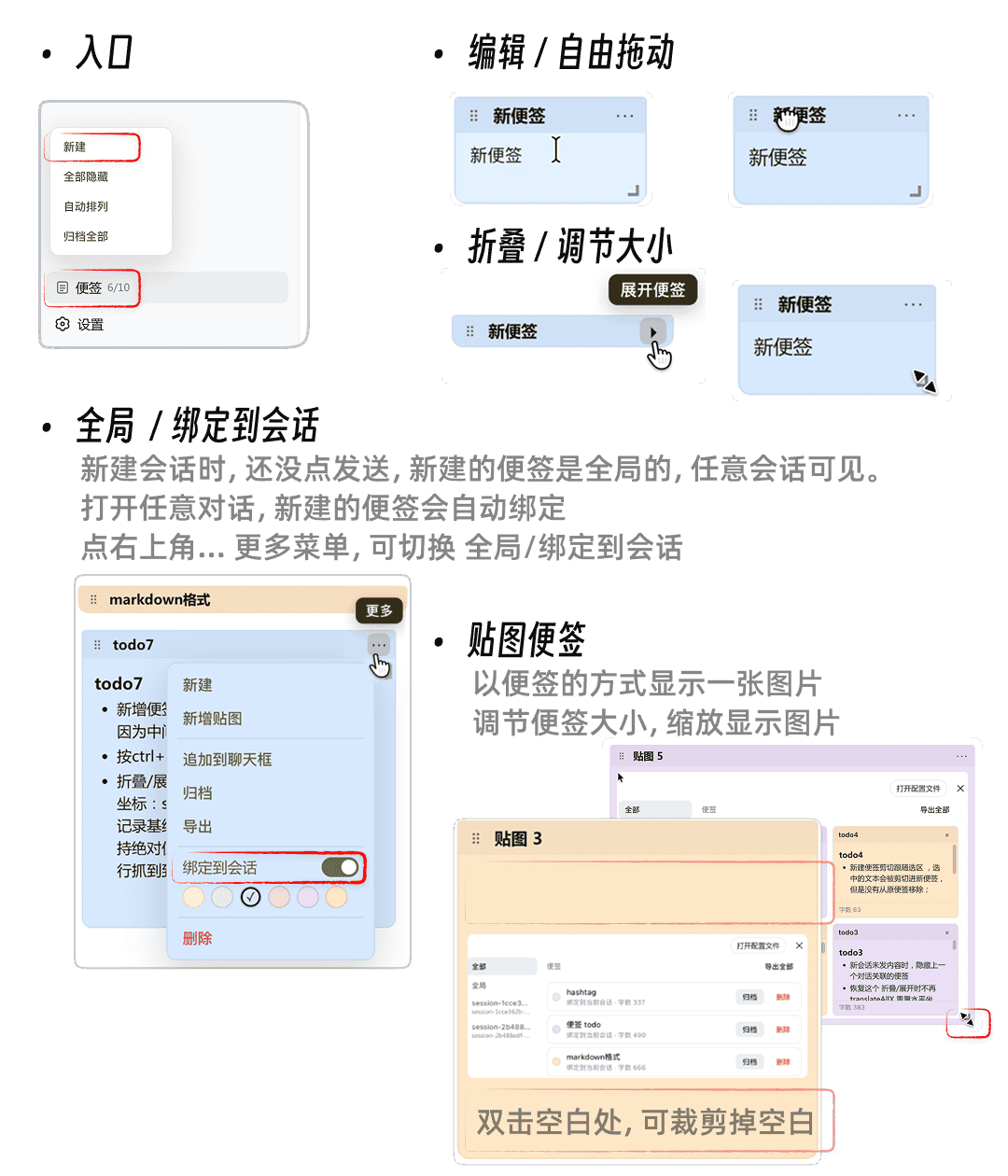
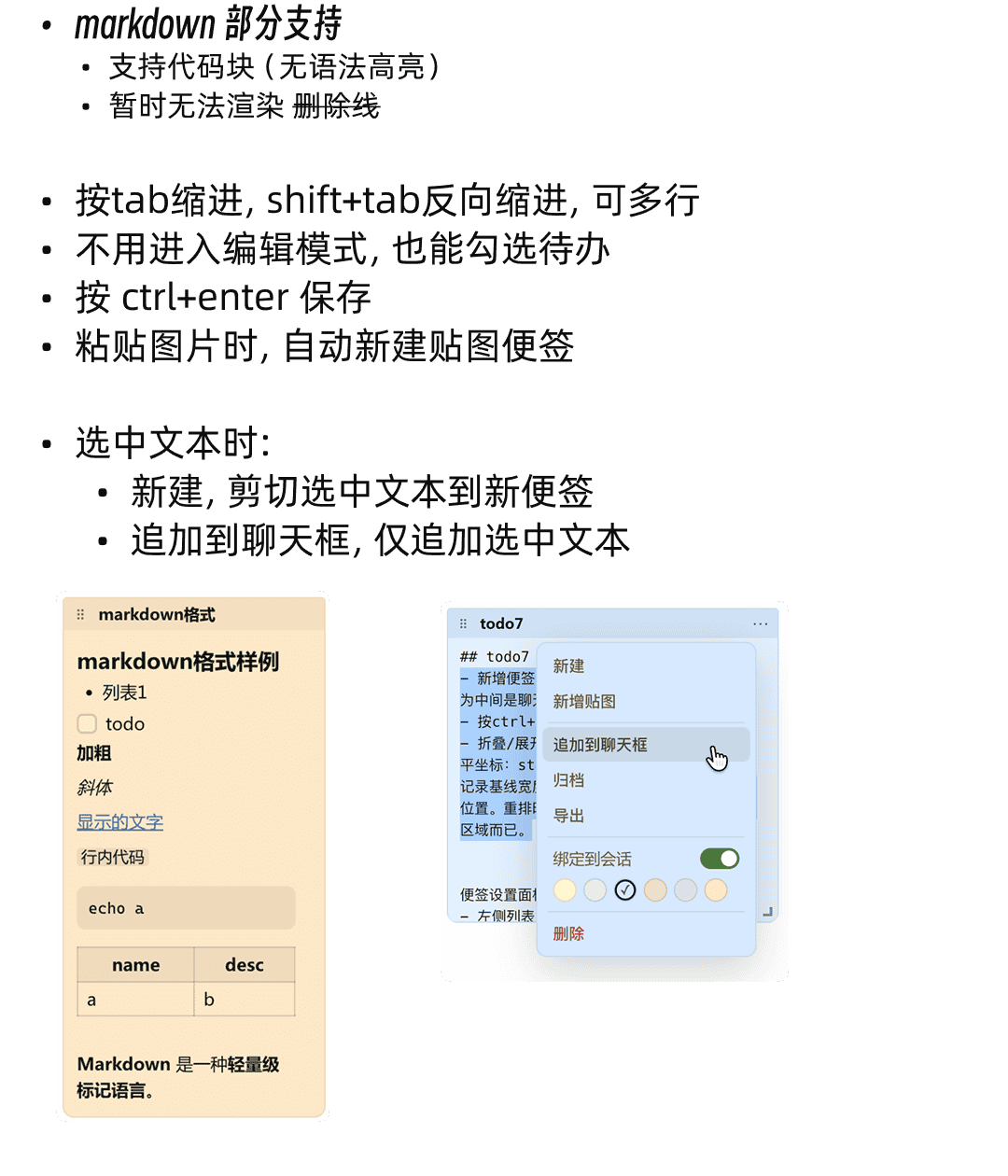
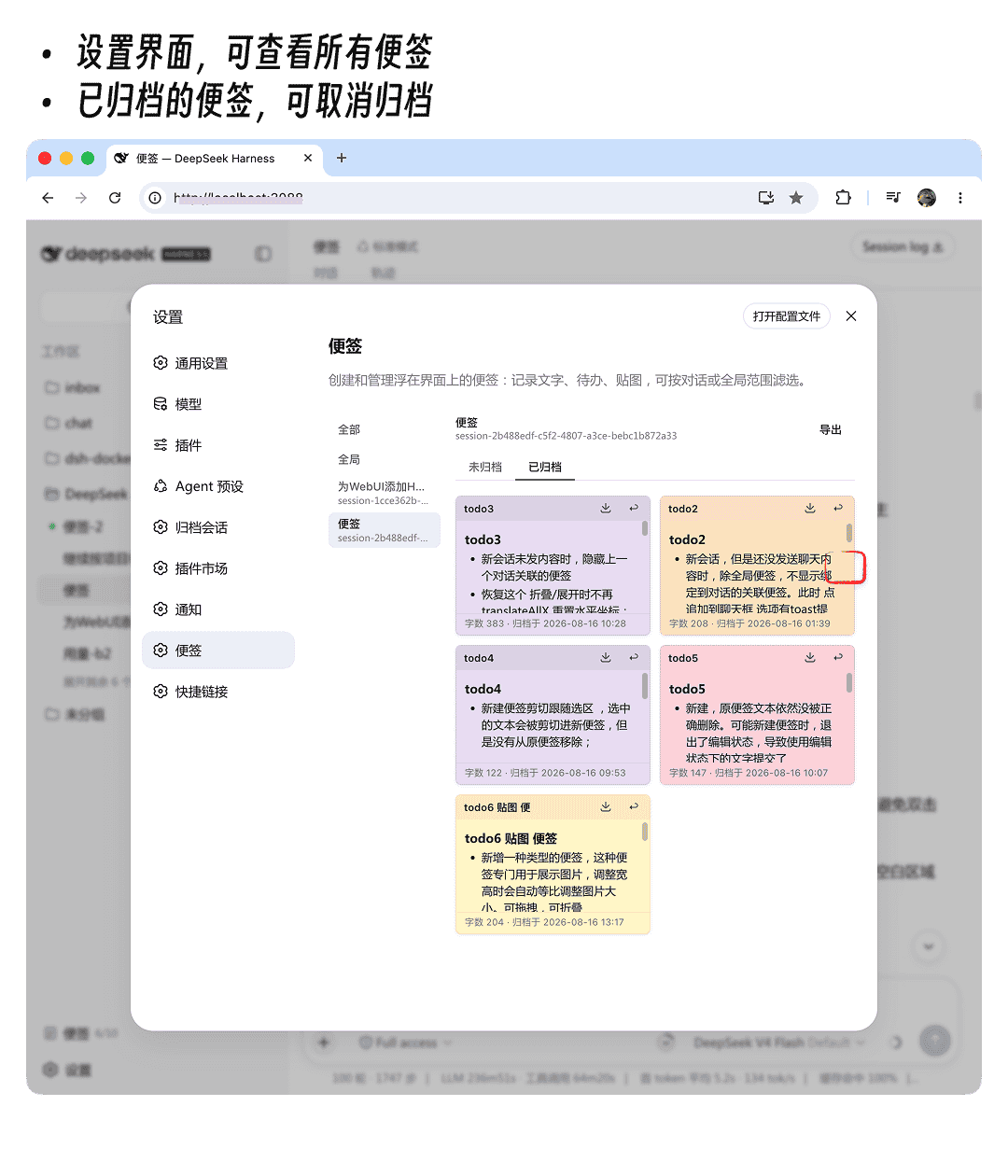
Notes support plain text, to-do checklists, and images (auto-compressed for storage). You can freely drag to reposition, resize, collapse, and archive individual notes. A particularly handy feature is session binding: link a note to a specific conversation, and the next time you open that session the relevant note pops back up, keeping your context and reminders in sync.
All data lives in the browser localStorage—nothing is uploaded, and there is no cross-device sync. For a developer who works on a single machine, that is exactly the zero-config, zero-privacy-concern lightweight setup you want. It suits anyone who lives in the DSH WebUI and needs a quick, persistent scratchpad between sessions.
Screenshots
Use Cases
- Jot down quick thoughts and to-dos between WebUI sessions
- Pin reference images in the sidebar for at-a-glance lookup
- Bind notes to specific sessions so context auto-appears on revisit
Best For
- Developers who use DSH WebUI daily and need a quick scratchpad
- Privacy-conscious users who prefer local-only storage with no upload
- Engineering teams juggling multiple sessions and need contextual reminders
Related Plugins

Traceable, searchable cross-session memory for AI agents that turns conversation knowledge into a typed knowledge graph and recalls relevant subgraphs instead of replaying full history, natively integrated with DeepSeek Harness.
Gives DSH AI cross-session long-term memory, to-do and skill management, plus multi-session orchestration, external AI delegation, and an infinite canvas that grows with you.

dsh-mnemon is a three-tier, pluggable, Agent-driven memory system for DeepSeek Harness, combining Runtime memory, Project Documents, and replaceable Memory Spaces with nine long-term providers.
An opinionated, zero-infrastructure file-based memory protocol: human-readable markdown files plus a bounded always-loaded index, curation discipline, and no database or embeddings.