
dsh-replay
Run the following command in DeepSeek Harness:
dsh plugin install MingoZhou/dsh-replay
Paste the following prompt into your AI chat to install this plugin:
After running the installation command, simply restart DeepSeek Harness to automatically load the plugin into the interface, and you can find the complete source code at https://github.com/MingoZhou/dsh-replay
About this plugin
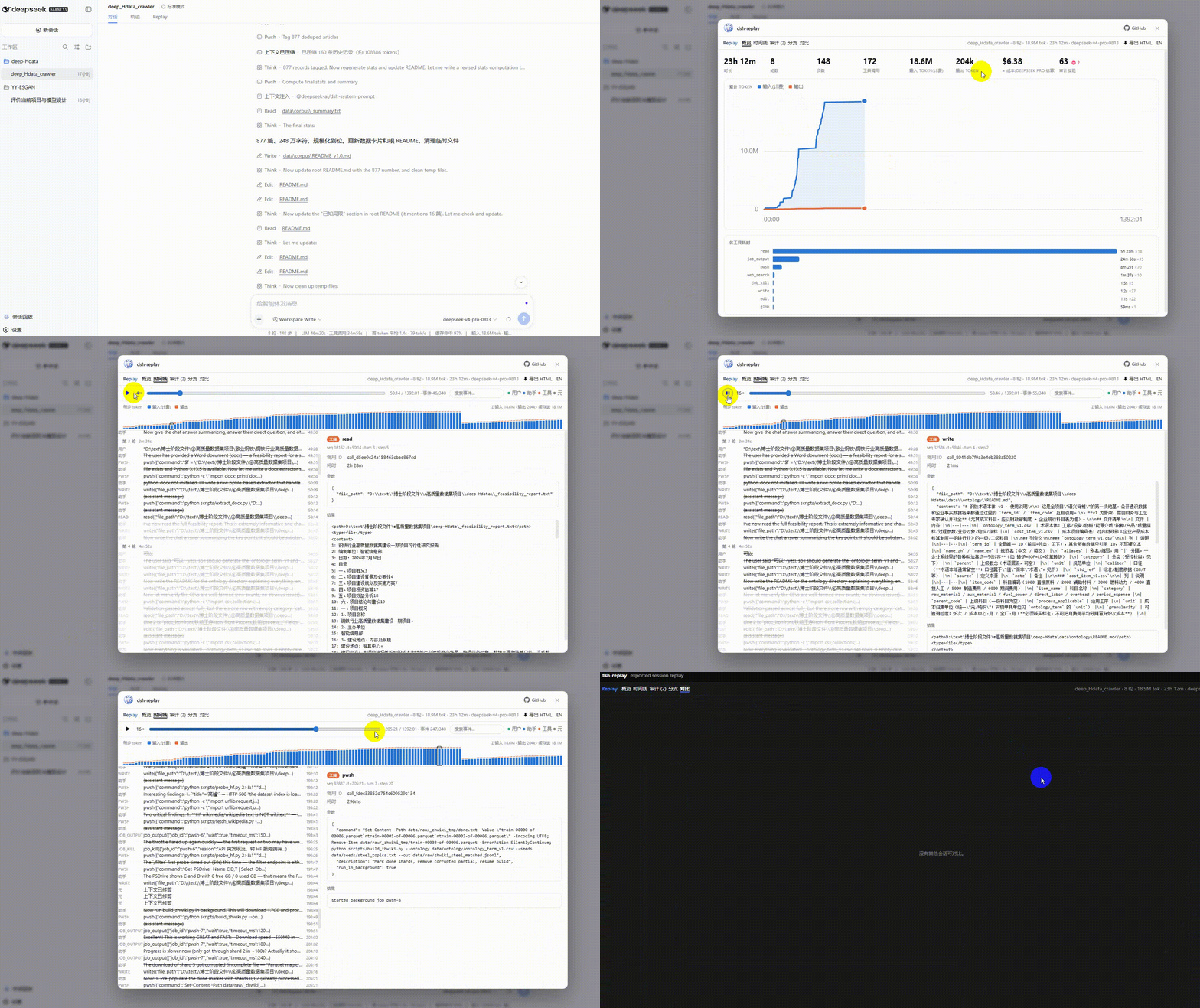
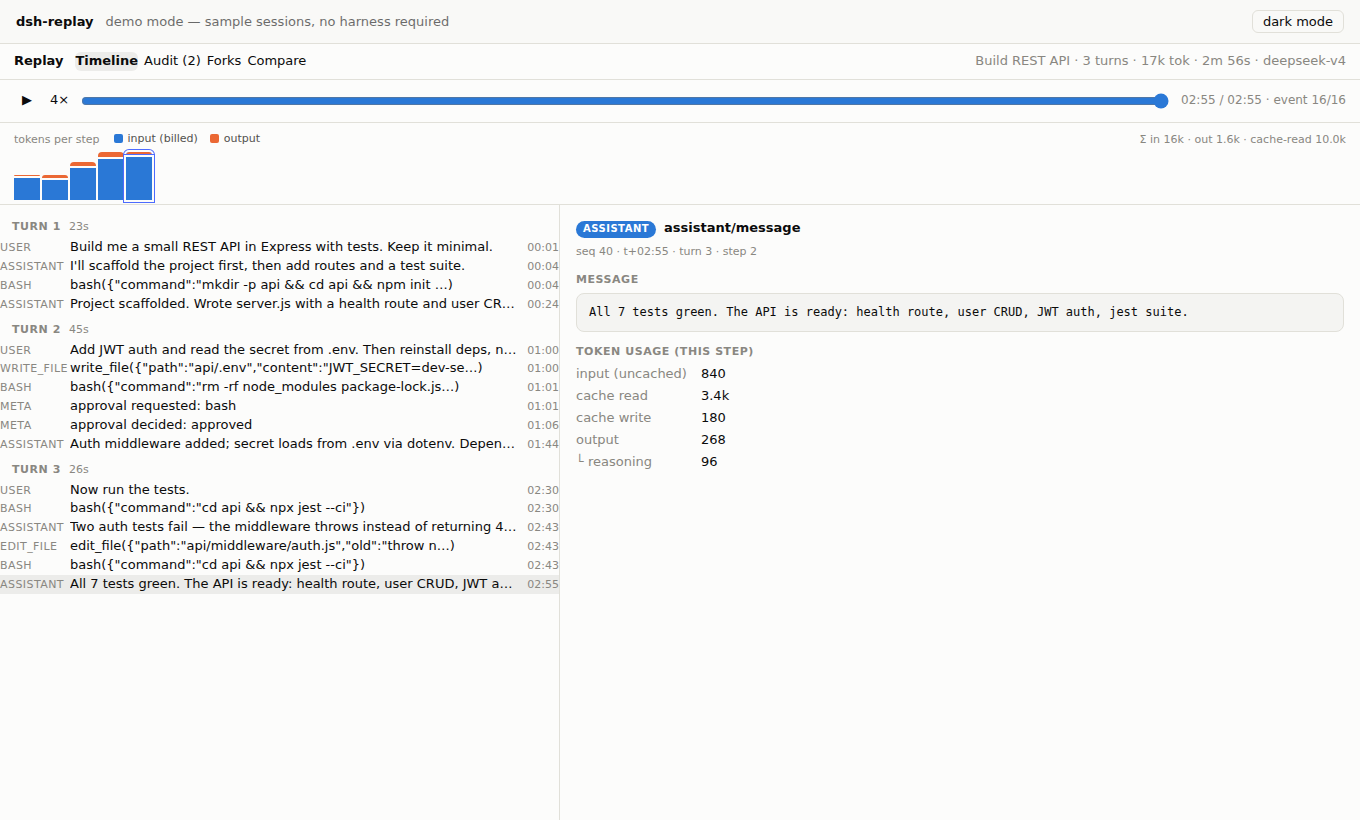
Have you ever launched an asynchronous agent task overnight, only to return and find it burned through millions of tokens without ever telling you why? While DeepSeek Harness keeps a pristine, append-only record of every interaction, that raw log is notoriously difficult to navigate manually. dsh-replay bridges this gap by transforming invisible event streams into an interactive, video-like timeline. You can scrub through every message, tool call, and reasoning step, giving you unprecedented visibility into exactly how your agent spends its time and resources.
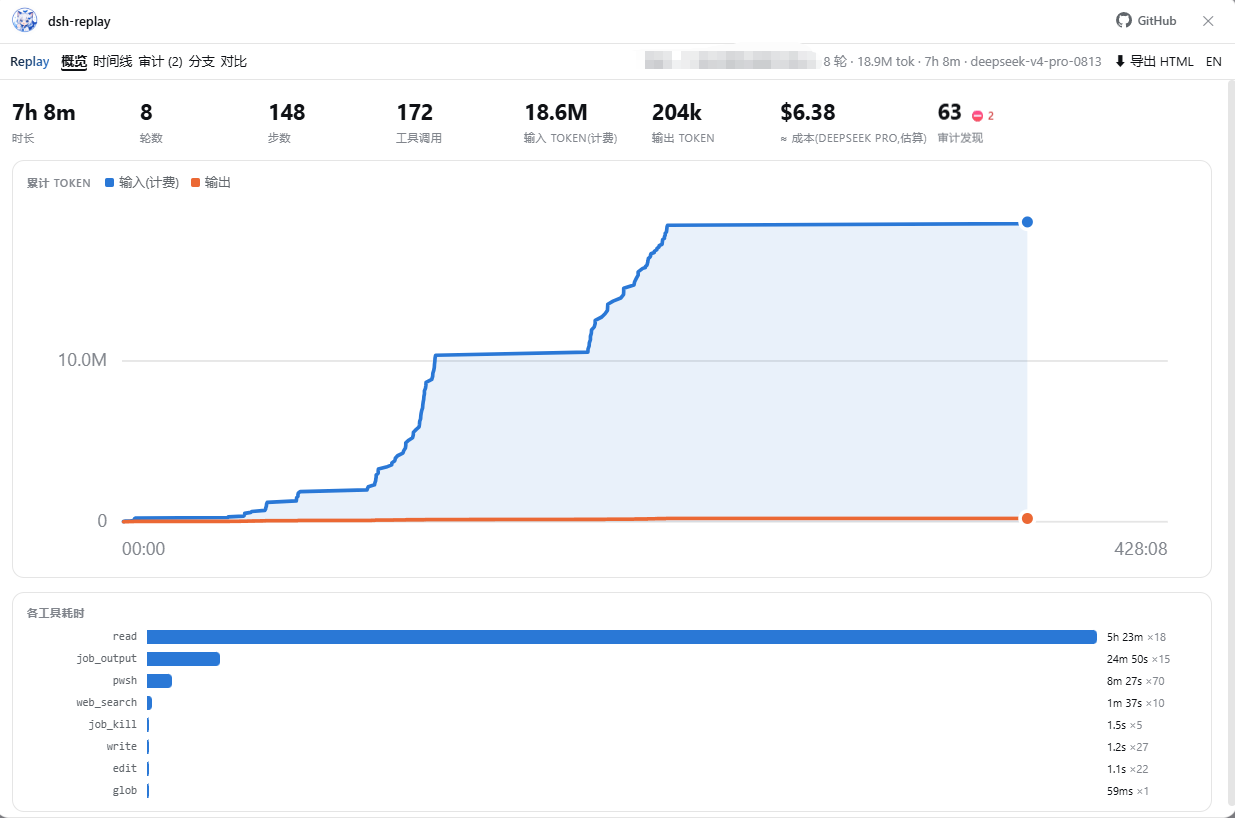
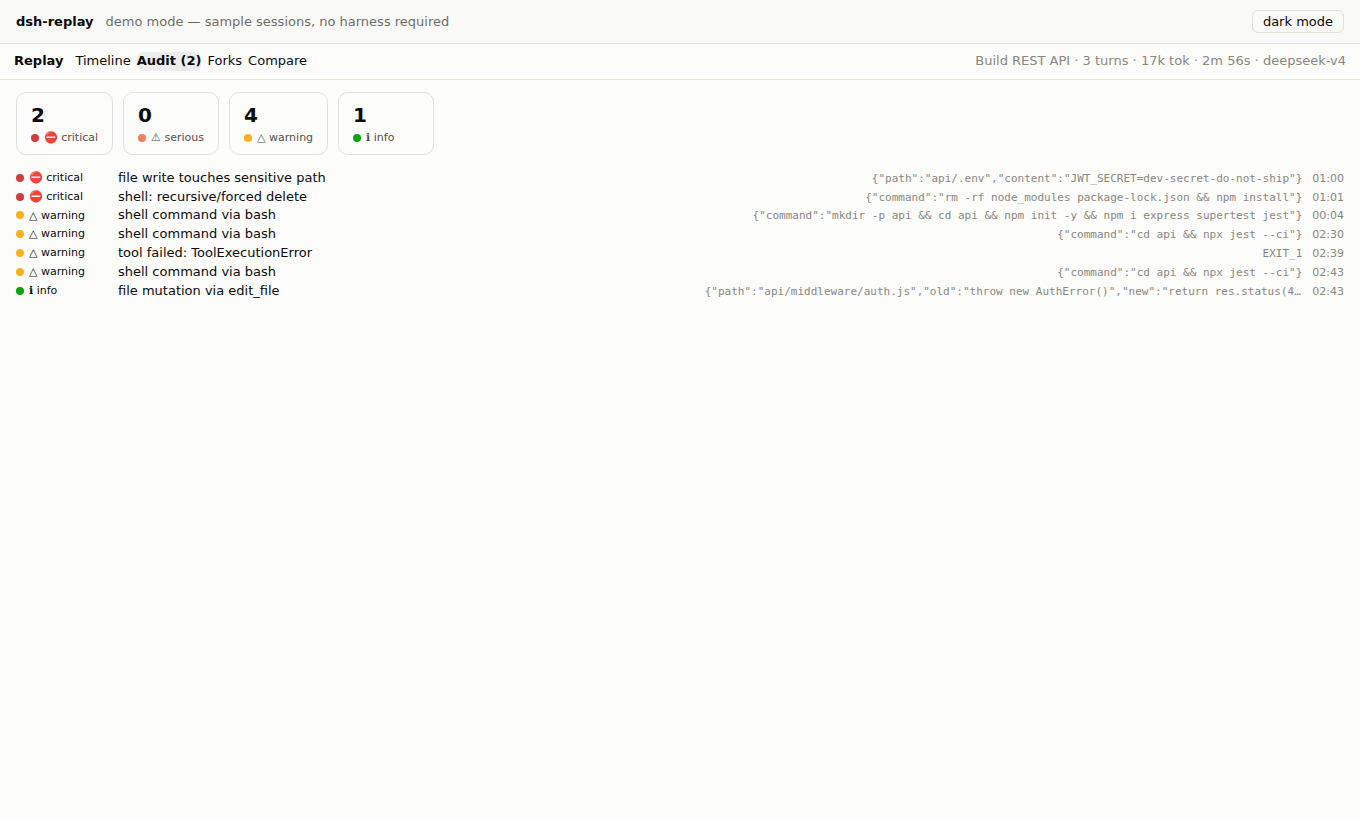
Beyond simple playback, the plugin acts as a comprehensive diagnostic toolkit. It features an overview dashboard that breaks down token usage and wall-clock time, alongside an accurate cost estimator that factors in cache-aware pricing. Built-in security audits automatically flag risky shell commands, sensitive path access, and unauthorized permission changes. For complex multi-step workflows, the interactive fork tree visualizes session lineage and enables side-by-side comparisons to pinpoint exact divergence points. Plus, one-click HTML exports let you share fully interactive, zero-install reports with anyone on your team.
Designed for AI practitioners, researchers, and engineering leads managing long-running autonomous tasks, dsh-replay seamlessly plugs into your existing DeepSeek Harness setup. Whether you are debugging stubborn loops, optimizing API spend, or enforcing operational safety guardrails, this plugin turns opaque agent behavior into a transparent, auditable, and highly collaborative workflow.
Screenshots
Use Cases
- Scrub through long-running task logs frame-by-frame to pinpoint performance bottlenecks.
- Visually compare session fork trees to identify exact divergence points in decision logic.
- Generate interactive offline reports for seamless bug reporting and team knowledge sharing.
Best For
- Developers debugging asynchronous agent loops and complex tool integration chains.
- Operations leads tracking LLM API consumption and optimizing running costs.
- AI safety engineers auditing autonomous behavior and enforcing permission controls.
Related Plugins

Memory layer for coding agents that indexes local session history and auto-recalls relevant context before edits, commands, and failures, with no manual search needed.

Traceable, searchable cross-session memory for AI agents that turns conversation knowledge into a typed knowledge graph and recalls relevant subgraphs instead of replaying full history, natively integrated with DeepSeek Harness.
Gives DSH AI cross-session long-term memory, to-do and skill management, plus multi-session orchestration, external AI delegation, and an infinite canvas that grows with you.

dsh-mnemon is a three-tier, pluggable, Agent-driven memory system for DeepSeek Harness, combining Runtime memory, Project Documents, and replaceable Memory Spaces with nine long-term providers.