dsh-simple-memory
Run the following command in DeepSeek Harness:
dsh plugin install a903067276-rgb/dsh-simple-memory
Paste the following prompt into your AI chat to install this plugin:
Run dsh plugin install a903067276-rgb/dsh-simple-memory in the DeepSeek Harness terminal to install the plugin; the source is available at https://github.com/a903067276-rgb/dsh-simple-memory
About this plugin
Every new session in dsh web starts with the model knowing nothing about the pitfalls you hit, the decisions you locked in, or the workflows you polished in earlier conversations. dsh-simple-memory solves this the simplest way possible: no database, no vector store—just a tidy pile of Markdown files managed by git, letting knowledge accumulate beside your projects like a pocket notebook.
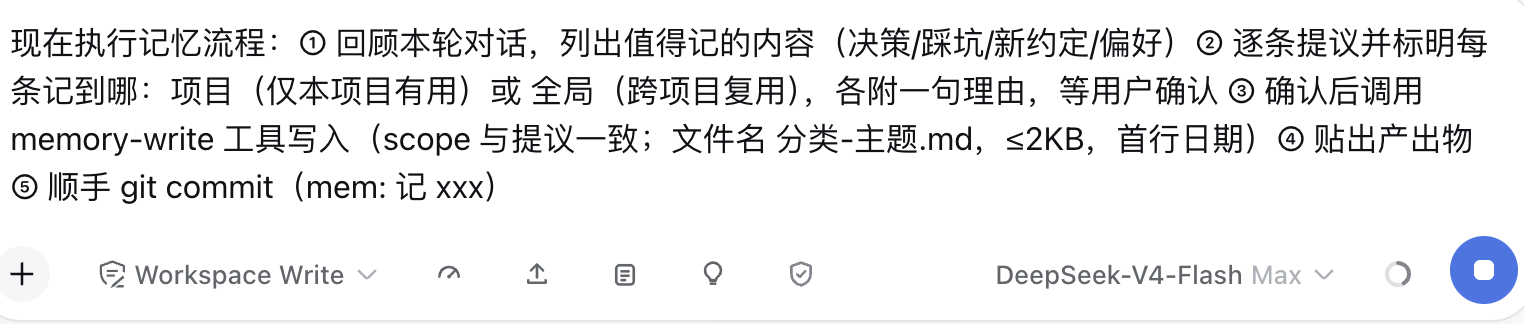
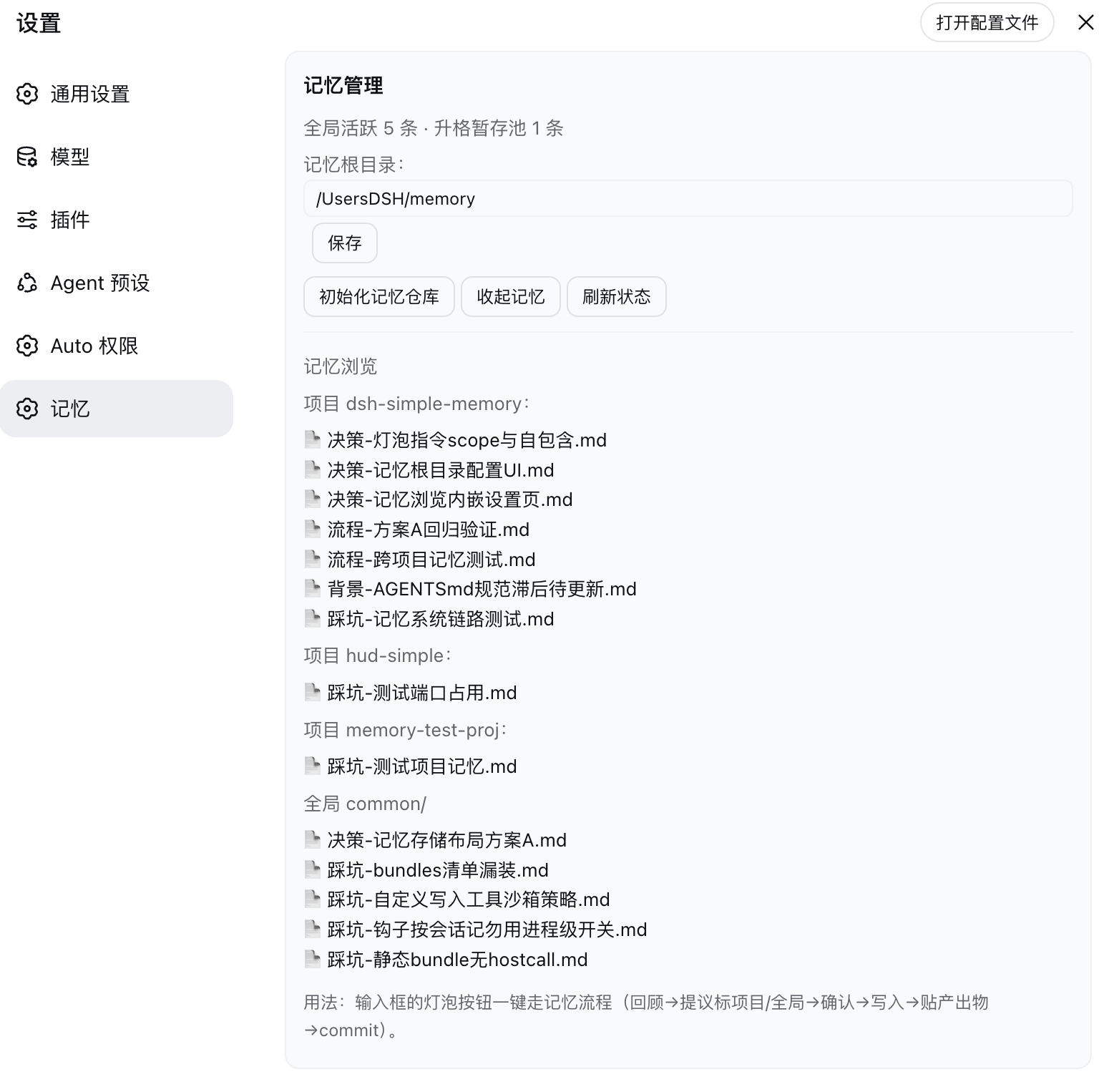
At the first step of every session the plugin injects a filename index—current project plus global—into the model context; only names, never full text, so each note (capped at 2 KB) is read on demand. Click the bulb icon next to the input box to trigger a self-contained flow: review the conversation, propose each item with a project or global scope and a short reason, wait for your confirmation, write the file in the prescribed format, display the output, and commit. The settings page offers a status overview, memory-root relocation, and an inline browser listing every project flat alongside a global directory. Reusable entries graduate through a staging pool into common/, outdated ones are soft-deleted to archive/, and every operation lands in git instantly—so a bad write is one checkout away from being undone.
If you build day-to-day in dsh web and want your assistant to remember pitfalls, processes, decisions, and preferences across sessions without standing up a database or a vector stack, this is the lightest option available today: a community-maintained sidecar filesystem with zero extra services, ready to capture a note the moment you need one.
Screenshots
Use Cases
- Recall pitfalls and decisions from prior sessions in a fresh conversation
- Distill project workflows, preferences, and context into searchable structured notes
- Promote reusable experience from project level into the global common directory for cross-project reuse
Best For
- dsh web users who want the assistant to retain cross-session context
- Developers who prefer a zero-database, file-based knowledge approach with no vector stack
- Engineers who value git-based rollback and want full control over stored notes
Related Plugins

Traceable, searchable cross-session memory for AI agents that turns conversation knowledge into a typed knowledge graph and recalls relevant subgraphs instead of replaying full history, natively integrated with DeepSeek Harness.
Gives DSH AI cross-session long-term memory, to-do and skill management, plus multi-session orchestration, external AI delegation, and an infinite canvas that grows with you.

dsh-mnemon is a three-tier, pluggable, Agent-driven memory system for DeepSeek Harness, combining Runtime memory, Project Documents, and replaceable Memory Spaces with nine long-term providers.
An opinionated, zero-infrastructure file-based memory protocol: human-readable markdown files plus a bounded always-loaded index, curation discipline, and no database or embeddings.