dsh-cost-tracker
Run the following command in DeepSeek Harness:
dsh plugin install Angelyeye/dsh-cost-tracker
Paste the following prompt into your AI chat to install this plugin:
Run dsh plugin install Angelyeye/dsh-cost-tracker in your terminal, or visit https://github.com/Angelyeye/dsh-cost-tracker for installation instructions.
About this plugin
Using DeepSeek Harness for daily inference and development can quickly lead to a fog around your spending—especially when peak/off-peak pricing, cache-hit versus cache-write billing, and subscription quota tiers like Kimi Coding Plan all mix together. dsh-cost-tracker automates the bookkeeping: every API call is recorded with input, output, cache-hit, and cache-write tokens tracked separately; peak hours (Mon–Fri 9:00–12:00 and 14:00–18:00 Beijing time) are billed at full rate, off-peak and weekends at half, and local models such as Ollama are counted at zero.
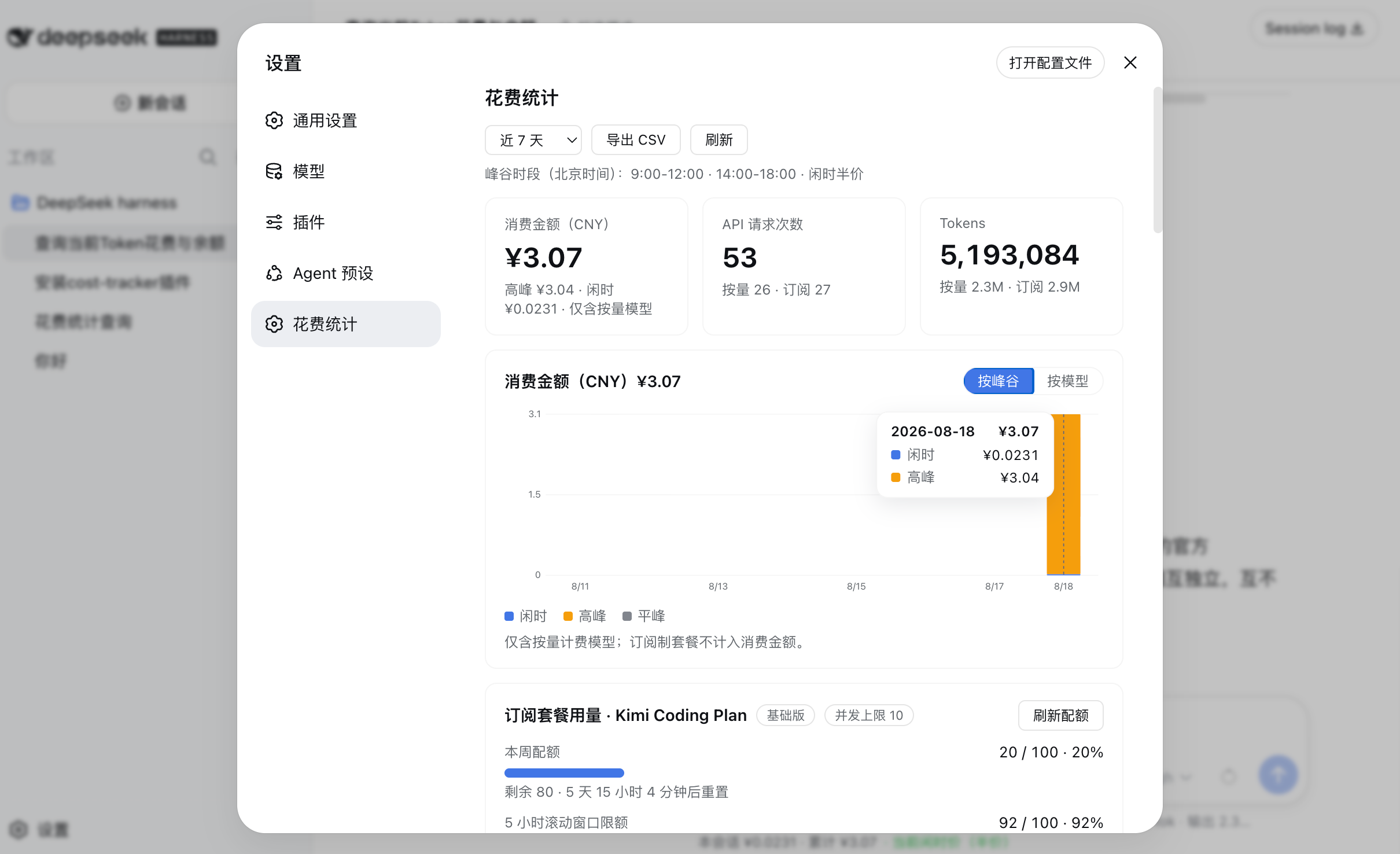
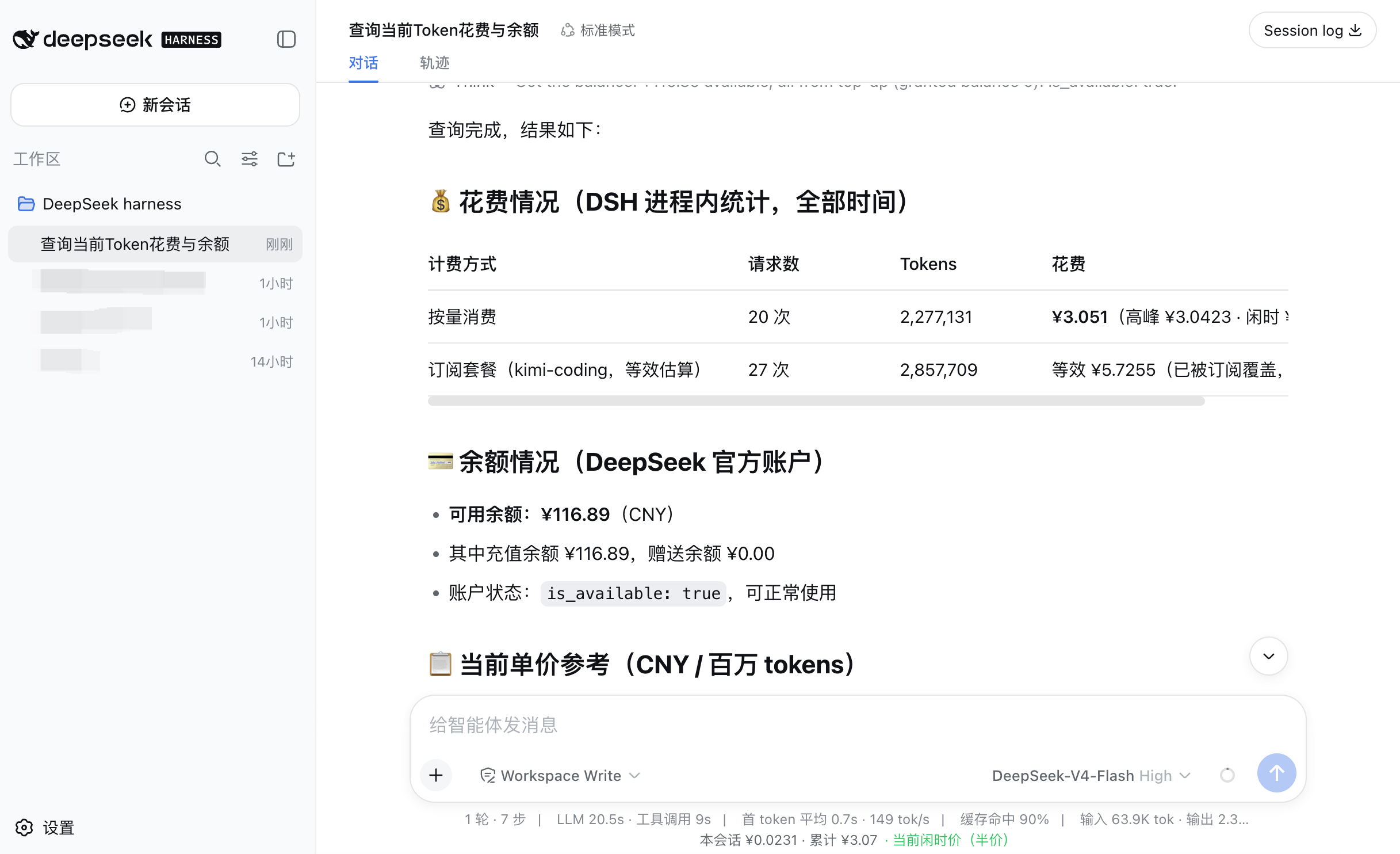
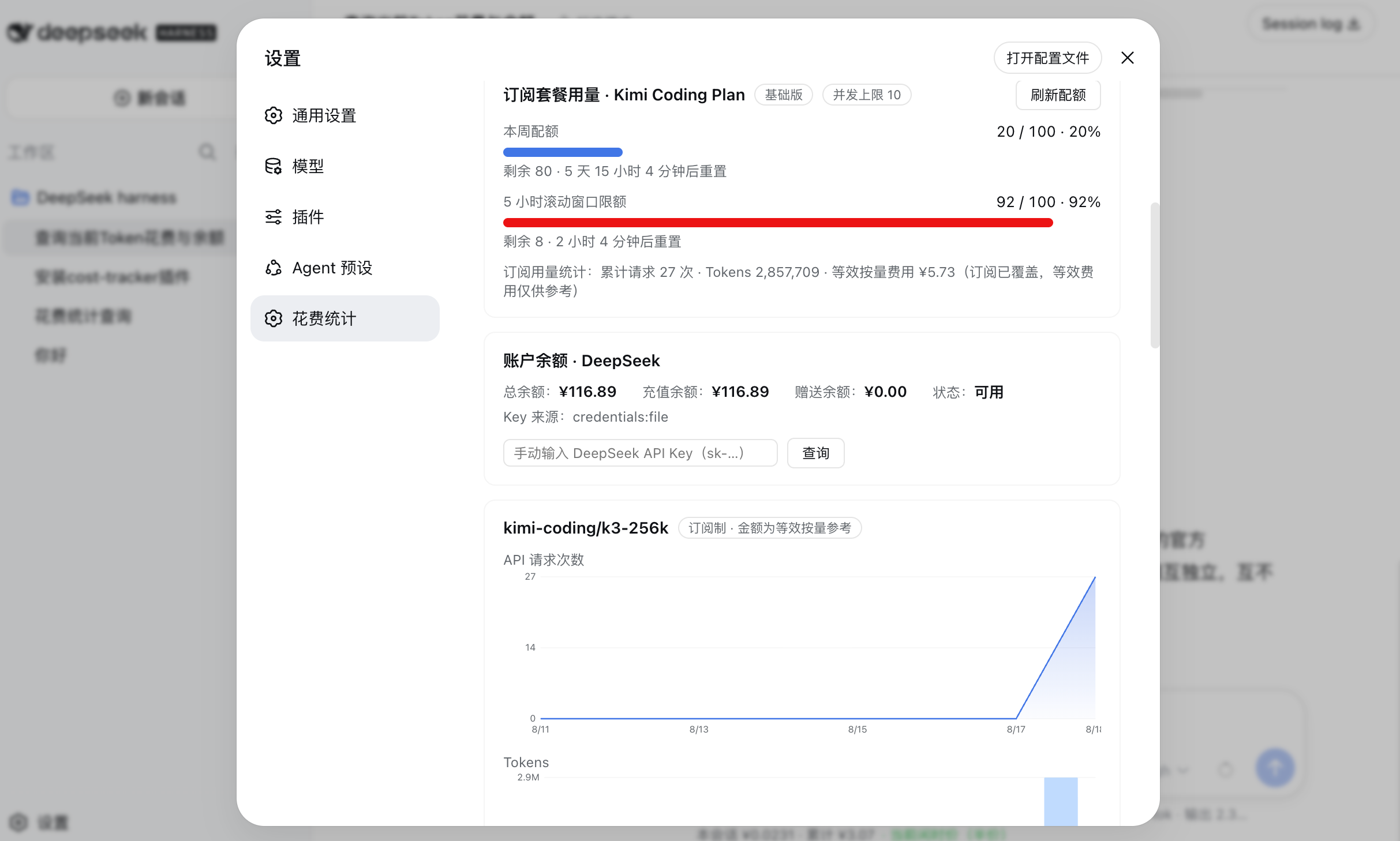
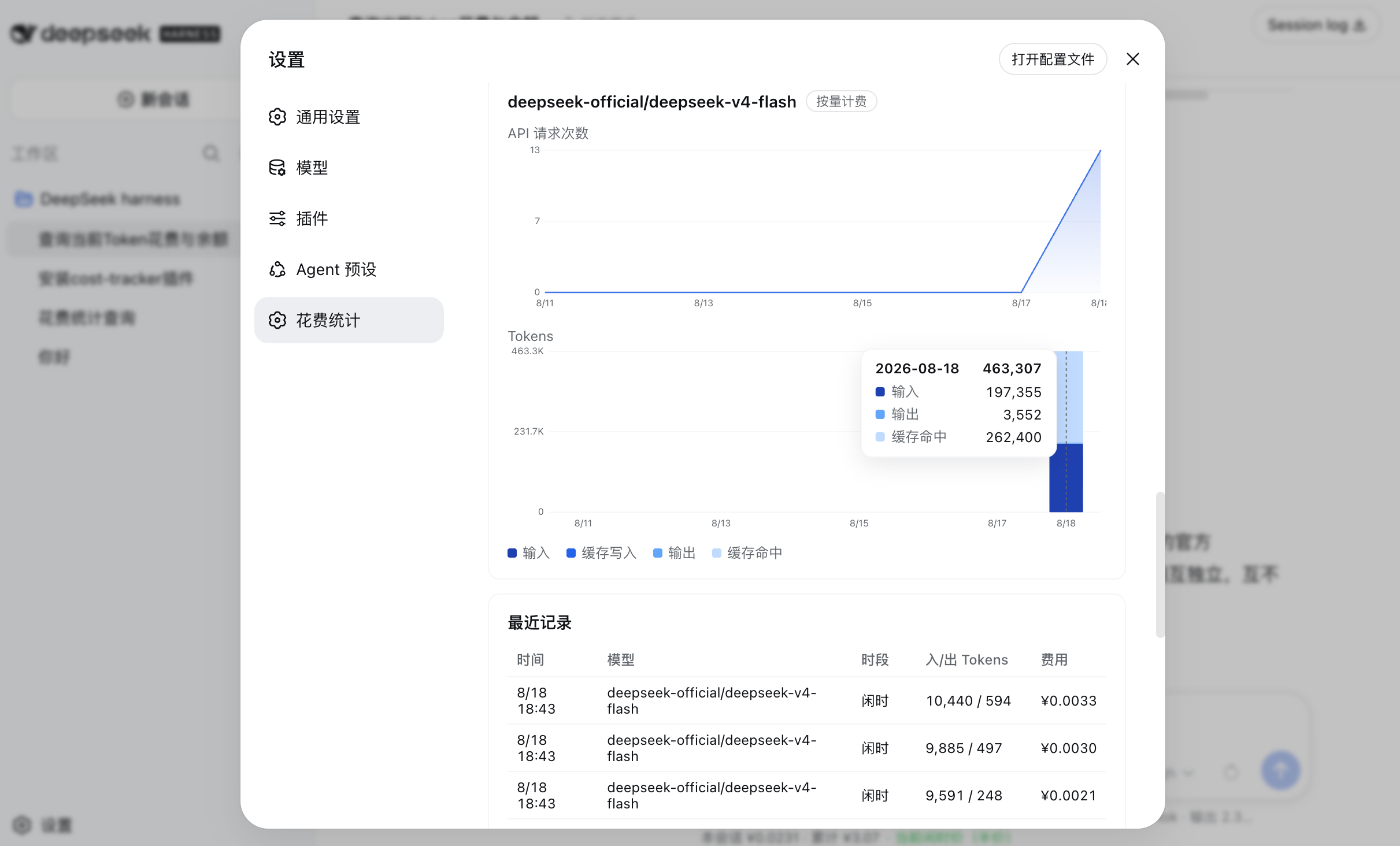
The settings page ships a full visual dashboard: six summary cards (today / this month / total cost, API calls, tokens, balance), a consumption bar chart segmentable by peak/off-peak or by model, a 26-week token-usage heatmap, and per-model request and token-composition charts, all with hover-to-inspect daily details. A persistent time-band indicator at the bottom of the sidebar shows the current peak/off-peak phase and a countdown to the next switch; you can configure pop-up alerts and browser notifications before transitions. A status bar under the chat input splits this session's cost by the models and subscriptions actually used, collapsing to the top-two by default.
It is built for developers who make heavy daily use of DeepSeek models while also running a subscription plan such as Kimi Coding Plan: you can see the true out-of-pocket cost for on-demand calls and estimate the equivalent on-demand cost of subscription usage to gauge value. All data is persisted locally—detailed records are kept for 180 days, then auto-compressed into permanent daily rollups—so history survives restarts, uninstall leaves no trace, and one-click CSV export lets you take the numbers into Excel or Numbers for deeper analysis.
Screenshots

Use Cases
- Review daily and monthly spending after heavy DeepSeek API usage
- Compare peak vs off-peak token consumption to optimize call timing
- Estimate equivalent on-demand cost of a Coding Plan subscription to gauge value
Best For
- Developers making heavy daily calls to DeepSeek models
- Users running both on-demand API and subscription plans like Kimi Coding Plan
- Solo developers or teams who want local, cloud-free LLM cost tracking
Related Plugins

ModLens is a vision plugin for DeepSeek Harness that gives text-only models sight by reading images pasted directly into chat, with zero-config setup and multiple vision engines.

On-demand vision for text-only DeepSeek Harness agents: built-in free keyless vision chain and 14 vision tools, routing image turns as tool calls to vision models with pixel fidelity, no Python needed, one-command install.

Give text-only models in DeepSeek Harness eyes, enabling image Q&A, long-screenshot OCR, UI restoration, and GUI visual tasks.
An armor-breaking plugin for DeepSeek: rewrites instruction priority, expands refusal-blocked phrases, persists across sessions, and shows a green active indicator.