dsh-memory-bridge
Run the following command in DeepSeek Harness:
dsh plugin install gangwolf2312-creator/dsh-memory-bridge
Paste the following prompt into your AI chat to install this plugin:
Run dsh plugin install gangwolf2312-creator/dsh-memory-bridge in DeepSeek Harness (0.1.0-rc.7 or later) to install the plugin; the full source is hosted at https://github.com/gangwolf2312-creator/dsh-memory-bridge . Restart Harness after installation to apply.
About this plugin
DeepSeek cloud models offer a one-million-token context window, making it feasible to stuff entire conversation history into the prompt. Switch to a local model, though, and the window shrinks to 4K-32K tokens with performance degrading sharply as length grows. Pressing everything into the window simply stops working. Preferences, project context, and established decisions vanish between sessions, and repeating yourself or contradicting earlier statements becomes a daily frustration. dsh-memory-bridge was built for exactly this: it extracts what is worth keeping from each conversation, structures it into a Markdown memory tree, and injects only the few relevant entries into subsequent turns, so even a 4K-window model retains usable long-term memory.
The read path is entirely LLM-free, using BM25 term-frequency scoring fused through multi-path RRF ranking. Results are reproducible and auditable under identical data states, with no vector database or external service required. On the write side, a dual-channel pipeline covers both deterministic rules and LLM extraction: saying "remember this lesson" instantly cements a permanent experience entry, preference signals auto-propose once three similar ones accumulate, and the LLM handles the rest-extraction, chain-linking, and conflict arbitration. Injection is tiered by conversational intent-up to three entries for critical turns, one for ordinary turns, and zero for small talk-so memory is consulted on demand rather than dumped into context.
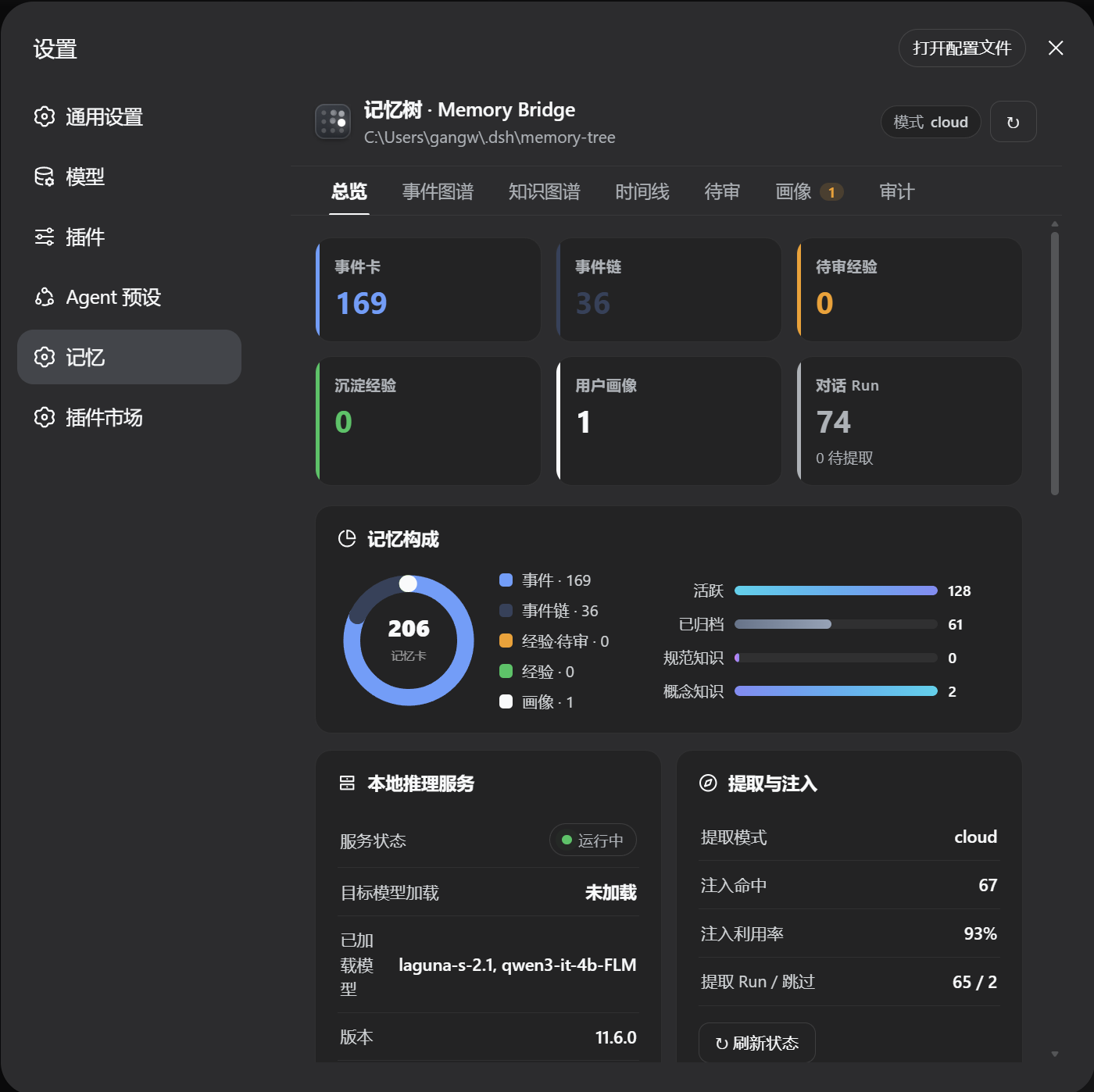
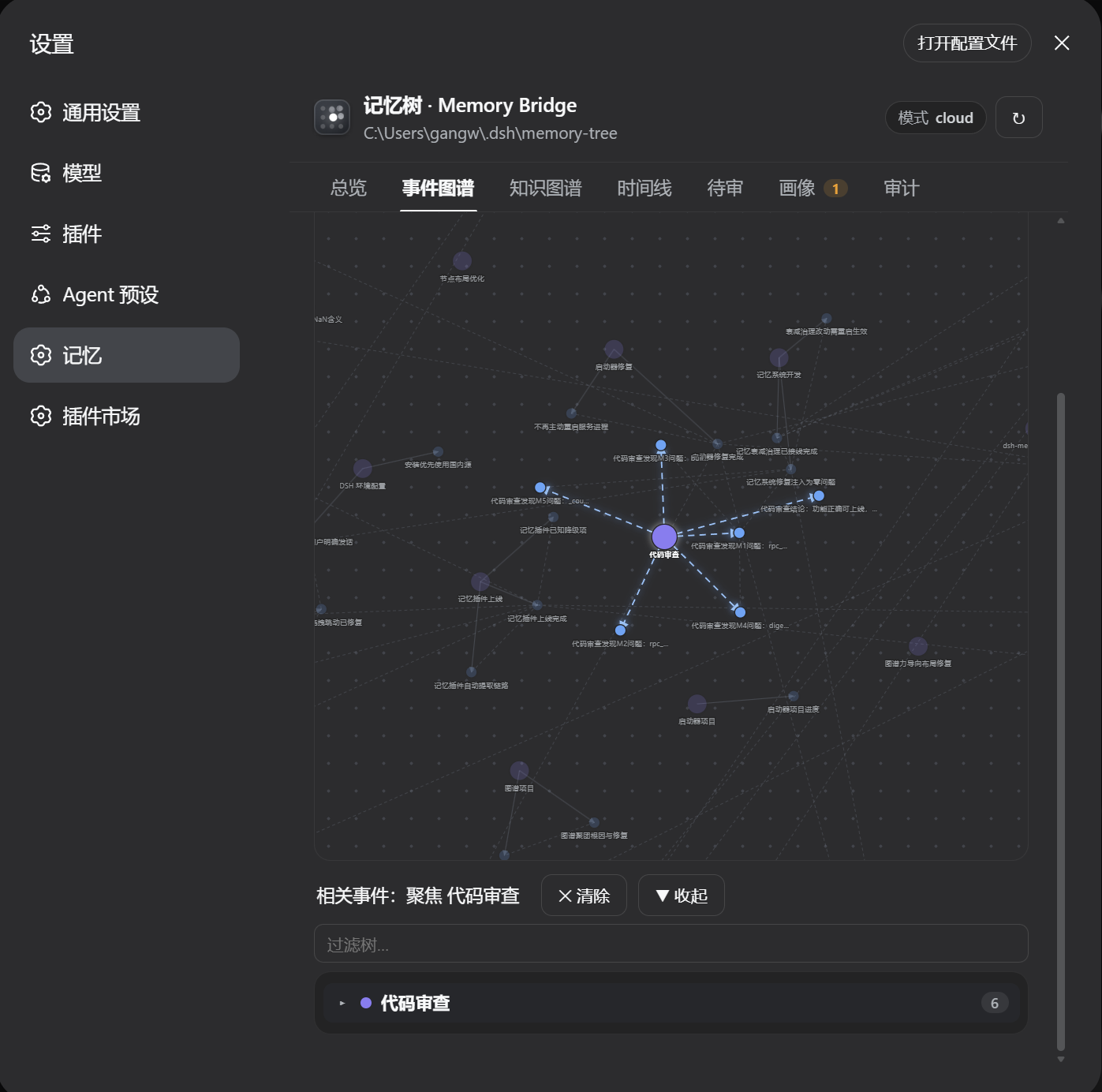
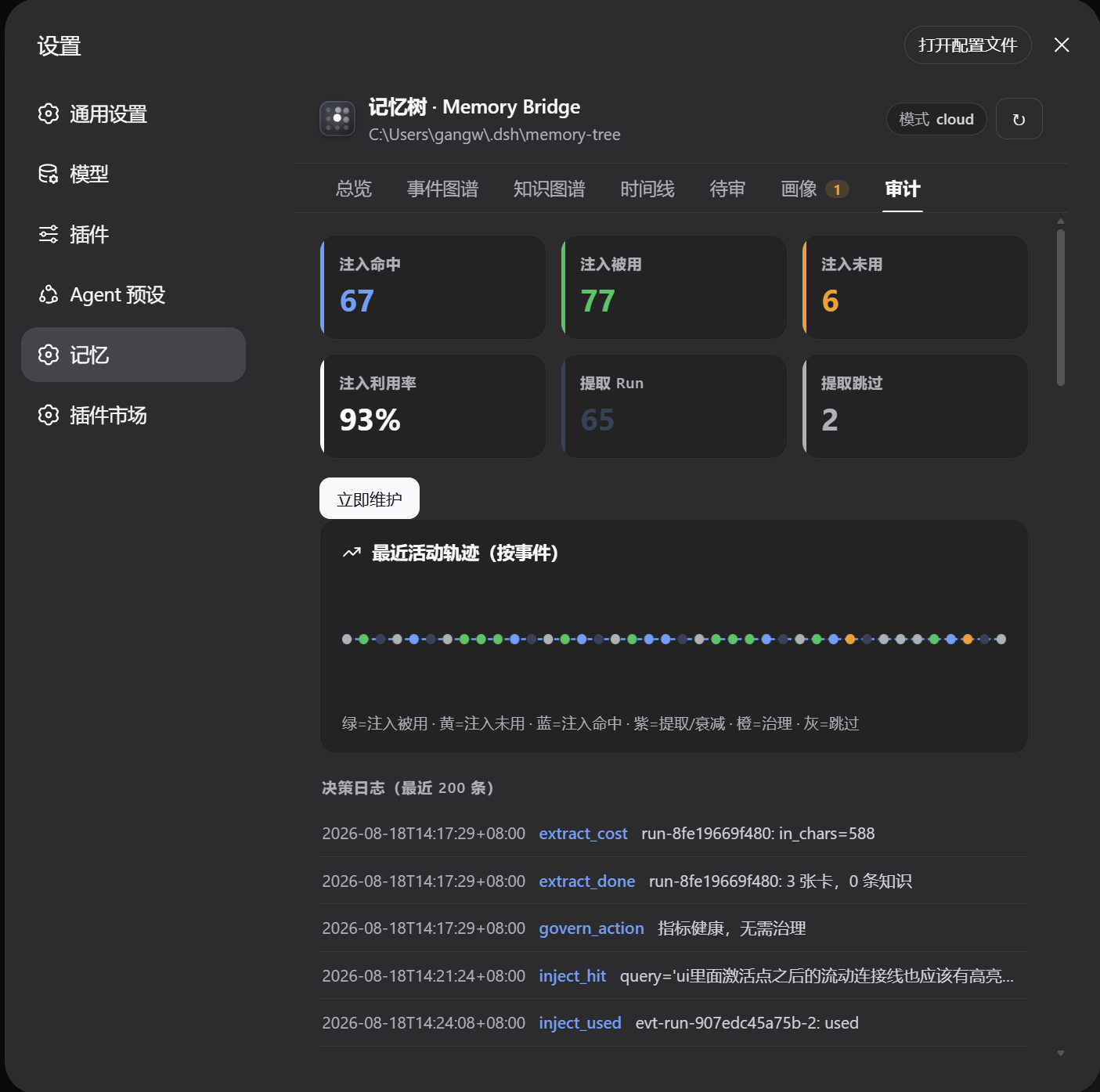
On the governance side, a 30-day inactivity rule auto-completes dormant branches, low-utilization entries fade out after repeated misses, and a closed-loop audit tracks hit rates, utilization, and extraction cost so the memory store never bloats unbounded. All data lives as plain-text Markdown files-editable, portable, human-readable-while SQLite serves only as a rebuildable acceleration index. The settings page ships seven visual panels: event graph, knowledge graph, timeline, review queue, profile distillation, audit log, and overview. The plugin is ideal as a core memory layer for local-model users, a bonus retrieval and visualization layer for cloud users, and a transparent, auditable option for privacy-sensitive practitioners.
Screenshots
Use Cases
- Local model with only 4K-32K token context: cross-session preferences and project context reset every turn, requiring on-demand injection instead of stuffing everything in
- Cloud 1M window: structured retrieval, event-graph visualization, and forgetting governance as a bonus beyond raw context
- Privacy-sensitive use: plain-text Markdown storage, full provenance, human-approval pipeline, data readable/editable/portable
Best For
- Local-model users (Ollama / llama.cpp, 4K-32K window): the primary use case
- DeepSeek cloud users adding structured retrieval and governance visualization atop the 1M window
- Self-hosting developers and privacy-sensitive users: transparent data, zero external services, extensible codebase
Related Plugins

Traceable, searchable cross-session memory for AI agents that turns conversation knowledge into a typed knowledge graph and recalls relevant subgraphs instead of replaying full history, natively integrated with DeepSeek Harness.
Gives DSH AI cross-session long-term memory, to-do and skill management, plus multi-session orchestration, external AI delegation, and an infinite canvas that grows with you.

dsh-mnemon is a three-tier, pluggable, Agent-driven memory system for DeepSeek Harness, combining Runtime memory, Project Documents, and replaceable Memory Spaces with nine long-term providers.
An opinionated, zero-infrastructure file-based memory protocol: human-readable markdown files plus a bounded always-loaded index, curation discipline, and no database or embeddings.