dsh-image2-draw
Run the following command in DeepSeek Harness:
dsh plugin install JuneLearn/dsh-image2-draw
Paste the following prompt into your AI chat to install this plugin:
Run the installation command in your terminal, then enable the extension within DeepSeek Harness settings to start using it; the complete source code is hosted at https://github.com/JuneLearn/dsh-image2-draw.
About this plugin
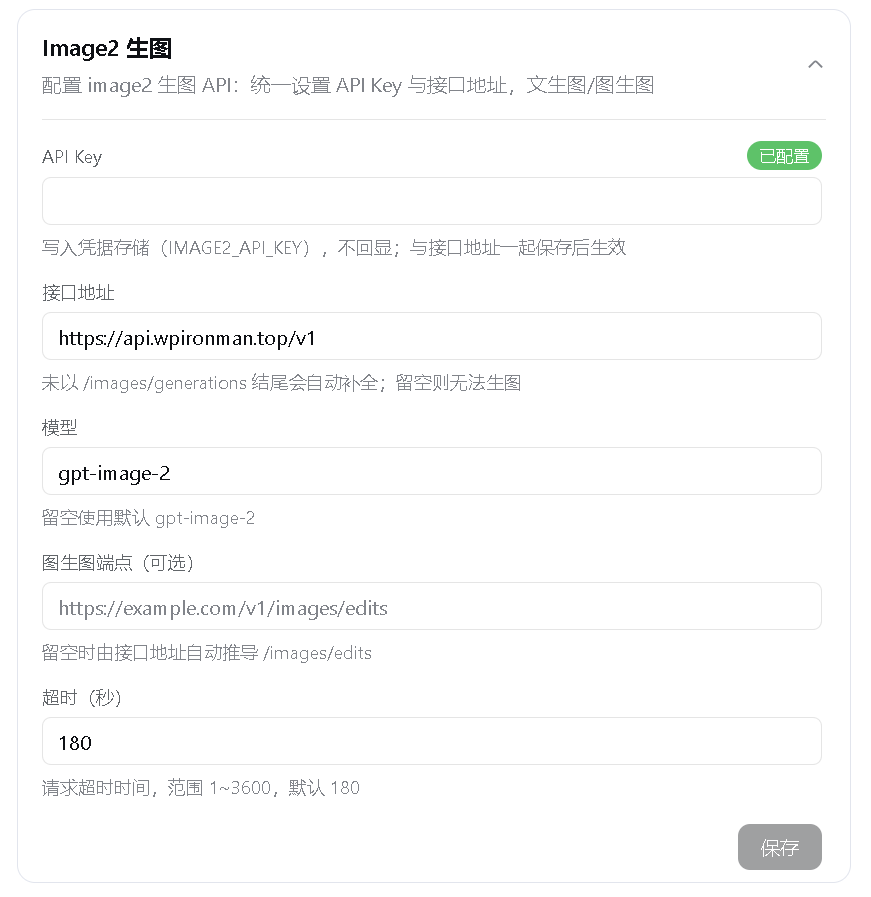
Within typical creative and engineering workflows built around DeepSeek Harness, the absence of native image generation capabilities often forces users to constantly switch between external applications or browser-based platforms. The dsh-image2-draw plugin was crafted to bridge this experiential gap. By routing requests through a third-party OpenAI-compatible image API relay, it seamlessly integrates a complete AI drawing pipeline directly into the Harness chat interface. With only a base endpoint and authentication key required, language models can autonomously invoke image creation and editing commands without demanding complex backend infrastructure.
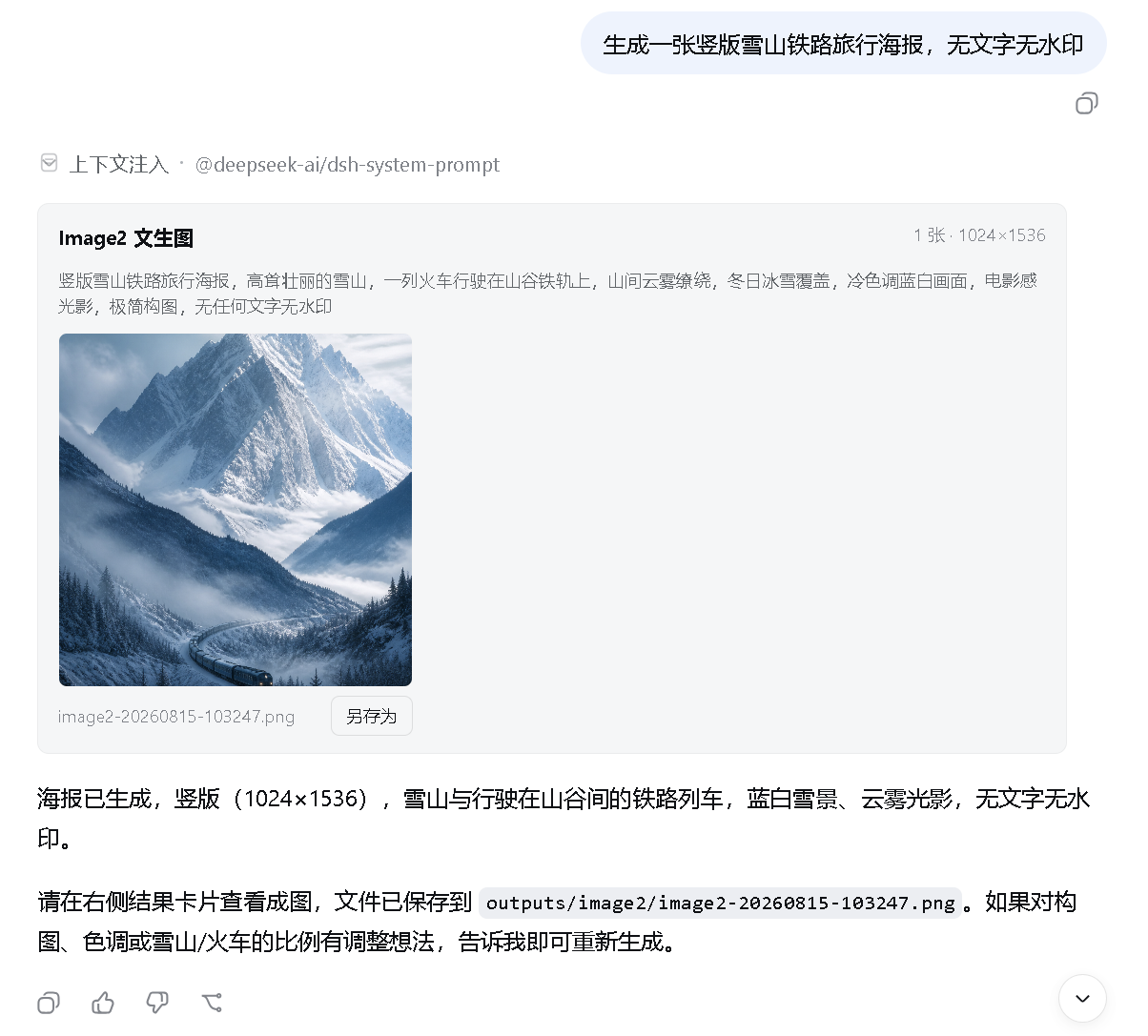
The true strength of this extension lies in its tightly embedded conversational experience and granular task orchestration. It natively supports flexible text-to-image synthesis (handling 1 to 8 outputs per batch) alongside intelligent multi-reference image editing, featuring automatic aspect ratio adaptation and fully customizable resolution settings. All generated visuals appear as interactive floating cards within the message thread, enabling instant previewing, zooming, and local saving; meanwhile, the underlying architecture strictly adheres to context hygiene by passing only file paths rather than raw pixel data, preventing unnecessary bloat in non-vision model contexts. Additionally, built-in parameter validation and smart redundancy guards successfully intercept network timeouts, protecting users from accidental duplicate charges during upstream service fluctuations.
Whether you are a product designer rapidly iterating on visual concepts, or a developer aiming to embed automated rendering steps into custom AI agents, this tool delivers a frictionless, ready-to-deploy solution. Fully decoupled from any specific cloud provider and broadly compatible with standards-aligned image relays, it empowers you to unlock the full generative potential of models like gpt-image-2 entirely within your preferred DeepSeek Harness workspace.
Screenshots
Use Cases
- Directly prompt the LLM within chat to generate promotional posters or concept sketches.
- Provide product reference photos for one-click style transfers or background editing.
- Embed automated image rendering and local saving steps into custom Agent workflows.
Best For
- Product designers and creative teams requiring rapid visual prototyping.
- Developers and tech explorers building automated task pipelines.
- Independent content creators looking to unify their multimedia production workflow.
Related Plugins
A unified suite combining hot runtime injection, task-aware thinking-mode routing, and a graded session protocol with red-team gates to sustain model diligence across long-horizon inference.

ModLens is a vision plugin for DeepSeek Harness that gives text-only models sight by reading images pasted directly into chat, with zero-config setup and multiple vision engines.

On-demand vision for text-only DeepSeek Harness agents: built-in free keyless vision chain and 14 vision tools, routing image turns as tool calls to vision models with pixel fidelity, no Python needed, one-command install.

Give text-only models in DeepSeek Harness eyes, enabling image Q&A, long-screenshot OCR, UI restoration, and GUI visual tasks.