deepseek-harness-rewind
Run the following command in DeepSeek Harness:
dsh plugin install zoyluoblue/deepseek-harness-rewind
Paste the following prompt into your AI chat to install this plugin:
Run dsh plugin install zoyluoblue/deepseek-harness-rewind in your DeepSeek Harness terminal, then restart dsh; source code: https://github.com/zoyluoblue/deepseek-harness-rewind
About this plugin
The most stressful moment when an AI agent edits your project for several turns is rarely the first wrong line. It is turn six, when you realize turn three was the right call and everything since has made things worse. You never committed per turn, and git checkout would nuke the good changes along with the bad. deepseek-harness-rewind fills exactly this gap: an undo button you can press at any point in an agent session.
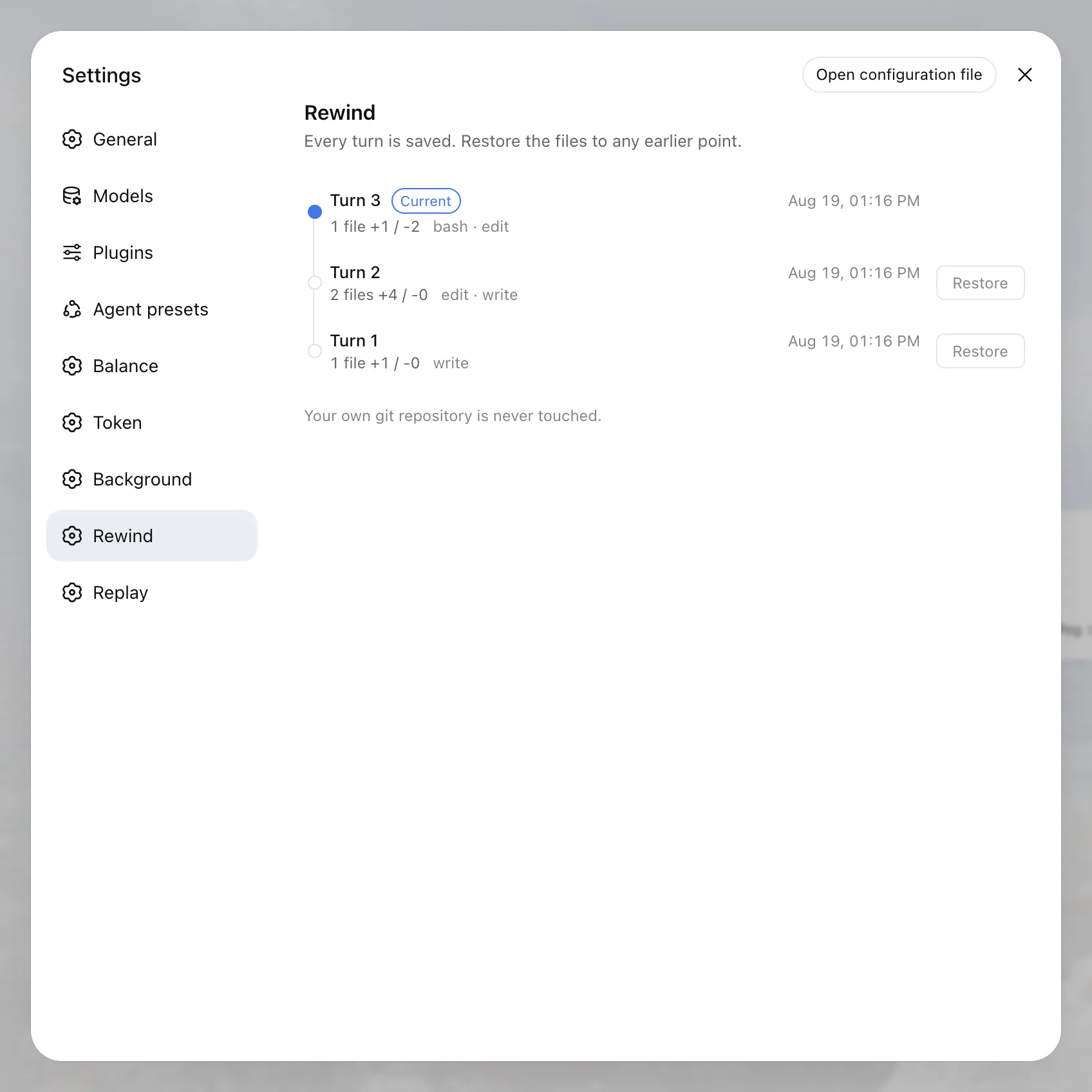
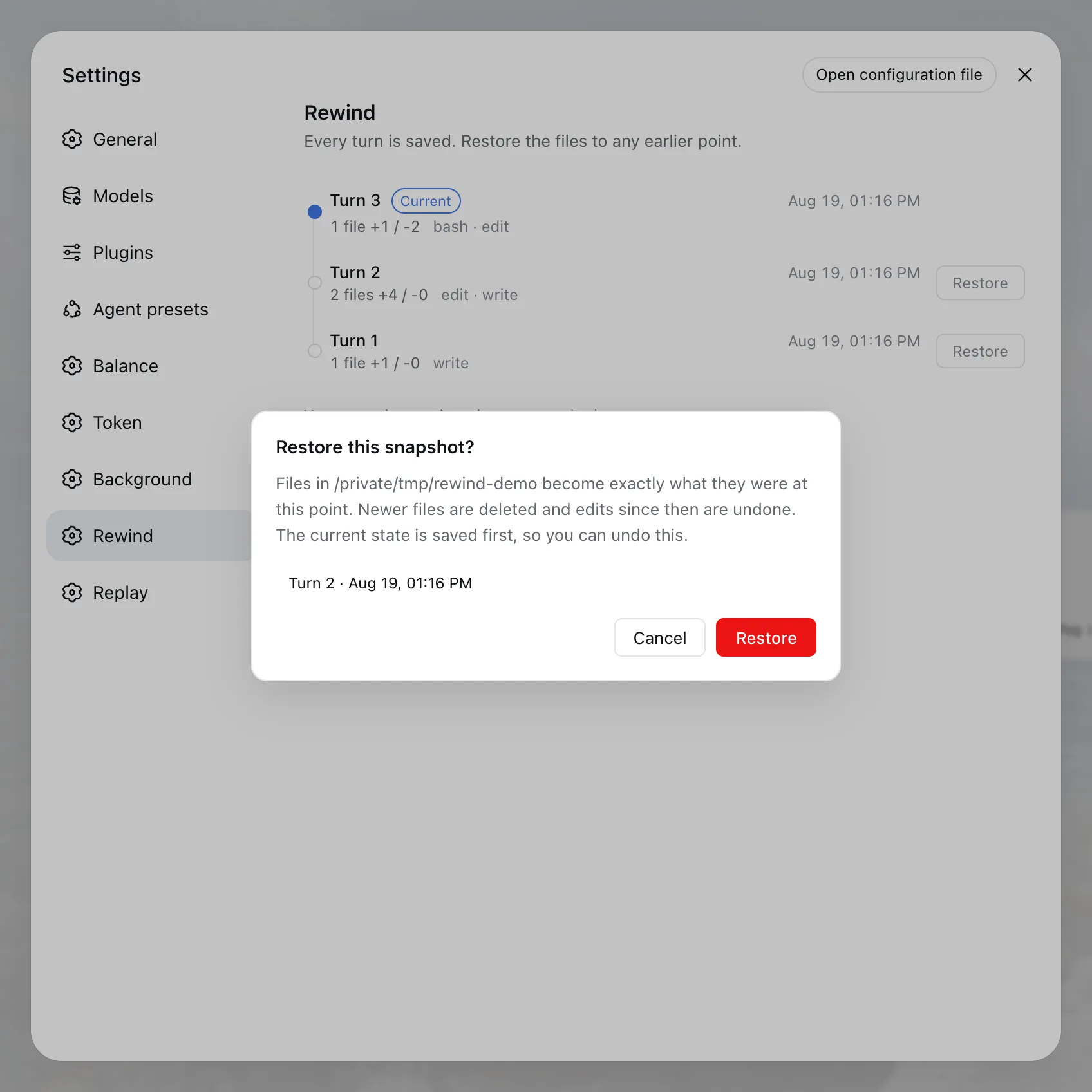
After every turn ends, it silently snapshots the workspace into a dedicated shadow git repository. It never opens your project .git for writing, never fires your hooks, and never touches HEAD, reflog, or stashes. To go back, open the Rewind panel in Settings or type /rewind 3 to jump to turn 3. The workspace is made equal to that state: files created since are deleted, files modified are reverted. Before each restore the overwritten state is saved first, so undoing a restore is just restoring that saved entry. Files excluded by .gitignore (.env, node_modules, build output) are intentionally not captured, keeping snapshots lean. Storage follows git object sharing, so unchanged files cost one copy plus per-turn deltas, and stale sessions are pruned automatically based on configurable retention.
Who it is for: any developer who lets a DeepSeek Harness agent edit code or documents over many turns, especially in projects that are not committed per turn or are not git repositories at all. If you want the agent to rewind its own work when it realizes it went in the wrong direction, the exposeTool setting can grant it that ability. It is off by default, so the decision to let the agent undo stays yours.
Screenshots
Use Cases
- The agent went off the rails after several turns and you need to jump back to a known-good state
- The project is not a git repository, so a bad edit by the agent leaves no safety net
- You want an undo button for agent edits without committing after every single turn
Best For
- Developers who let a DeepSeek Harness agent edit code or docs over many turns
- Developers whose project is not committed per turn or not a git repository at all
- Developers who want undo capability without disrupting their normal git workflow
Related Plugins

Traceable, searchable cross-session memory for AI agents that turns conversation knowledge into a typed knowledge graph and recalls relevant subgraphs instead of replaying full history, natively integrated with DeepSeek Harness.
Gives DSH AI cross-session long-term memory, to-do and skill management, plus multi-session orchestration, external AI delegation, and an infinite canvas that grows with you.

dsh-mnemon is a three-tier, pluggable, Agent-driven memory system for DeepSeek Harness, combining Runtime memory, Project Documents, and replaceable Memory Spaces with nine long-term providers.
An opinionated, zero-infrastructure file-based memory protocol: human-readable markdown files plus a bounded always-loaded index, curation discipline, and no database or embeddings.