dsh-model-switch
Run the following command in DeepSeek Harness:
dsh plugin install lincong1987/dsh-model-switch
Paste the following prompt into your AI chat to install this plugin:
To install this plugin in DeepSeek Harness, run the command dsh plugin install lincong1987/dsh-model-switch, with the full source code available at https://github.com/lincong1987/dsh-model-switch.
About this plugin
In daily use of DeepSeek Harness, the main conversation, subagent calls, and plan execution often serve entirely different purposes. You might prefer a highly capable reasoning model for your main chat, while opting for a more cost-effective model for subagents or background plan execution. However, manually switching models back and forth is not only tedious but also prone to errors, like forgetting to restore your primary model after a task.
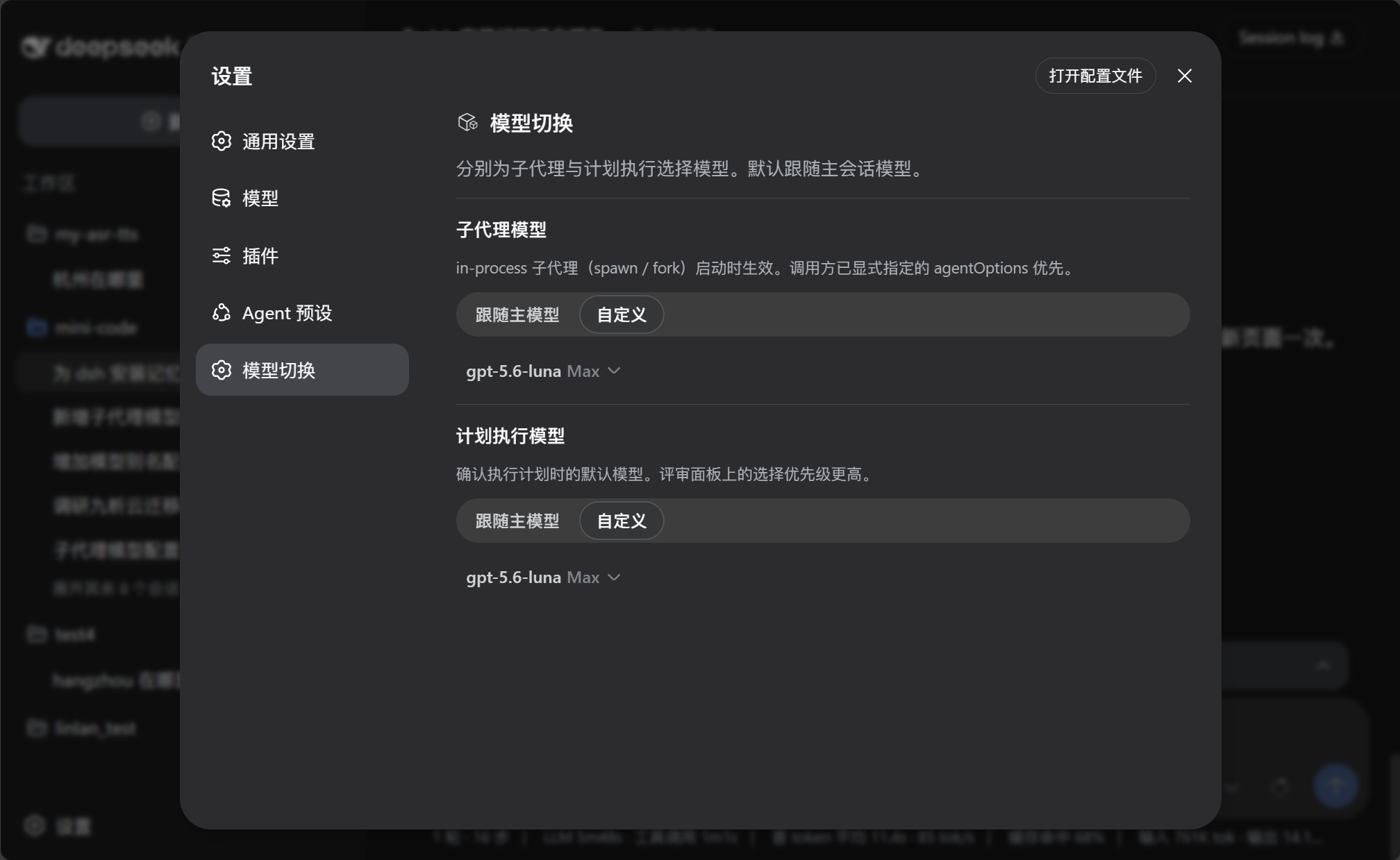
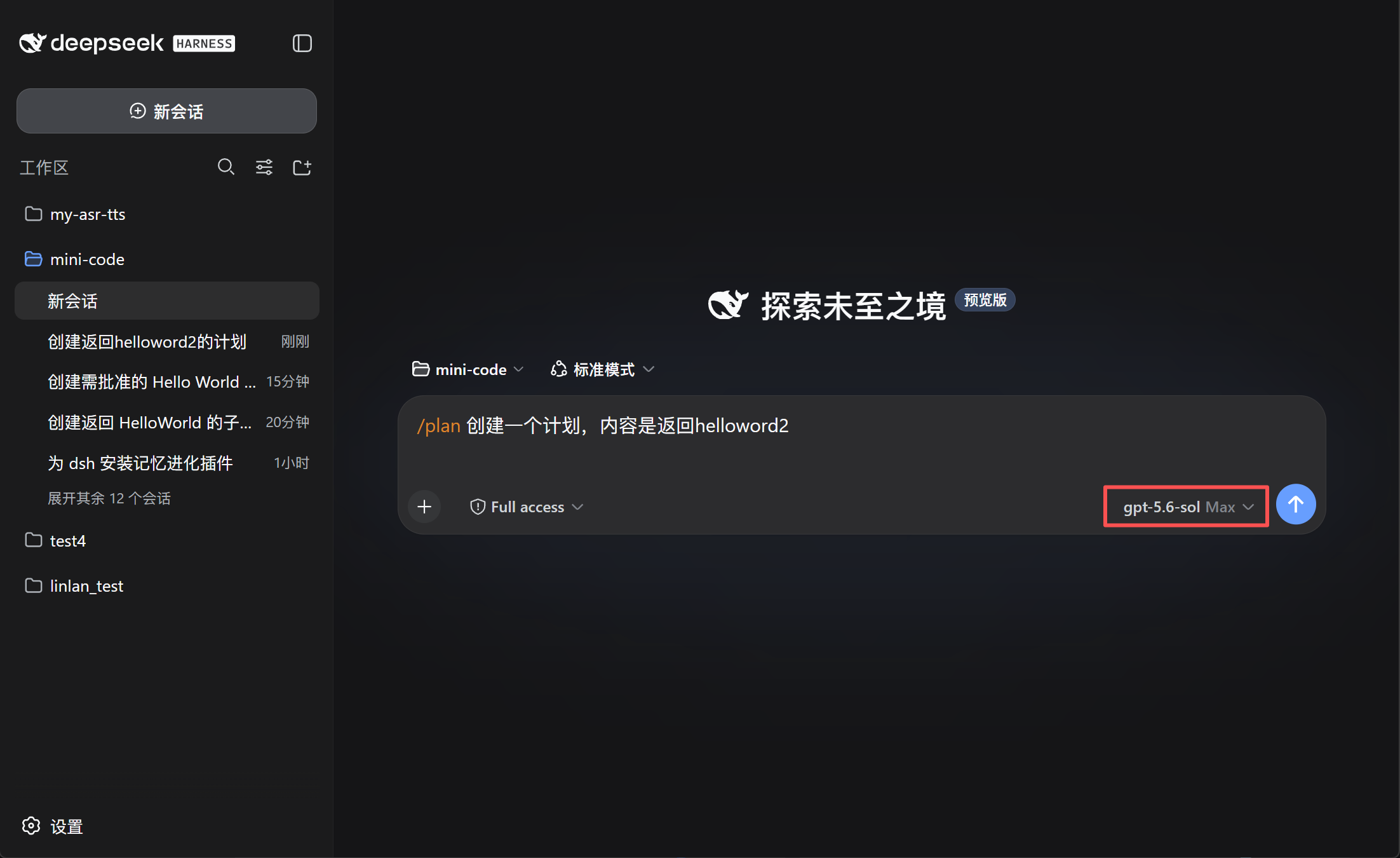
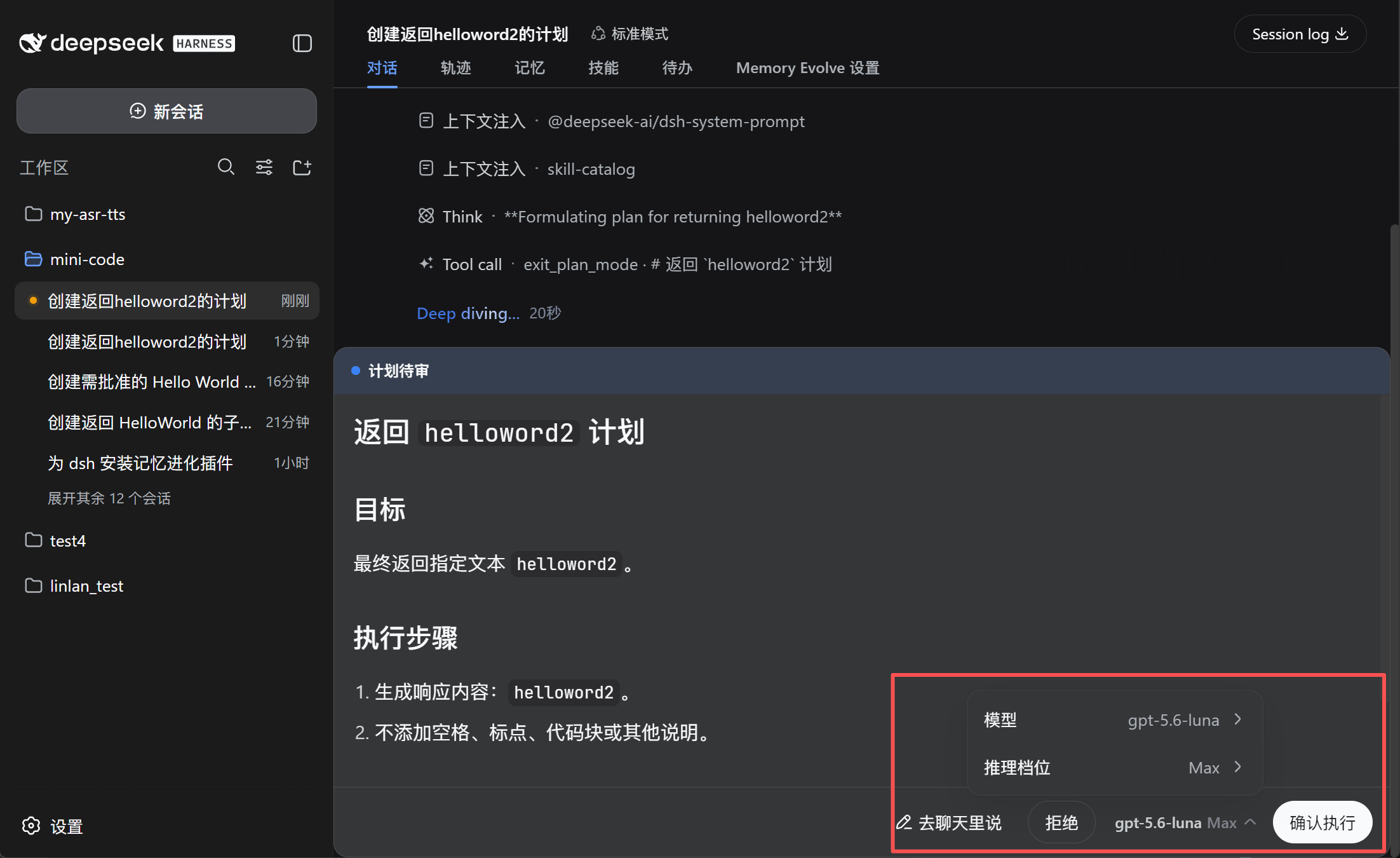
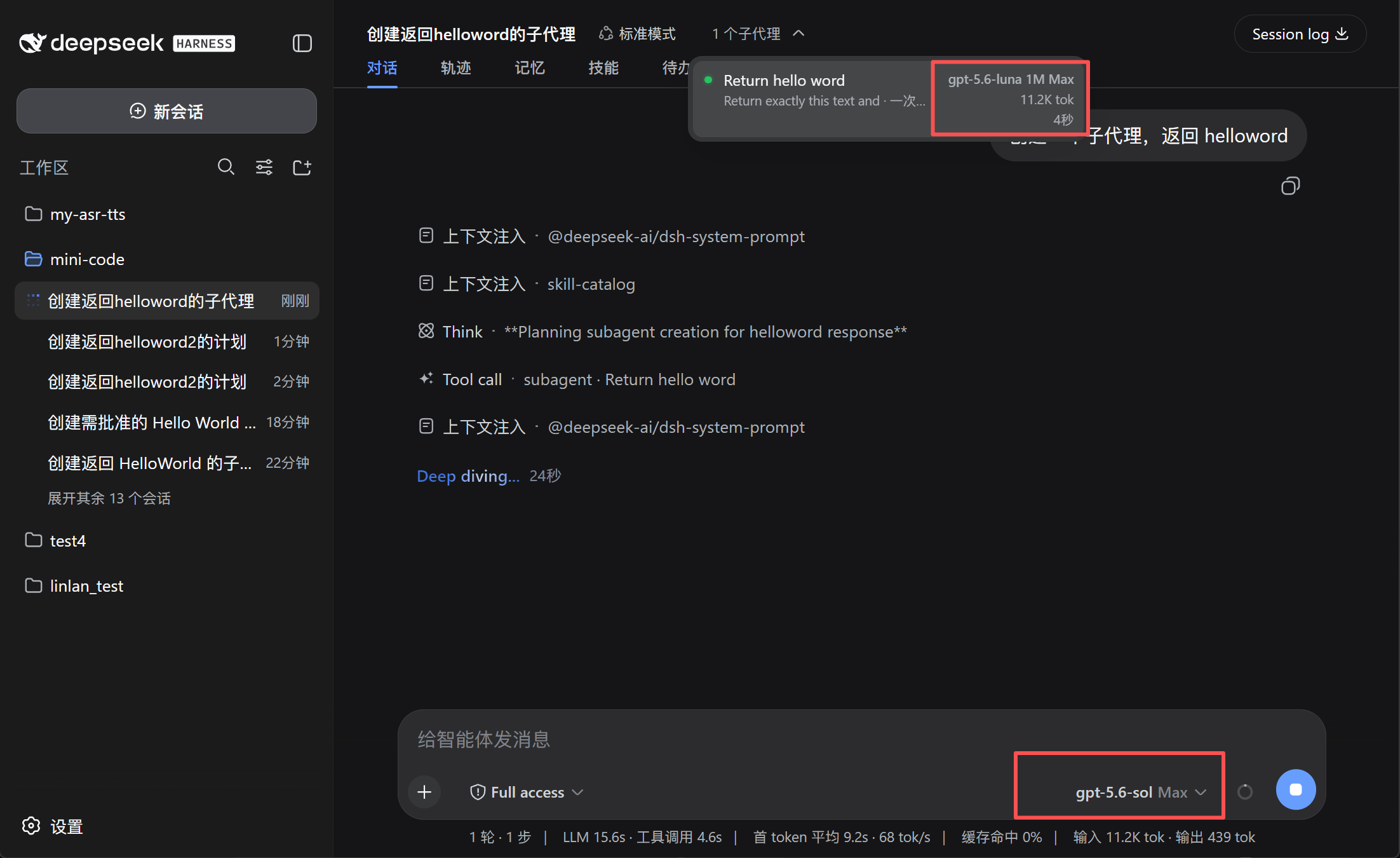
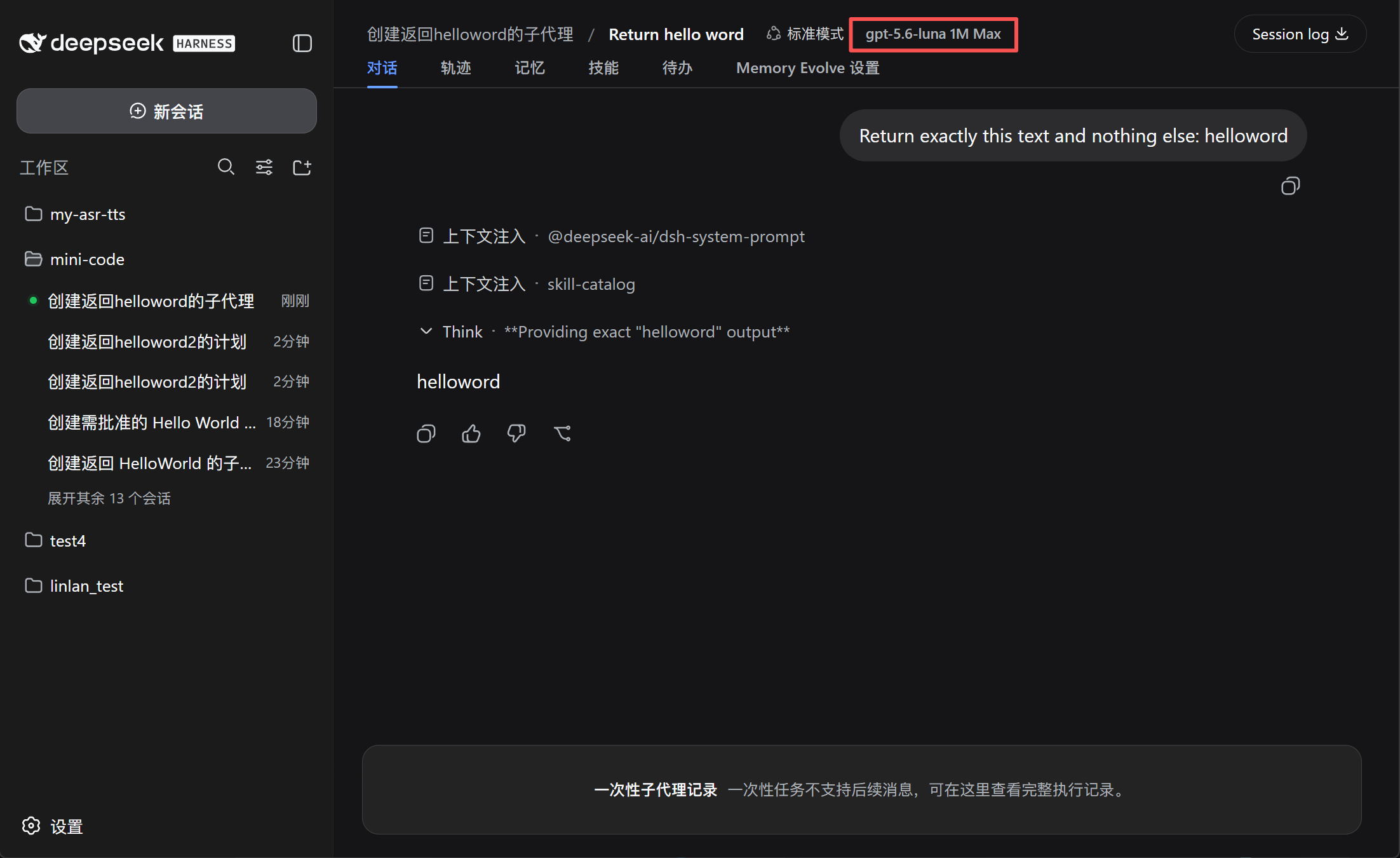
The dsh-model-switch plugin is built to solve this exact friction. It allows you to independently configure default models and reasoning parameters for different workflow stages, and even lets you review or change the execution model directly in the plan approval panel. Furthermore, it automatically restores your main session model once plan execution completes, while clearly displaying the model, context window, and reasoning effort used by subagents.
If you are a power user or developer heavily relying on DSH for complex task orchestration, and you want to fine-tune model performance and costs without breaking your flow, this plugin is an essential addition to your toolkit.
Screenshots

Use Cases
- Use a premium model for the main chat and a cost-effective one for subagents to control costs.
- Quickly confirm or change the execution model directly in the plan approval panel.
- Automatically restore the default main session model after executing complex plans.
Best For
- Developers who need fine-grained control over API costs and model performance.
- Power users frequently orchestrating multi-agent tasks with DeepSeek Harness.
- Engineers seeking seamless transitions between different reasoning efforts for background tasks and main chats.
Related Plugins
A unified suite combining hot runtime injection, task-aware thinking-mode routing, and a graded session protocol with red-team gates to sustain model diligence across long-horizon inference.

ModLens is a vision plugin for DeepSeek Harness that gives text-only models sight by reading images pasted directly into chat, with zero-config setup and multiple vision engines.

On-demand vision for text-only DeepSeek Harness agents: built-in free keyless vision chain and 14 vision tools, routing image turns as tool calls to vision models with pixel fidelity, no Python needed, one-command install.

Give text-only models in DeepSeek Harness eyes, enabling image Q&A, long-screenshot OCR, UI restoration, and GUI visual tasks.