TokenLedger
Run the following command in DeepSeek Harness:
dsh plugin install zh667/TokenLedger
Paste the following prompt into your AI chat to install this plugin:
In DeepSeek Harness, run dsh plugin install zh667/TokenLedger to install TokenLedger from https://github.com/zh667/TokenLedger. After installation, restart your running dsh web and hard-refresh the browser; the "Usage Ledger" entry will appear at the bottom of the sidebar.
About this plugin
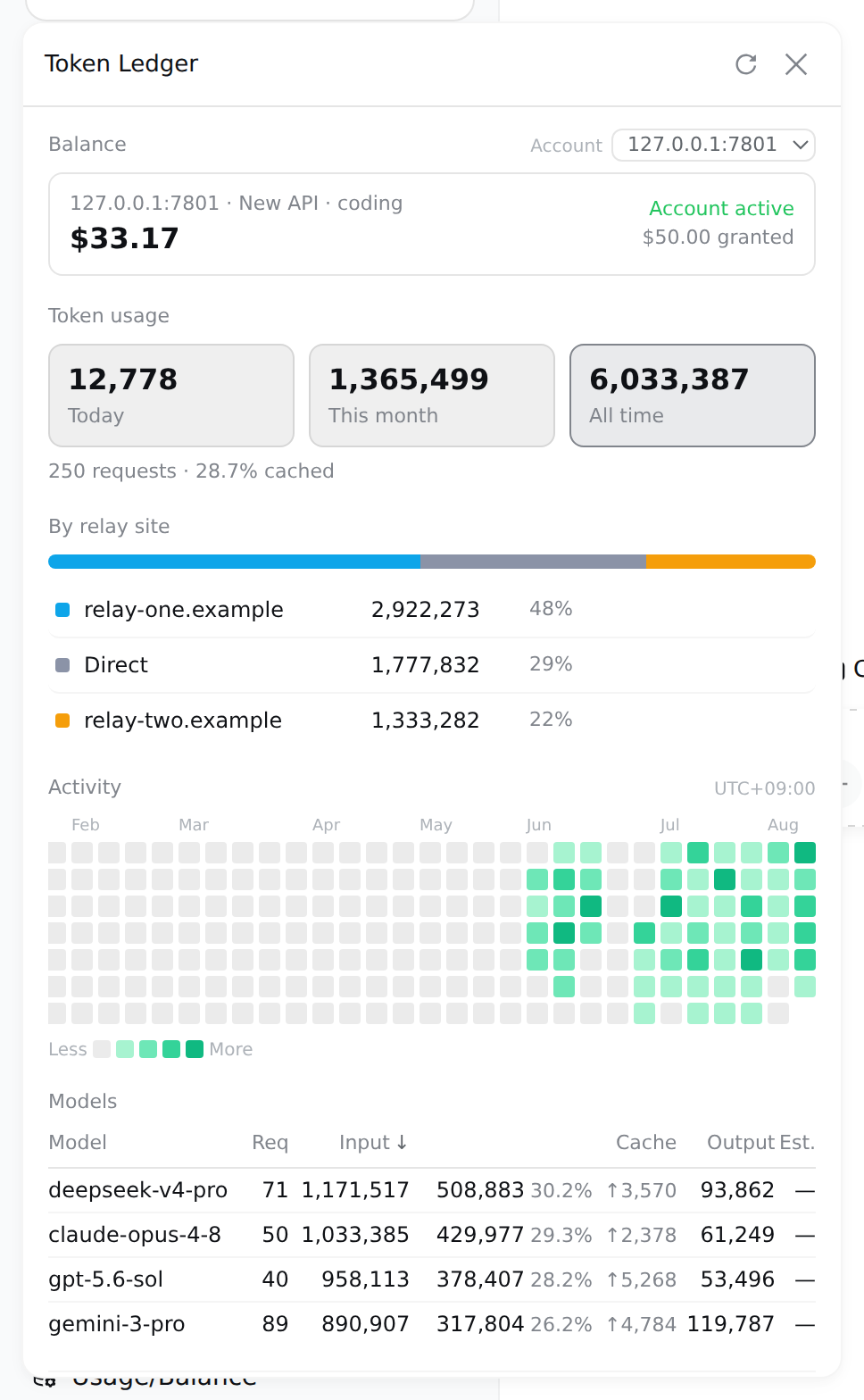
If you've used DeepSeek Harness for a while, you've probably hit the same awkward moment: the panel shows one cold total token count, but which relay site actually charged you for that, and which project burned it? When you're juggling multiple relay sites with different rate plans, balances, and subscription windows, reconciliation is pure guesswork. TokenLedger is built to close that gap—it attributes every unit of usage to the relay site that truly served the request, names the station by its domain, merges multiple keys from the same site into one line, and requires zero configuration and no extra credentials.
Its core capabilities all serve one goal: make the numbers honest. It auto-discovers relays from host provider configs, groups usage by the working directory where each session started (so subdirectory sessions still count), reads balances and subscription quotas across DeepSeek official, New API, Sub2API, GLM, OpenRouter and more, and estimates cost using rate tables with effective-dating and tiered buckets. It even handles the easy-to-miss cases: failed requests that still billed, duplicate usage reports, and orphaned usage chunks. Rows that can't be attributed are shown explicitly—never disguised as direct-to-vendor traffic.
If you're a heavy Harness user, a small team lead, or a developer maintaining multiple relays and projects, TokenLedger gives you a clear view of where the money went. It never reads prompts or response content—only counters and identifiers—and its endpoints are loopback-only with anti-spoofing built in. Once installed, you don't need to fill in a single field to see the full breakdown; the only feature that needs an API key (balance checks) reuses the one your host config already has.
Screenshots
Use Cases
- See per-relay token usage and balances at a glance when running multiple relays
- Check monthly costs per project and find which directory burns the most tokens
- Track rolling subscription quota windows to avoid hitting limits
Best For
- Developers who rely heavily on the DeepSeek Harness Web GUI
- Small teams managing multiple relay sites or API accounts
- Harness users who need per-project cost attribution
Related Plugins
A unified suite combining hot runtime injection, task-aware thinking-mode routing, and a graded session protocol with red-team gates to sustain model diligence across long-horizon inference.

ModLens is a vision plugin for DeepSeek Harness that gives text-only models sight by reading images pasted directly into chat, with zero-config setup and multiple vision engines.

On-demand vision for text-only DeepSeek Harness agents: built-in free keyless vision chain and 14 vision tools, routing image turns as tool calls to vision models with pixel fidelity, no Python needed, one-command install.

Give text-only models in DeepSeek Harness eyes, enabling image Q&A, long-screenshot OCR, UI restoration, and GUI visual tasks.