dsh-workbuddy-connect
Run the following command in DeepSeek Harness:
dsh plugin install corrinehu/dsh-workbuddy-connect
Paste the following prompt into your AI chat to install this plugin:
To install this plugin in DeepSeek Harness, run `dsh plugin install corrinehu/dsh-workbuddy-connect`, and you can find the full source code at https://github.com/corrinehu/dsh-workbuddy-connect.
About this plugin
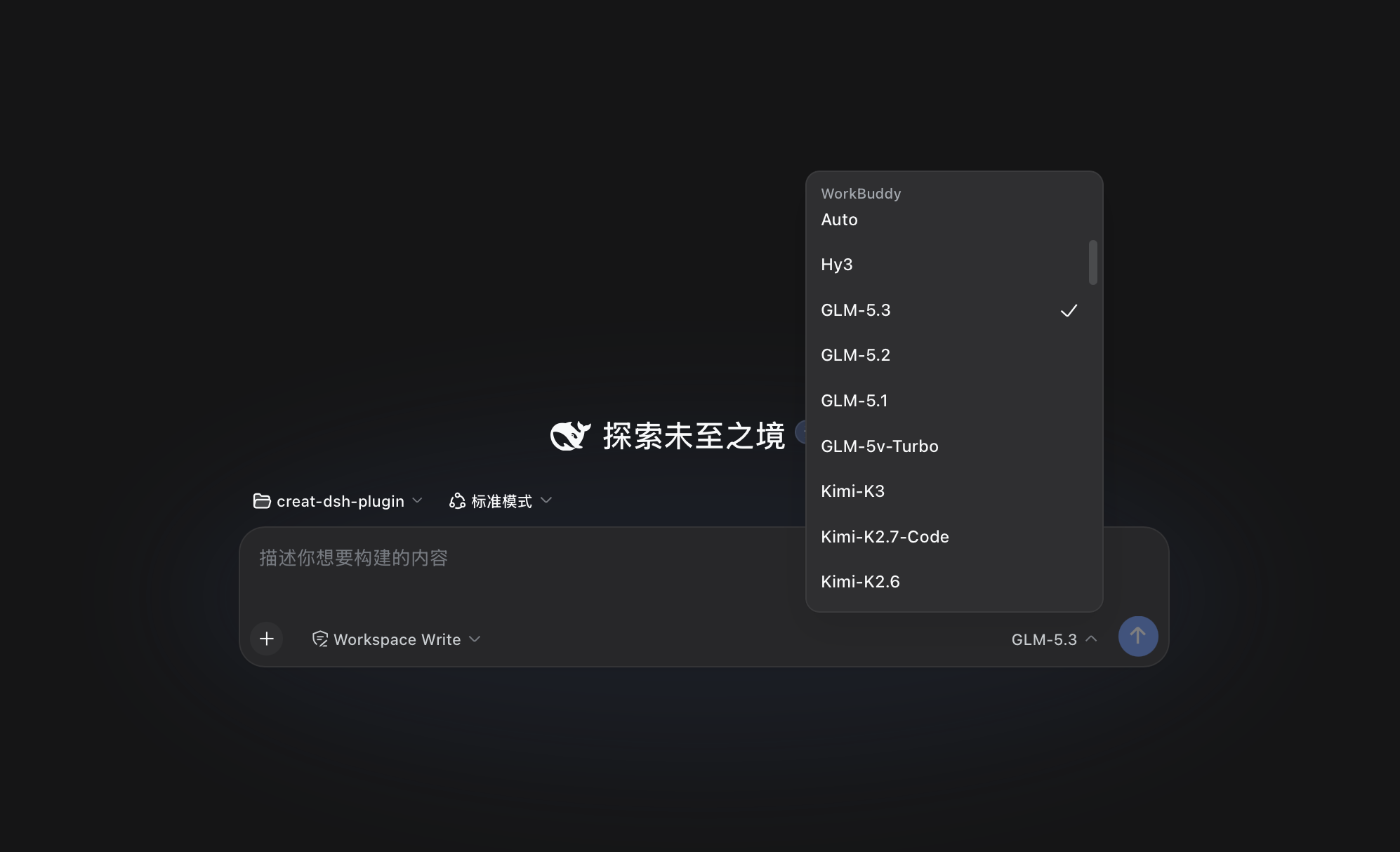
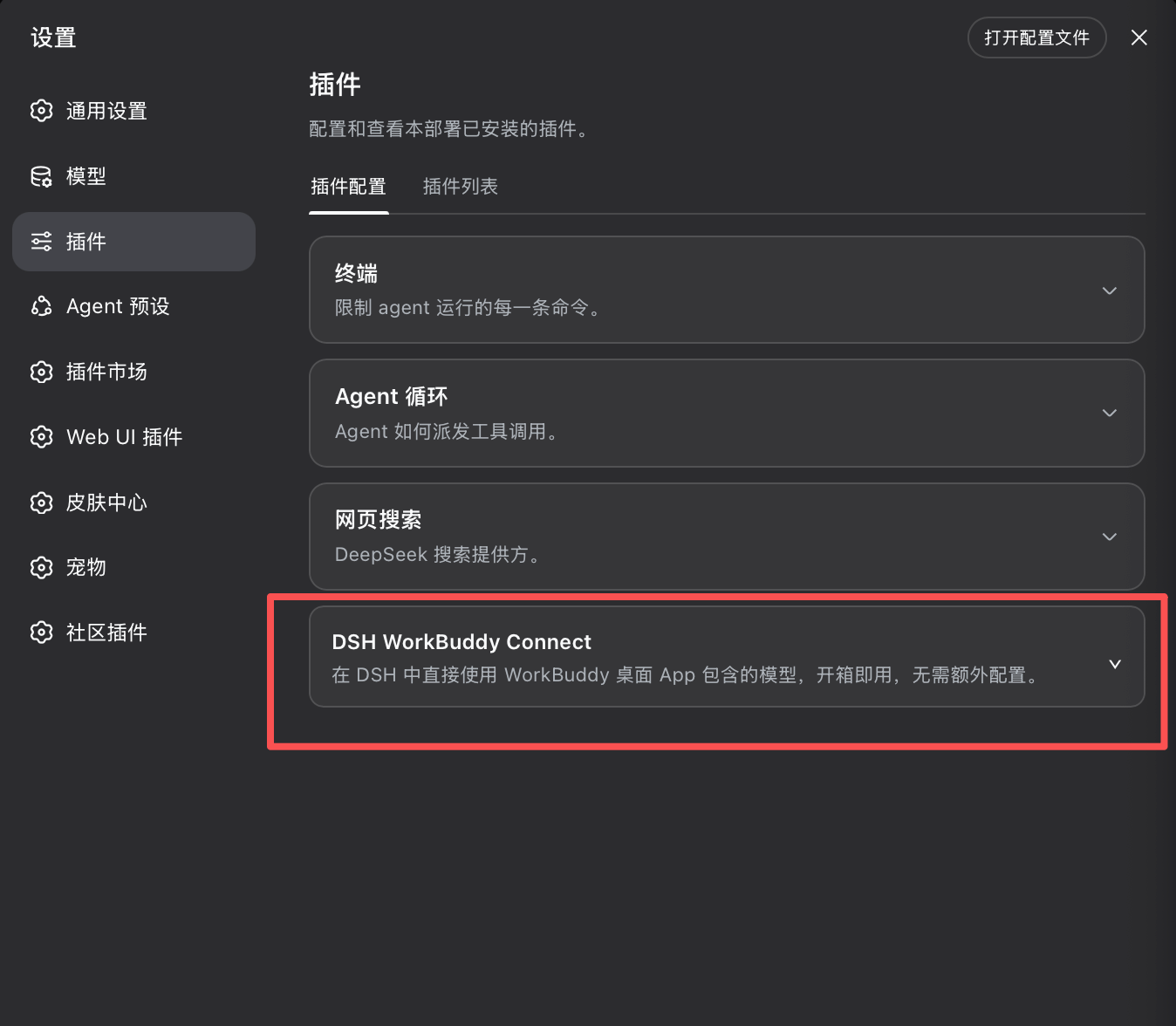
Many developers using DeepSeek Harness (DSH) wish to access a variety of top-tier large language models from a single interface, but dealing with tedious API key configurations and endpoint adaptations can be a hassle. DSH WorkBuddy Connect solves this problem by seamlessly bridging the rich model resources built into the WorkBuddy desktop app—such as GLM-5.3, DeepSeek-V4, and Kimi-K3—directly into DSH. It allows you to enjoy a multi-model experience in your familiar DSH chat window without the need to apply for or configure external APIs.
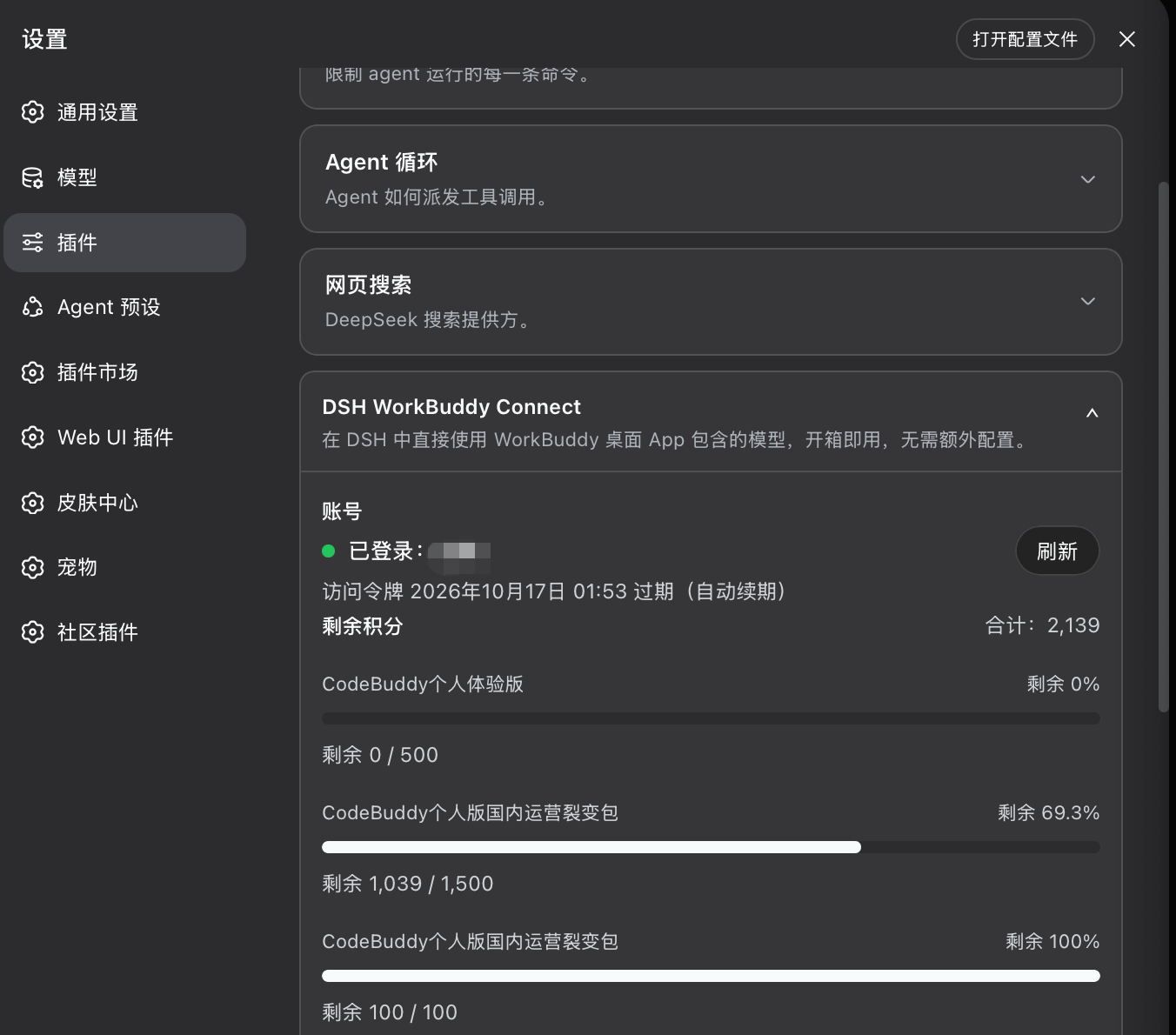
The core strengths of this plugin lie in its out-of-the-box usability and state synchronization. It directly reuses the local authentication credentials from the WorkBuddy desktop app, automatically following any account switches and eliminating the burden of manual token management. Whether you prefer the Web, Desktop, or TUI interface of DSH, you can effortlessly switch to WorkBuddy models. Additionally, the plugin offers intuitive UI cards and CLI tools to check your account status, token validity, and remaining credits, along with built-in diagnostics for troubleshooting.
This plugin is perfectly suited for developers and researchers who already use the WorkBuddy client and heavily rely on DeepSeek Harness for daily coding, research, or conversational tasks. Please note that this project is intended strictly for personal learning and research purposes, functioning by driving the local client interface. It is ideal for tech enthusiasts who enjoy tinkering and want to unify multiple model capabilities locally.
Screenshots
Use Cases
- Seamlessly call WorkBuddy's built-in LLMs in DSH terminal or desktop without API keys.
- Check WorkBuddy account token validity and remaining credits on the fly.
- Switch between various mainstream AI models across Web, Desktop, and TUI interfaces.
Best For
- Developers and researchers who heavily use DeepSeek Harness.
- WorkBuddy desktop app users looking to leverage their existing model quotas.
- Tech enthusiasts who prefer aggregating multiple LLM capabilities locally.
Related Plugins
A unified suite combining hot runtime injection, task-aware thinking-mode routing, and a graded session protocol with red-team gates to sustain model diligence across long-horizon inference.

ModLens is a vision plugin for DeepSeek Harness that gives text-only models sight by reading images pasted directly into chat, with zero-config setup and multiple vision engines.

On-demand vision for text-only DeepSeek Harness agents: built-in free keyless vision chain and 14 vision tools, routing image turns as tool calls to vision models with pixel fidelity, no Python needed, one-command install.

Give text-only models in DeepSeek Harness eyes, enabling image Q&A, long-screenshot OCR, UI restoration, and GUI visual tasks.