dsh-drop-to-path
Run the following command in DeepSeek Harness:
dsh plugin install loudMore/dsh-drop-to-path
Paste the following prompt into your AI chat to install this plugin:
Run dsh plugin install loudMore/dsh-drop-to-path in the DeepSeek Harness terminal to install, or visit the full open-source repository at https://github.com/loudMore/dsh-drop-to-path for source details, and remember to restart the Web profile after installation.
About this plugin
When using text-only models in DeepSeek Harness, sending screenshots or attachments can be frustrating: the system blocks image attachments and outright refuses PDFs, Office docs, or media files. If you rely on vision tools, you are forced to manually save files to the workspace and tediously type out their paths. This plugin was built to eliminate this fragmented workflow.
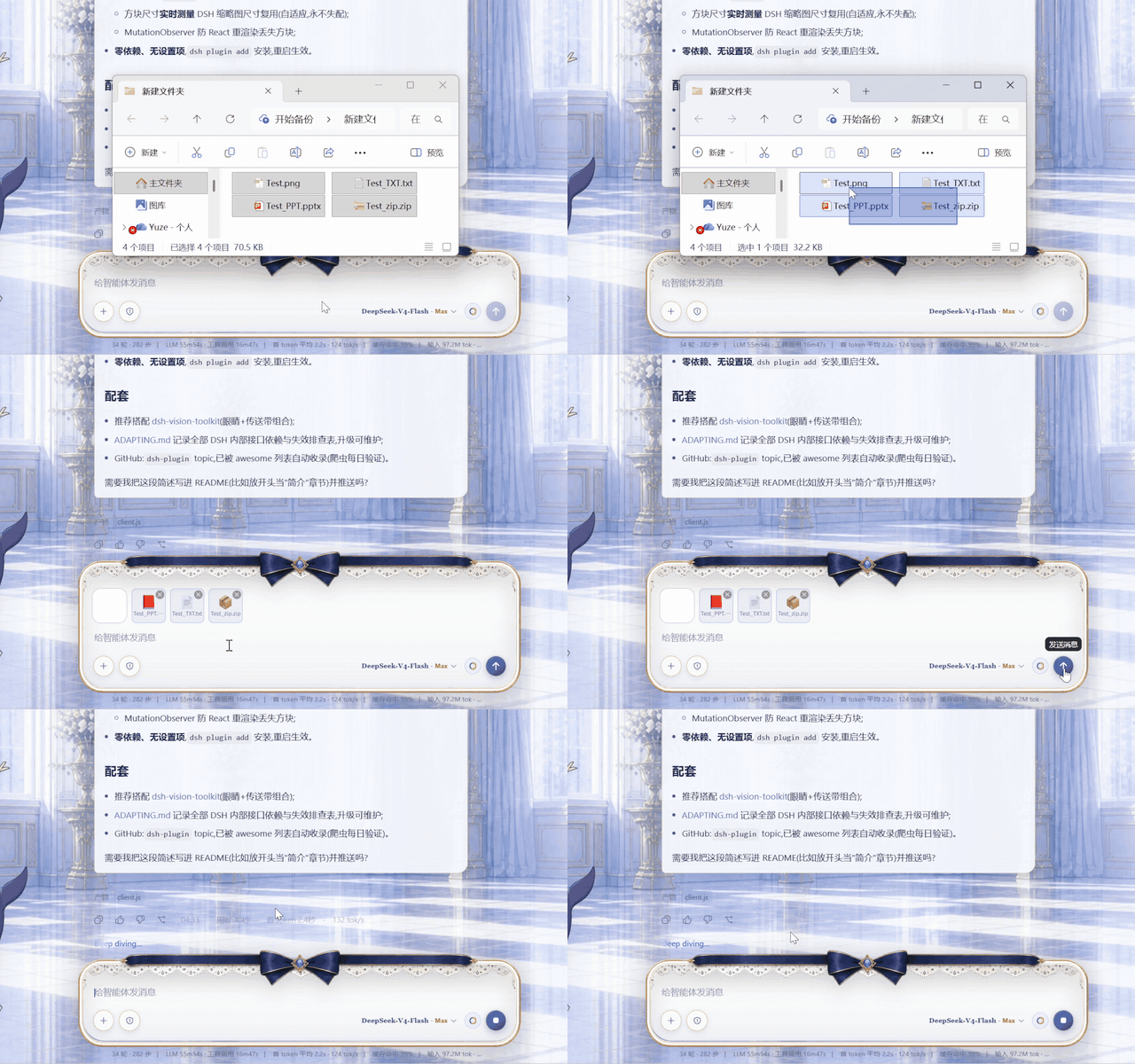
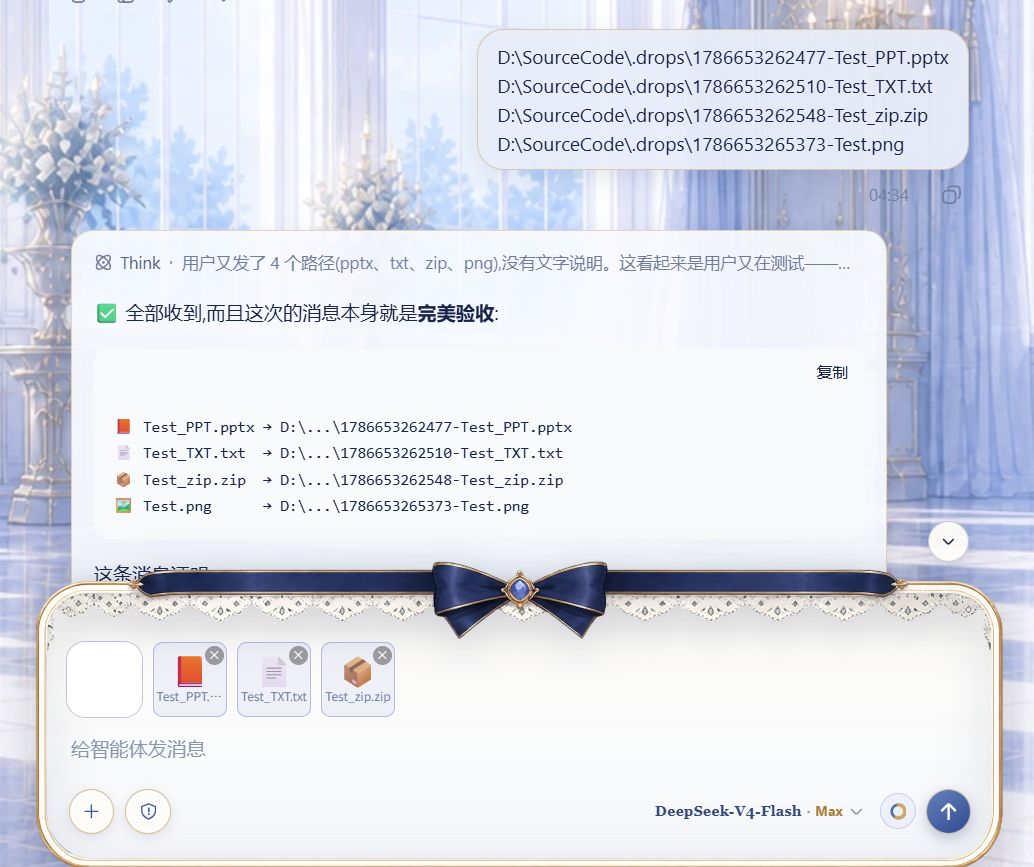
It brings back the seamless "paste and go" experience. You can simply drag and drop or paste images, documents, archives, and media files. Images retain their native preview cards, while other files appear as sleek square chips in the attachment rail. The moment you hit send, the plugin automatically uploads everything to the workspace and appends the paths to your message, allowing text-only models to process them effortlessly.
If you heavily rely on text-only models but crave the smooth attachment interaction of native multimodal models, or if you are using path-dependent toolchains like dsh-vision-toolkit, this plugin is an indispensable productivity booster for your daily workflow.
Screenshots


Use Cases
- Quickly paste screenshots and send them to a text-only model for visual analysis.
- Drag and drop PDFs or Office documents for the agent to automatically extract and process.
- Batch upload media or archives and convert them into workspace paths for tool invocation.
Best For
- Developers using text-only models who need to handle multimodal or file attachments.
- Users relying on workspace path-based vision or document toolchains.
- DSH enthusiasts seeking efficient interactions and wanting to eliminate manual path typing.
Related Plugins
A unified suite combining hot runtime injection, task-aware thinking-mode routing, and a graded session protocol with red-team gates to sustain model diligence across long-horizon inference.

ModLens is a vision plugin for DeepSeek Harness that gives text-only models sight by reading images pasted directly into chat, with zero-config setup and multiple vision engines.

On-demand vision for text-only DeepSeek Harness agents: built-in free keyless vision chain and 14 vision tools, routing image turns as tool calls to vision models with pixel fidelity, no Python needed, one-command install.

Give text-only models in DeepSeek Harness eyes, enabling image Q&A, long-screenshot OCR, UI restoration, and GUI visual tasks.