dsh-bookmarks
Run the following command in DeepSeek Harness:
dsh plugin install penguin-oo/dsh-bookmarks
Paste the following prompt into your AI chat to install this plugin:
To install this plugin in DeepSeek Harness, run the command dsh plugin install penguin-oo/dsh-bookmarks, or visit its open-source repository at https://github.com/penguin-oo/dsh-bookmarks for the source code.
About this plugin
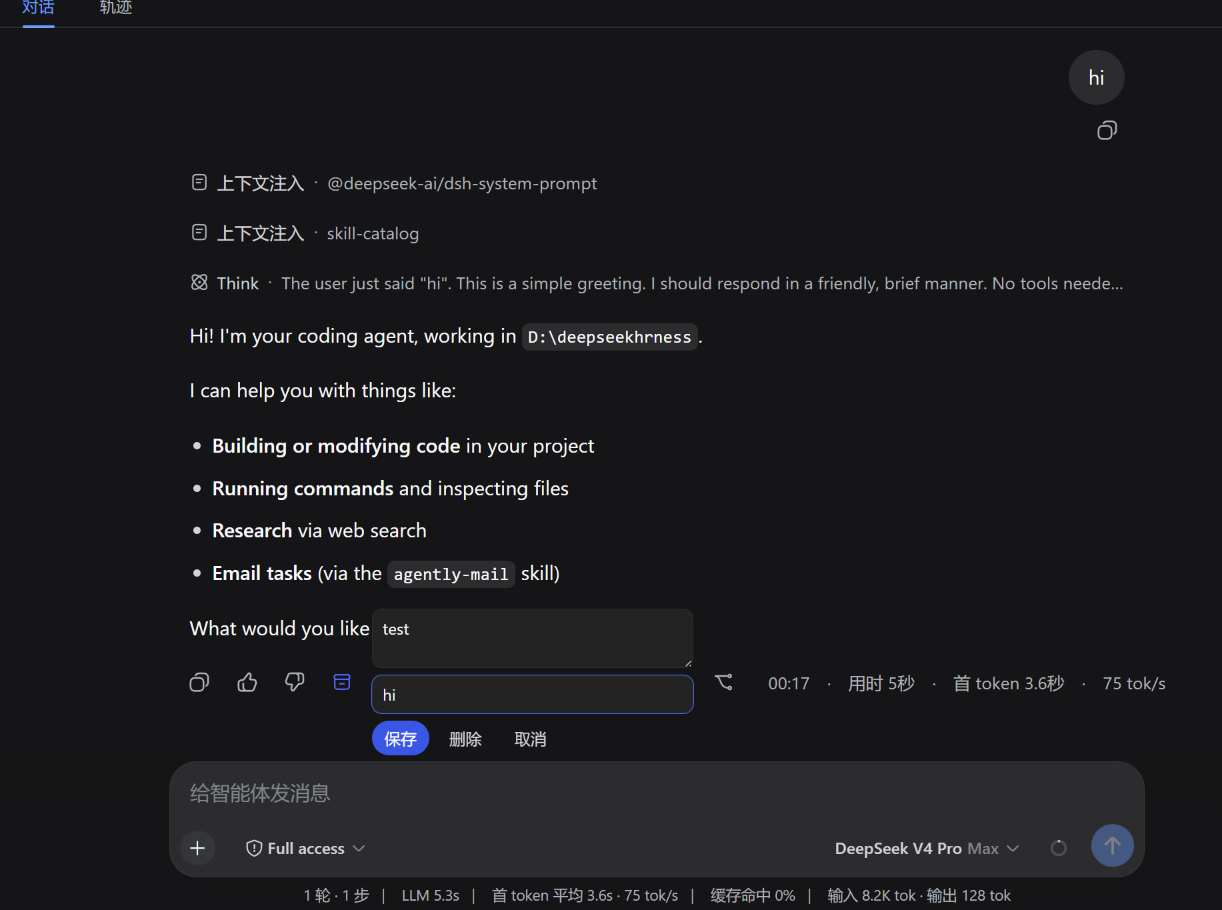
When engaging in long conversations or multitasking within DeepSeek Harness, brilliant AI responses often get buried in endless chat logs, making them frustratingly hard to retrieve later. The dsh-bookmarks plugin solves this exact problem by allowing you to bookmark any finalized assistant reply, complete with personal notes and custom tags.
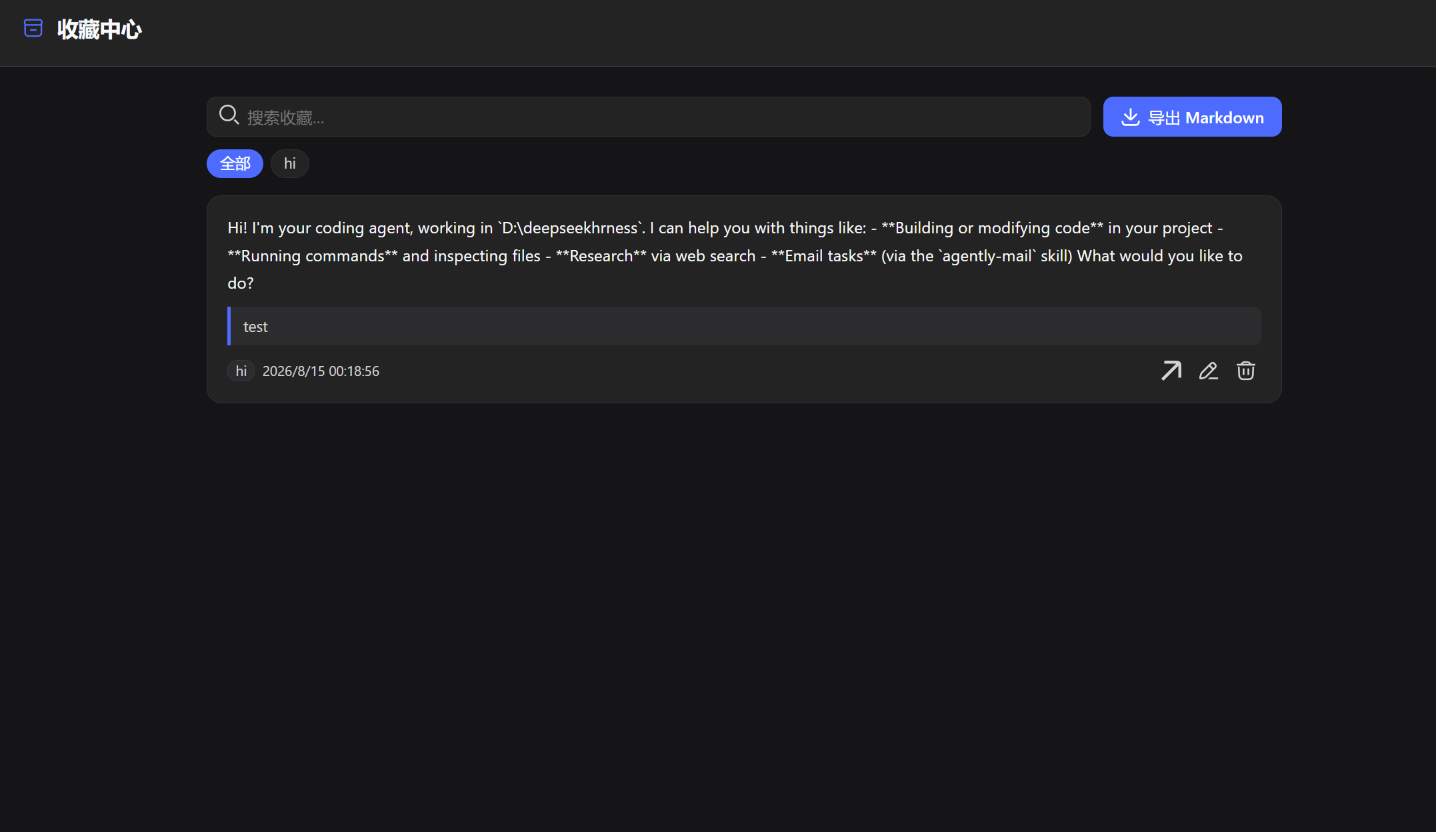
The core strength of this plugin lies in its seamless integration and cross-session management. You can add a bookmark next to any assistant message, and the system automatically derives a text snippet for quick preview. All bookmarks are aggregated into a unified center panel featuring full-text search, tag filtering, and one-click jumps back to the original session. With one-click Markdown export, keyboard shortcuts, and multi-tab safe writes, your data remains organized and durable.
If you are a heavy DSH Web UI user focused on knowledge management, coding, or deep research, dsh-bookmarks is an essential tool. It helps you build a personal AI knowledge base, ensuring that scattered insights and critical information are systematically archived and easily reusable.
Screenshots
Use Cases
- Saving high-quality AI-generated code snippets or solutions for future reference.
- Organizing and retrieving AI replies with specific tags across multiple sessions.
- Exporting accumulated important conversation logs to Markdown notes in one click.
Best For
- Deep researchers who need to build a personal AI knowledge base.
- Programmers frequently using DSH for code development and troubleshooting.
- Knowledge management enthusiasts who archive and reorganize AI conversation logs.
Related Plugins

Memory layer for coding agents that indexes local session history and auto-recalls relevant context before edits, commands, and failures, with no manual search needed.

Traceable, searchable cross-session memory for AI agents that turns conversation knowledge into a typed knowledge graph and recalls relevant subgraphs instead of replaying full history, natively integrated with DeepSeek Harness.
Gives DSH AI cross-session long-term memory, to-do and skill management, plus multi-session orchestration, external AI delegation, and an infinite canvas that grows with you.

dsh-mnemon is a three-tier, pluggable, Agent-driven memory system for DeepSeek Harness, combining Runtime memory, Project Documents, and replaceable Memory Spaces with nine long-term providers.