dsh-context-console
Run the following command in DeepSeek Harness:
dsh plugin install anweat/dsh-context-console
Paste the following prompt into your AI chat to install this plugin:
Run dsh plugin install anweat/dsh-context-console in your terminal to install the plugin; the source code is hosted at https://github.com/anweat/dsh-context-console .
About this plugin
Day-to-day work in DeepSeek Harness—tracing conversation events, managing Prompts / Skills / MCP servers / Tools, watching cache behaviour, forging or injecting messages, repairing a corrupted session log—used to mean juggling several manual steps and tool windows. dsh-context-console bundles all of these into a single plugin, turning the fragmented workflow into one coherent context workbench.
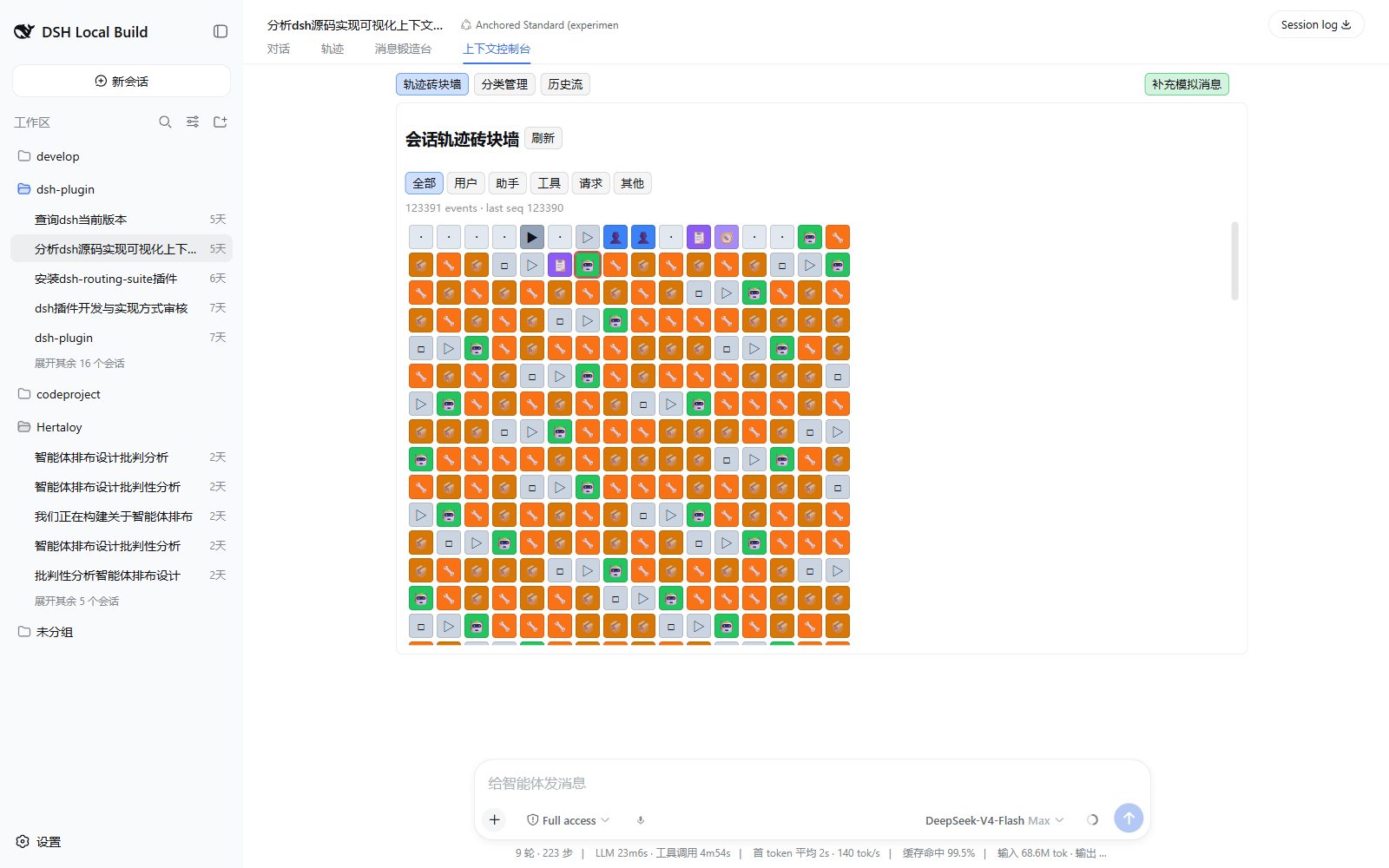
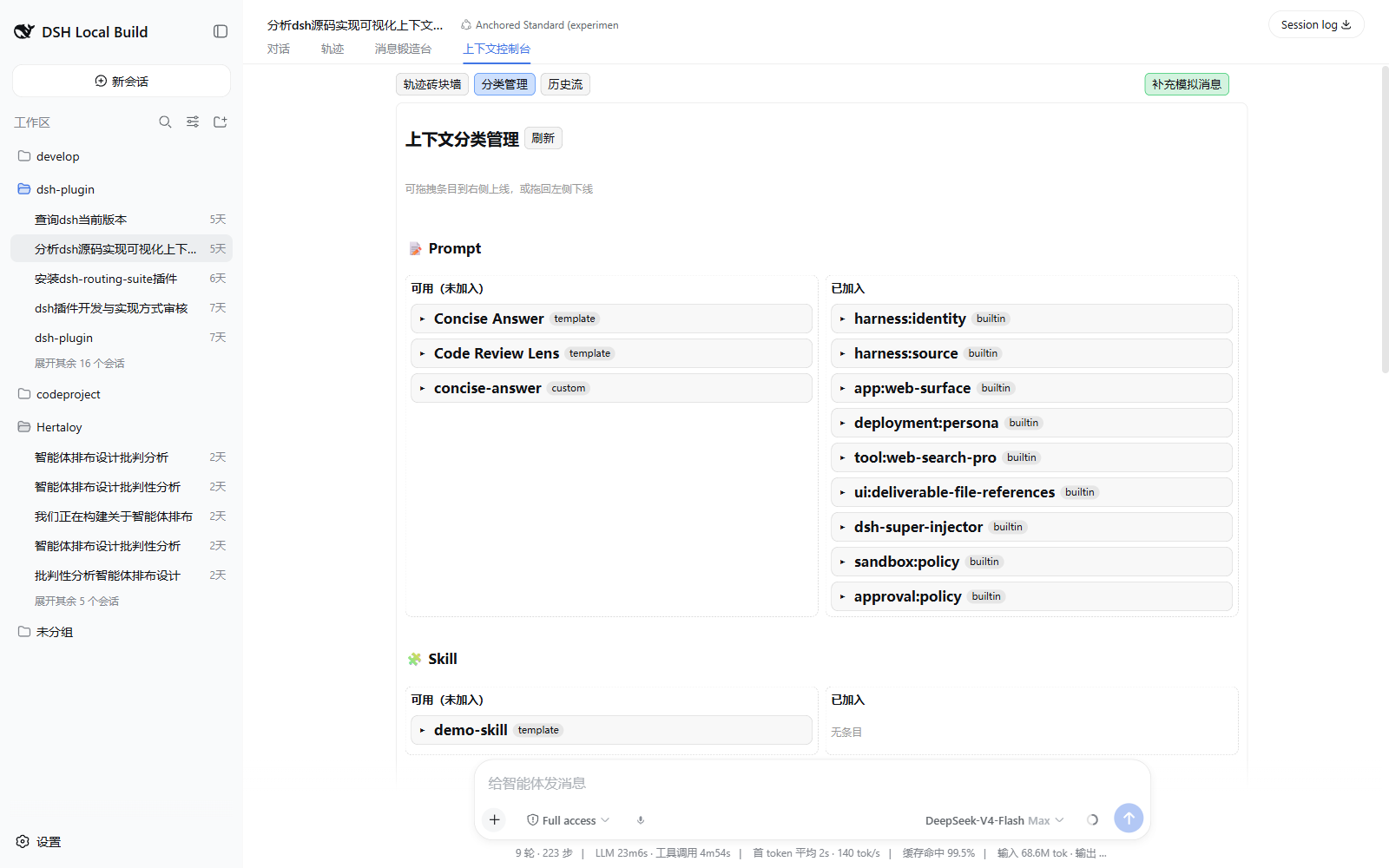
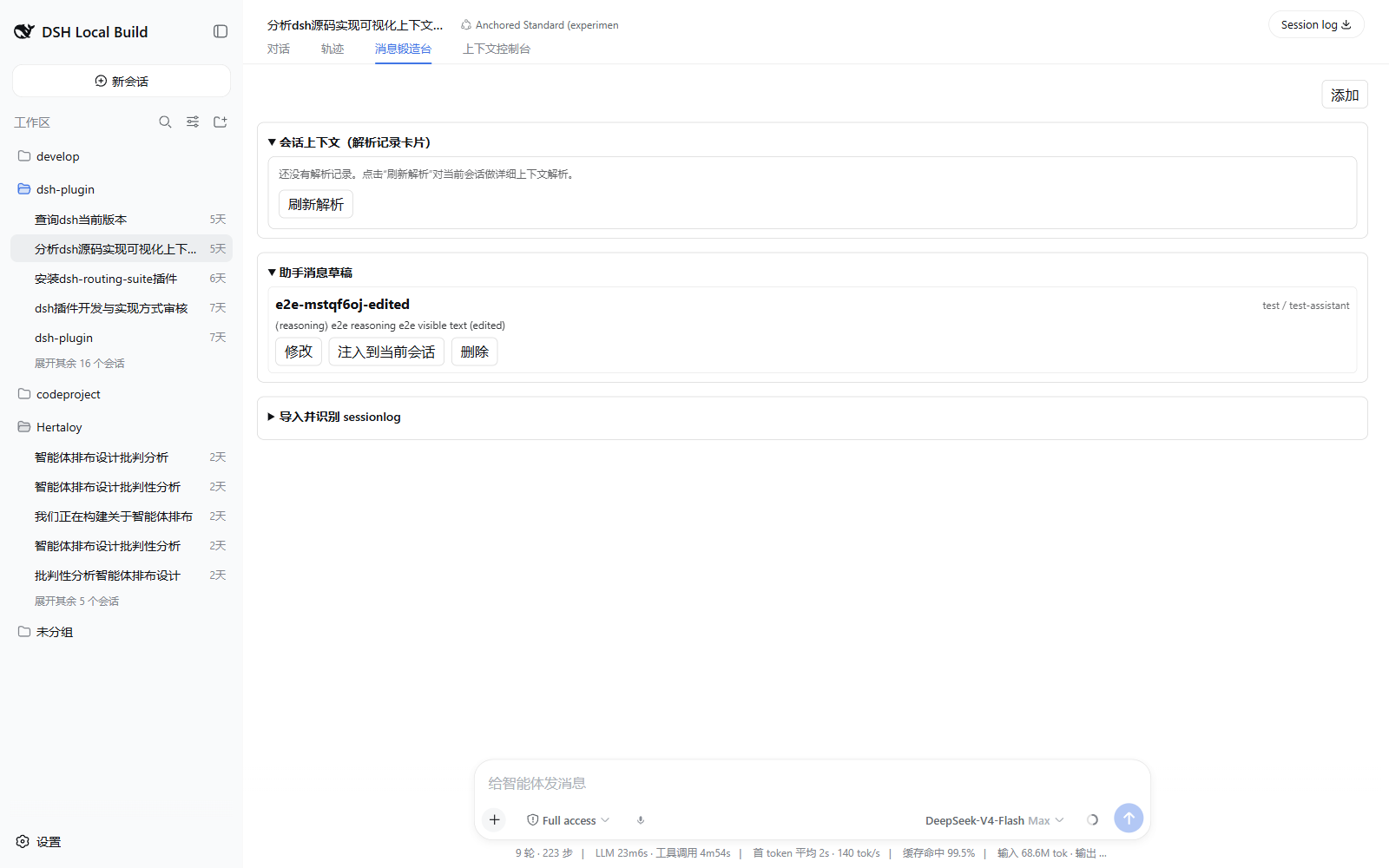
The trajectory brick wall renders every session event (user, assistant, reasoning, tool call/result, request header) on a scrollable timeline with expand, filter, and inline-edit support. The two-pane inventory manager lets you drag-and-drop Prompts, Skills, MCP servers, and Tools online or offline and pick prompt insertion positions at a glance. The cache and history panel continuously tracks request-header changes and cache-read tokens, persisting events to SQLite. The message forge retains draft workspaces, detailed context cards, and surface-replace capability. The session-log repair module safely parses JSONL or Zstandard files and creates a fixed child session via a parentSession link—never overwriting or truncating the source file. Sub-agent trajectories are nested whenever a child session ID is available.
If you regularly debug agent behaviour, fine-tune prompt and tool chains, monitor token cache hit rates, or occasionally need to recover a corrupted session log, dsh-context-console is built for that workflow. It is also the official successor to dsh-assistant-message-forge, reusing the original RPC compatibility layer and data directory so migration requires zero data conversion.
Screenshots
Use Cases
- Inspect, filter, and inline-edit conversation trajectories event by event
- Drag-and-drop manage Prompts, Skills, MCP servers, and Tools online/offline with insertion positions
- Safely parse JSONL or Zstandard session logs and create a repaired child session without touching the source file
Best For
- Developers who regularly debug agent behaviour and fine-tune prompt & tool chains
- Engineers who monitor cache-read tokens and request-header changes on an ongoing basis
- Users migrating from dsh-assistant-message-forge who want to keep their existing drafts and data as-is
Related Plugins

Traceable, searchable cross-session memory for AI agents that turns conversation knowledge into a typed knowledge graph and recalls relevant subgraphs instead of replaying full history, natively integrated with DeepSeek Harness.
Gives DSH AI cross-session long-term memory, to-do and skill management, plus multi-session orchestration, external AI delegation, and an infinite canvas that grows with you.

dsh-mnemon is a three-tier, pluggable, Agent-driven memory system for DeepSeek Harness, combining Runtime memory, Project Documents, and replaceable Memory Spaces with nine long-term providers.
An opinionated, zero-infrastructure file-based memory protocol: human-readable markdown files plus a bounded always-loaded index, curation discipline, and no database or embeddings.