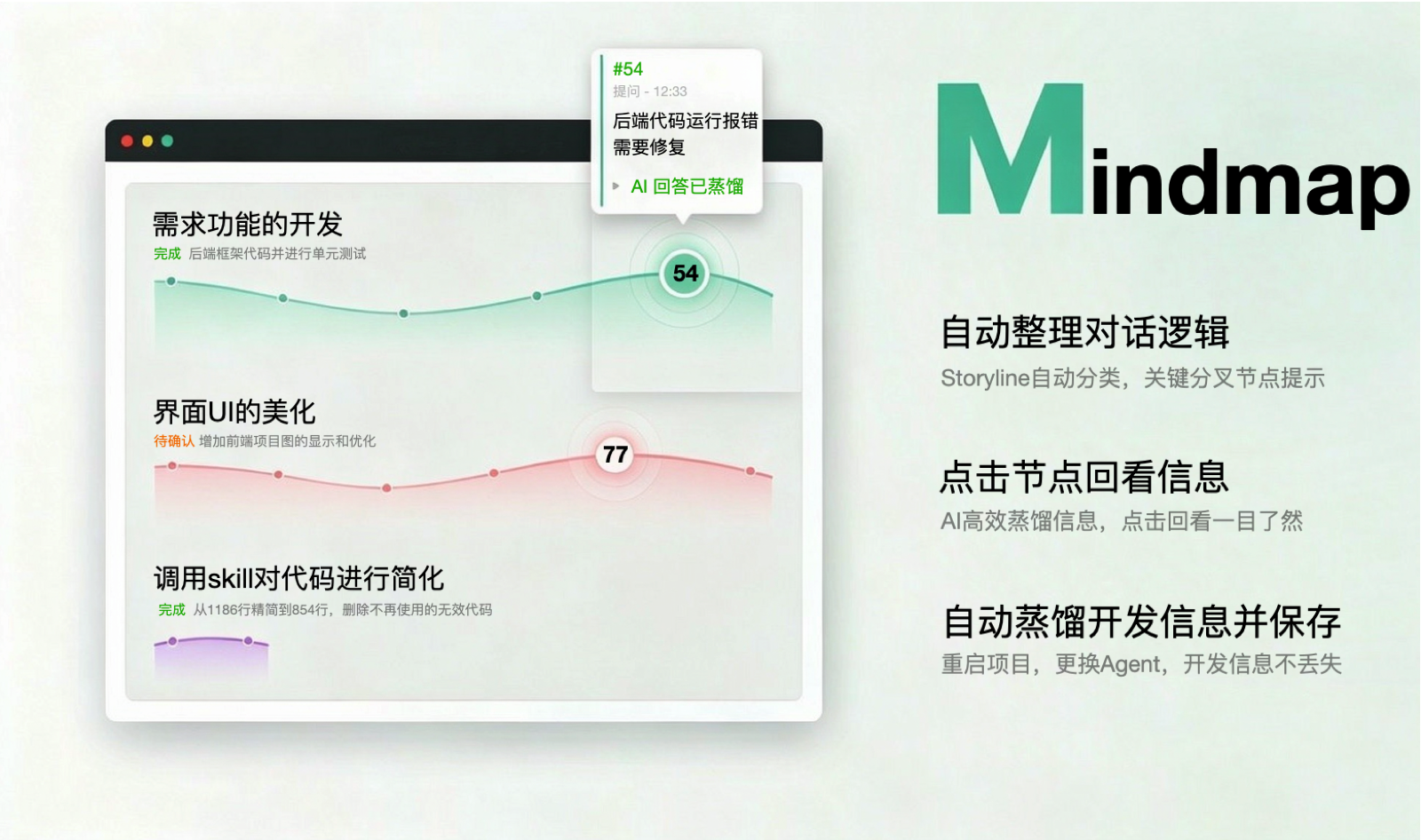
dsh-plugin-mindmap
Run the following command in DeepSeek Harness:
dsh plugin install ImCabbage/dsh-plugin-mindmap
Paste the following prompt into your AI chat to install this plugin:
Run dsh plugin install ImCabbage/dsh-plugin-mindmap to install this plugin; the source lives at https://github.com/ImCabbage/dsh-plugin-mindmap . After installation, restart the dsh web process and the MindMap tab will appear in the session view.
About this plugin
Hours-long conversations with an AI assistant tend to blur: you lose track of which thread was resolved, which branch is still open, and what the starting premise even was. Once the session ends or the project restarts, that context is gone. dsh-plugin-mindmap tackles exactly this conversation-amnesia problem.
In the background it incrementally classifies every new message as an append, a fork, or a brand-new topic, distilling the whole dialogue into independent storylines. The result is rendered as an interactive map using bezier gradient ribbons and six semantic node shapes (question, decision, feature, bugfix, refactor, research). Clicking any node opens a detail card with the question, tool-call summaries, and the answer. A status badge (ongoing, blocked, done, discussion ended) plus a one-line description sits under each topic title, so you can grasp the full picture at a glance. The classification is persisted to DEV_LOG.json at the workspace root; on restart the map reloads instantly with zero LLM calls, so the memory outlives any single session.
If you develop long-running projects with DeepSeek Harness and need to revisit discussion threads, track the progress of each topic, and keep institutional knowledge accessible across sessions and agents, this auto-growing mind map turns ephemeral chat into a searchable, shareable development memory rather than fragments buried in scrollback.
Screenshots
Use Cases
- Revisit the discussion threads and decision forks after a long multi-turn session.
- Recover structured context instantly after restarting the project or switching agents.
- Track the progress and blockers of several parallel development topics via status badges.
Best For
- Engineers running long-cycle projects inside DeepSeek Harness.
- Small teams that need to turn AI conversations into a searchable shared asset.
- Independent developers who want their discussion history structured and visualized.
Related Plugins

Traceable, searchable cross-session memory for AI agents that turns conversation knowledge into a typed knowledge graph and recalls relevant subgraphs instead of replaying full history, natively integrated with DeepSeek Harness.
Gives DSH AI cross-session long-term memory, to-do and skill management, plus multi-session orchestration, external AI delegation, and an infinite canvas that grows with you.

dsh-mnemon is a three-tier, pluggable, Agent-driven memory system for DeepSeek Harness, combining Runtime memory, Project Documents, and replaceable Memory Spaces with nine long-term providers.
An opinionated, zero-infrastructure file-based memory protocol: human-readable markdown files plus a bounded always-loaded index, curation discipline, and no database or embeddings.