dsh-memory-migration
Run the following command in DeepSeek Harness:
dsh plugin install tieveto666-code/dsh-memory-migration
Paste the following prompt into your AI chat to install this plugin:
Run dsh plugin install tieveto666-code/dsh-memory-migration in the DeepSeek Harness terminal to install this plugin; the source repository is https://github.com/tieveto666-code/dsh-memory-migration .
About this plugin
Every DSH conversation starts from a blank slate. Your preferences, standing methods, and confirmed decisions either get re-explained every round or sit unused inside another product's export file. dsh-memory-migration adds a compact long-term memory layer to stock DSH: a local key/value store that captures who you are, how you work, and which constraints are non-negotiable, then recalls only the entries that match the current question rather than dumping the entire history.
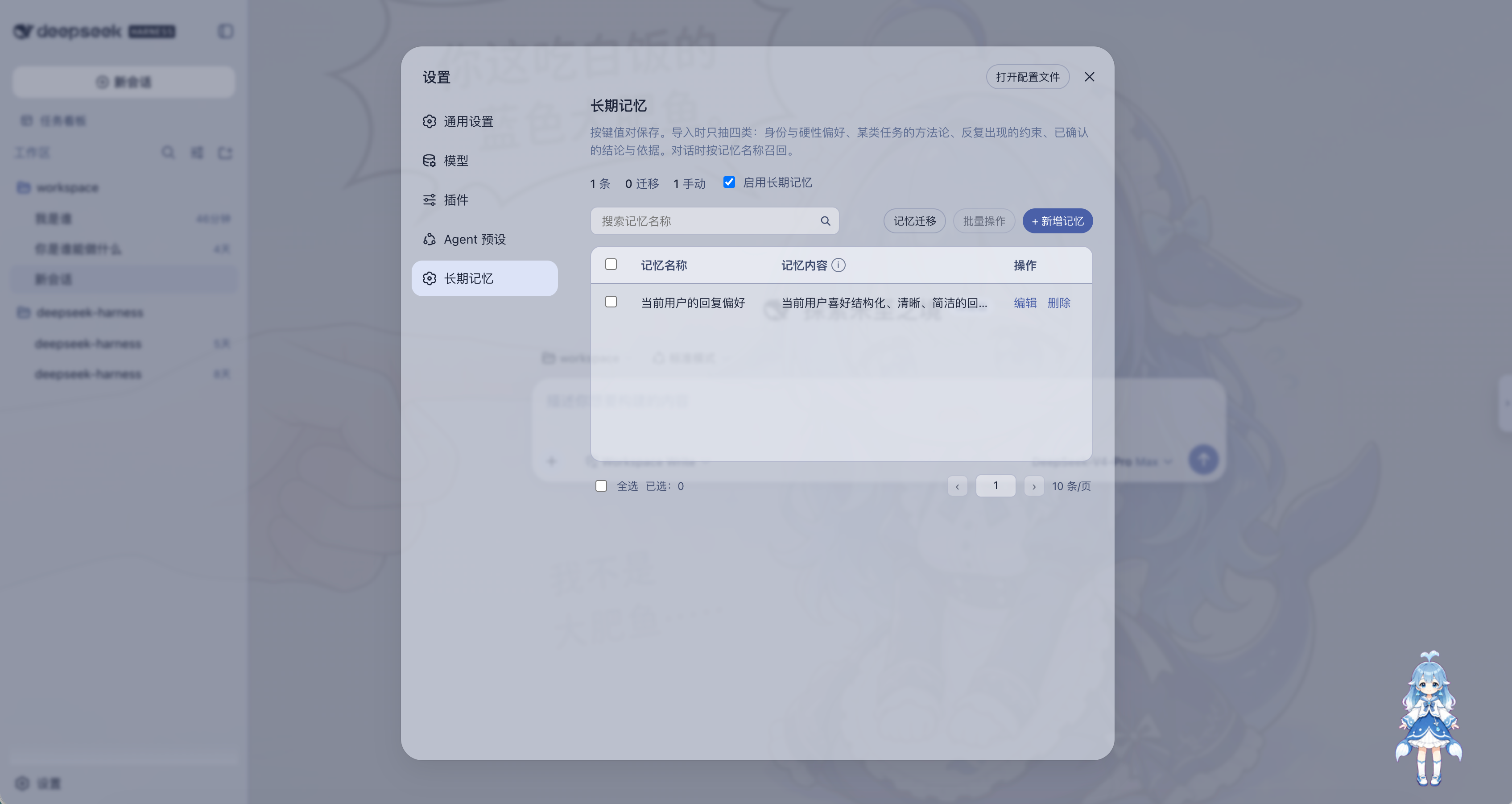
On the everyday side, the Settings panel lets you add, inline-edit, search, paginate, and bulk-delete memory rows, with a global switch to enable or disable recall. The matching pipeline first checks for exact key containment, then falls back to BM25 scoring over CJK unigrams and bigrams plus Latin words; injection is capped at eight keys and sixteen entries, and off-topic questions receive nothing. The optional migration path imports a ChatGPT, Claude, Gemini, or DeepSeek official export; using the DeepSeek model already configured in your DSH profile it scans recent substantial conversations and distills at most ten core pairs covering identity and hard preferences, methods for a task class, recurring constraints, and confirmed conclusions with rationale, while merging near-duplicates and skipping pairs similar to memories you already have.
The plugin does not fork or patch DSH source, does not turn old chats into sidebar sessions, stores everything under the local memory-migration directory, and sends no telemetry or export data to any third-party service. It is aimed at users who want to keep communication style and hard preferences across new DSH chats, who want to reuse standing methods and constraints for a class of work, or who are migrating from another AI product into DSH.
Screenshots
Use Cases
- Keep identity, hard preferences, and communication style across new DSH chats
- Reuse standing methods and constraints for a class of work such as reviews, SQL, or writing
- Distill core memory pairs from a ChatGPT or Claude official export into DSH
Best For
- DSH users who want stable preferences and style without re-explaining every round
- Professional users relying on fixed workflows and constraints inside DSH
- Users migrating from ChatGPT, Claude, Gemini, or DeepSeek into DSH
Related Plugins

Traceable, searchable cross-session memory for AI agents that turns conversation knowledge into a typed knowledge graph and recalls relevant subgraphs instead of replaying full history, natively integrated with DeepSeek Harness.
Gives DSH AI cross-session long-term memory, to-do and skill management, plus multi-session orchestration, external AI delegation, and an infinite canvas that grows with you.

dsh-mnemon is a three-tier, pluggable, Agent-driven memory system for DeepSeek Harness, combining Runtime memory, Project Documents, and replaceable Memory Spaces with nine long-term providers.
An opinionated, zero-infrastructure file-based memory protocol: human-readable markdown files plus a bounded always-loaded index, curation discipline, and no database or embeddings.