dsh-model-hub
Run the following command in DeepSeek Harness:
dsh plugin install yhyfhgs/dsh-model-hub
Paste the following prompt into your AI chat to install this plugin:
Run dsh plugin install yhyfhgs/dsh-model-hub in an environment where pnpm is available in your PATH, then restart the target profile to apply changes. Source code: https://github.com/yhyfhgs/dsh-model-hub
About this plugin
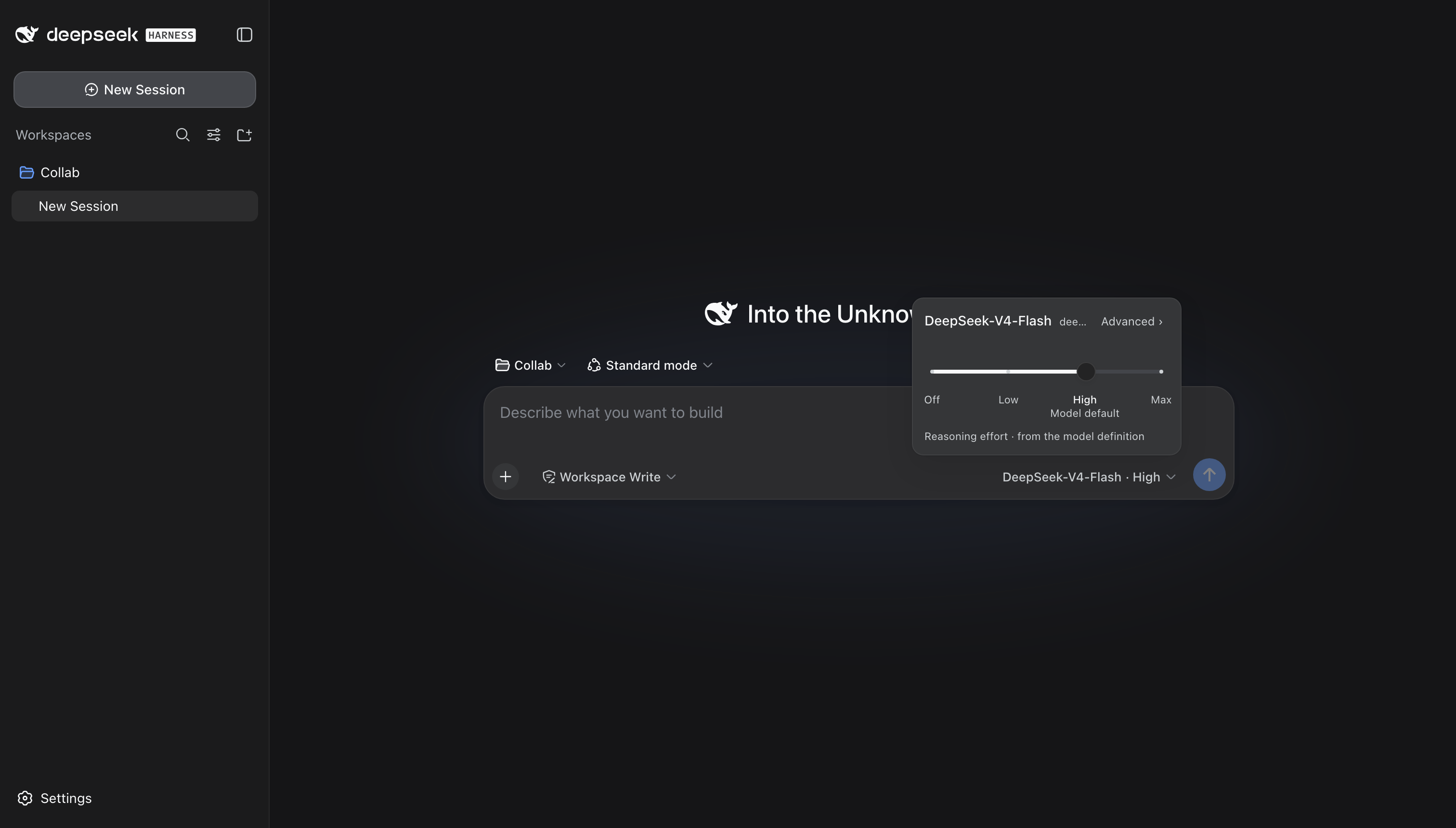
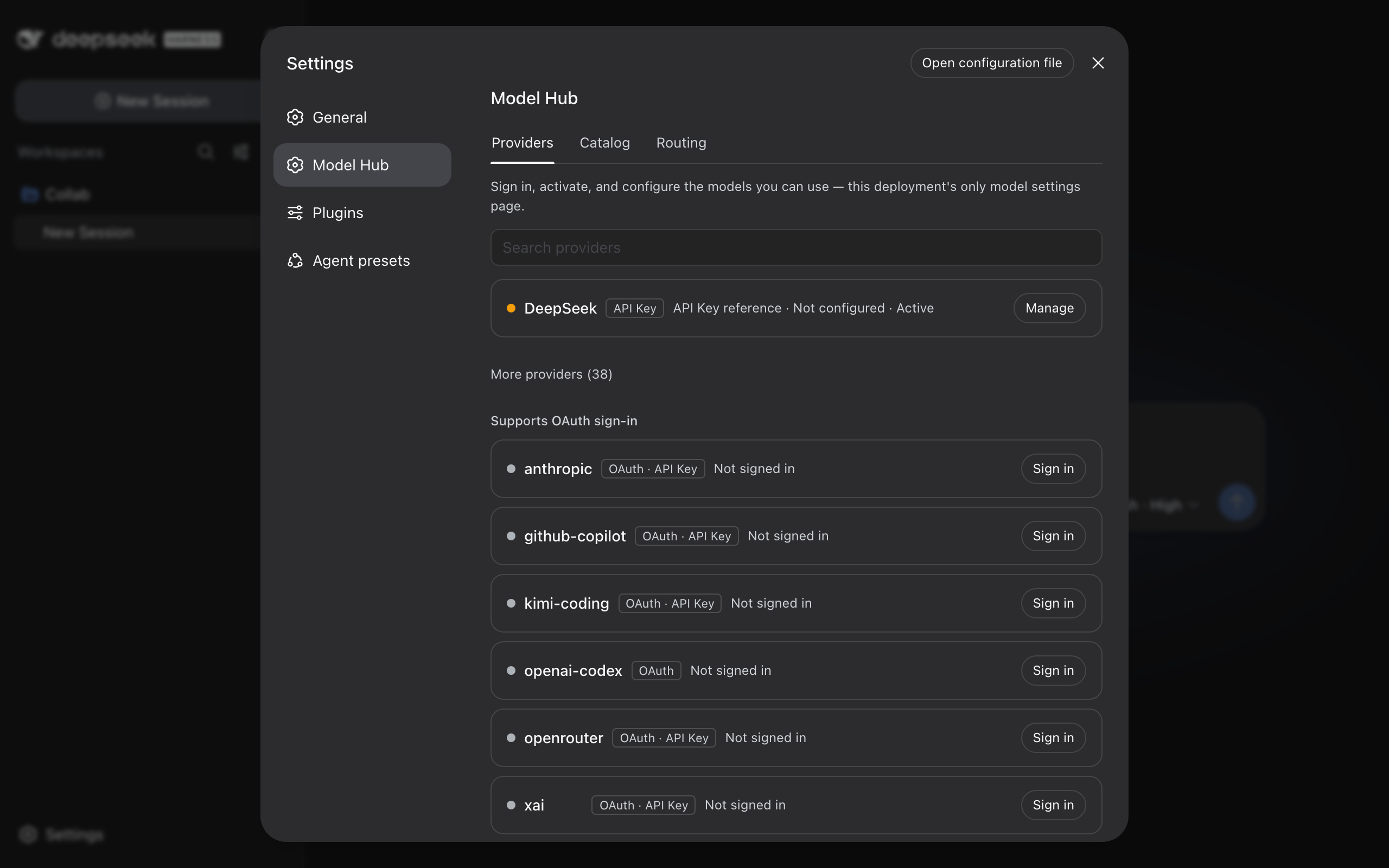
DeepSeek Harness has historically scattered provider sign-in, the model catalog, and per-session model selection across multiple surfaces, forcing users to hunt through different panels every time they switch providers or pick a model. dsh-model-hub collapses all three into a single settings section, one composer picker, and one /model command, so the entire provider-to-model workflow lives in one place.
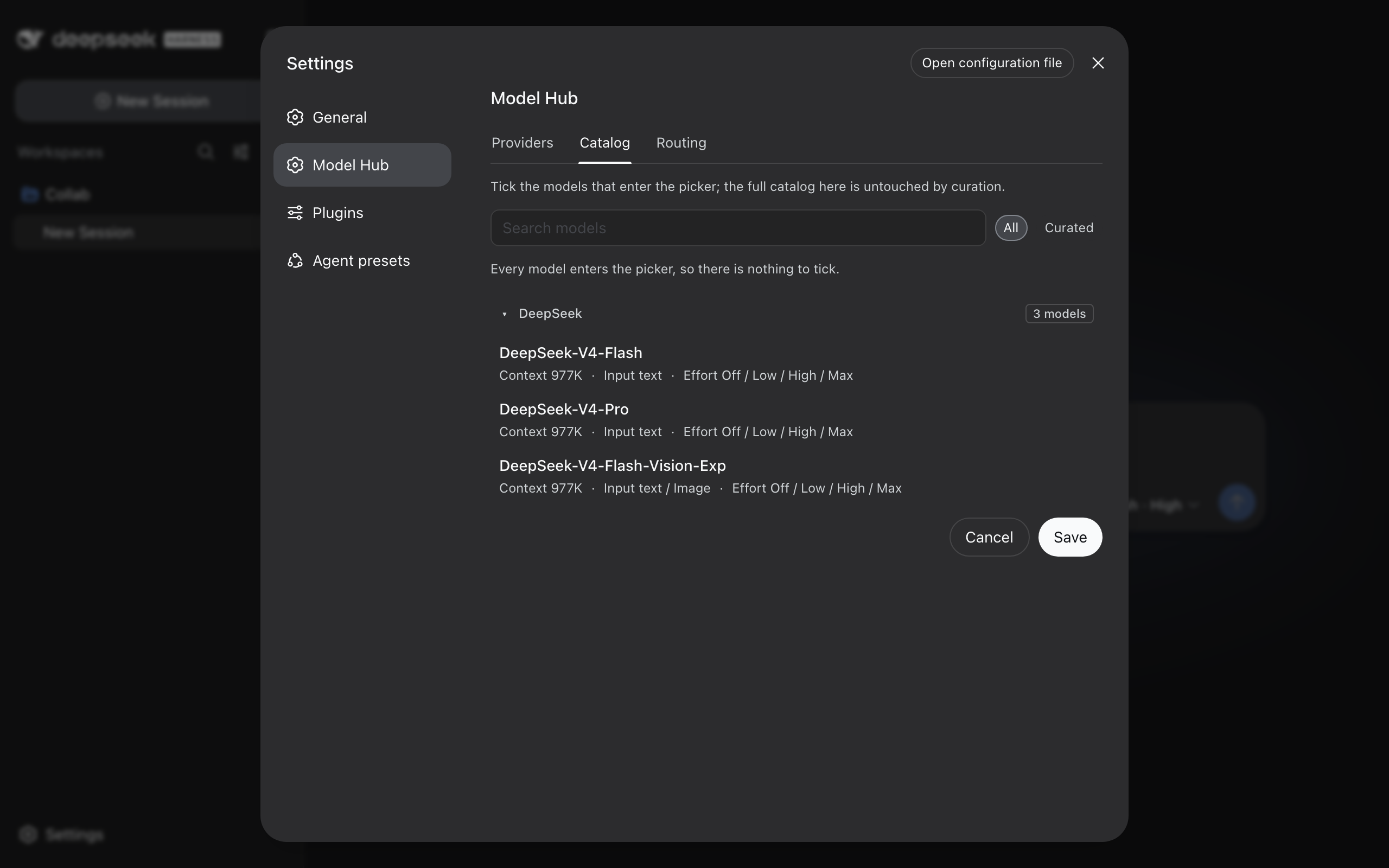
Under the hood the plugin owns a dedicated loopback-only RPC channel and covers the full model lifecycle: OAuth and device-code authentication with real-time attempt tracking, provider activate/deactuate/logout actions guarded by confirmation dialogs, editable API keys and endpoint configuration, a rich catalog that preserves inputModalities and contextWindow, and a three-tier session routing strategy for subagents. It also ships dynamic reasoning-effort sliders, metadata-driven Fast Mode toggles, visibility curation rules, and built-in adapters for Qwen Code (RFC 8628 device-code) and OpenAI Codex (authorization-code + PKCE). Every endpoint is Zod-validated and bound strictly to the loopback interface, so credentials and snapshots never leave the host machine.
If you run DeepSeek Harness against multiple LLM providers and want a unified, auditable model-management experience without bypassing the harness core, this plugin is built for you. It installs cleanly from a cold profile, speaks both Simplified Chinese and English natively, and uninstalls with automatic restoration of the official default UI—no manual config edits required either way.
Screenshots
Use Cases
- Sign in to multiple LLM providers and manage credentials from a single panel
- Switch models, reasoning effort, and Fast Mode quickly within any chat session
- Configure three-tier model routing and visibility curation for sub-agents
Best For
- Developers managing multiple LLM providers with DeepSeek Harness
- AI application builders who switch models and reasoning modes frequently
- Administrators seeking unified model control without bypassing the harness core
Related Plugins

ModLens is a vision plugin for DeepSeek Harness that gives text-only models sight by reading images pasted directly into chat, with zero-config setup and multiple vision engines.

On-demand vision for text-only DeepSeek Harness agents: built-in free keyless vision chain and 14 vision tools, routing image turns as tool calls to vision models with pixel fidelity, no Python needed, one-command install.

Give text-only models in DeepSeek Harness eyes, enabling image Q&A, long-screenshot OCR, UI restoration, and GUI visual tasks.
An armor-breaking plugin for DeepSeek: rewrites instruction priority, expands refusal-blocked phrases, persists across sessions, and shows a green active indicator.