dsh-assembly.resume
Run the following command in DeepSeek Harness:
dsh plugin install kanchengw/dsh-assembly.resume
Paste the following prompt into your AI chat to install this plugin:
Install this plugin in DeepSeek Harness by running dsh plugin install kanchengw/dsh-assembly.resume; source code is available at https://github.com/kanchengw/dsh-assembly.resume
About this plugin
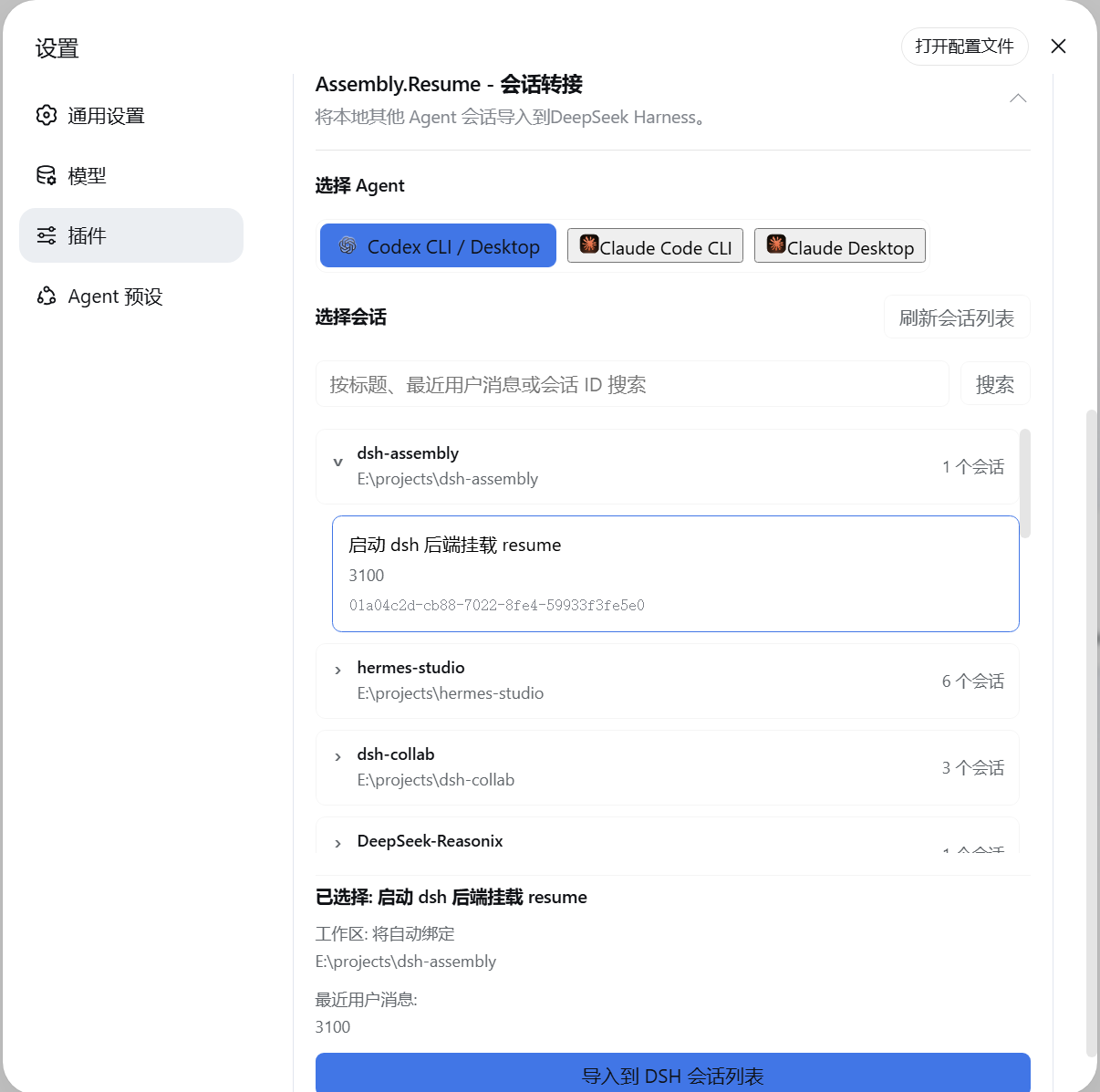
You spent a week with Codex or Claude Code, built up solid context, and now switching tools means losing it all. dsh-assembly.resume tackles exactly that cross-tool amnesia: it locates local conversations from Codex, Claude Code CLI, and Claude Code Desktop, groups them by project, so you can pick the exact thread you want to carry over.
Once selected, the plugin imports the full message history along with tool activity into DSH and auto-registers the original project directory as a DSH Workspace with proper binding. If the old path no longer exists, you can specify a new workspace directory during import instead of leaving the conversation unbound. The handoff is seamless: you pick up right where you left off.
If you are migrating from Codex or Claude Code to DSH, or want to consolidate scattered debugging sessions into a single Agent workflow, this plugin saves you the tedious manual copy-and-paste and workspace setup.
Screenshots
Use Cases
- Switching from Codex to DSH while preserving existing debug context
- Continuing a long Claude Code Desktop session inside the DSH Agent
- Consolidating project conversations scattered across multiple tools into DSH
Best For
- Developers migrating from Codex or Claude Code to DSH
- AI-assisted coding users who need to carry over long conversations across tools
- Workspace maintainers who want to centralize conversations from multiple sources
Related Plugins

Traceable, searchable cross-session memory for AI agents that turns conversation knowledge into a typed knowledge graph and recalls relevant subgraphs instead of replaying full history, natively integrated with DeepSeek Harness.
Gives DSH AI cross-session long-term memory, to-do and skill management, plus multi-session orchestration, external AI delegation, and an infinite canvas that grows with you.

dsh-mnemon is a three-tier, pluggable, Agent-driven memory system for DeepSeek Harness, combining Runtime memory, Project Documents, and replaceable Memory Spaces with nine long-term providers.
An opinionated, zero-infrastructure file-based memory protocol: human-readable markdown files plus a bounded always-loaded index, curation discipline, and no database or embeddings.