dsh-rewind
Run the following command in DeepSeek Harness:
dsh plugin install SiriLee/dsh-rewind
Paste the following prompt into your AI chat to install this plugin:
In DeepSeek Harness, install the dsh-rewind plugin from https://github.com/SiriLee/dsh-rewind.
About this plugin
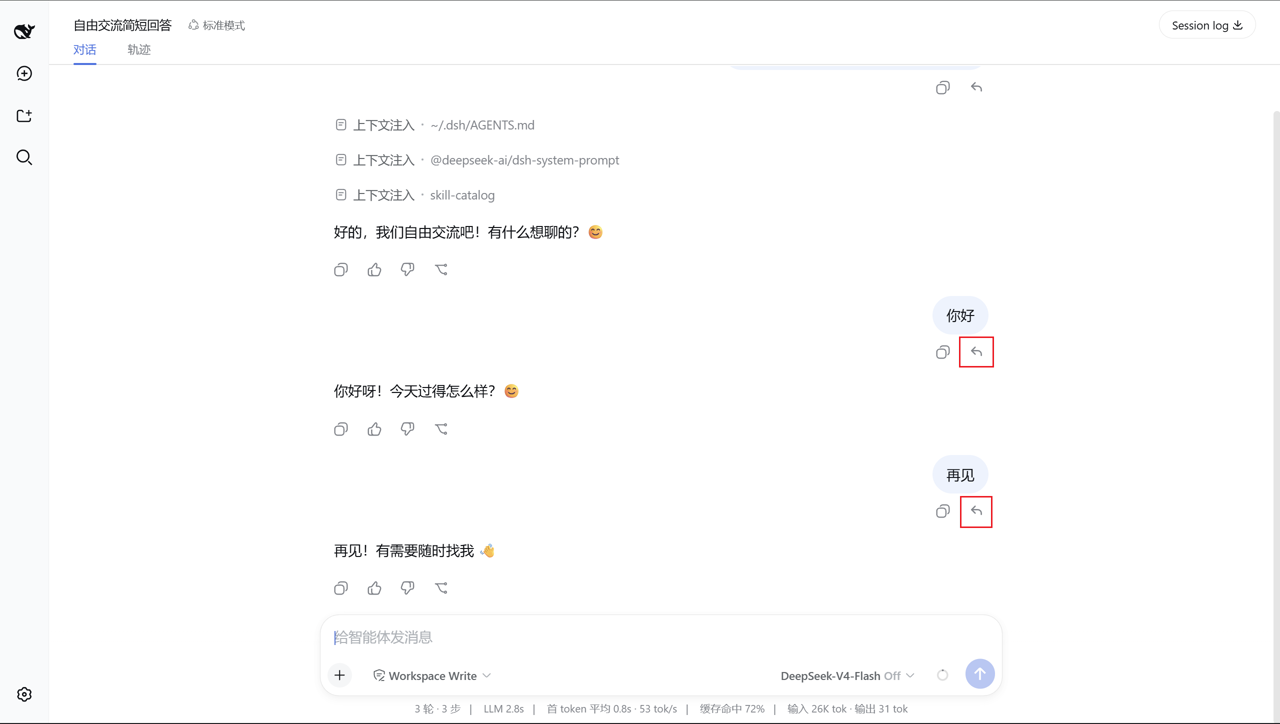
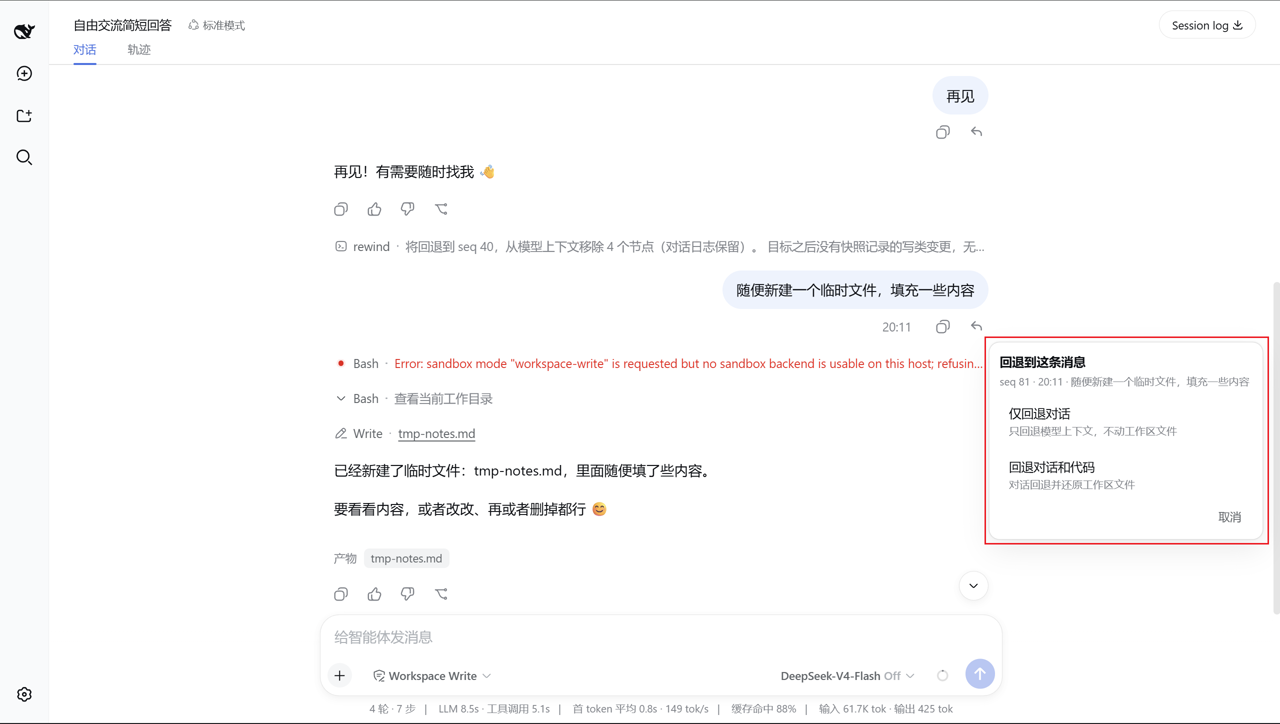
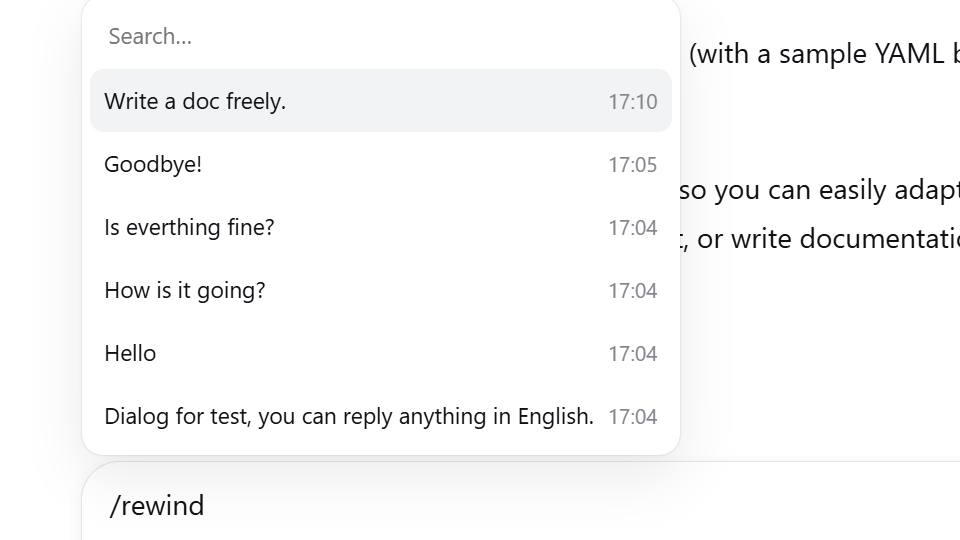
In agent workflows, the frustrating part is often not a wrong answer, but how hard it is to step back after the conversation has drifted or files have been changed. dsh-rewind makes that step back feel natural: you can rewind the current conversation in place to any earlier user message, without opening a new branch or switching windows. The selected message is placed back into the input box, so you can edit it and resend immediately.
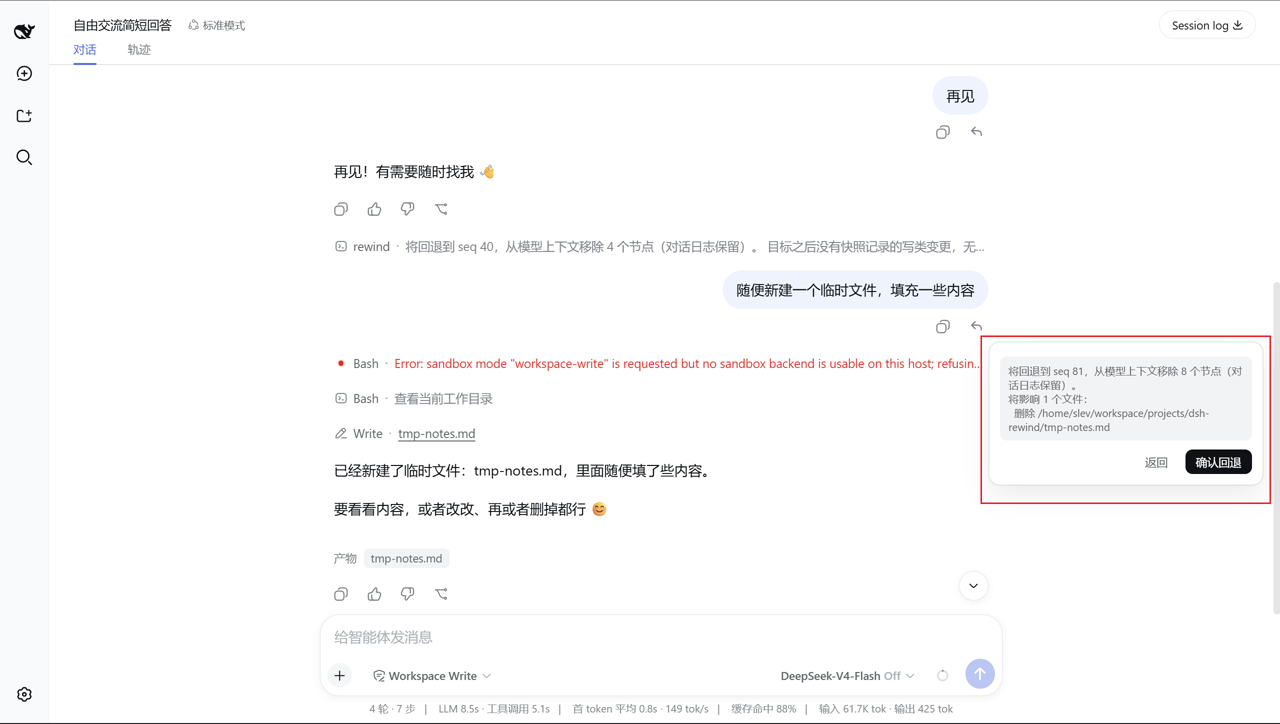
The plugin can also restore workspace files touched by write-style tools. It keeps lightweight pre-write backups, tracks later changes to those files, and compares the real disk state before restoring, so it only touches files that actually differ. This gives you a Claude Code-style /rewind experience without requiring Git, full-tree snapshots, or a heavy backup system.
dsh-rewind is a good fit for DeepSeek Harness users who iterate quickly on prompts, code, or tool-driven tasks, and for developers who want safe, in-place rollback with append-only session logs, minimal dependencies, and a small security surface.
Screenshots
Use Cases
- Rewind in place to an earlier user message when the conversation drifts.
- Restore affected workspace files after a tool makes unwanted changes.
- Try different prompts or implementation paths without opening new windows.
Best For
- Developers iterating on prompts and code inside DeepSeek Harness.
- Users who want lightweight rollback without Git or full-tree snapshots.
- Security-conscious users who prefer append-only session logs.
Related Plugins

Memory layer for coding agents that indexes local session history and auto-recalls relevant context before edits, commands, and failures, with no manual search needed.

Traceable, searchable cross-session memory for AI agents that turns conversation knowledge into a typed knowledge graph and recalls relevant subgraphs instead of replaying full history, natively integrated with DeepSeek Harness.
Gives DSH AI cross-session long-term memory, to-do and skill management, plus multi-session orchestration, external AI delegation, and an infinite canvas that grows with you.

dsh-mnemon is a three-tier, pluggable, Agent-driven memory system for DeepSeek Harness, combining Runtime memory, Project Documents, and replaceable Memory Spaces with nine long-term providers.