dsh-llm-fallbacks
Run the following command in DeepSeek Harness:
dsh plugin install omdsh-dev/dsh-llm-fallbacks
Paste the following prompt into your AI chat to install this plugin:
Install this plugin in DeepSeek Harness from the source repository https://github.com/omdsh-dev/dsh-llm-fallbacks.
About this plugin
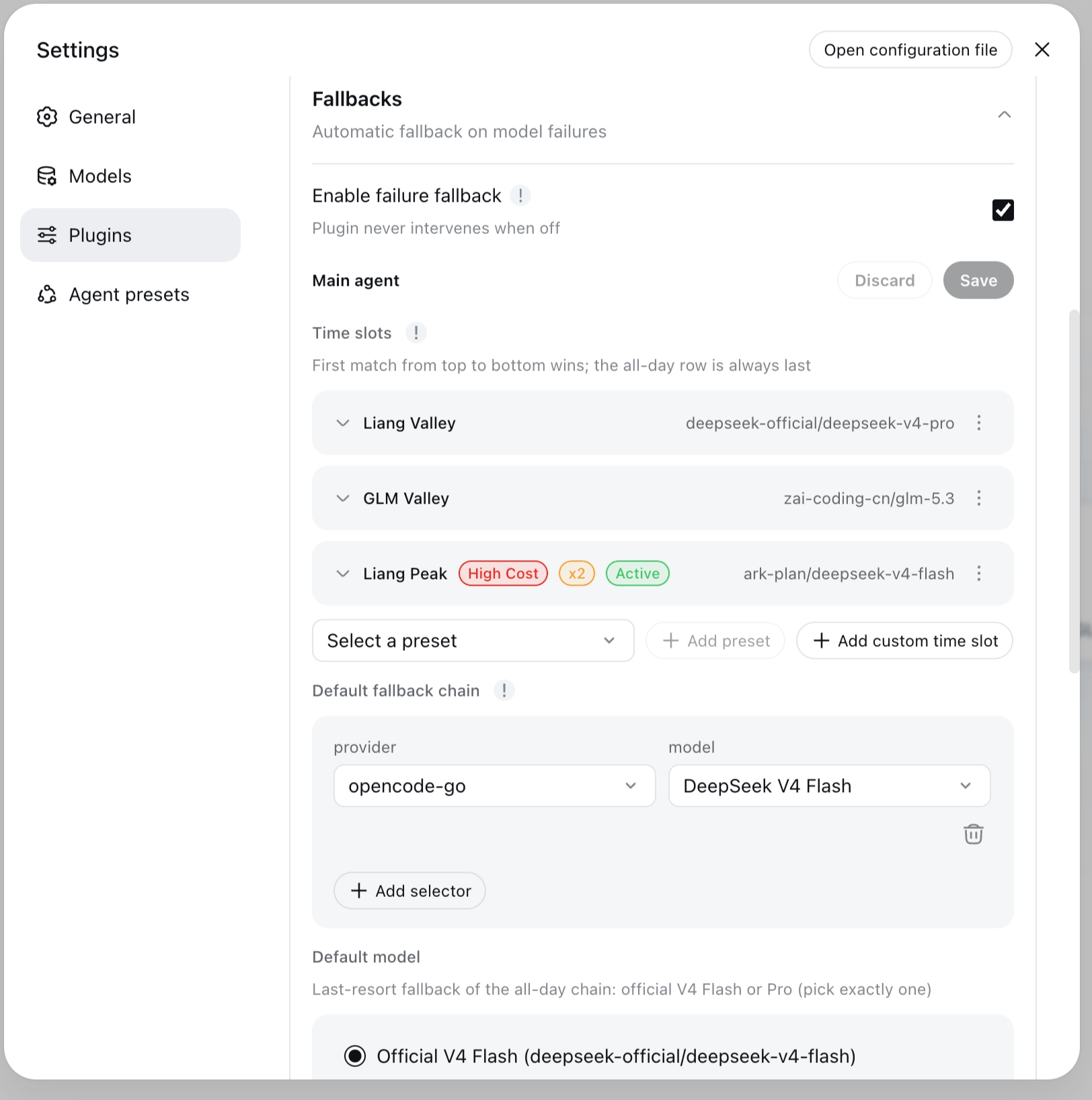
dsh-llm-fallbacks addresses a common failure mode in agent workflows: an LLM request keeps failing because of auth errors, exhausted retries, quota limits, or rate limiting, and the task stalls. With this plugin, dsh can walk a configured fallback chain and switch to another provider or model automatically, allowing the current step or turn to continue instead of interrupting the whole run.
Its core capabilities include root and role-based fallback chains, automatic failure switching, cooldown and revert behavior, explicit logging for every switch, and safety valves that prevent runaway switching. It also supports time-slot routing, letting different chains become active during peak or valley windows, and works across both the web settings surface and the dsh-tui terminal experience.
It is best suited for dsh users running multi-model or multi-provider agents who need more resilience than a single default model can provide. It is especially useful for teams managing subagents with different model policies, handling quota or rate-limit pressure, or needing continuous operation across changing provider conditions.
Screenshots
Use Cases
- Switch to backup models automatically when LLM requests fail
- Rotate fallback chains by peak and valley time windows
- Assign different model chains to subagent roles
Best For
- dsh users who need more stable multi-model workflows
- Teams managing multiple providers, quotas, or rate limits
- Workflow designers assigning model policies to subagents
Related Plugins
A unified suite combining hot runtime injection, task-aware thinking-mode routing, and a graded session protocol with red-team gates to sustain model diligence across long-horizon inference.

ModLens is a vision plugin for DeepSeek Harness that gives text-only models sight by reading images pasted directly into chat, with zero-config setup and multiple vision engines.

On-demand vision for text-only DeepSeek Harness agents: built-in free keyless vision chain and 14 vision tools, routing image turns as tool calls to vision models with pixel fidelity, no Python needed, one-command install.

Give text-only models in DeepSeek Harness eyes, enabling image Q&A, long-screenshot OCR, UI restoration, and GUI visual tasks.