locallens
Run the following command in DeepSeek Harness:
dsh plugin install uknowmyface/locallens
Paste the following prompt into your AI chat to install this plugin:
Please run the installation command `dsh plugin install uknowmyface/locallens` in DeepSeek Harness, with the source code at https://github.com/uknowmyface/locallens.
About this plugin
Traditional vision models, while powerful, often require uploading images to the cloud, raising privacy concerns and potentially incurring API costs. For users who simply need to extract text from screenshots or images, these solutions often feel overly complex and indirect.
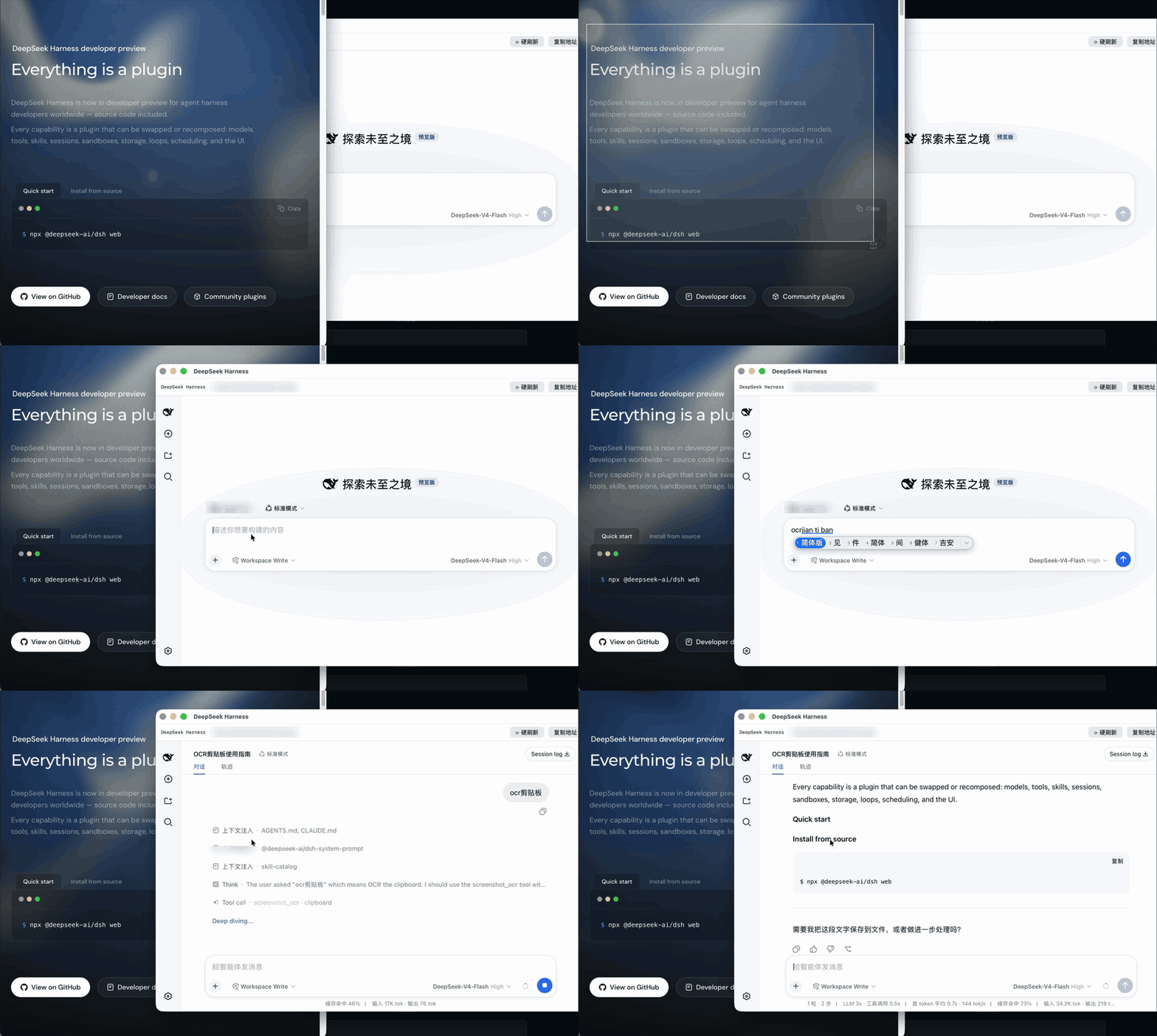
LocalLens leverages macOS's built-in Vision framework to provide a purely local OCR solution. It does not rely on external vision models, API keys, or network connections; image processing happens entirely on your Mac. Whether from clipboard captures, desktop image files, or screen content, it quickly and accurately extracts the text contained within.
This plugin is ideal for macOS users who prioritize data privacy and seek fast, on-device processing. It is the perfect choice for those who want to treat the vision model as a "reading tool" rather than an "understanding tool." By seamlessly injecting recognized text into the conversation context, LocalLens allows agents to easily handle document scans, UI text, or screenshot information, ensuring your sensitive data never leaves your local machine.
Screenshots
Use Cases
- Quickly extract text from screenshots
- OCR images from clipboard and extract text
- Recognize readable text in desktop or document images
Best For
- Users who need to process documents or screenshots but refuse to upload data
- Developers using macOS and relying on DeepSeek Harness
- AI Agent users who prioritize privacy and want local visual processing
Related Plugins

ModLens is a vision plugin for DeepSeek Harness that gives text-only models sight by reading images pasted directly into chat, with zero-config setup and multiple vision engines.

On-demand vision for text-only DeepSeek Harness agents: built-in free keyless vision chain and 14 vision tools, routing image turns as tool calls to vision models with pixel fidelity, no Python needed, one-command install.

Give text-only models in DeepSeek Harness eyes, enabling image Q&A, long-screenshot OCR, UI restoration, and GUI visual tasks.
An armor-breaking plugin for DeepSeek: rewrites instruction priority, expands refusal-blocked phrases, persists across sessions, and shows a green active indicator.