dsh-media-skills
Run the following command in DeepSeek Harness:
dsh plugin install MJorgin/dsh-media-skills
Paste the following prompt into your AI chat to install this plugin:
Install it in DeepSeek Harness by running dsh plugin install MJorgin/dsh-media-skills; source repository: https://github.com/MJorgin/dsh-media-skills
About this plugin
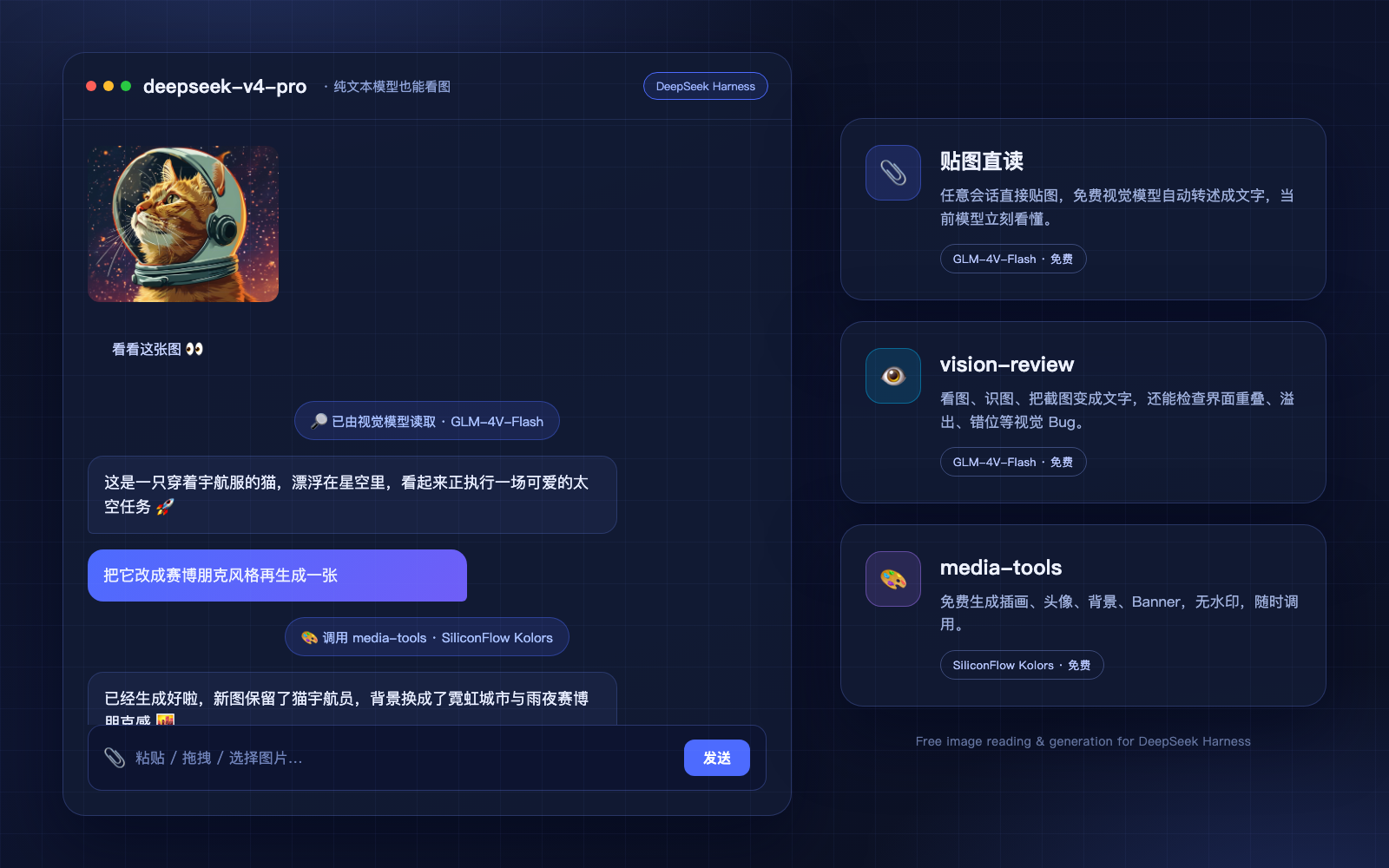
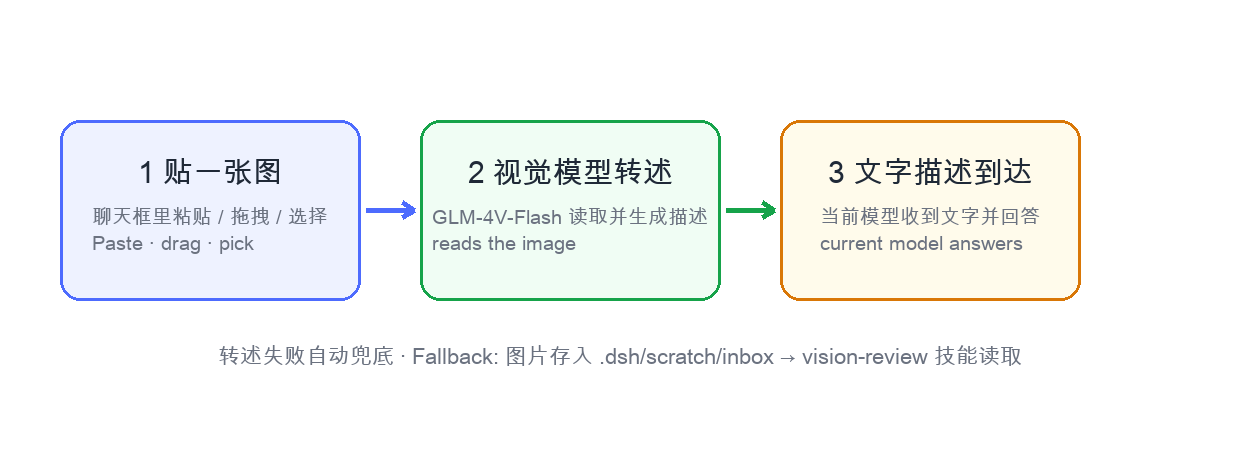
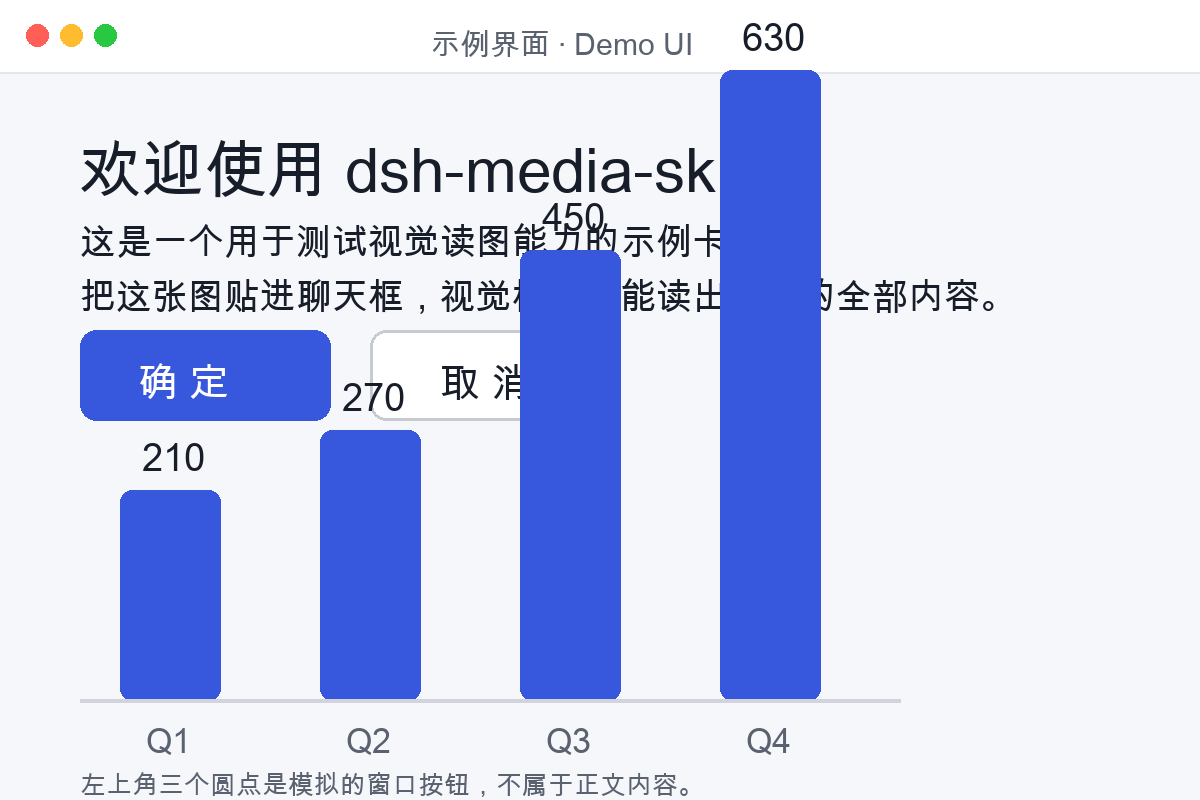
dsh-media-skills gives DeepSeek Harness a practical way to see and create images. It addresses the common limitation of text-only sessions by adding a vision model route and paste-to-read workflow: in supported builds, you can paste or drag an image into a conversation, have a vision model describe it, and let your current model reason over that description without switching sessions or saving files.
The bundle includes two main skills. vision-review analyzes screenshots and images, helping identify UI visual bugs, detect watermarks or logos, extract image content as text, and optionally return structured evidence. media-tools generates illustrations, avatars, backgrounds, and banners using free, watermark-free image generation models. It also provides an engine failover chain across providers such as GLM-4V-Flash, DeepSeek-V4-Flash-Vision-Exp, SiliconFlow Qwen3-VL, SenseNova, Google Gemini, and OpenAI-compatible endpoints.
This plugin is a good fit if you want to bring image understanding and lightweight media generation into DeepSeek Harness while keeping control of your own API keys and providers. It is especially useful for reviewing UI screenshots, turning images into text, and creating simple visual assets during everyday chats or development workflows.
Screenshots

Use Cases
- Paste a screenshot so the model can read and answer
- Check UI screenshots for visual bugs
- Generate avatars, banners, and other free assets
Best For
- Users who need DeepSeek Harness to understand images
- Developers or designers reviewing screenshots and UI issues
- Creators who want free lightweight image assets
Related Plugins
A unified suite combining hot runtime injection, task-aware thinking-mode routing, and a graded session protocol with red-team gates to sustain model diligence across long-horizon inference.

ModLens is a vision plugin for DeepSeek Harness that gives text-only models sight by reading images pasted directly into chat, with zero-config setup and multiple vision engines.

On-demand vision for text-only DeepSeek Harness agents: built-in free keyless vision chain and 14 vision tools, routing image turns as tool calls to vision models with pixel fidelity, no Python needed, one-command install.

Give text-only models in DeepSeek Harness eyes, enabling image Q&A, long-screenshot OCR, UI restoration, and GUI visual tasks.