dsh-model-sync
Run the following command in DeepSeek Harness:
dsh plugin install jiay98528-dev/dsh-model-sync
Paste the following prompt into your AI chat to install this plugin:
To install this plugin in DeepSeek Harness, please run the command dsh plugin install jiay98528-dev/dsh-model-sync, where the full source code is available at https://github.com/jiay98528-dev/dsh-model-sync.
About this plugin
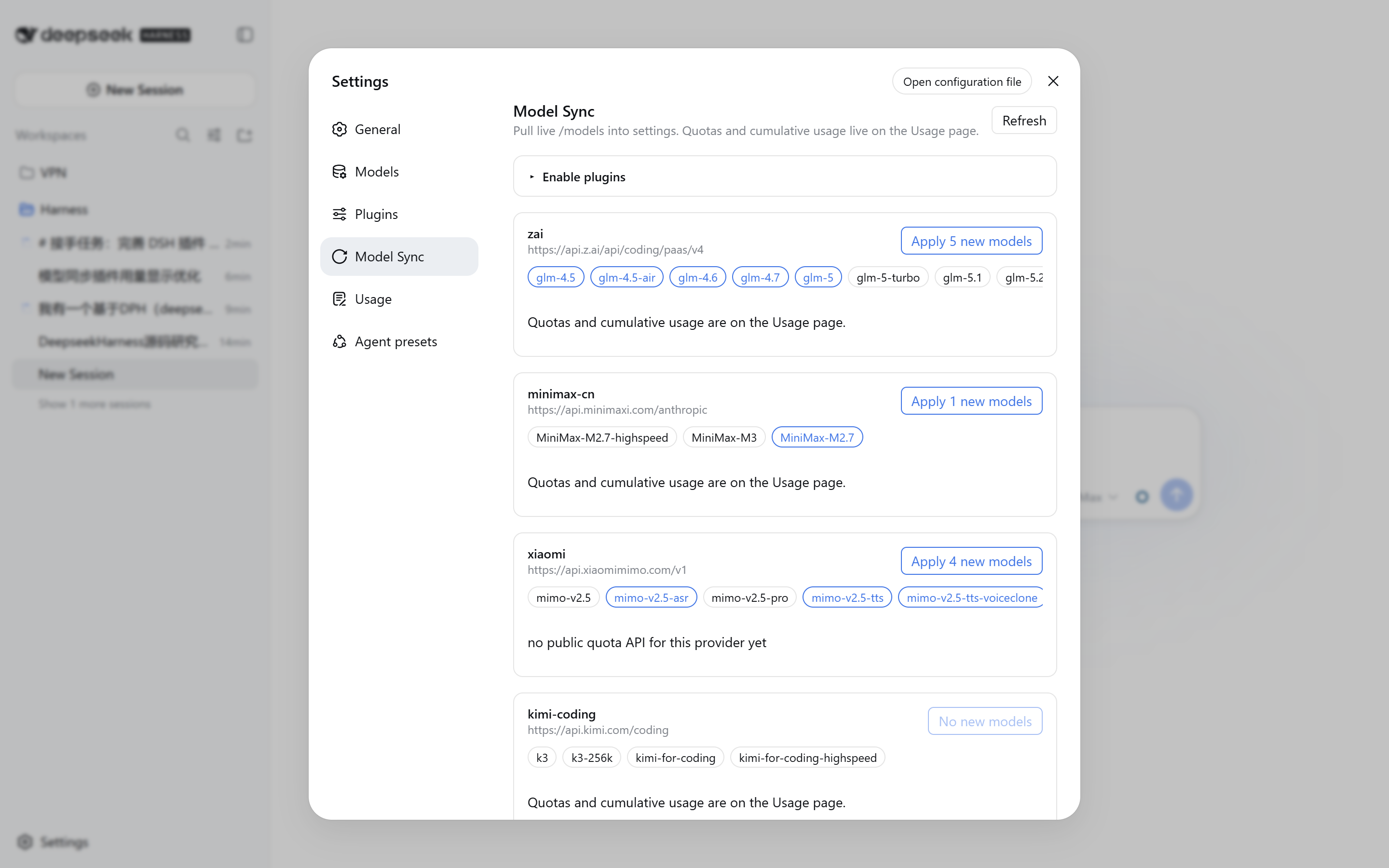
When using multiple AI model providers, manually managing model lists and tracking complex subscription quotas (such as 5-hour windows, 7-day windows, and API balances) can be tedious and error-prone. The dsh-model-sync plugin solves this friction by automating the process and providing a clear overview, seamlessly integrating into the DeepSeek Harness workflow.
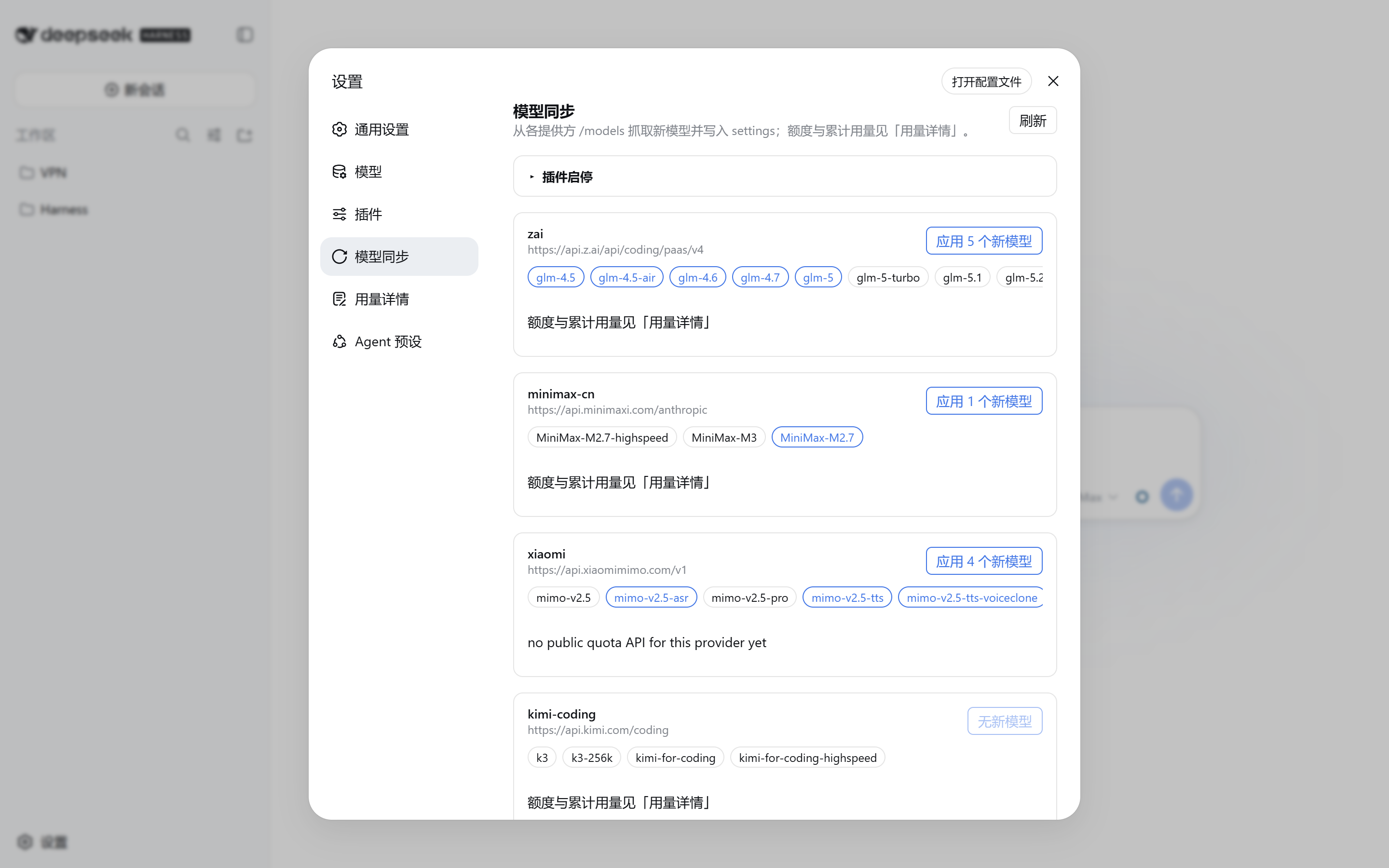
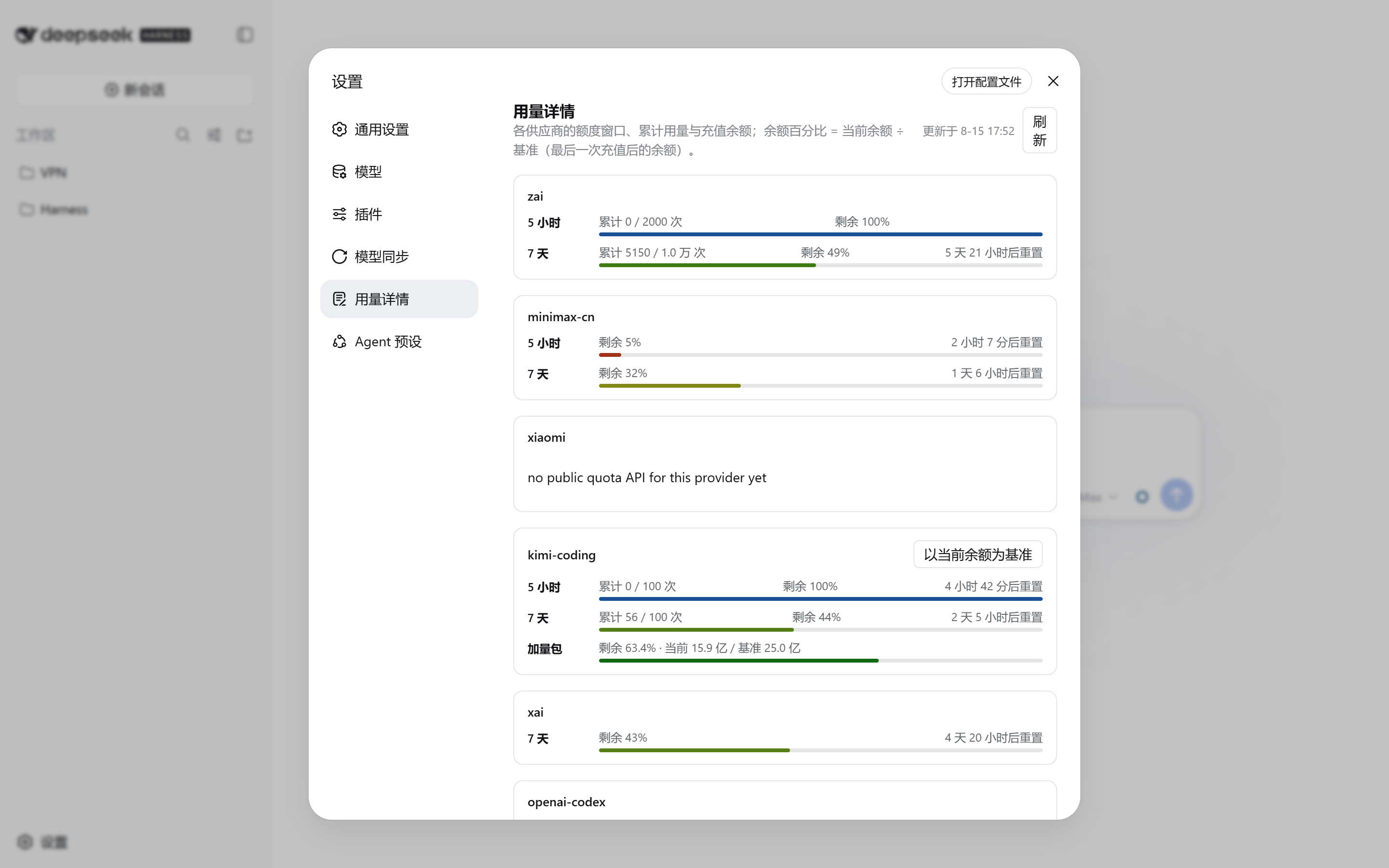
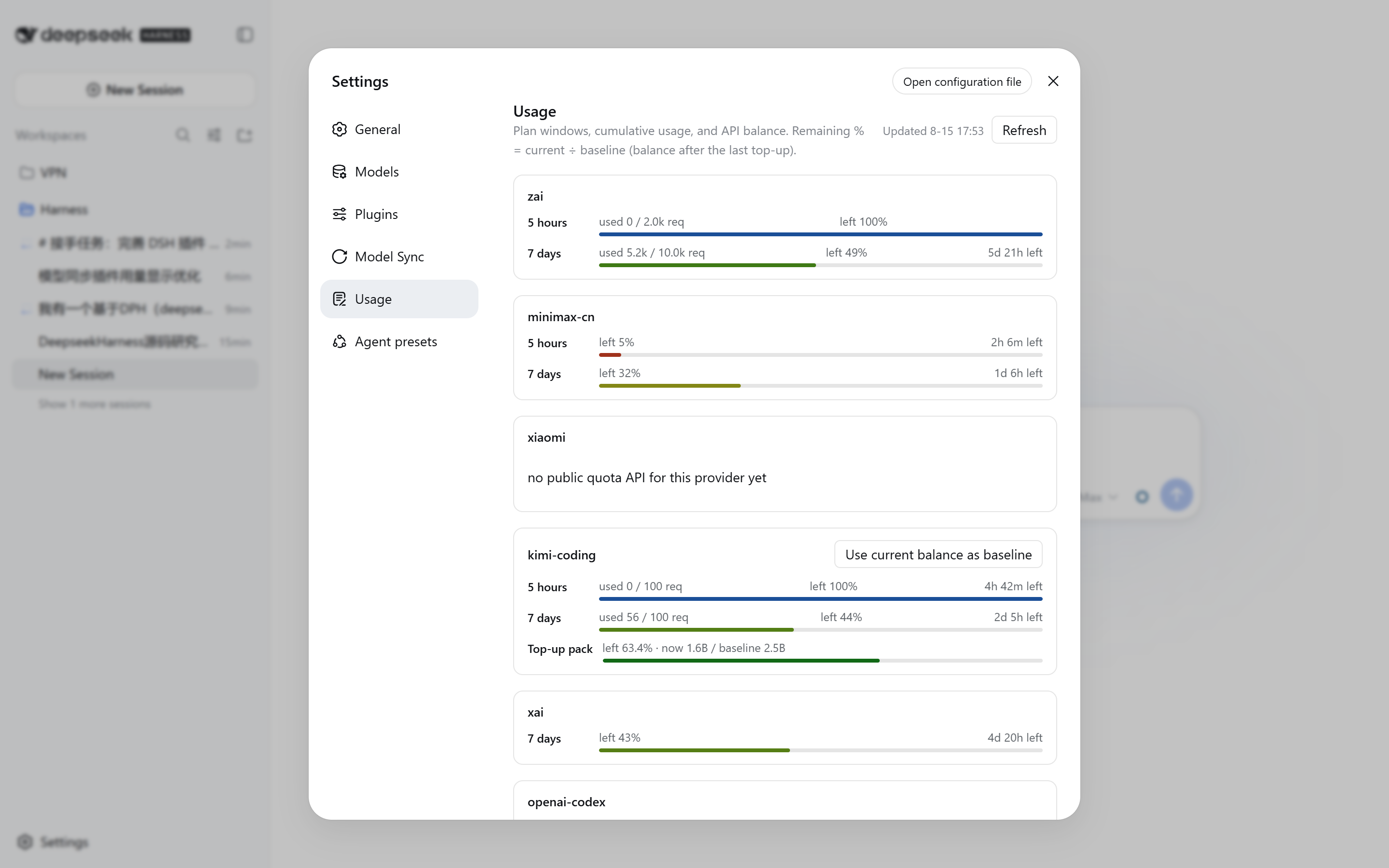
Acting as a smart dashboard, the plugin automatically syncs the real-time model list of each provider into settings. Beyond model management, it offers comprehensive quota tracking, displaying 5-hour and 7-day windows, as well as a detailed breakdown of API balances. Its core capability lies in its visual dashboard: in the Composer, an intuitive ring chart indicates the quota status of the current session's model, while the Usage page uses color-coded progress bars and countdowns to clearly show remaining time, ensuring you have a clear picture of your resource usage.
This is the ideal tool for heavy multi-provider users or professional developers requiring strict budget control. Whether tracking windows for specific services like Kimi Coding or MiniMax, or managing baselines for DeepSeek official balances, the plugin simplifies complex API logic, allowing you to focus on the AI interaction itself.
Screenshots
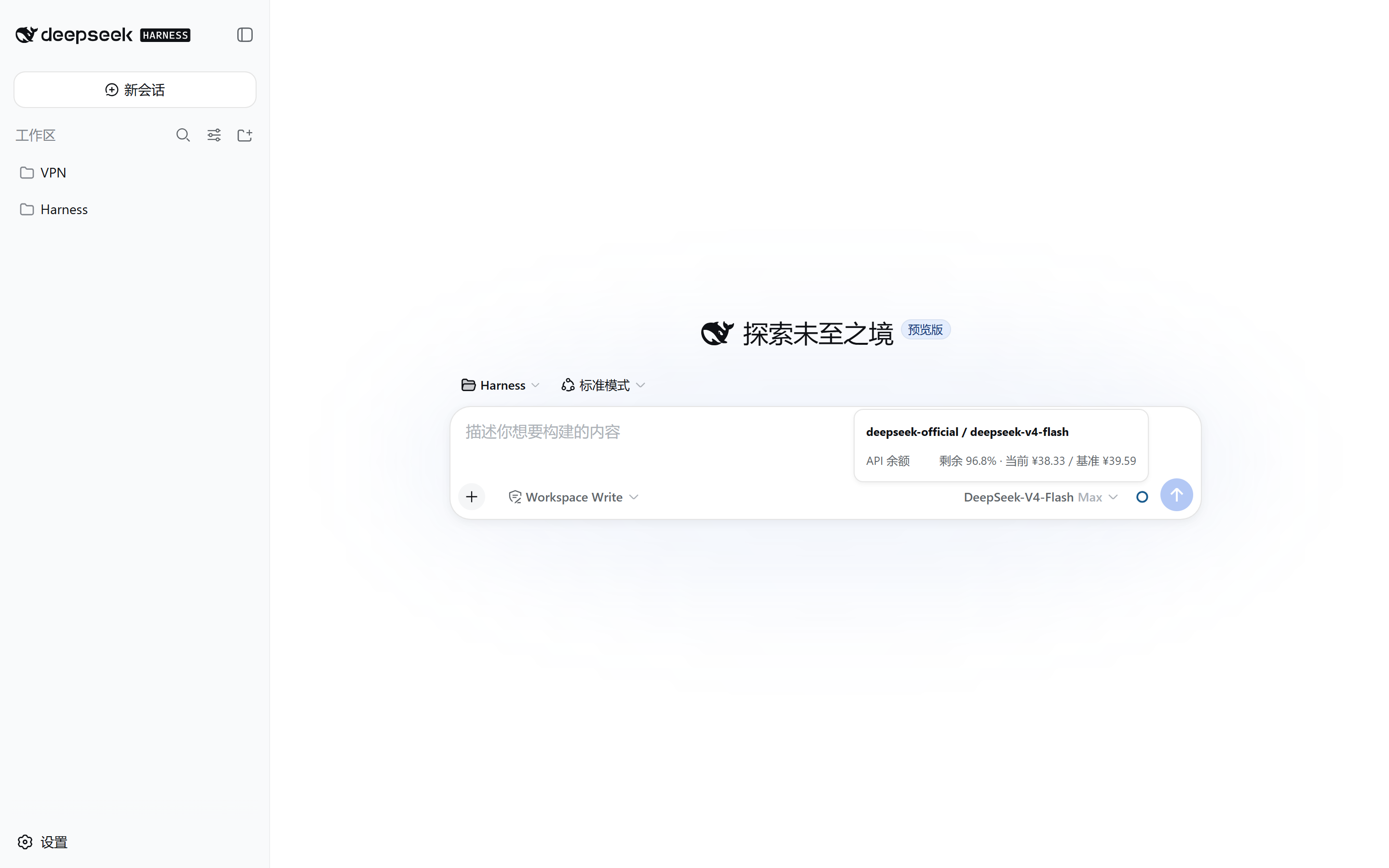
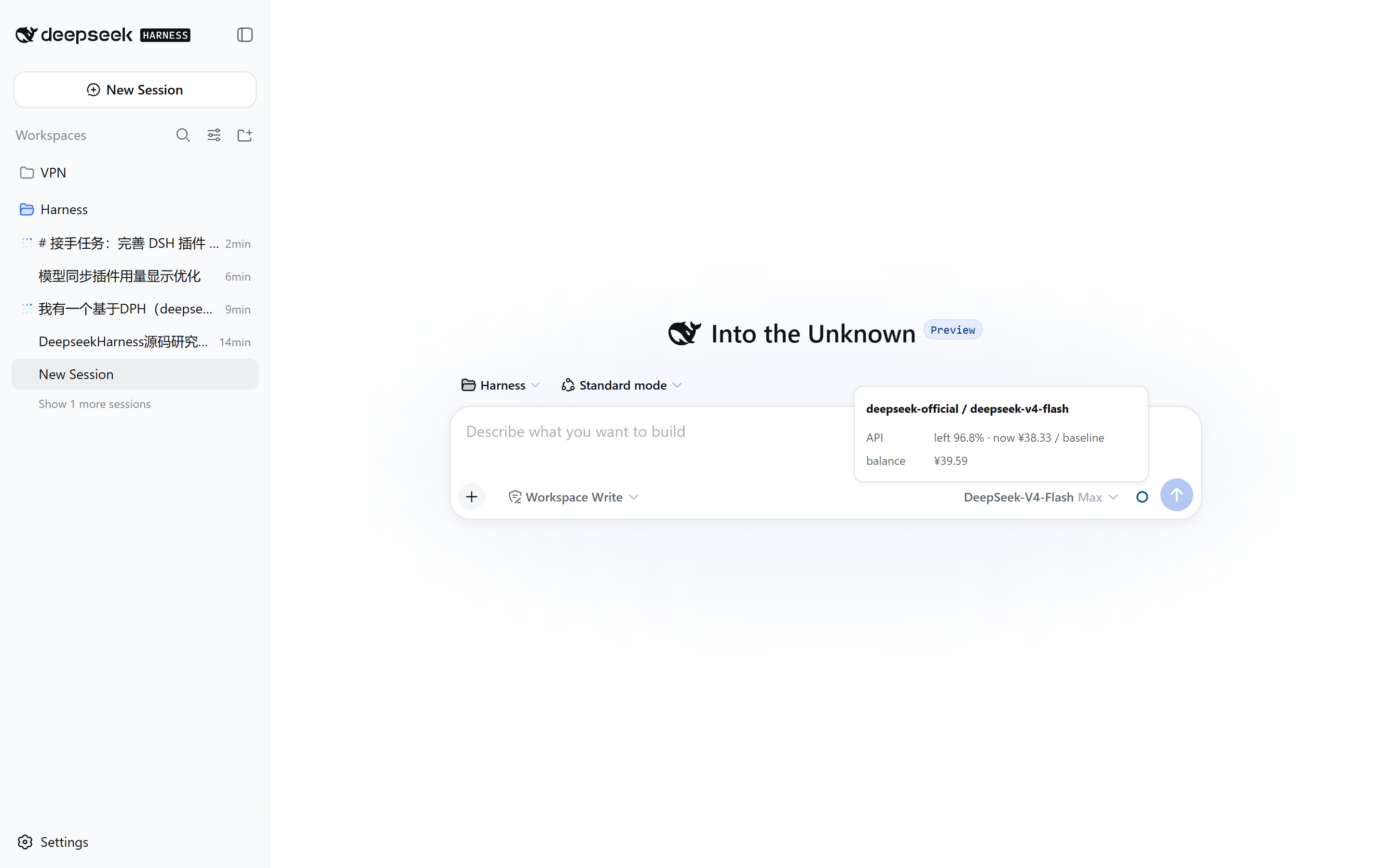

Use Cases
- Need to manage model lists across multiple AI service providers simultaneously
- Track usage of different subscription plans (such as 5-hour and 7-day windows)
- Quickly check API balances and remaining time without leaving the chat interface
Best For
- Users utilizing DeepSeek Harness for multi-model AI inference
- Developers requiring precise control over API costs and quota management
- Users employing multiple AI service providers who want unified management
Related Plugins

ModLens is a vision plugin for DeepSeek Harness that gives text-only models sight by reading images pasted directly into chat, with zero-config setup and multiple vision engines.

On-demand vision for text-only DeepSeek Harness agents: built-in free keyless vision chain and 14 vision tools, routing image turns as tool calls to vision models with pixel fidelity, no Python needed, one-command install.

Give text-only models in DeepSeek Harness eyes, enabling image Q&A, long-screenshot OCR, UI restoration, and GUI visual tasks.
An armor-breaking plugin for DeepSeek: rewrites instruction priority, expands refusal-blocked phrases, persists across sessions, and shows a green active indicator.