dsh-tool-vision-read
Run the following command in DeepSeek Harness:
dsh plugin install Mappedinfo/dsh-tool-vision-read
Paste the following prompt into your AI chat to install this plugin:
To install this plugin in DeepSeek Harness, run the command dsh plugin install Mappedinfo/dsh-tool-vision-read, which will use the configuration from the source repository https://github.com/Mappedinfo/dsh-tool-vision-read.
About this plugin
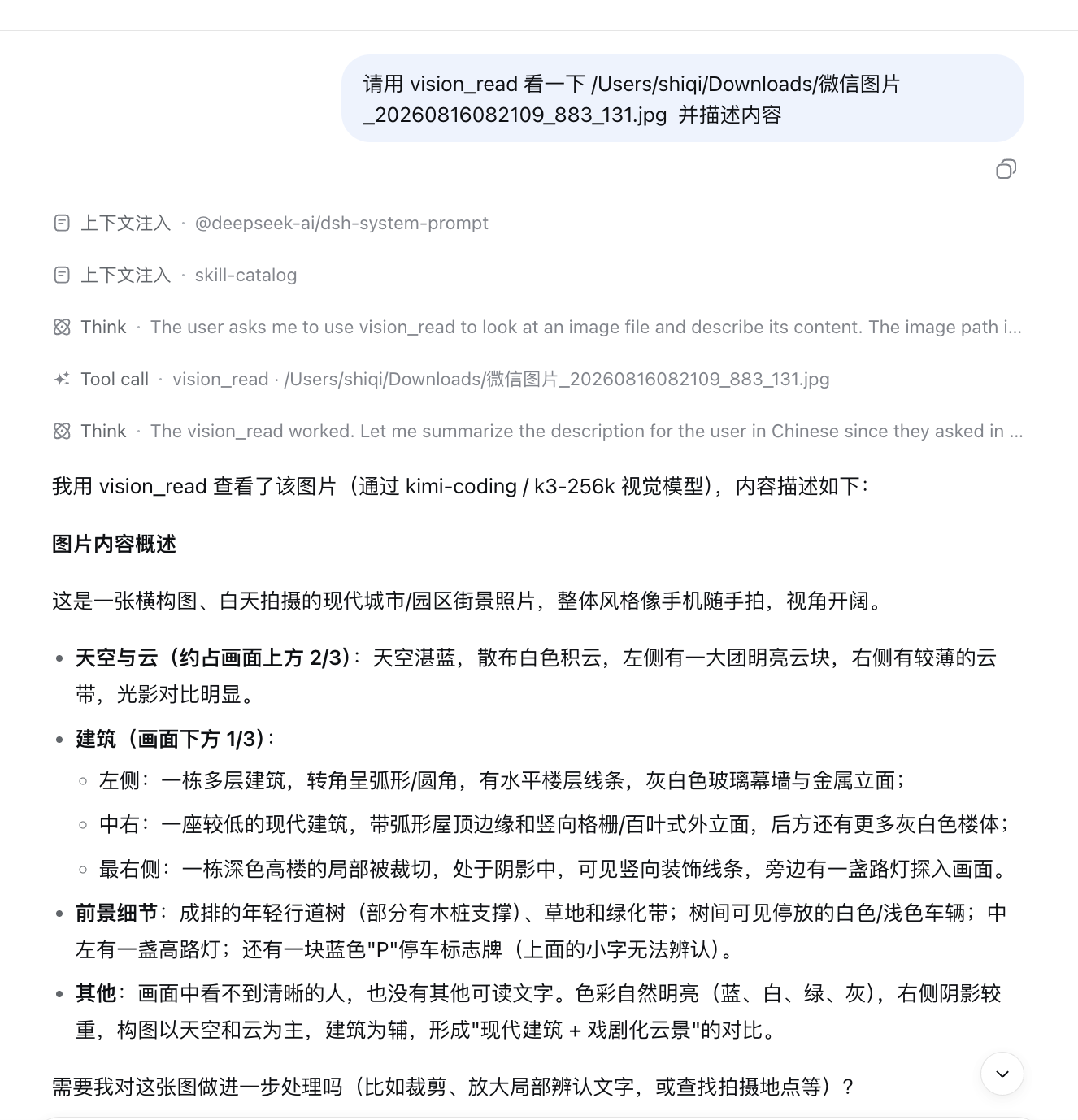
In AI systems, text-only models are often limited by their inability to "see" images directly, making it difficult to process visual content. dsh-tool-vision-read is a lightweight plugin designed to solve this specific pain point. Its core capability lies in seamlessly delegating complex image description tasks to a dedicated vision model route. Supporting both "direct mode" and "subagent mode," it provides immediate text descriptions while also allowing for flexible, complex image analysis workflows—without manual forwarding or reliance on third-party CLI tools. This plugin is ideal for developers or teams who have a vision-capable model route but wish to keep their text models lightweight. It empowers text agents to "see" the world just like a human would, significantly expanding the boundaries of existing workflows with minimal configuration overhead.
Screenshots
Use Cases
- Text-only models need to read and analyze uploaded images.
- Processing documents or screenshots with visual info in workflows.
- Enabling OCR or visual Q&A for document screenshots.
Best For
- DeepSeek Harness developers integrating this tool.
- AI architects managing multi-modal routing.
- Researchers needing vision capabilities in text-only models.
Related Plugins

ModLens is a vision plugin for DeepSeek Harness that gives text-only models sight by reading images pasted directly into chat, with zero-config setup and multiple vision engines.

On-demand vision for text-only DeepSeek Harness agents: built-in free keyless vision chain and 14 vision tools, routing image turns as tool calls to vision models with pixel fidelity, no Python needed, one-command install.

Give text-only models in DeepSeek Harness eyes, enabling image Q&A, long-screenshot OCR, UI restoration, and GUI visual tasks.
An armor-breaking plugin for DeepSeek: rewrites instruction priority, expands refusal-blocked phrases, persists across sessions, and shows a green active indicator.