dsh-user-experience
Run the following command in DeepSeek Harness:
dsh plugin install DietCokewithSugar/dsh-user-experience
Paste the following prompt into your AI chat to install this plugin:
Install the plugin in DeepSeek Harness from the full source repository at https://github.com/DietCokewithSugar/dsh-user-experience.
About this plugin
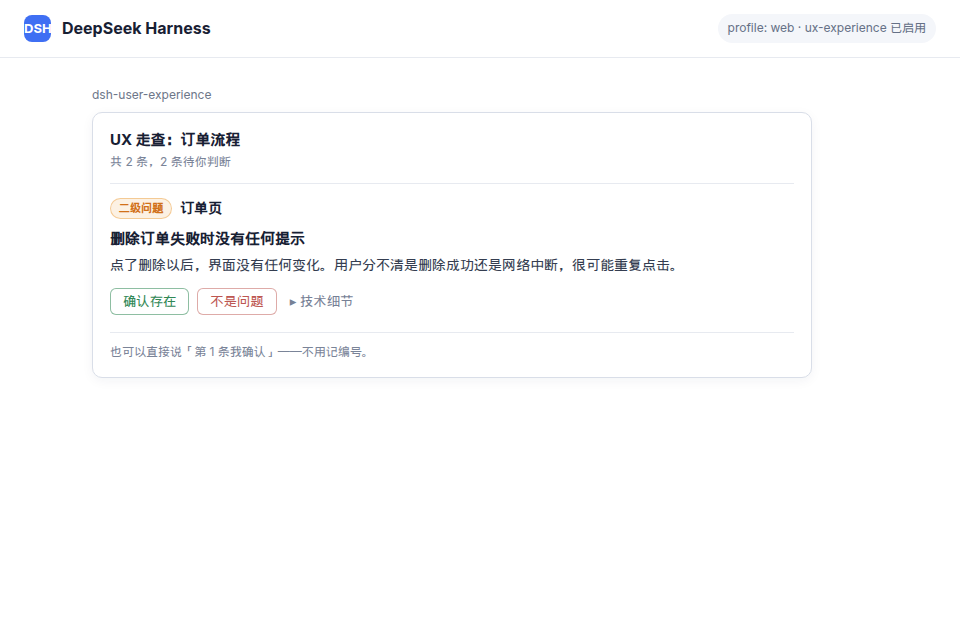
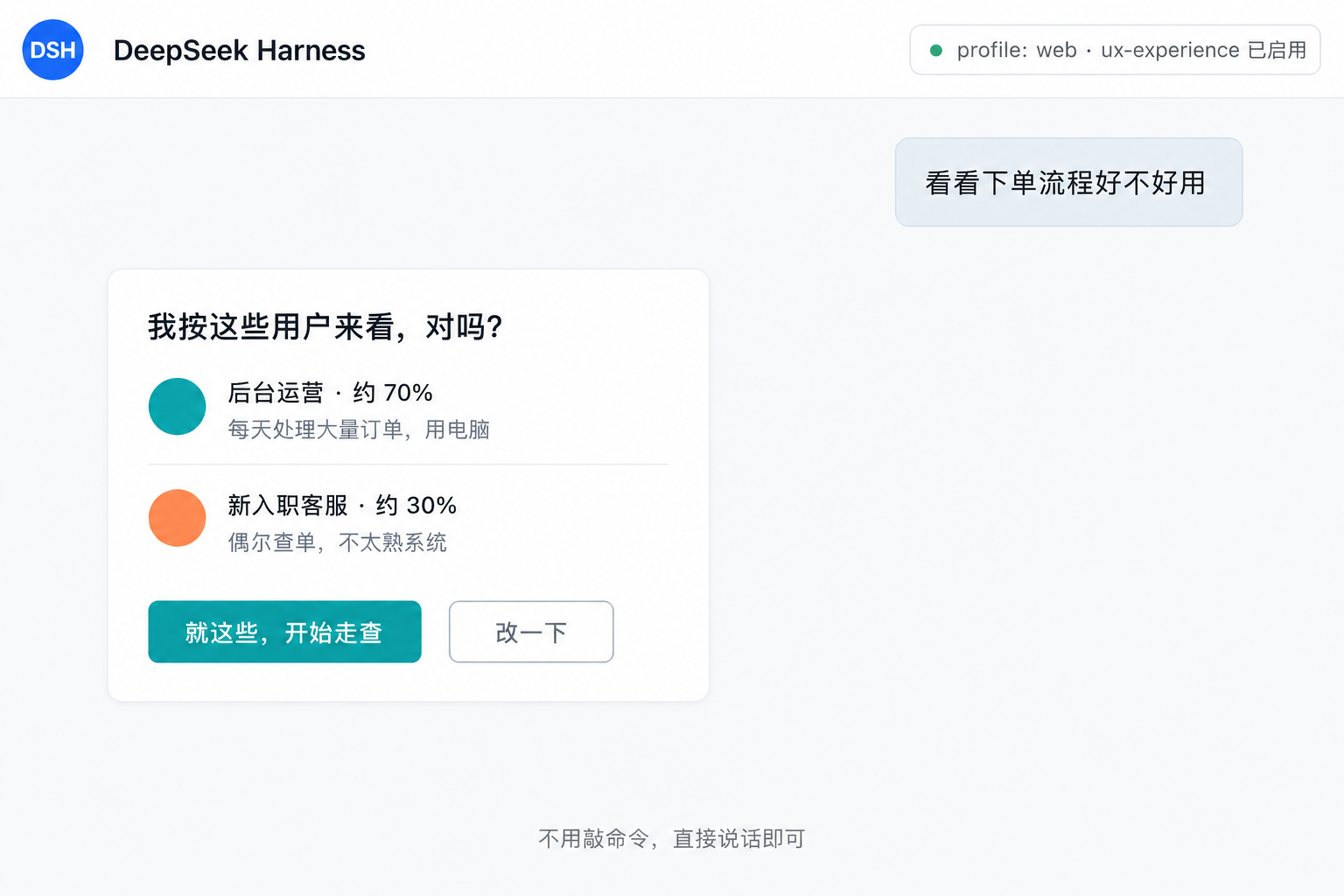
Many automated checks can only verify absolute rules such as contrast ratios or missing alt text, but real UX problems are often relative: the same confirmation dialog may protect occasional users while slowing down operators who process hundreds of records every day. dsh-user-experience addresses this by making target user personas the basis of every finding, letting AI walk through the product as those users and surface experience issues during development.
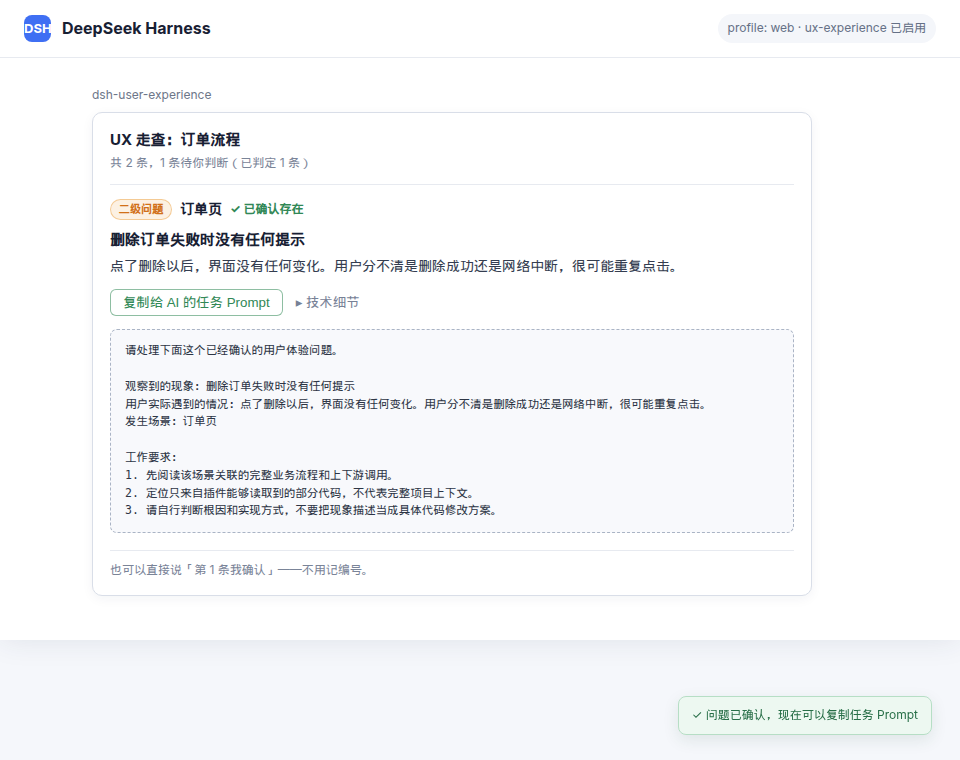
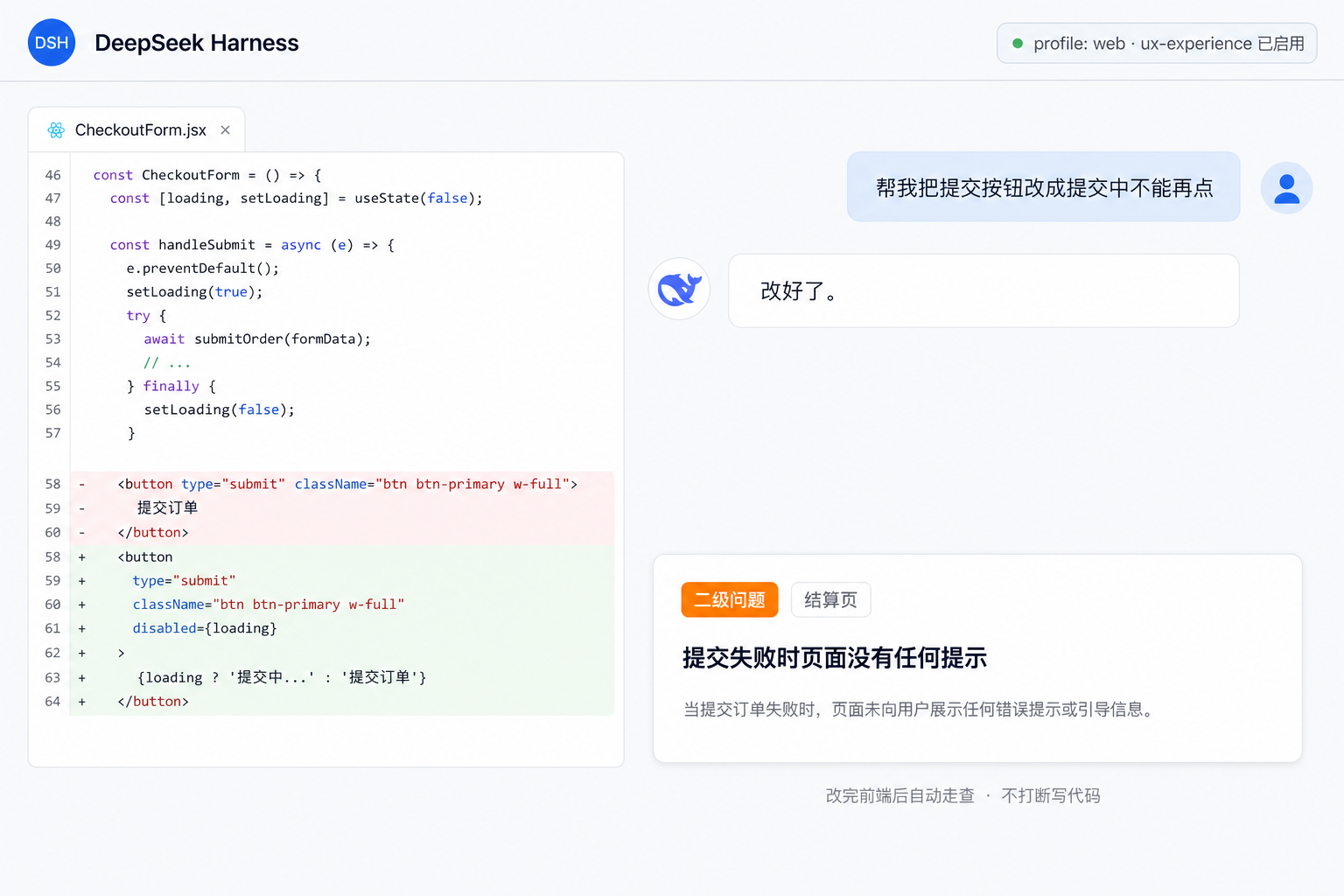
Its core capability is persona-driven UX walkthrough rather than simple code scanning. The plugin can infer user personas from project documentation, then analyze React, Vue 3, CSS, and layout evidence. When browser capabilities are available in the current environment, it can also use rendered or interactive evidence. Reports lead with plain language—what page is affected, what happens, and how users are impacted—while technical details are kept collapsible and easy to hand off to a coding AI.
This plugin is a good fit for front-end developers, product engineers, design engineers, and teams that want to catch redundant flows, missing feedback states, unclear primary actions, and other usability problems before release. It does not automatically rewrite code; instead, it helps you confirm findings, build UX judgment into the development loop, and produce clearer context for follow-up implementation.
Screenshots
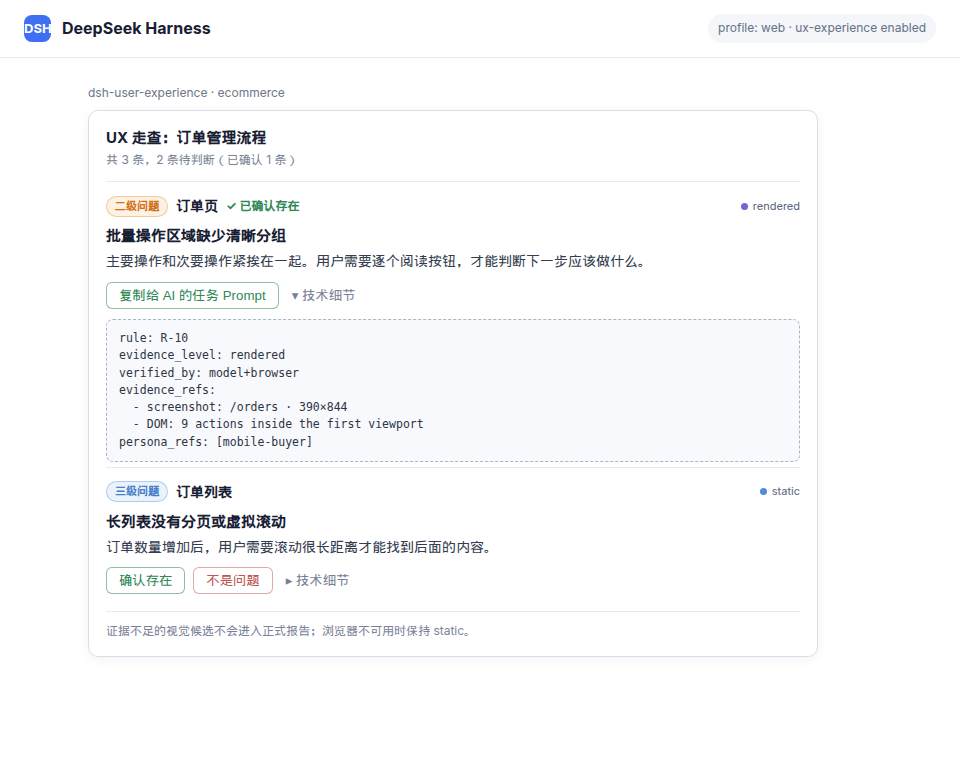
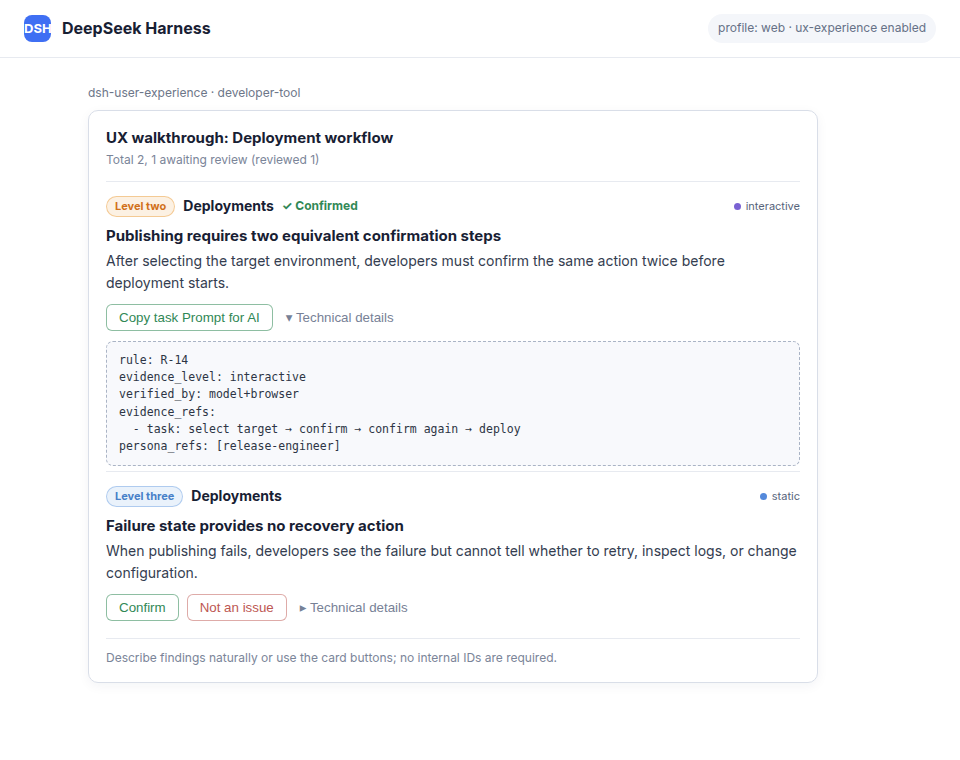
Use Cases
- Walk through pages from target users’ perspective
- Review critical flows for usability issues
- Re-run walkthroughs after front-end file changes
Best For
- Front-end developers
- Product engineers and design engineers
- Teams that want to catch UX issues before release
Related Plugins
A unified suite combining hot runtime injection, task-aware thinking-mode routing, and a graded session protocol with red-team gates to sustain model diligence across long-horizon inference.

ModLens is a vision plugin for DeepSeek Harness that gives text-only models sight by reading images pasted directly into chat, with zero-config setup and multiple vision engines.

On-demand vision for text-only DeepSeek Harness agents: built-in free keyless vision chain and 14 vision tools, routing image turns as tool calls to vision models with pixel fidelity, no Python needed, one-command install.

Give text-only models in DeepSeek Harness eyes, enabling image Q&A, long-screenshot OCR, UI restoration, and GUI visual tasks.