dsh-eyes
Run the following command in DeepSeek Harness:
dsh plugin install Leeminjing/dsh-eyes
Paste the following prompt into your AI chat to install this plugin:
To install this plugin in DeepSeek Harness, run `dsh plugin install Leeminjing/dsh-eyes`, the source code is located at https://github.com/Leeminjing/dsh-eyes.
About this plugin
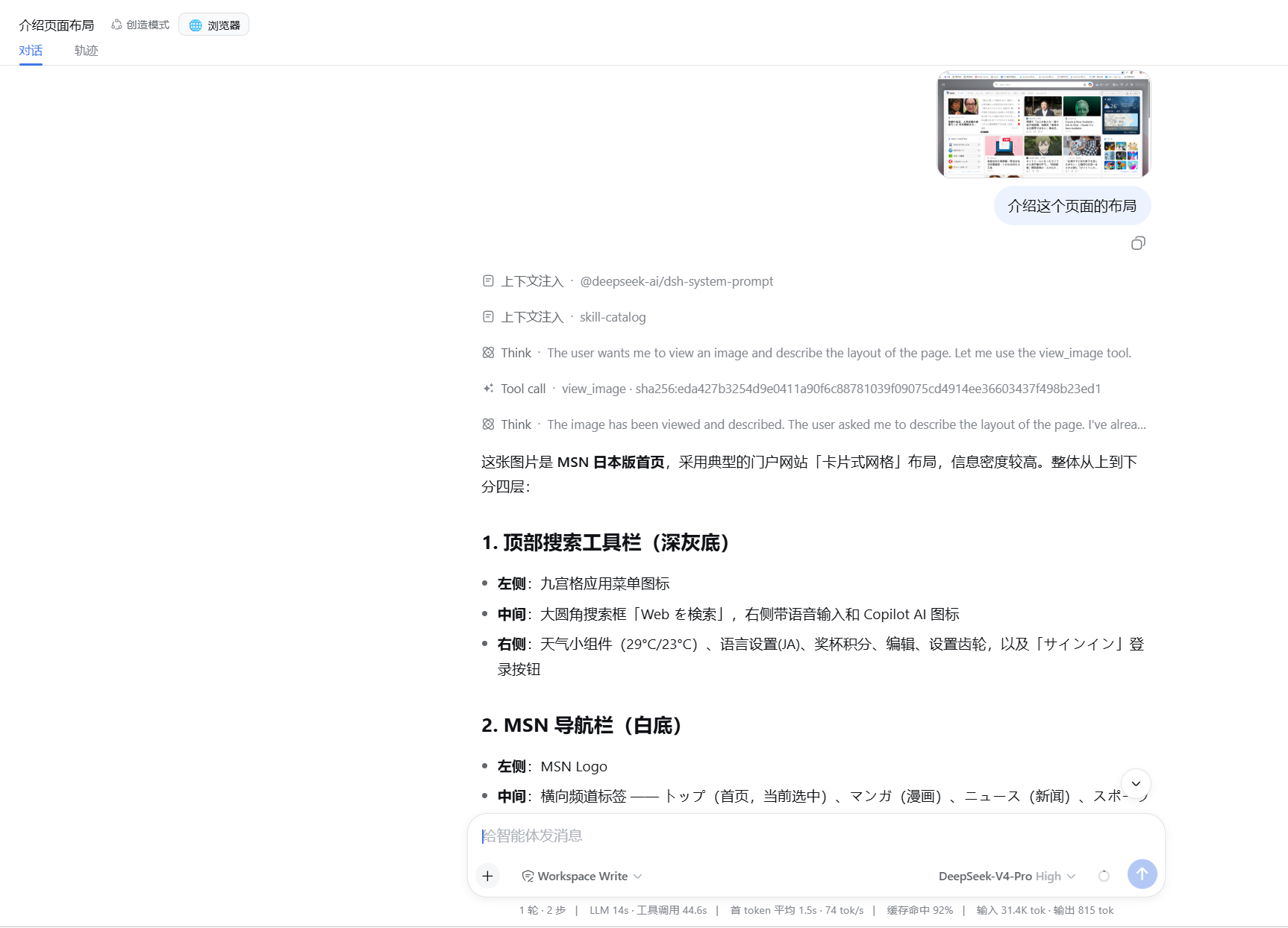
Pure-text models like DeepSeek often struggle with visual inputs, but the dsh-eyes plugin solves this by enabling text-only models to process images as smoothly as native multimodal ones. It bridges the gap between text and vision without manual intervention, creating a seamless workflow from "seeing" to "answering."
The core capability lies in its ease of use: users can simply paste an image via Ctrl+V or drag-and-drop attachments, which are then stored in the background. When the model needs to understand the image, it automatically invokes the view_image tool. Supporting any OpenAI-compatible vision endpoint and both Chat Completions and Responses APIs, it ensures high compatibility and silky-smooth interaction.
This plugin is ideal for developers and users looking to add vision capabilities to text-only models. Whether for OCR, UI analysis, or visual Q&A, dsh-eyes enhances efficiency and breaks the visual barrier of pure text models.
Screenshots
Use Cases
- Image content recognition and OCR
- UI layout analysis
- Visual Q&A for text-only models
Best For
- DeepSeek developers
- AI workflow users needing vision assistance
- DeepSeek Harness plugin users
Related Plugins

ModLens is a vision plugin for DeepSeek Harness that gives text-only models sight by reading images pasted directly into chat, with zero-config setup and multiple vision engines.

On-demand vision for text-only DeepSeek Harness agents: built-in free keyless vision chain and 14 vision tools, routing image turns as tool calls to vision models with pixel fidelity, no Python needed, one-command install.

Give text-only models in DeepSeek Harness eyes, enabling image Q&A, long-screenshot OCR, UI restoration, and GUI visual tasks.
An armor-breaking plugin for DeepSeek: rewrites instruction priority, expands refusal-blocked phrases, persists across sessions, and shows a green active indicator.