dsh-musage
Run the following command in DeepSeek Harness:
dsh plugin install Thedeergod666/dsh-musage
Paste the following prompt into your AI chat to install this plugin:
在 DeepSeek Harness 中,请运行 `dsh plugin install Thedeergod666/dsh-musage` 来安装此插件,源码地址为 https://github.com/Thedeergod666/dsh-musage。
About this plugin
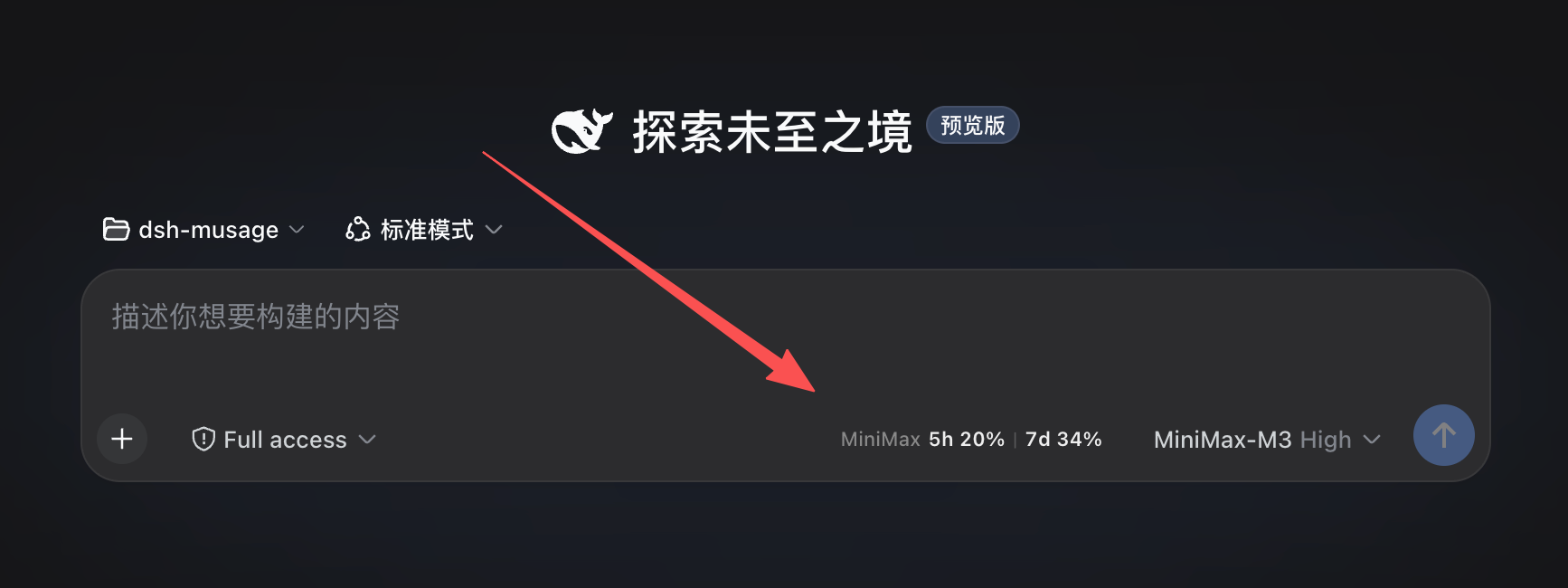
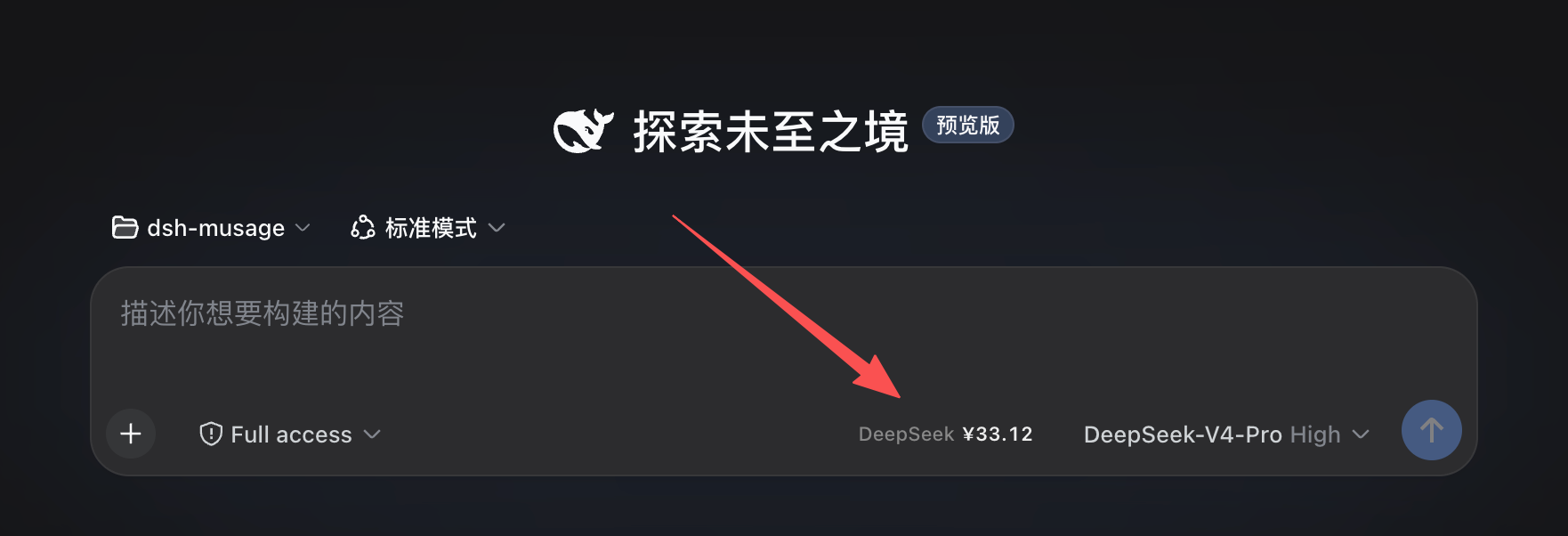
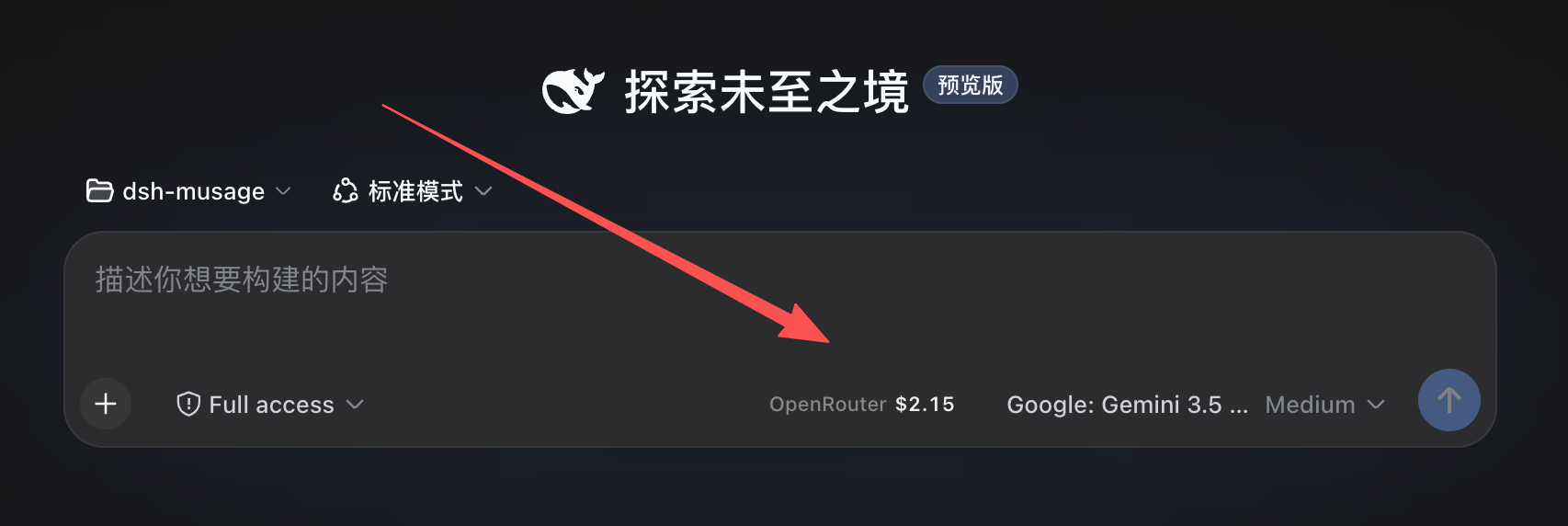
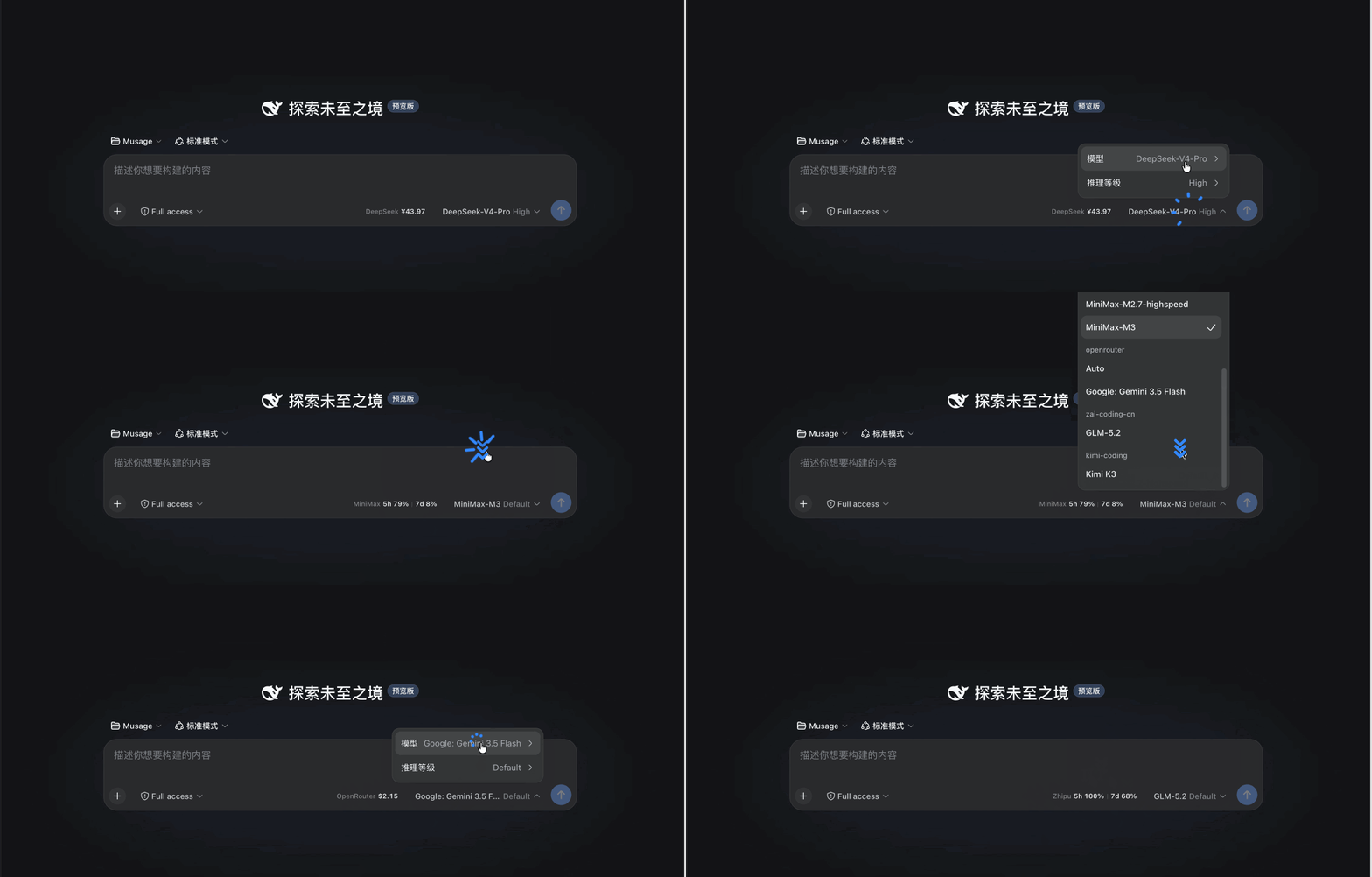
Developers often face a pain point when using DSH: desktop usage monitoring tools (like Musage) cannot detect context switching within the browser, forcing frequent jumps between DSH and desktop apps that disrupt the coding flow. dsh-musage is designed to bridge this gap by porting Musage's core monitoring capabilities directly into the DSH composer toolbar. The plugin features strong auto-detection, switching display content in real-time based on the selected model—whether showing DeepSeek balance, MiniMax's 5h/week quota, or Zhipu GLM limits—all in one line, without requiring repeated API key configuration.
Screenshots
Use Cases
- Real-time monitoring of AI balance during long coding sessions
- Auto-displaying corresponding quota when quickly switching models
- Avoiding API call failures due to insufficient balance
Best For
- DSH power users
- Developers needing precise AI cost management
- Engineers frequently switching between multiple AI providers
Related Plugins

ModLens is a vision plugin for DeepSeek Harness that gives text-only models sight by reading images pasted directly into chat, with zero-config setup and multiple vision engines.

On-demand vision for text-only DeepSeek Harness agents: built-in free keyless vision chain and 14 vision tools, routing image turns as tool calls to vision models with pixel fidelity, no Python needed, one-command install.

Give text-only models in DeepSeek Harness eyes, enabling image Q&A, long-screenshot OCR, UI restoration, and GUI visual tasks.
An armor-breaking plugin for DeepSeek: rewrites instruction priority, expands refusal-blocked phrases, persists across sessions, and shows a green active indicator.