dsh-archived-sessions
Run the following command in DeepSeek Harness:
dsh plugin install Zephyr-vibe/dsh-archived-sessions
Paste the following prompt into your AI chat to install this plugin:
Install this plugin in DeepSeek Harness from the full source URL https://github.com/Zephyr-vibe/dsh-archived-sessions, then restart the web app.
About this plugin
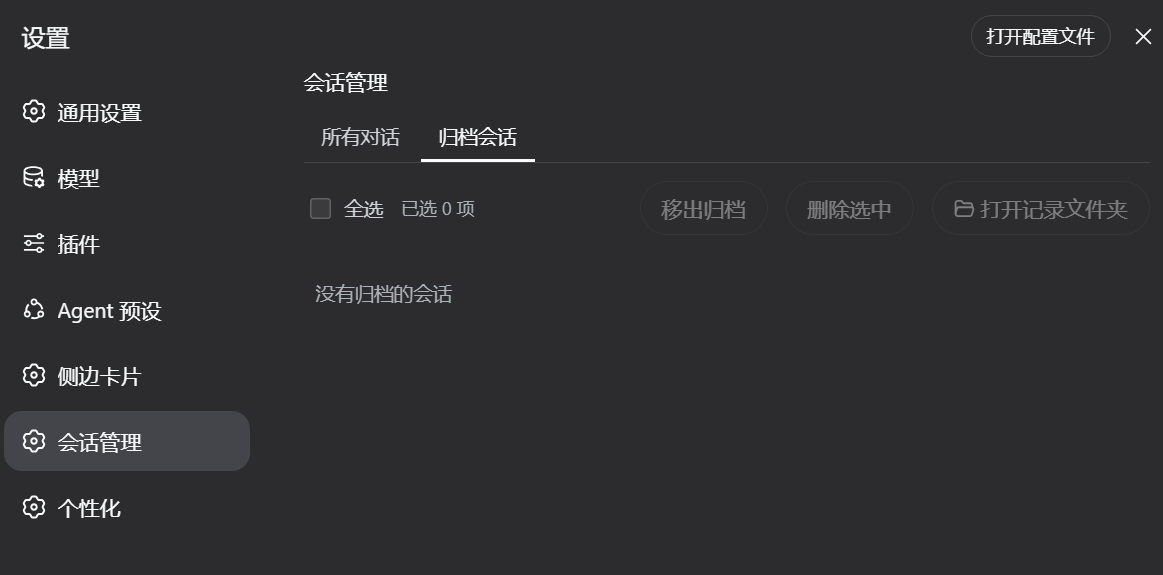
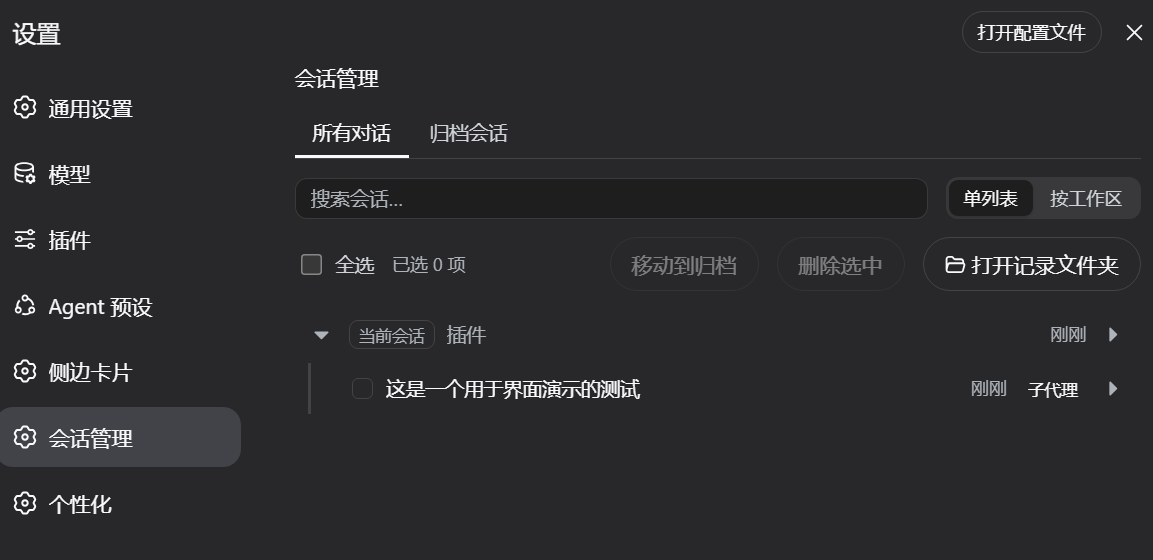
dsh-archived-sessions addresses the problem of DSH conversations piling up until they become hard to find, organize, or clean up. It adds a centralized Session Manager in Settings, presenting local conversations by title, relative time, and workspace grouping, while separating non-archived conversations from archived sessions so you can search, browse, and batch-process history efficiently.
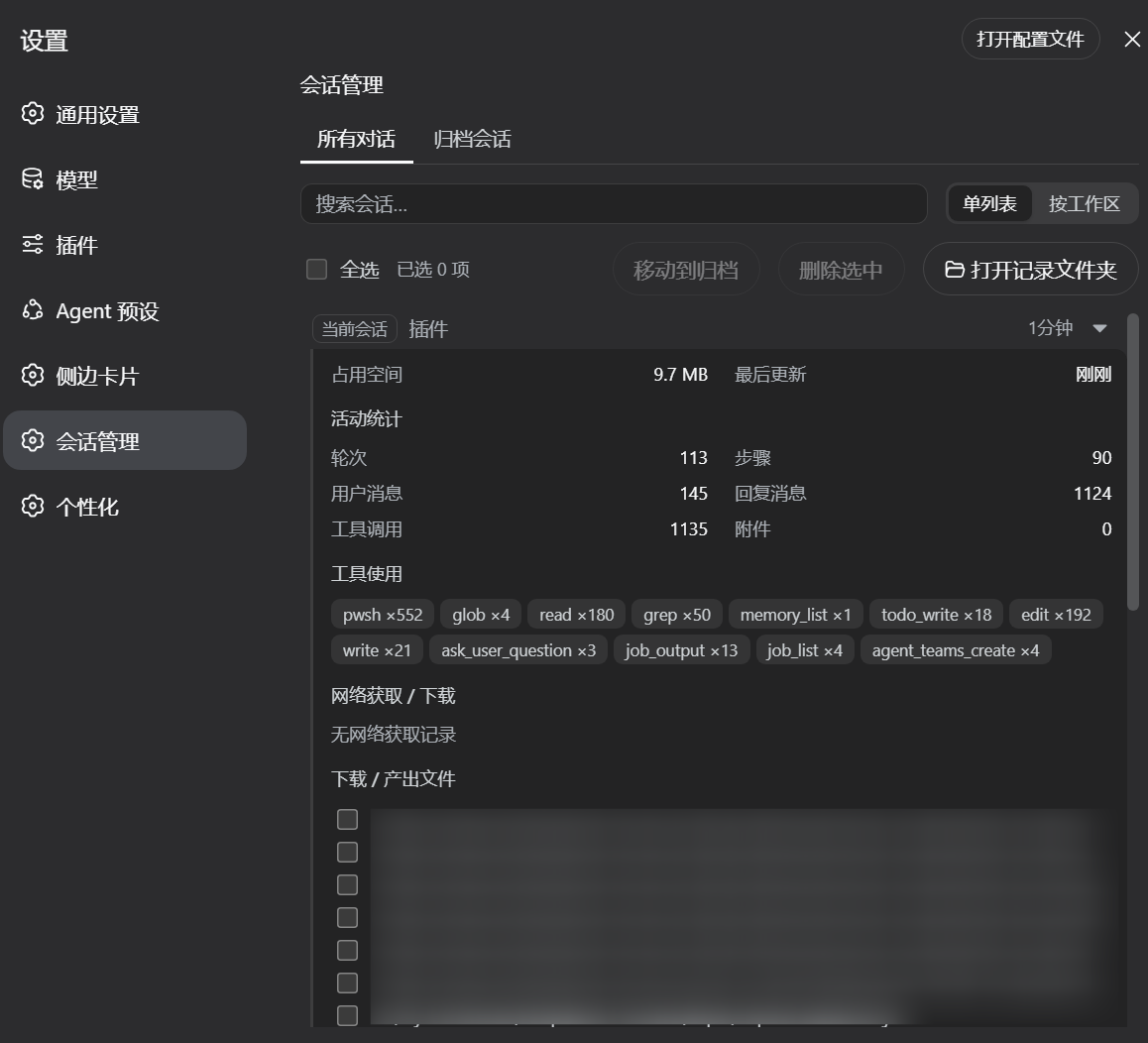
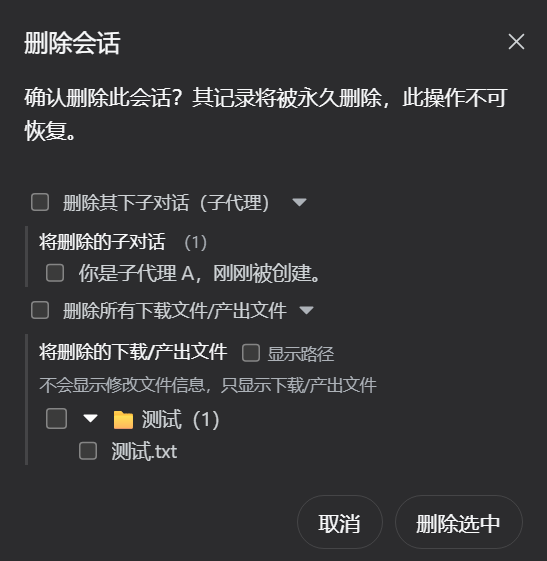
Its core strength is safer, more granular session governance. You can archive or delete sessions in bulk, expand rows to inspect disk usage, activity statistics, produced files, and parent-child relationships, and see subagent sessions nested under their parent. Deleting a parent session does not cascade by default; subagents, forks, and files remain unless you explicitly choose them. Following DSH 0.1.0-rc.8 changes, the delete entry moved to the session header, with a confirmation dialog that lets you optionally remove sub-conversations, downloaded or produced files, or selected folders.
It is a good fit for users who run long-running DSH workflows, maintain many workspaces, or frequently generate subagent sessions. For individuals or teams that need to archive old conversations, reclaim space, locate historical outputs, and avoid accidental data loss, the plugin offers a clear and controlled local session management experience.
Screenshots

Use Cases
- Bulk archive or delete old conversations to organize local session history.
- Inspect session disk usage, activity stats, and produced files.
- Confirm fine-grained removal of sub-conversations and files before deleting a session.
Best For
- Users who accumulate many DSH sessions over time.
- People who need to organize conversations across multiple workspaces.
- Developers and teams frequently running subagent or forked sessions.
Related Plugins

Memory layer for coding agents that indexes local session history and auto-recalls relevant context before edits, commands, and failures, with no manual search needed.

Traceable, searchable cross-session memory for AI agents that turns conversation knowledge into a typed knowledge graph and recalls relevant subgraphs instead of replaying full history, natively integrated with DeepSeek Harness.
Gives DSH AI cross-session long-term memory, to-do and skill management, plus multi-session orchestration, external AI delegation, and an infinite canvas that grows with you.

dsh-mnemon is a three-tier, pluggable, Agent-driven memory system for DeepSeek Harness, combining Runtime memory, Project Documents, and replaceable Memory Spaces with nine long-term providers.