
dsh-medomni
Run the following command in DeepSeek Harness:
dsh plugin install bowang-lab/dsh-medomni
Paste the following prompt into your AI chat to install this plugin:
To install this plugin in DeepSeek Harness, run the installation command and refer to the full source code URL: https://github.com/bowang-lab/dsh-medomni.
About this plugin
In the realm of medical image analysis, general-purpose large language models often struggle with complex diagnostic tasks, lacking the specific expertise to handle modalities like X-rays, CTs, or MRIs. The dsh-medomni plugin addresses this challenge by bridging DeepSeek Harness with the MedOmni strategy, equipping language models with a dedicated toolkit for medical imaging. By leveraging natural language interaction, agents can autonomously select workflows such as report generation, lesion localization, image segmentation, or classification, enabling end-to-end automation from request to result.
Screenshots
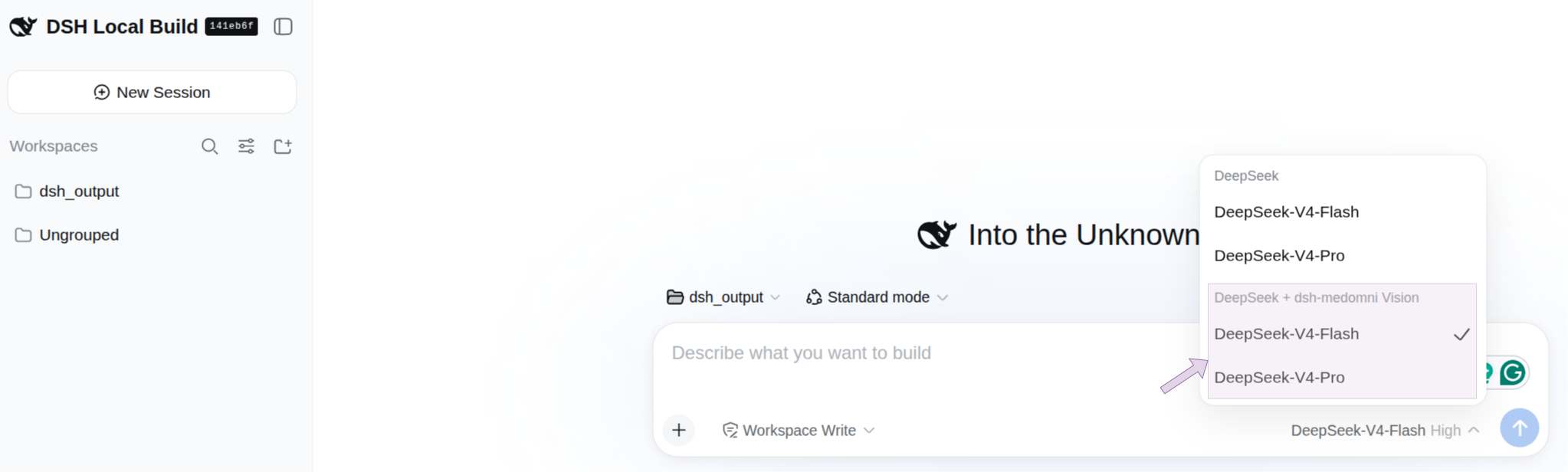

Use Cases
- Assisting radiologists to quickly generate reports for chest X-rays, CTs, and MRIs
- Supporting automatic localization and annotation of lesions in medical images
- Handling segmentation and classification tasks for X-ray, ultrasound, and retinal images
Best For
- Medical professionals requiring imaging-assisted diagnosis
- Developers building agents for medical verticals
- Researchers exploring multi-modal LLM applications
Related Plugins

ModLens is a vision plugin for DeepSeek Harness that gives text-only models sight by reading images pasted directly into chat, with zero-config setup and multiple vision engines.

On-demand vision for text-only DeepSeek Harness agents: built-in free keyless vision chain and 14 vision tools, routing image turns as tool calls to vision models with pixel fidelity, no Python needed, one-command install.

Give text-only models in DeepSeek Harness eyes, enabling image Q&A, long-screenshot OCR, UI restoration, and GUI visual tasks.
An armor-breaking plugin for DeepSeek: rewrites instruction priority, expands refusal-blocked phrases, persists across sessions, and shows a green active indicator.