dsh-prompt-presets
Run the following command in DeepSeek Harness:
dsh plugin install zhangdong456/dsh-prompt-presets
Paste the following prompt into your AI chat to install this plugin:
To install this plugin in DeepSeek Harness, run dsh plugin install zhangdong456/dsh-prompt-presets and visit https://github.com/zhangdong456/dsh-prompt-presets.
About this plugin
Tired of repeating complex prompts in every conversation? Or struggling to manage multiple role-playing instructions? dsh-prompt-presets is designed to solve the chaos of prompt management within DeepSeek Harness.
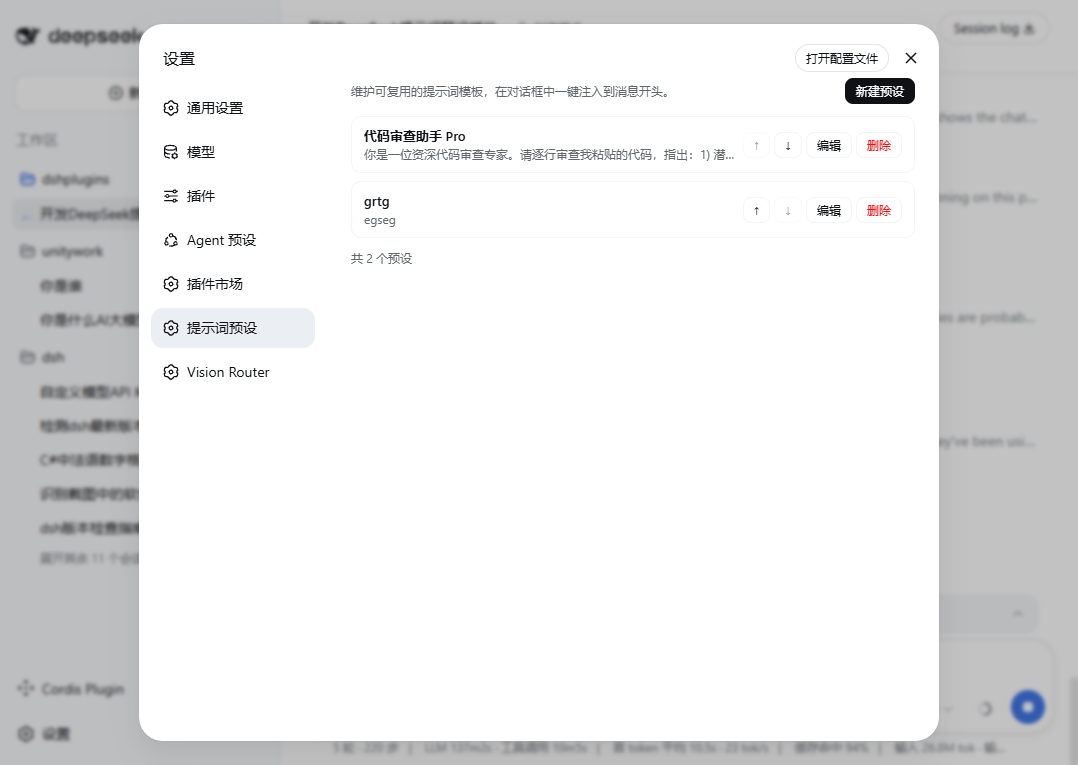
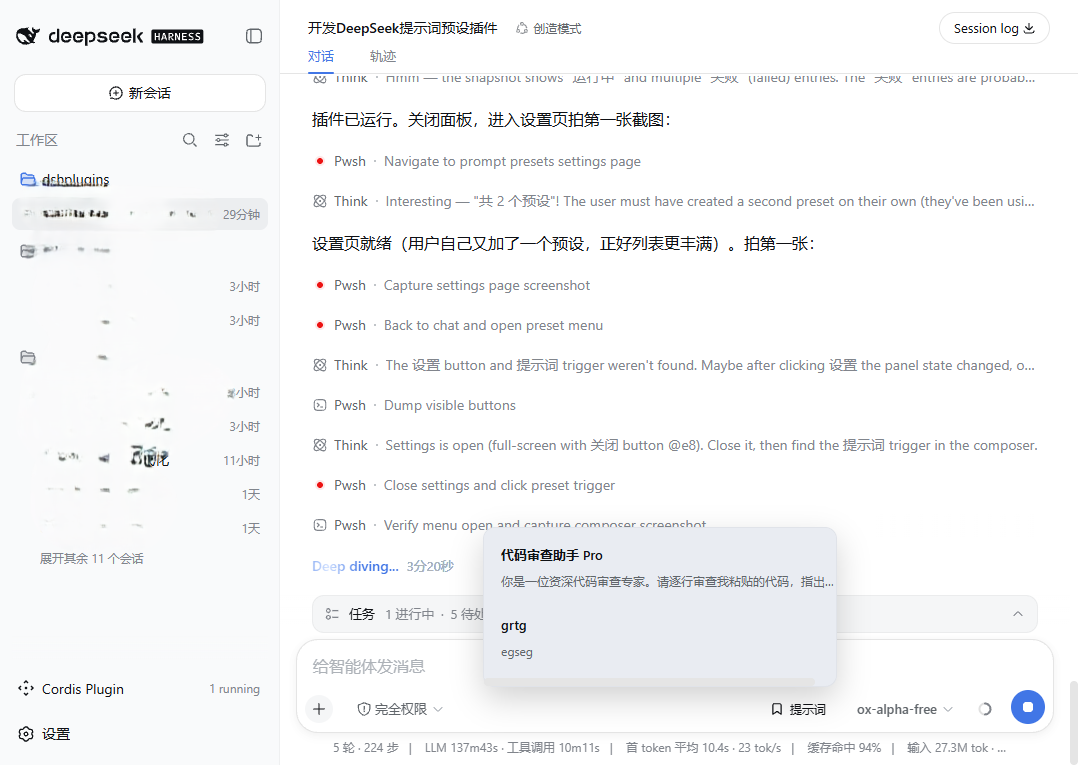
This plugin transforms your app into a powerful prompt library. You can easily manage custom presets in settings, supporting create, edit, delete, and reorder operations. Once ready, simply click the "Prompts" button in the chat input bar to inject any preset into your draft with one click, maintaining full control over the conversation flow.
Whether you need to maintain a specific persona, standardize workflow templates, or simply simplify repetitive inputs, this plugin is tailored for you. All data is securely stored locally and persists after restarts, ensuring privacy and ease of maintenance.
Screenshots
Use Cases
- Maintain consistency in role-playing conversations
- Quickly apply professional code review prompts
- Standardize output formats in multi-turn writing tasks
Best For
- Users who need to repeat the same prompt frequently
- People looking to optimize their DeepSeek Harness workflow
- Developers interested in prompt engineering
Related Plugins

Traceable, searchable cross-session memory for AI agents that turns conversation knowledge into a typed knowledge graph and recalls relevant subgraphs instead of replaying full history, natively integrated with DeepSeek Harness.
Gives DSH AI cross-session long-term memory, to-do and skill management, plus multi-session orchestration, external AI delegation, and an infinite canvas that grows with you.

dsh-mnemon is a three-tier, pluggable, Agent-driven memory system for DeepSeek Harness, combining Runtime memory, Project Documents, and replaceable Memory Spaces with nine long-term providers.
An opinionated, zero-infrastructure file-based memory protocol: human-readable markdown files plus a bounded always-loaded index, curation discipline, and no database or embeddings.