
dsh-harbor
Run the following command in DeepSeek Harness:
dsh plugin install ZSeven-W/dsh-harbor
Paste the following prompt into your AI chat to install this plugin:
Install the dsh-harbor plugin in DeepSeek Harness from its source repository at https://github.com/ZSeven-W/dsh-harbor.
About this plugin
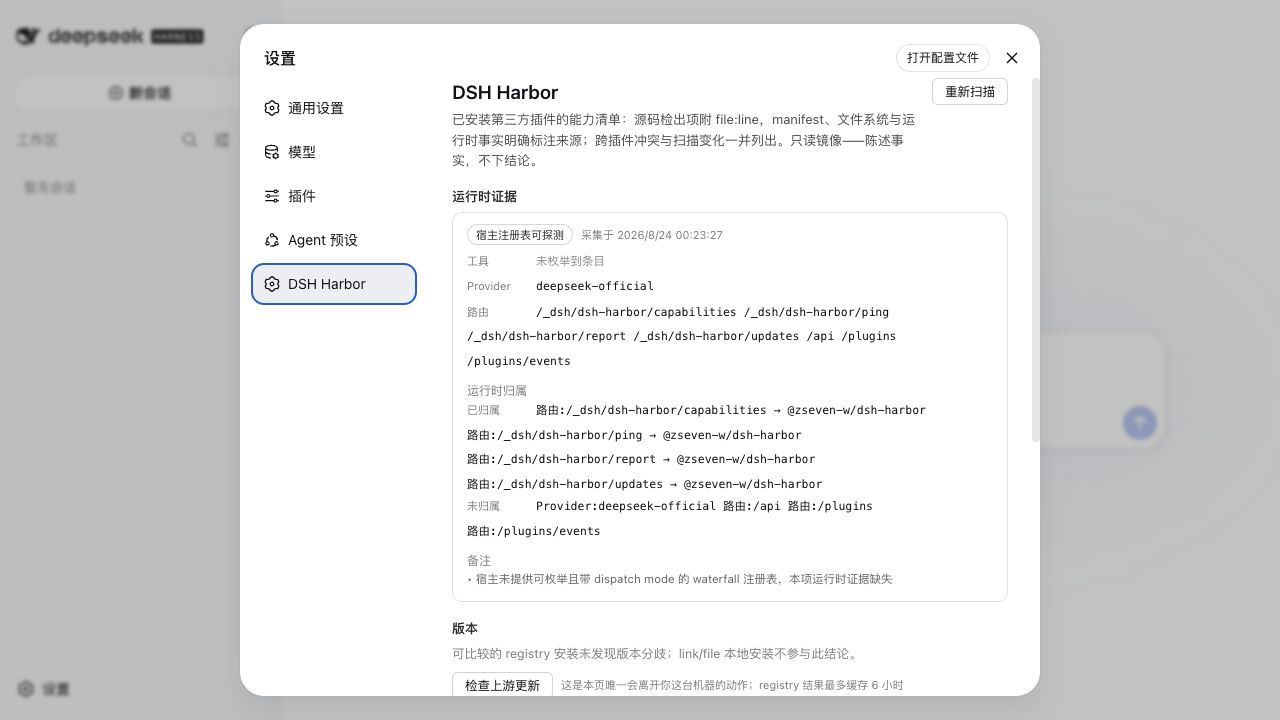
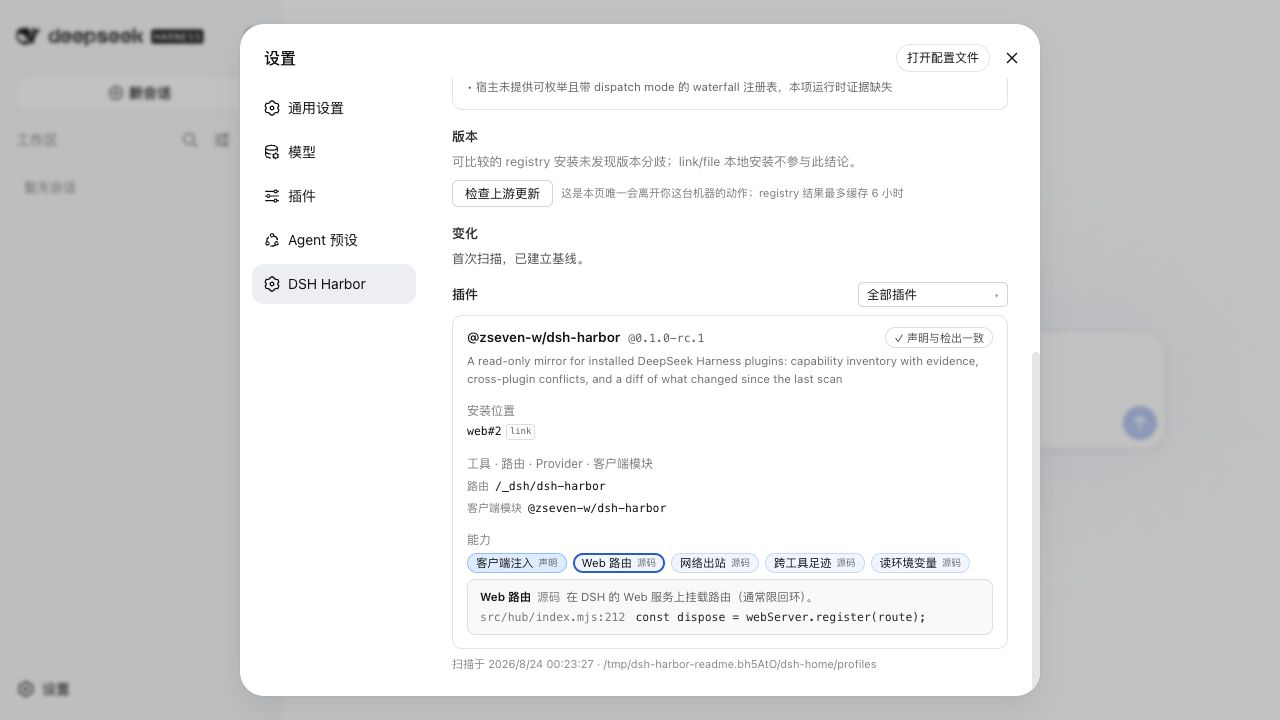
DSH plugins run in the host Node realm with the same local permissions as DSH itself, so a useful security posture starts with verifiable facts rather than a single score or badge. DSH Harbor builds a read-only, evidence-backed ledger of the plugins already installed on your machine, showing what each package declares, what its code and live host actually expose, and what has changed since the last scan.
It scans third-party bundles across DSH profiles using a fixed 13-capability vocabulary and attaches inspectable evidence, such as file:line findings, manifest facts, or runtime registry entries. Declared capabilities are reconciled with detected behavior, while live tools, providers, and routes are attributed to plugins installed in the active profile. The ledger also surfaces same-profile conflicts, cross-profile version drift, optional upstream checks, and a change timeline covering additions, removals, moves, capability changes, and claim changes.
DSH Harbor is best suited for developers, platform maintainers, and security reviewers who need to understand or audit a DSH installation without blocking workflows. It is intentionally a mirror rather than a sandbox, installer gate, or policy engine: it gives you concrete, reviewable evidence so you can decide whether a plugin’s capabilities are visible, declared, attributable, and expected.
Screenshots
Use Cases
- Review what installed DSH plugins declare versus actually expose.
- Detect same-profile conflicts in tools, routes, or provider IDs.
- Track plugin additions, version drift, and capability changes.
Best For
- Developers who need to audit DSH plugin permissions and behavior.
- Platform or toolchain maintainers managing multiple DSH profiles.
- Security and compliance reviewers checking plugin changes and conflicts.
Related Plugins

Memory layer for coding agents that indexes local session history and auto-recalls relevant context before edits, commands, and failures, with no manual search needed.

Traceable, searchable cross-session memory for AI agents that turns conversation knowledge into a typed knowledge graph and recalls relevant subgraphs instead of replaying full history, natively integrated with DeepSeek Harness.
Gives DSH AI cross-session long-term memory, to-do and skill management, plus multi-session orchestration, external AI delegation, and an infinite canvas that grows with you.

dsh-mnemon is a three-tier, pluggable, Agent-driven memory system for DeepSeek Harness, combining Runtime memory, Project Documents, and replaceable Memory Spaces with nine long-term providers.