
dsh-kiro
Run the following command in DeepSeek Harness:
dsh plugin install dat-lequoc/dsh-kiro
Paste the following prompt into your AI chat to install this plugin:
To install this plugin in DeepSeek Harness, run the command `dsh plugin install dat-lequoc/dsh-kiro` or obtain it from the source at https://github.com/dat-lequoc/dsh-kiro.
About this plugin
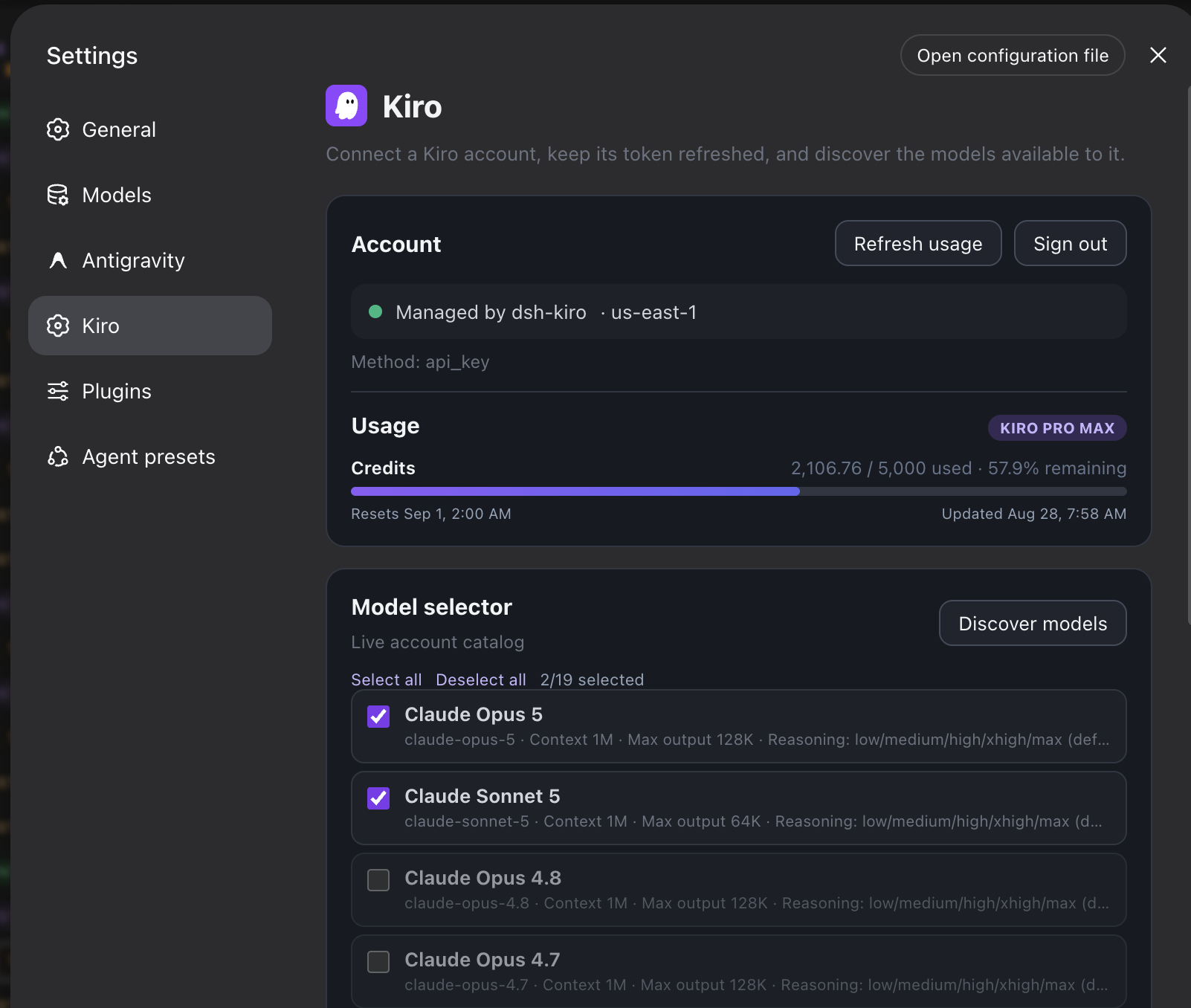
When integrating Kiro model services with DeepSeek Harness, users often encounter pain points like complex login methods, cumbersome token management, and manual model discovery and configuration, which hinder efficient use of Kiro's rich inference capabilities. The dsh-kiro plugin addresses these issues by seamlessly registering the Kiro provider route for DeepSeek Harness, supporting quick logins via multiple methods such as AWS Builder ID, Google, and GitHub, while automatically handling token and profile refresh to eliminate tedious API key setups. Core capabilities include real-time account model discovery, streaming for Claude and open-weight models, tool calls, and flexible reasoning effort controls ranging from none to max, enabling model selection and output optimization tailored to needs. Additionally, the plugin offers features like image input and proxy configuration, simplifying the entire flow from login to inference. It is ideal for DeepSeek Harness users, especially developers, AI researchers, or content creators seeking efficient and streamlined Kiro model integration, helping them focus on innovation rather than technical configurations to unlock the potential of model inference.
Screenshots
Use Cases
- Integrating Kiro model services in DeepSeek Harness
- Simplifying token management for multiple login methods
- Discovering and optimizing model inference settings in real-time
Best For
- Developers using DeepSeek Harness
- AI researchers needing efficient model inference
- Content creators seeking streamlined Kiro integration
Related Plugins
A unified suite combining hot runtime injection, task-aware thinking-mode routing, and a graded session protocol with red-team gates to sustain model diligence across long-horizon inference.

ModLens is a vision plugin for DeepSeek Harness that gives text-only models sight by reading images pasted directly into chat, with zero-config setup and multiple vision engines.

On-demand vision for text-only DeepSeek Harness agents: built-in free keyless vision chain and 14 vision tools, routing image turns as tool calls to vision models with pixel fidelity, no Python needed, one-command install.

Give text-only models in DeepSeek Harness eyes, enabling image Q&A, long-screenshot OCR, UI restoration, and GUI visual tasks.