dsh-suggest-prompt
Run the following command in DeepSeek Harness:
dsh plugin install studyzy/dsh-suggest-prompt
Paste the following prompt into your AI chat to install this plugin:
In DeepSeek Harness, install this plugin by running `dsh plugin install studyzy/dsh-suggest-prompt`; the full source is at https://github.com/studyzy/dsh-suggest-prompt.
About this plugin
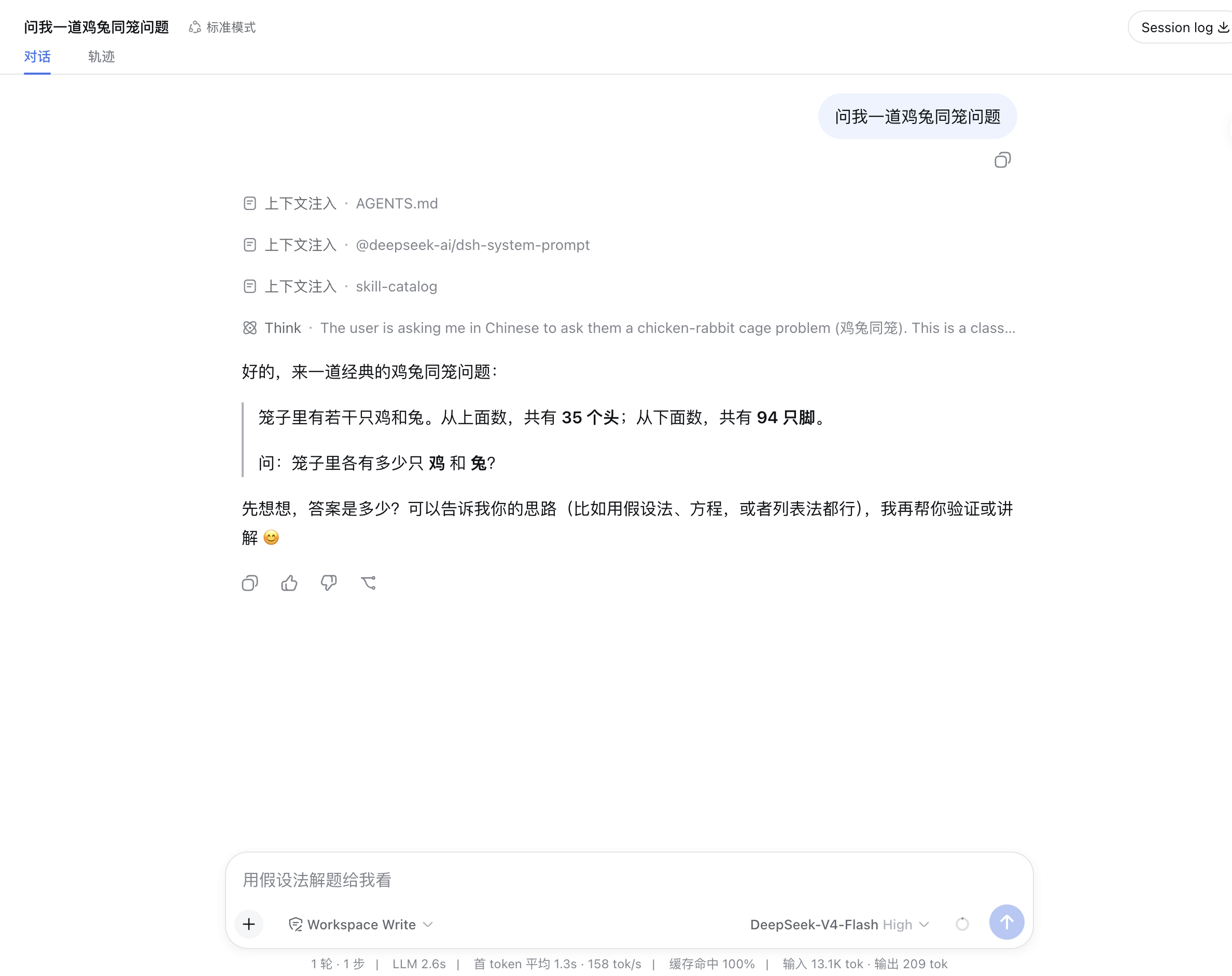
When having multi-turn conversations with an AI assistant, users often need to constantly input new prompts to guide the dialogue, a process that interrupts their flow of thought and consumes time and effort. This is especially true during complex tasks or brainstorming sessions, where repeatedly devising and typing the next instruction becomes an efficiency bottleneck. The dsh-suggest-prompt plugin is designed to solve this exact problem. It introduces a "suggested next prompt" feature to the DeepSeek Harness platform: after every AI turn concludes, the plugin silently analyzes the conversation context and automatically generates one most probable next user prompt, displayed as light ghost placeholder text inside the input field. Users can simply glance at the suggestion and press the Tab key (default) to adopt it into their draft, eliminating the need to start typing from scratch and making the conversation flow feel seamless.
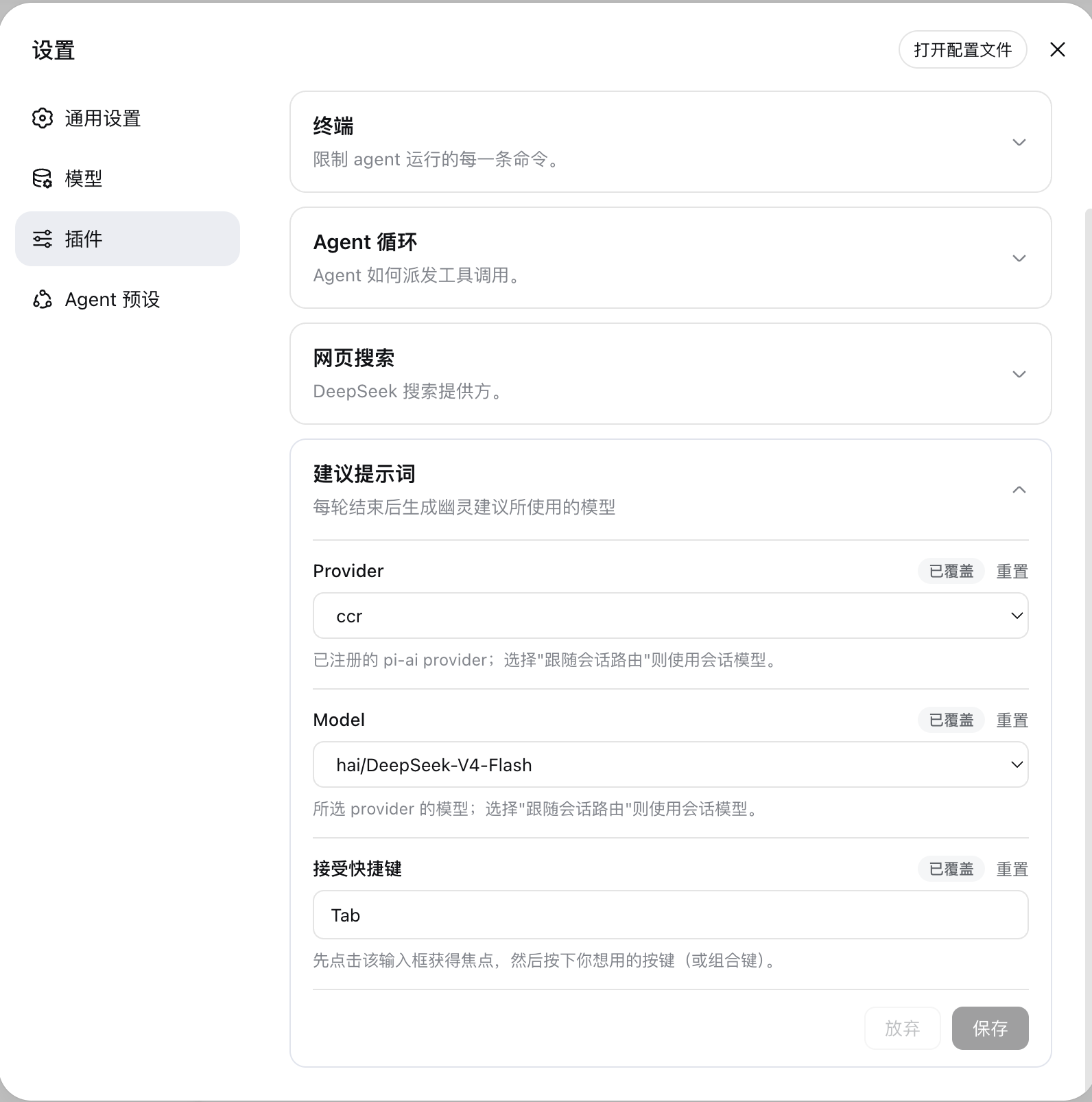
The plugin's core strengths lie in its intelligent, lightweight, and highly configurable design. It defaults to inheriting the model route of the main conversation, requiring no extra model selection from the user for a plug-and-play experience. When generating suggestions, it typically disables the model's "thinking" capability to ensure rapid and cost-effective responses. For advanced users, it offers rich configuration options, such as easily switching the suggestion model, adjusting timeout, and setting output length limits via the WebUI settings interface. The plugin only transmits key content from the most recent turn, protecting privacy while ensuring suggestion relevance. Its output undergoes strict sanitization and semantic filtering, guaranteeing that displayed suggestions are clean and useful. If the model cannot produce a suitable suggestion, the plugin skips silently, never disturbing the user.
Whether you are a developer or researcher who relies daily on AI assistance, or a content creator or student seeking to boost interactive efficiency, dsh-suggest-prompt can significantly enhance your experience. It is particularly suited for users engaged in continuous dialogues, iterative creative processes, or complex problem decomposition. By auto-completing your thoughts, it helps maintain your flow state, allowing you to focus more energy on the task itself rather than the mechanics of tool input. If you use DeepSeek Harness and pursue a more efficient and intelligent human-AI collaboration, this plugin is an ideal choice.
Screenshots
Use Cases
- Automatically suggest the next step during multi-turn code or debugging conversations
- Provide follow-up hints for ideas during content creation or document writing
- Guide users to dig deeper step-by-step in complex problem-decomposition tasks
Best For
- Developers and technical personnel who frequently use DeepSeek Harness
- Researchers and writers needing efficient brainstorming or iterative creation
- All heavy AI users seeking to reduce repetitive input and maintain thought flow
Related Plugins
A unified suite combining hot runtime injection, task-aware thinking-mode routing, and a graded session protocol with red-team gates to sustain model diligence across long-horizon inference.

ModLens is a vision plugin for DeepSeek Harness that gives text-only models sight by reading images pasted directly into chat, with zero-config setup and multiple vision engines.

On-demand vision for text-only DeepSeek Harness agents: built-in free keyless vision chain and 14 vision tools, routing image turns as tool calls to vision models with pixel fidelity, no Python needed, one-command install.

Give text-only models in DeepSeek Harness eyes, enabling image Q&A, long-screenshot OCR, UI restoration, and GUI visual tasks.