
dsh-whale-report
Run the following command in DeepSeek Harness:
dsh plugin install SenmuuuuW/dsh-whale-report
Paste the following prompt into your AI chat to install this plugin:
Install the dsh-whale-report plugin in DeepSeek Harness from its source repository at https://github.com/SenmuuuuW/dsh-whale-report.
About this plugin
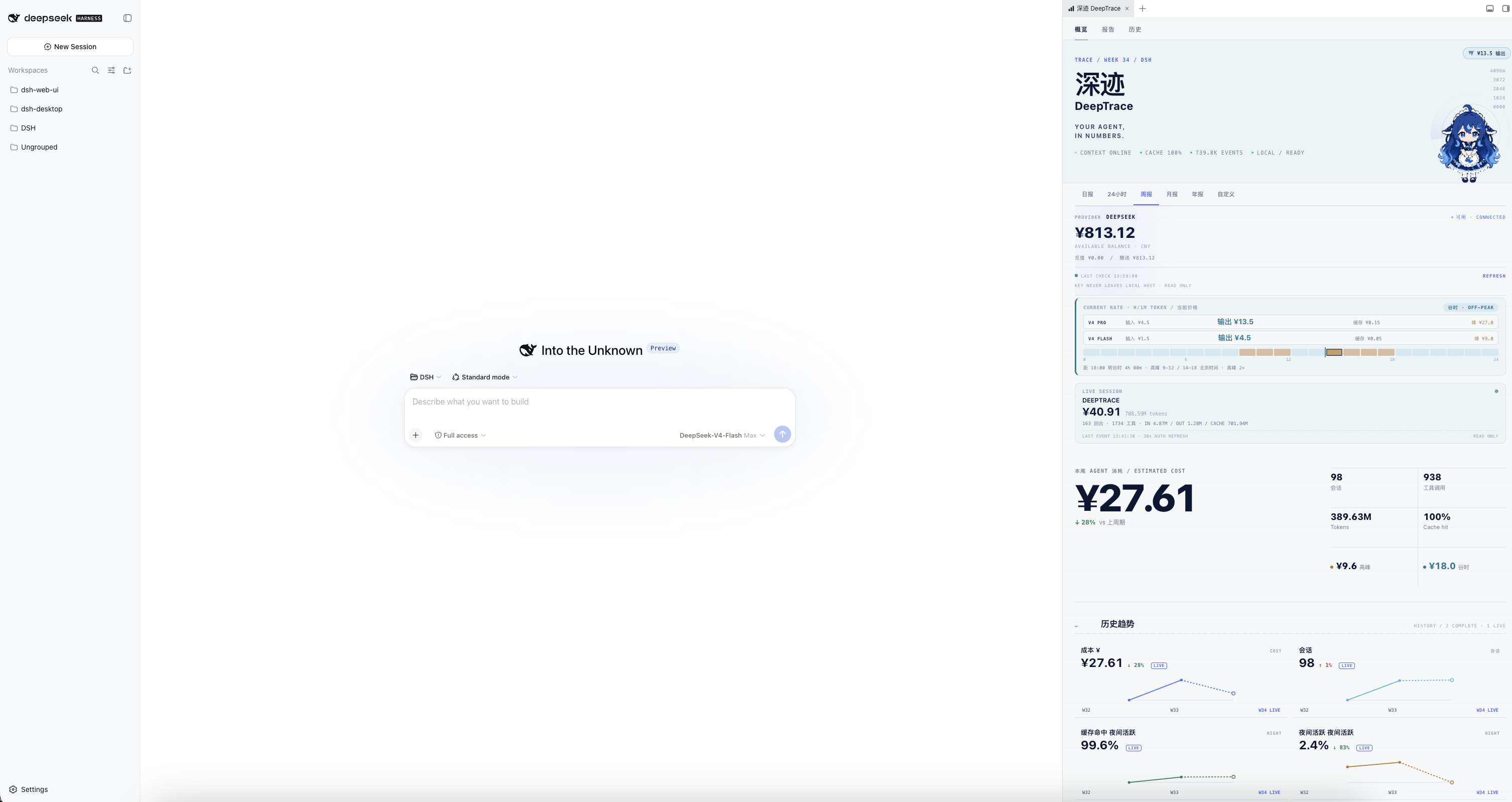
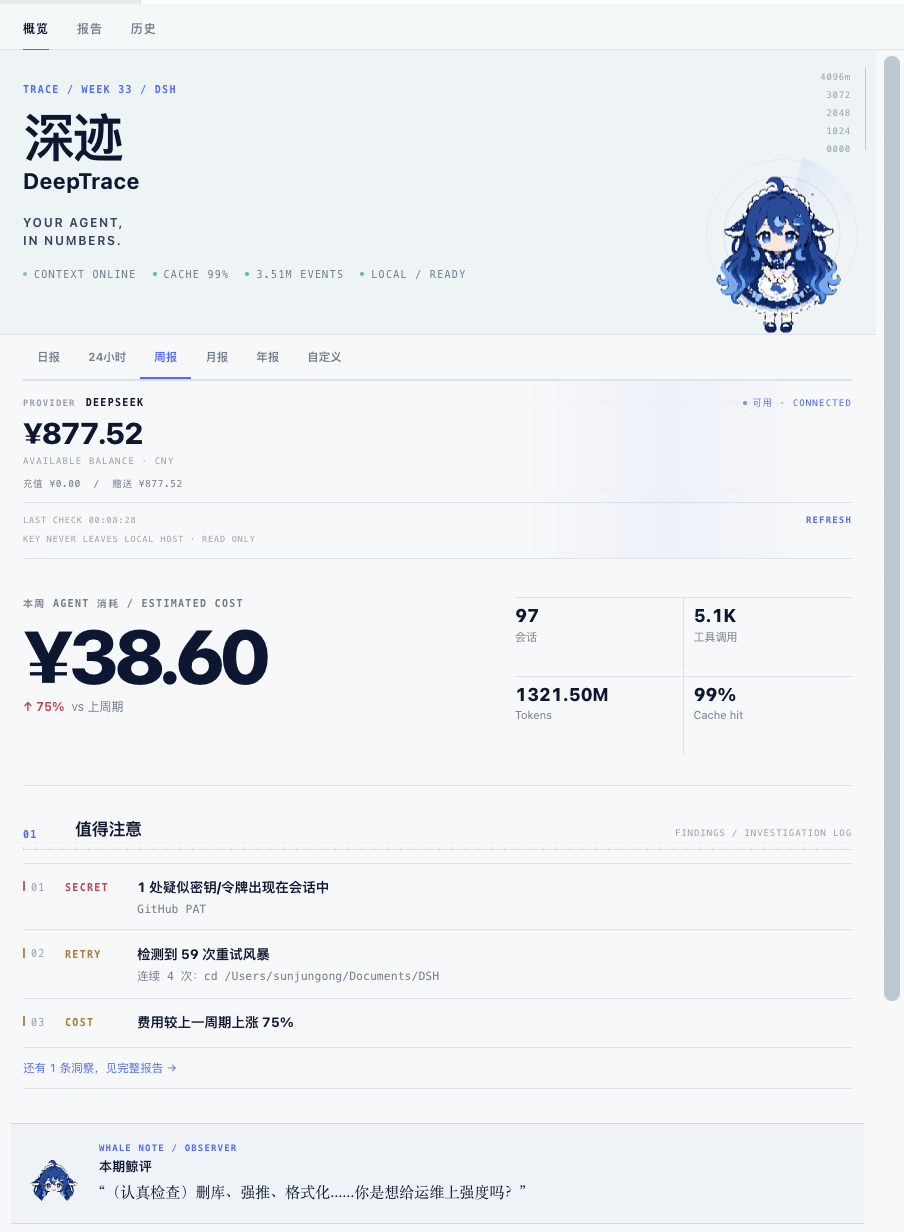
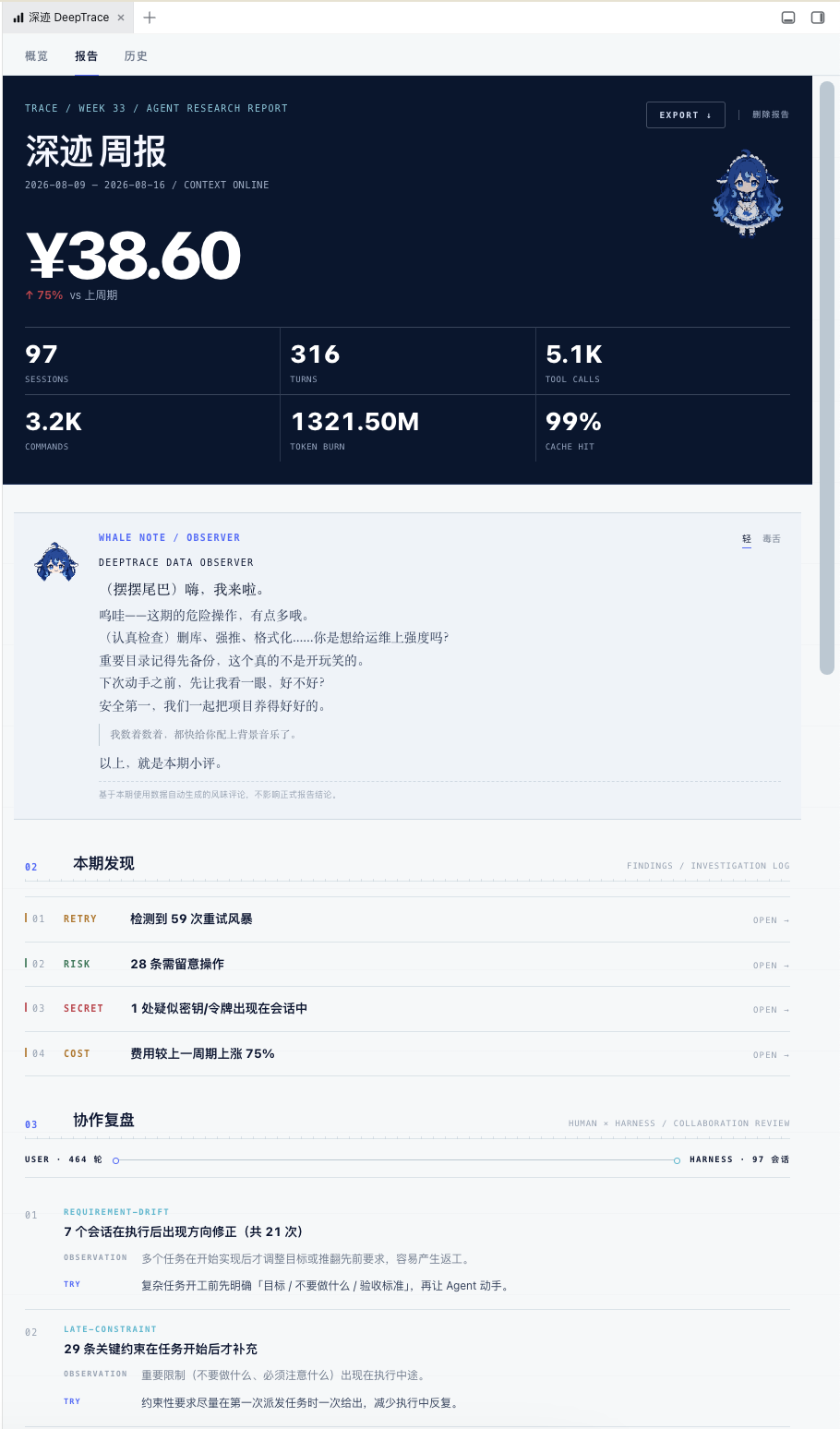
After agents run through many tasks, the hard questions are rarely “what did it do?”, but “which sessions were the most expensive?”, “why did retries suddenly appear?”, “which operations deserve attention?”, and “what should be improved this week?” dsh-whale-report, presented as DeepTrace, turns DSH sessions, tokens, costs, tool calls, risks and anomalies into agent reports that are actually readable and actionable.
Instead of acting as a simple log viewer, it aggregates session events into a deterministic report with overview findings, session drilldowns, trends, risk signals and read-only improvement suggestions. It covers peak/off-peak cost estimation, live session billing, token breakdown, activity patterns, tool health, retry bursts, dangerous operations, secret presence scans and collaboration review, while generating reports locally without extra model tokens and keeping session data read-only.
It is a good fit for DeepSeek Harness users, automation builders and anyone who wants to review agent cost, reliability and usage patterns over time. Whether you are trying to control spending, trace unexpected retries, or understand friction in human-agent collaboration, it turns scattered session events into evidence you can inspect and improve from.
Screenshots
Use Cases
- Review session costs and retry causes
- Check dangerous operations and secret risks
- Track peak/off-peak spending and usage trends
Best For
- Developers using DeepSeek Harness
- Users who need to control agent costs
- People tracing abnormal sessions and risk signals
Related Plugins

Memory layer for coding agents that indexes local session history and auto-recalls relevant context before edits, commands, and failures, with no manual search needed.

Traceable, searchable cross-session memory for AI agents that turns conversation knowledge into a typed knowledge graph and recalls relevant subgraphs instead of replaying full history, natively integrated with DeepSeek Harness.
Gives DSH AI cross-session long-term memory, to-do and skill management, plus multi-session orchestration, external AI delegation, and an infinite canvas that grows with you.

dsh-mnemon is a three-tier, pluggable, Agent-driven memory system for DeepSeek Harness, combining Runtime memory, Project Documents, and replaceable Memory Spaces with nine long-term providers.