dsh-ext-vision-proxy
Run the following command in DeepSeek Harness:
dsh plugin install jin123-alpha/dsh-ext-vision-proxy
Paste the following prompt into your AI chat to install this plugin:
To install the dsh-ext-vision-proxy plugin, run the command `dsh plugin install jin123-alpha/dsh-ext-vision-proxy` with the full source address at https://github.com/jin123-alpha/dsh-ext-vision-proxy.
About this plugin
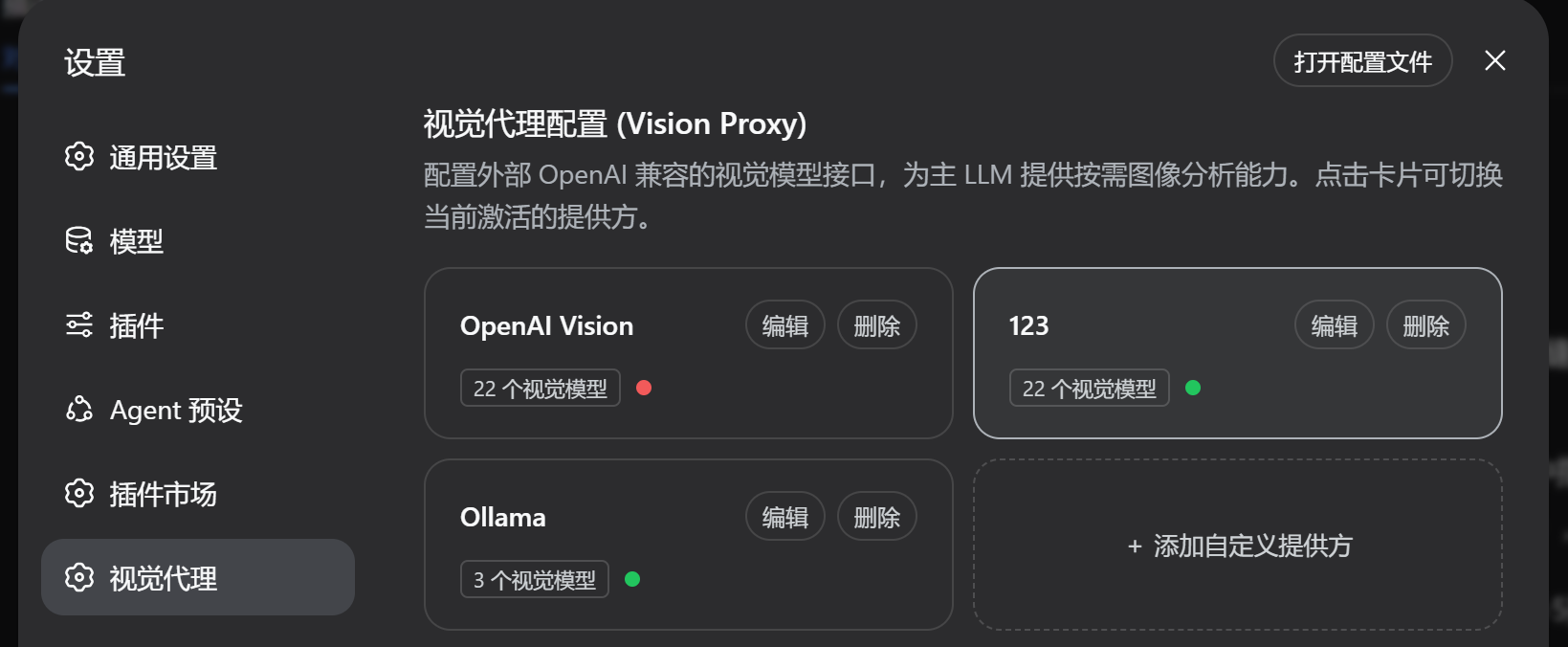
When working with text-only large language models such as DeepSeek-V3 or DeepSeek-R1, users often struggle with the inability to directly analyze images, limiting multimodal tasks. The dsh-ext-vision-proxy plugin addresses this by acting as an intelligent bridge, seamlessly injecting vision capabilities into these text-only models. By proxying calls to OpenAI-compatible vision model APIs, it enables LLMs to autonomously invoke the vision_describe tool to inspect, analyze, and understand images, screenshots, or diagrams, thereby expanding the models' application boundaries.
The plugin's core strengths lie in its seamless integration and flexible management. It embeds directly into the DeepSeek Harness chat interface, offering an intuitive toggle and model selector for easy activation or deactivation of the vision proxy. It supports multiple image sources, including local files, URLs, and hash references, and automatically resolves MIME types to ensure proper processing. Additionally, it features a 4-state session matrix that intelligently adjusts behavior based on model type and switch state, allowing text-only models to use the proxy while enabling multimodal models to handle images natively without interference.
dsh-ext-vision-proxy is ideal for developers, researchers, and end-users who work with DeepSeek text-only models and need to quickly add image understanding capabilities without switching models. Whether building interactive applications, conducting data analysis, or exploring multimodal interactions in educational or creative domains, this plugin provides a concise and powerful support system, empowering text-only LLMs to transcend their limits and embrace richer visual tasks.
Screenshots

Use Cases
- Seamlessly analyze uploaded images or screenshots in chat conversations
- Add visual understanding capabilities to text-only large language models
- Process image attachments via OpenAI-compatible API proxying
Best For
- Developers using DeepSeek text-only models
- Researchers requiring image processing capabilities
- End-users exploring multimodal interactions
Related Plugins
A unified suite combining hot runtime injection, task-aware thinking-mode routing, and a graded session protocol with red-team gates to sustain model diligence across long-horizon inference.

ModLens is a vision plugin for DeepSeek Harness that gives text-only models sight by reading images pasted directly into chat, with zero-config setup and multiple vision engines.

On-demand vision for text-only DeepSeek Harness agents: built-in free keyless vision chain and 14 vision tools, routing image turns as tool calls to vision models with pixel fidelity, no Python needed, one-command install.

Give text-only models in DeepSeek Harness eyes, enabling image Q&A, long-screenshot OCR, UI restoration, and GUI visual tasks.