dsh-subagent-max
Run the following command in DeepSeek Harness:
dsh plugin install aaravarr/dsh-subagent-max
Paste the following prompt into your AI chat to install this plugin:
You can install this plugin in DeepSeek Harness by running 'dsh plugin install aaravarr/dsh-subagent-max' or manually downloading from https://github.com/aaravarr/dsh-subagent-max.
About this plugin
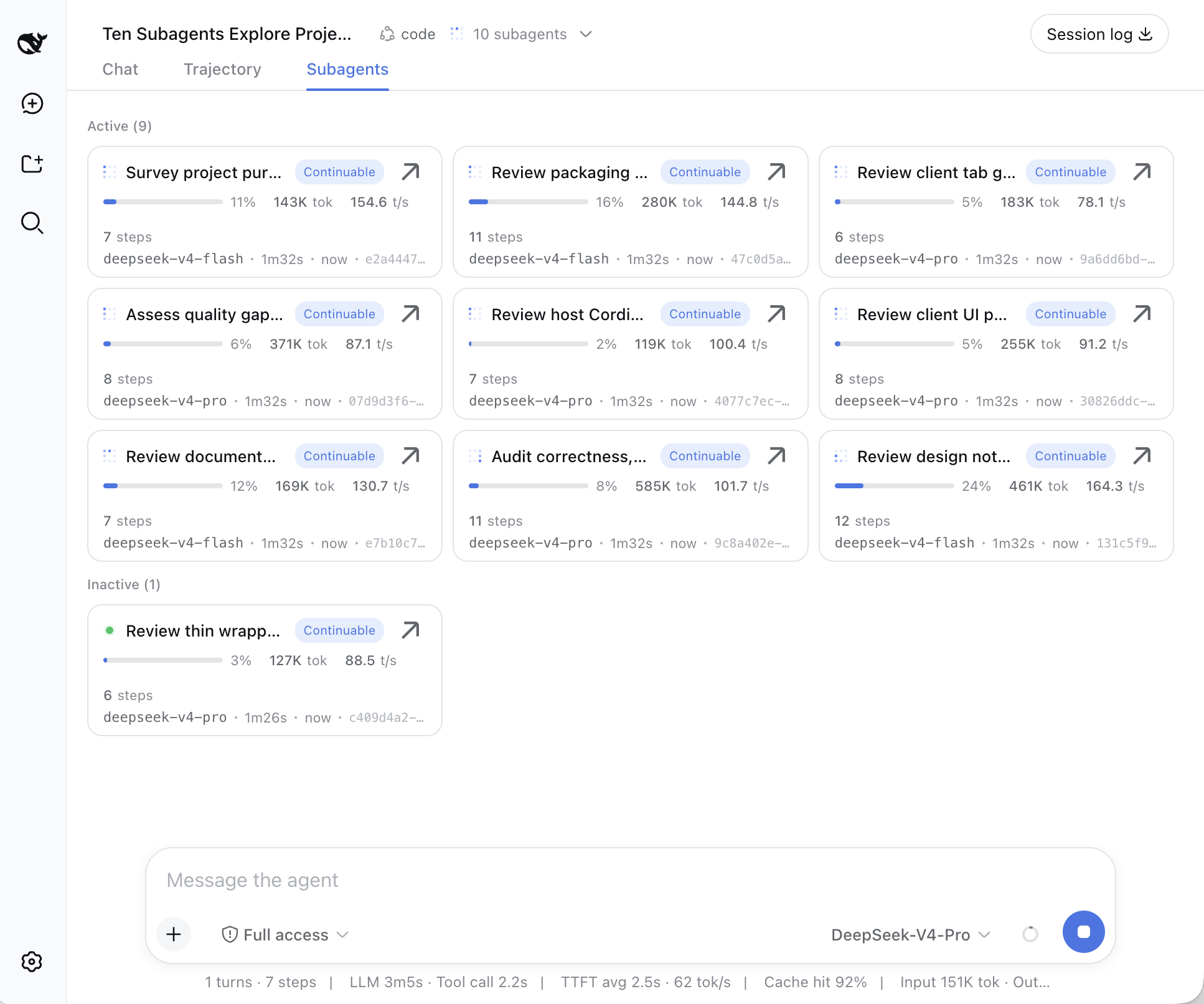
When using DeepSeek Harness for complex tasks, users often need to break down work into multiple subagents for parallel processing, but efficiently monitoring and managing their real-time outputs, reasoning steps, and tool calls can be a persistent challenge. Traditional interfaces may not allow simultaneous visibility into the progress of each subagent, making it hard to grasp overall task status at a glance.
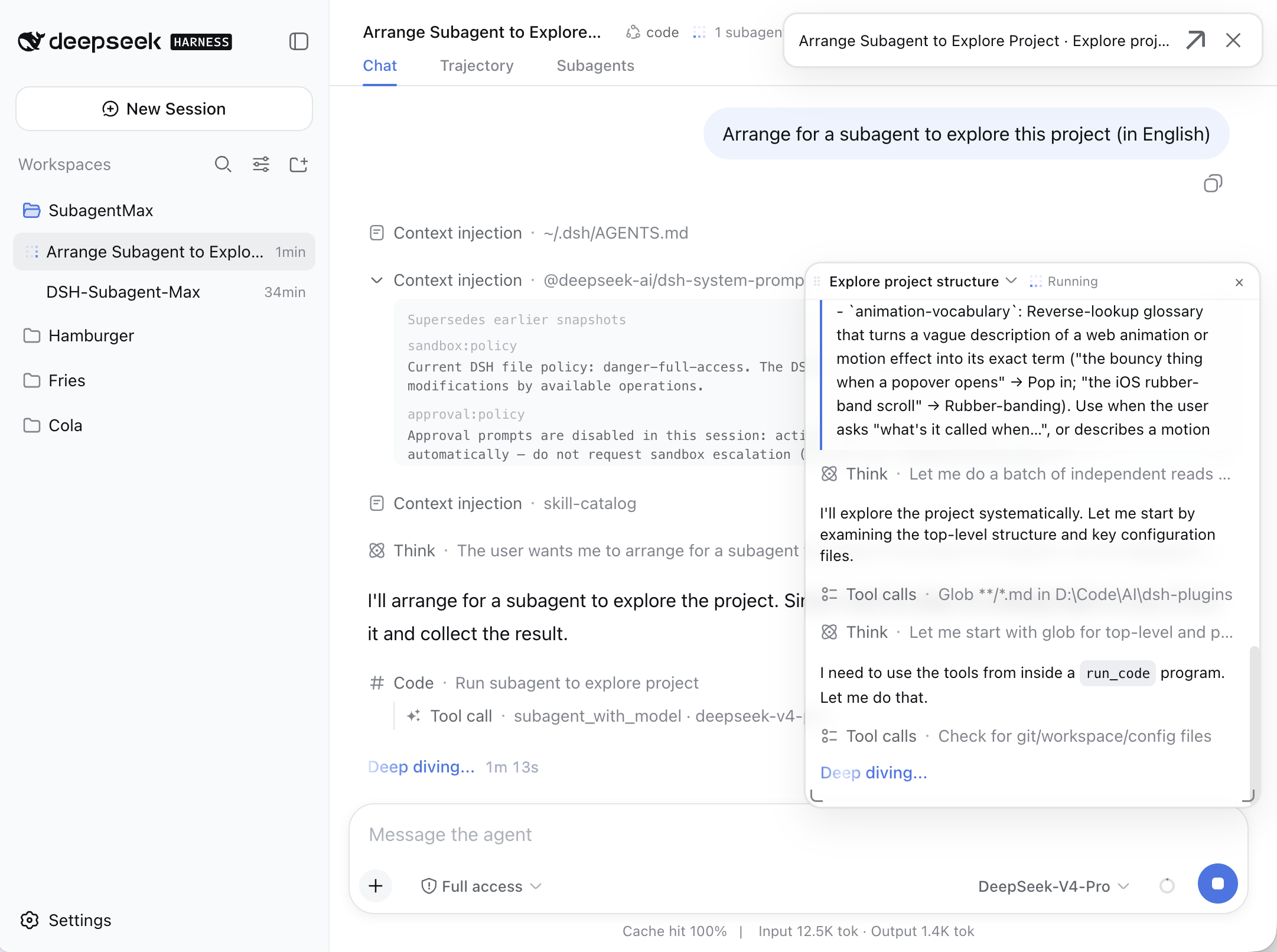
The dsh-subagent-max plugin addresses this by offering a multi-panel live viewer that lets users open multiple draggable floating panels, each streaming the complete output of a subagent in real time—including task descriptions, reasoning processes, tool call results, and text content. Additionally, it introduces the subagent_with_model tool, enabling users to explicitly specify the model and provider for each subagent call. This allows for flexible resource allocation, such as using high-performance models for critical steps.
The plugin’s smart provider selection defaults to the parent’s provider if it supports the requested model, otherwise it automatically finds an available provider, streamlining configuration. A Subagents tab aggregates all agents into a card grid, grouped by active/inactive status and sorted by last activity, for easy overview and management. Whether you’re a developer debugging multi-step reasoning or a researcher running parallel experiments, this plugin significantly enhances task observability and control.
Screenshots
Use Cases
- When managing multiple subagent tasks simultaneously.
- When customizing model and provider for each subagent call.
- When monitoring subagent reasoning and tool calls in real time.
Best For
- Developers handling complex tasks in parallel.
- AI researchers debugging multi-step reasoning processes.
- Users of DeepSeek Harness for model inference tasks.
Related Plugins
A unified suite combining hot runtime injection, task-aware thinking-mode routing, and a graded session protocol with red-team gates to sustain model diligence across long-horizon inference.

ModLens is a vision plugin for DeepSeek Harness that gives text-only models sight by reading images pasted directly into chat, with zero-config setup and multiple vision engines.

On-demand vision for text-only DeepSeek Harness agents: built-in free keyless vision chain and 14 vision tools, routing image turns as tool calls to vision models with pixel fidelity, no Python needed, one-command install.

Give text-only models in DeepSeek Harness eyes, enabling image Q&A, long-screenshot OCR, UI restoration, and GUI visual tasks.