Official Process Guide Image Generator
Paste the following prompt into your AI chat to install this skill:
Please follow https://skillhub.cn/install/skillhub.md and install @showapi/generate-official-guide-image-showapi.
About this skill
Problem
Writing service guides, government-process manuals, or internal flow diagrams is harder than drawing a diagram. The key task is turning a vague request into a compliant, traceable, and clearly ordered process. Manually collecting official materials, filtering valid steps, and redesigning them into a presentable image can introduce outdated or low-authority information, and often lacks source attribution and disclaimers.
How It Works
The skill covers the full chain of “generating a guide image from an official task goal,” with retrieval, validation, and visualization as the core.
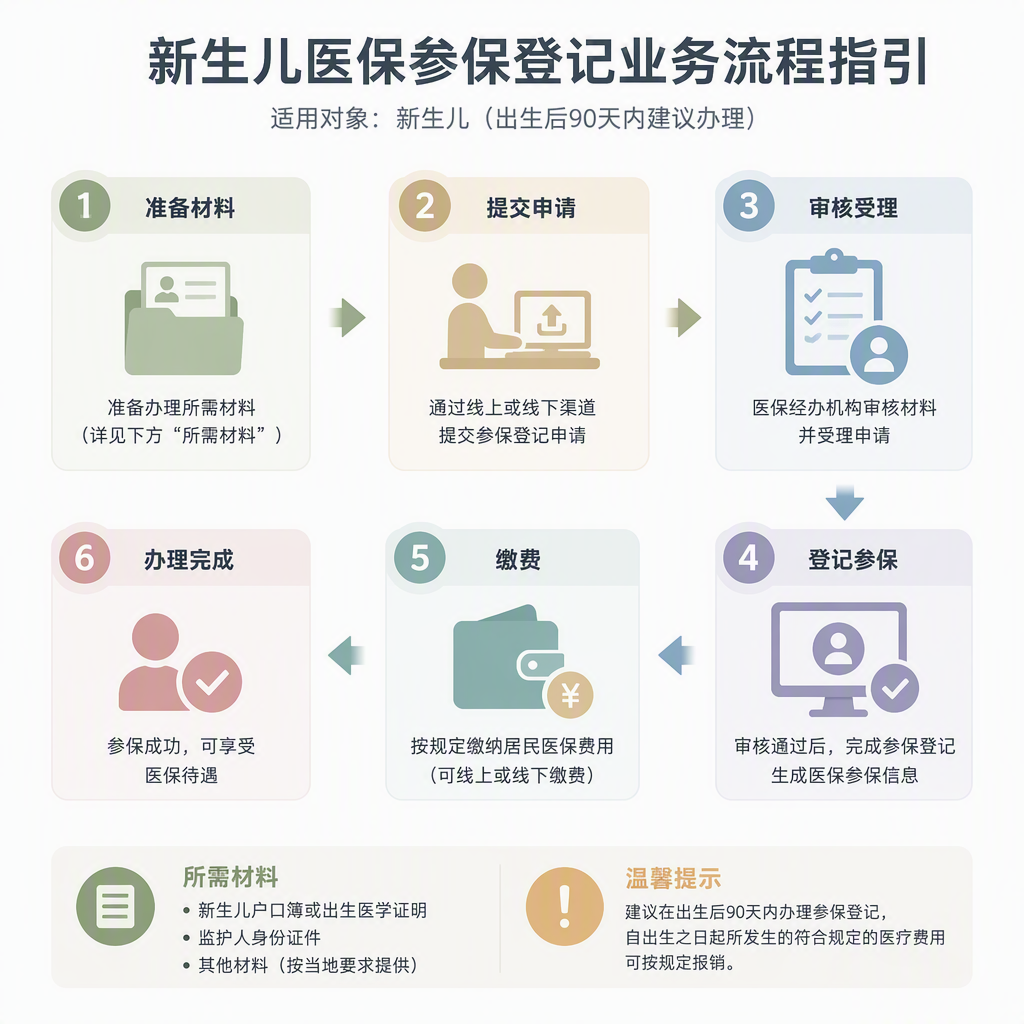
- Intent parsing: normalizes user_goal into a concrete service scenario, such as “newborn medical insurance enrollment.”
- Retrieval and structuring: generates search terms, collects official process information, extracts valid steps, and preserves source references.
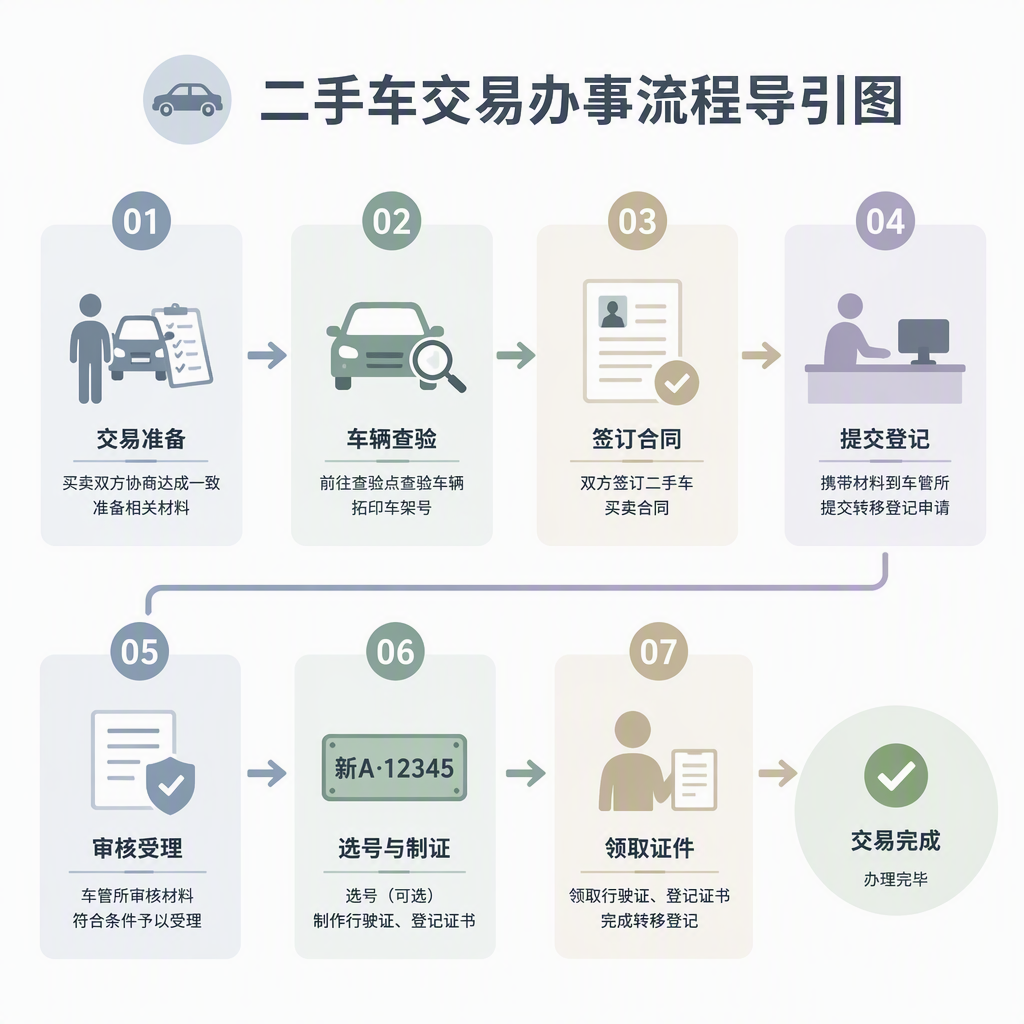
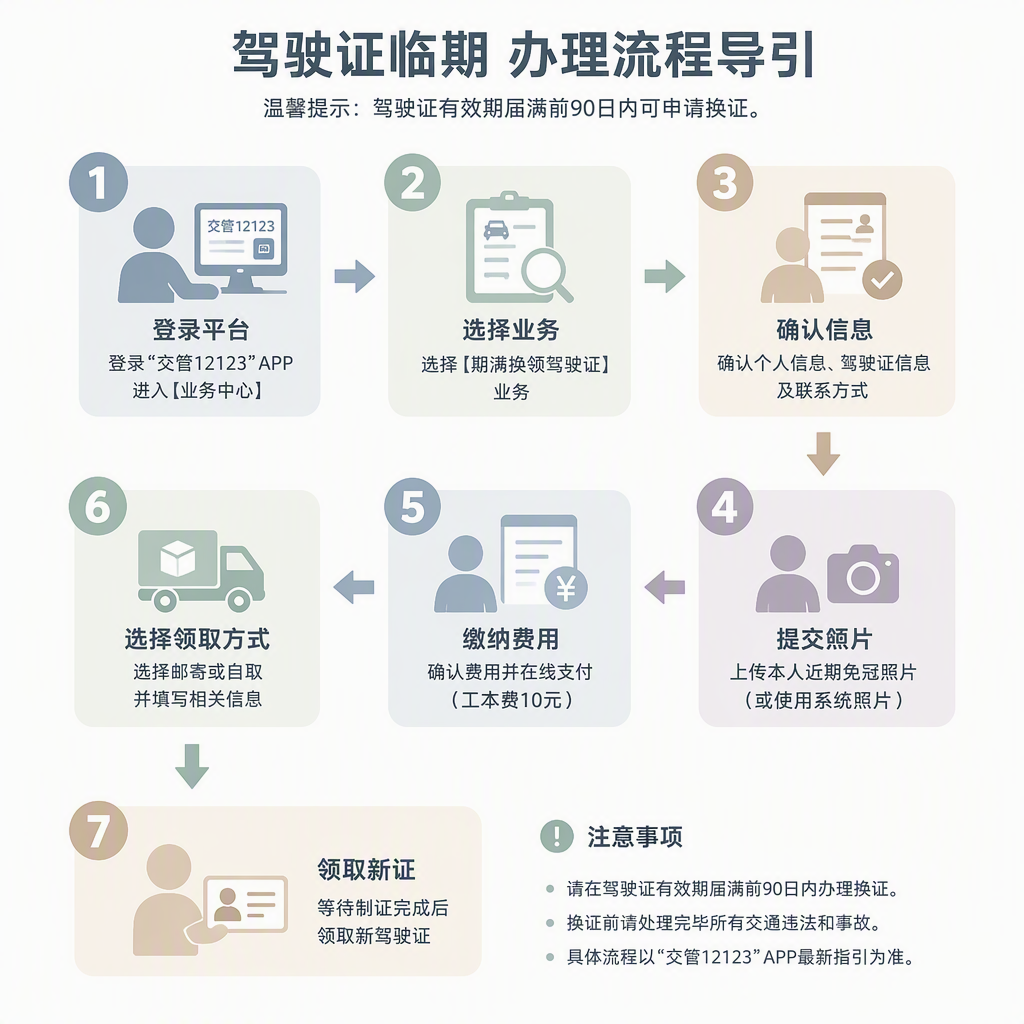
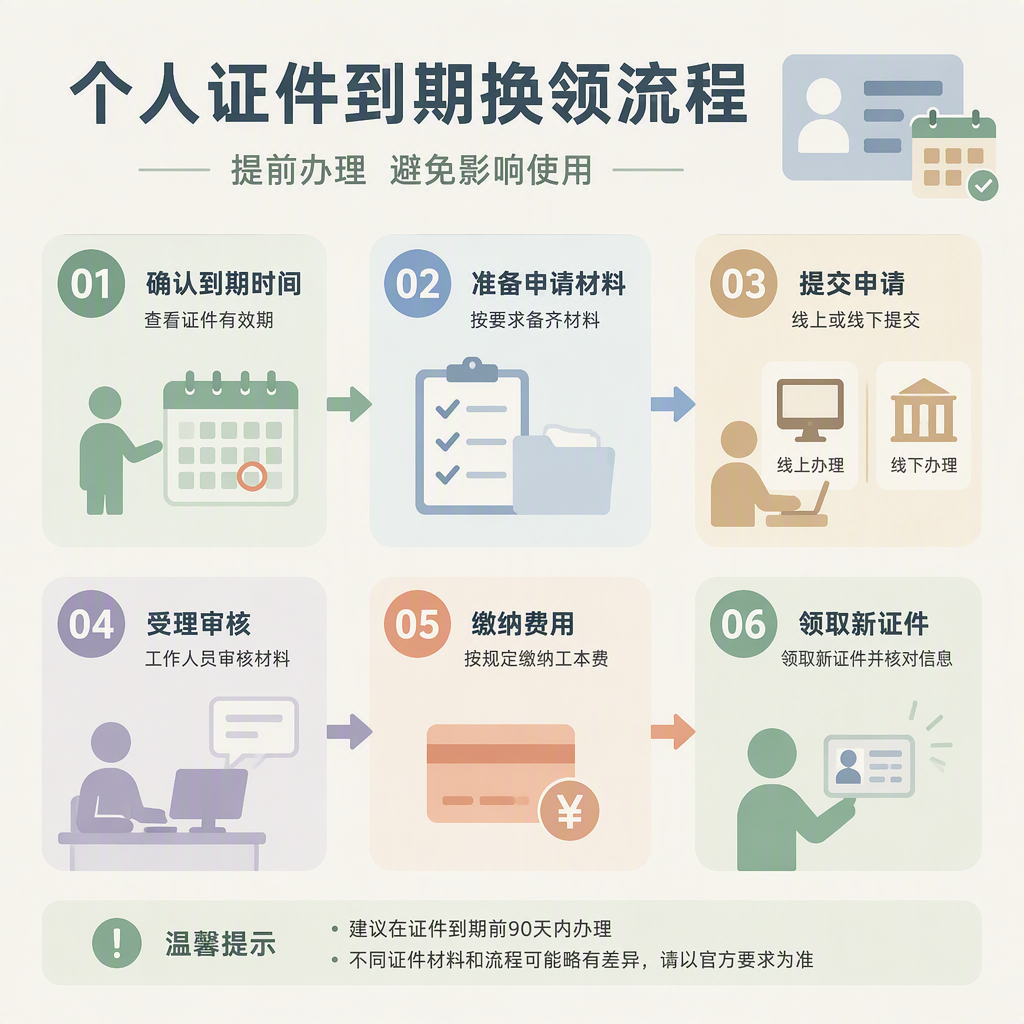
- Image generation: injects the validated steps into a drawing prompt template and outputs guide images in ratios such as 1:1, 16:9, or 9:16.
- Result output: returns final_guide_image_url, process_summary, source_notice, and disclaimer together.
Production calls use an asynchronous task model: submit the task to obtain a task_id, poll for status, and sync core progress to the user after each poll. A no-credential mock preview can be used to verify the output structure, not to produce a real generated result.
Boundaries and Notes
It fits service guides, enterprise compliance flows, and long-form lifestyle process images where steps are clear and source credibility matters. Treat the guide image as a reference only; the final process still depends on the actual institution’s requirements. user_goal must be specific enough to avoid vague input causing inaccurate process output.
Screenshots
Use Cases
- Make a newborn insurance guide with steps and sources.
- Make a 16:9 license cancellation flow for training.
- Create a 9:16 medical filing guide with source notes.
- Turn a vague service goal into a compliant guide image.
Best For
- Ops editor: turn newborn insurance goals into sourced image guides.
- Gov consultant: make compliant guide images for service flows.
- Trainer: create a 16:9 cancellation flow image and summary.
- Content planner: build a 9:16 medical filing guide for mobile.
Related Skills

Based on Hengsheng Juyuan MCP financial data, it assesses equity, bond, commodity, and overseas markets and produces sourced risk reports with allocation guidance.

Applies a six-question industry-chain framework for structured fundamental analysis of sectors, profit pools, competition, ROIC, valuation, and domestic substitution.

Performs structured contract risk assessment, adds revision suggestions in the document, and generates a standalone review report.
A single-stock research framework that produces seven-dimension drafts, integrated analysis, scenario projections, and dual-track reference, with optional comparison and no investment advice.