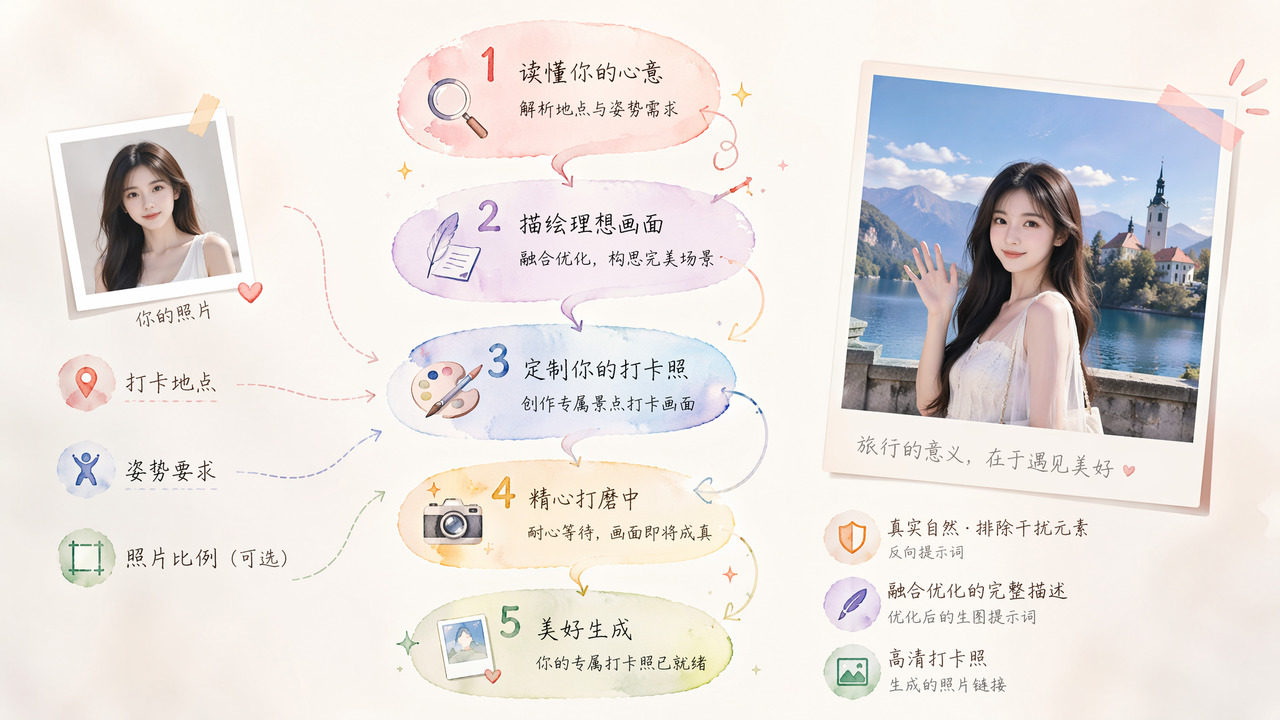
Person Landmark Check-In Photo Generator
Paste the following prompt into your AI chat to install this skill:
Please follow https://skillhub.cn/install/skillhub.md to install @showapi/person-landmark-check-in-photo-showapi.
About this skill
Problem Solved
When users have only a person reference image but want a realistic landmark check-in photo, manual prompting often misses environment, lighting, pose, and identity consistency. This skill targets travel check-in photos, virtual trip mementos, and social media visuals. It turns a person image, location, and optional pose into an asynchronous image generation task and keeps reporting task state, instead of issuing one opaque long-running request.
How It Works
- Intent parsing: reads
refer_image,location_prompt, and optional pose requirements, then extracts scene type and structured intent. - Prompt optimization: builds an
optimized_promptcovering environment, person, lighting, and style, and usesnegative_promptto exclude cartoon-like, blurry, or other non-photorealistic elements. - Async submission: calls the ShowAPI generation task and returns only a
task_idwithout blocking. - Status polling: polls until the task reaches
SUCCEEDED, then exposes core fields such ascheck_in_photo_url.
Boundaries and Notes
Real calls require showapi_appkey; without credentials, the skill performs a one-shot simulation preview and does not run the real async task. The person photo can be a standard Base64 string or a public URL, image ratio defaults to 3:4, and pose is optional. All real tasks are asynchronous, making this suitable for workflows that can wait for generated results and display the image, but not for lightweight calls that require an immediate synchronous response.
Screenshots
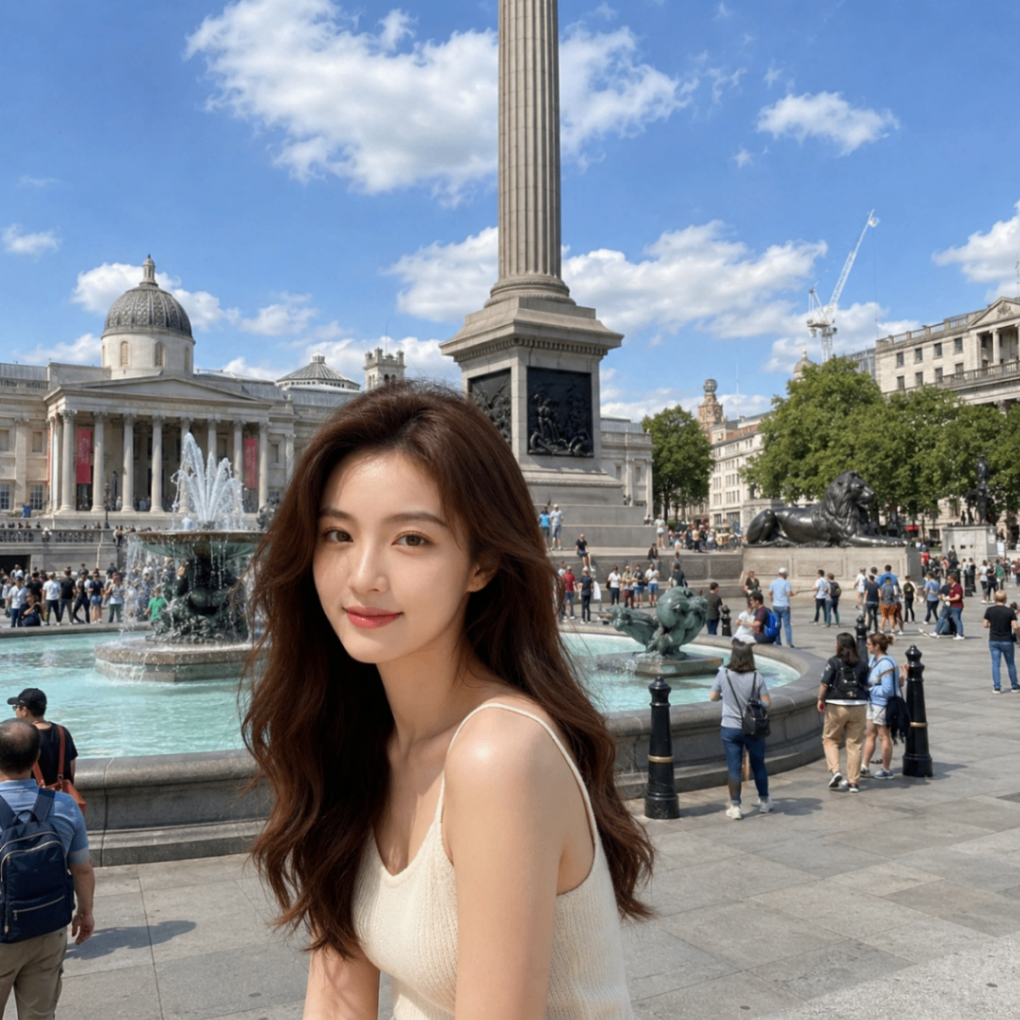

Use Cases
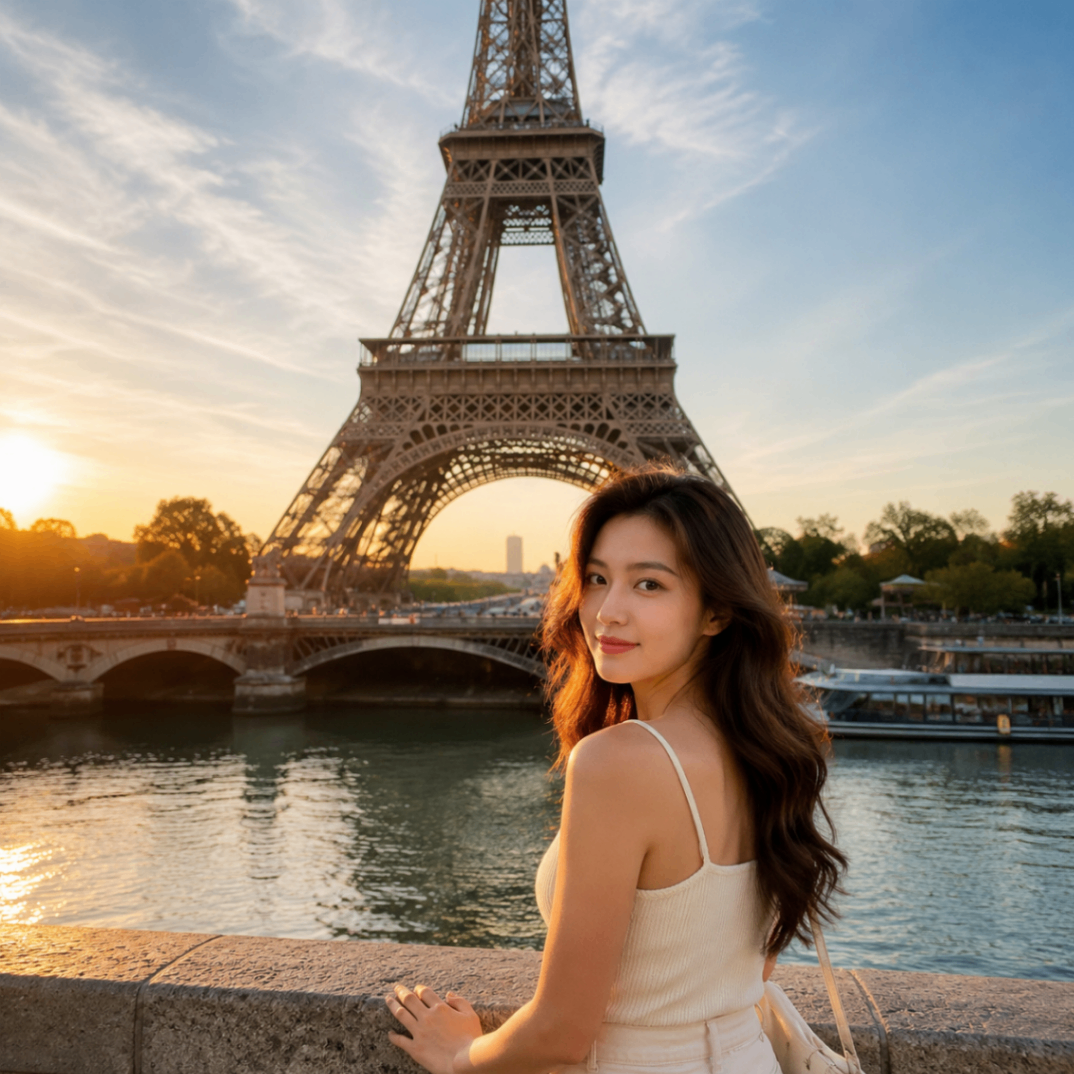
- Travel creators need a person with a back view at the Eiffel Tower for a cover photo.
- Social media teams need to place a person reference image on a Maldives beach and output a natural check-in photo.
- Content testers need the same person generated waving at Tiananmen Square, then inspect the prompt output.
- Remote users want to create a virtual travel memento at an international landmark using a reference photo.
Best For
- Travel bloggers: need fast landmark check-in photos for post covers and captions.
- Social media operators: need to place an existing personal photo into a scenic spot and produce a publishable image.
- Content test engineers: need to call the async task, inspect status, image URL, and prompt fields.
- Remote users: cannot visit the site and want a virtual travel photo from a reference image.
Related Skills

Excalidraw Wrap is an Excalidraw-focused wrapper, with tags for TypeScript, GitHub, and automation.

Calibrate vague brand inputs, expose contradictions, distill a brand core and positioning boundaries, then stress-test the result into an executable brand skeleton.

Generate localized Chinese brand names, naming directions, slogans, and risk checklists with reusable templates and trademark search reminders.

A beginner-friendly photo analysis tool that infers shooting parameters from visual features and suggests post-processing, optimization, and learning keywords.