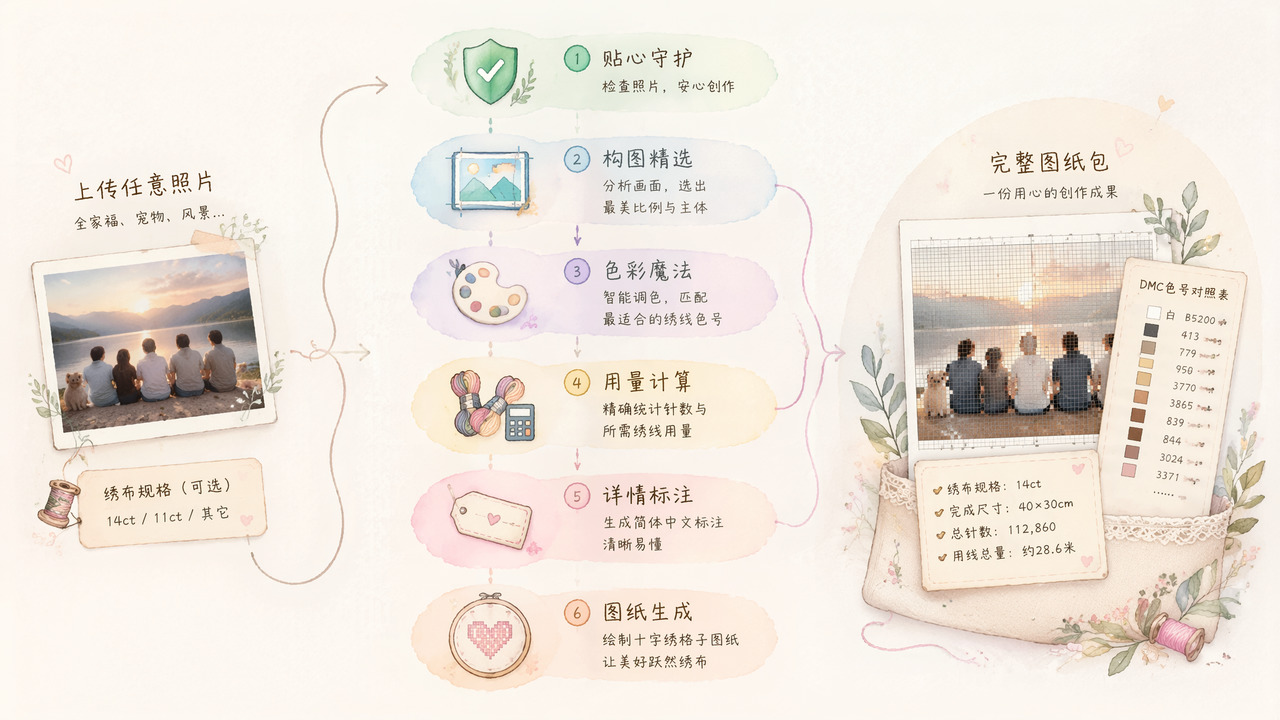
Cross-Stitch Chart Generator
Paste the following prompt into your AI chat to install this skill:
Please install @showapi/cross-stitch-chart-generator-showapi by following https://skillhub.cn/install/skillhub.md.
About this skill
Problem
Turning a photo into a cross-stitch chart is not just image rendering. The practical issues are framing, color reduction, DMC thread mapping, and estimating material quantities. This skill is aimed at photo-to-cross-stitch conversion, DIY design, and material budgeting, and produces a chart package that can support actual stitching preparation.
How It Works
The input is usually img_url, which can be an image URL or Base64, with optional fabric count such as 14ct or 11ct; if omitted, it defaults to 14ct. The workflow includes:
- Compliance check: validates the input image content.
- Composition analysis: detects the main subject and visual center, then recommends a ratio that suits cross-stitch work and reduces important crop or excessive blank area.
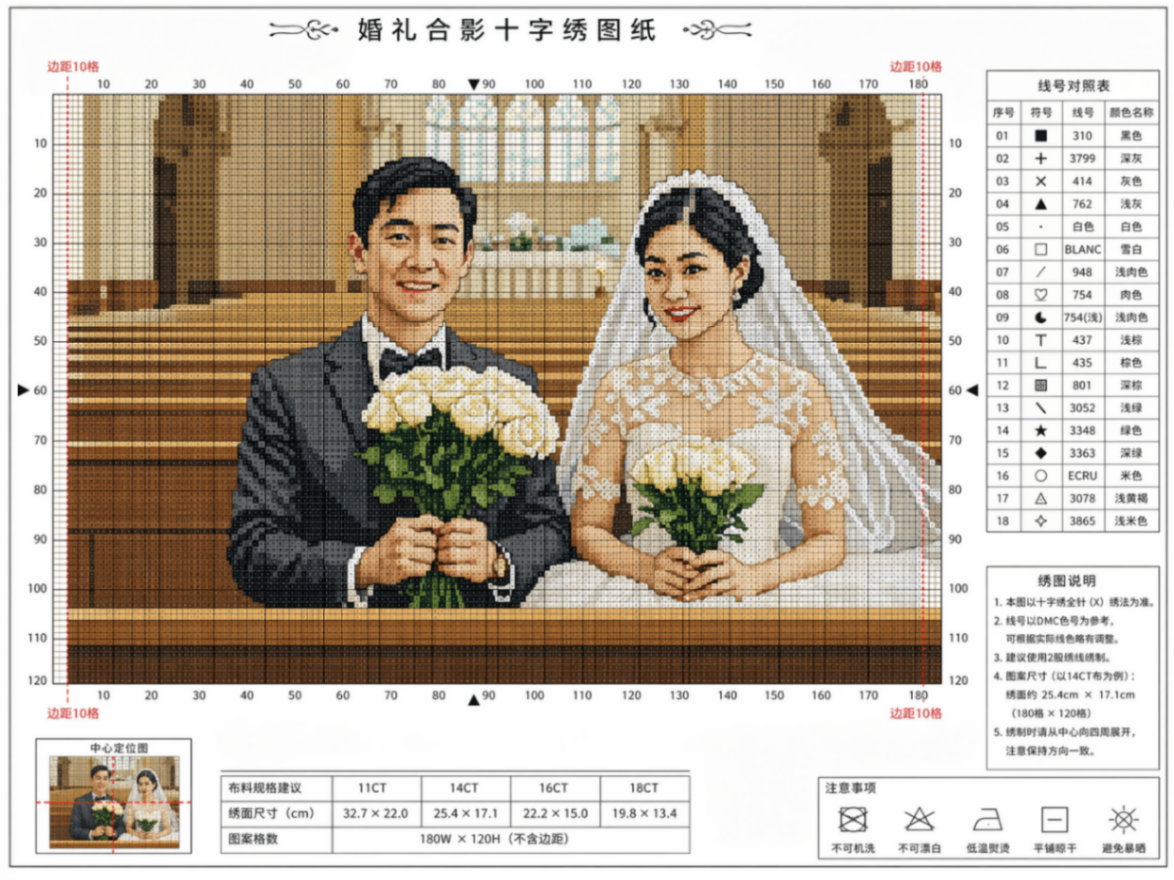
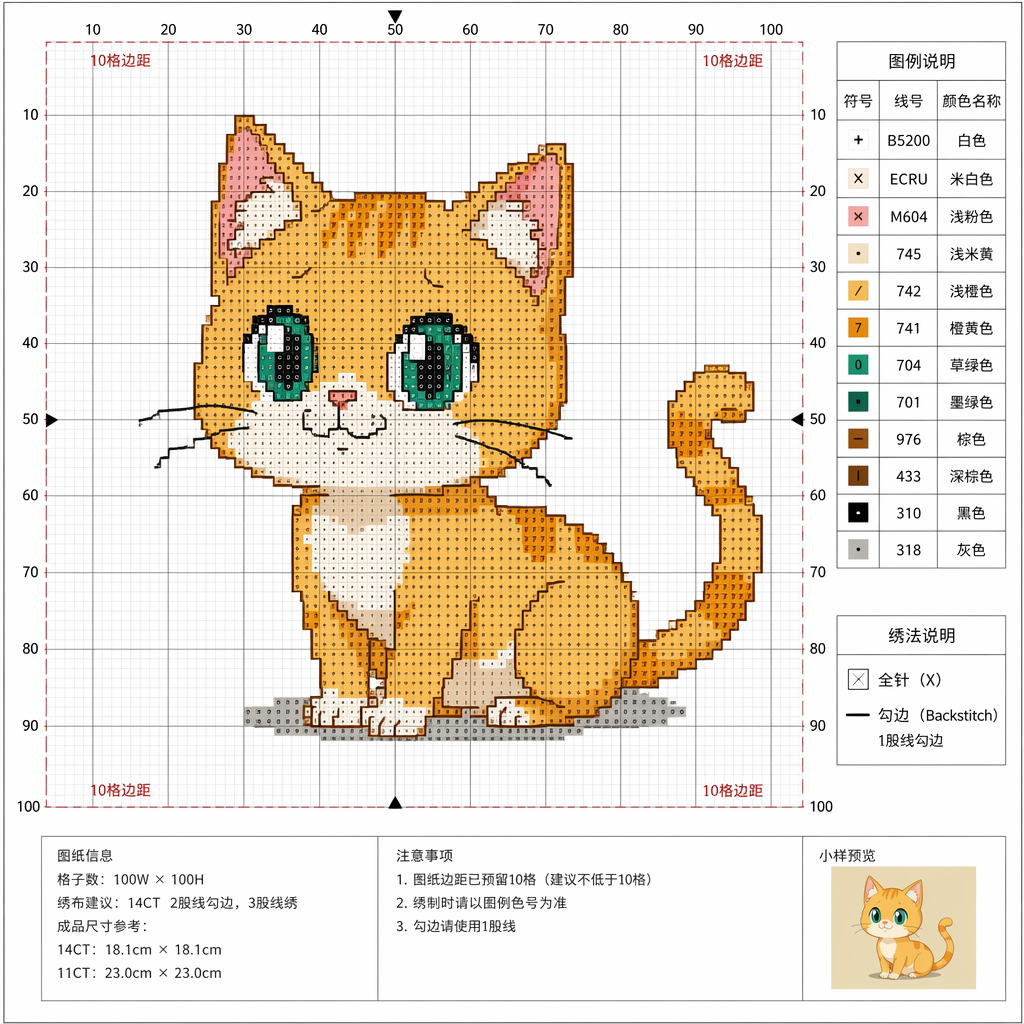
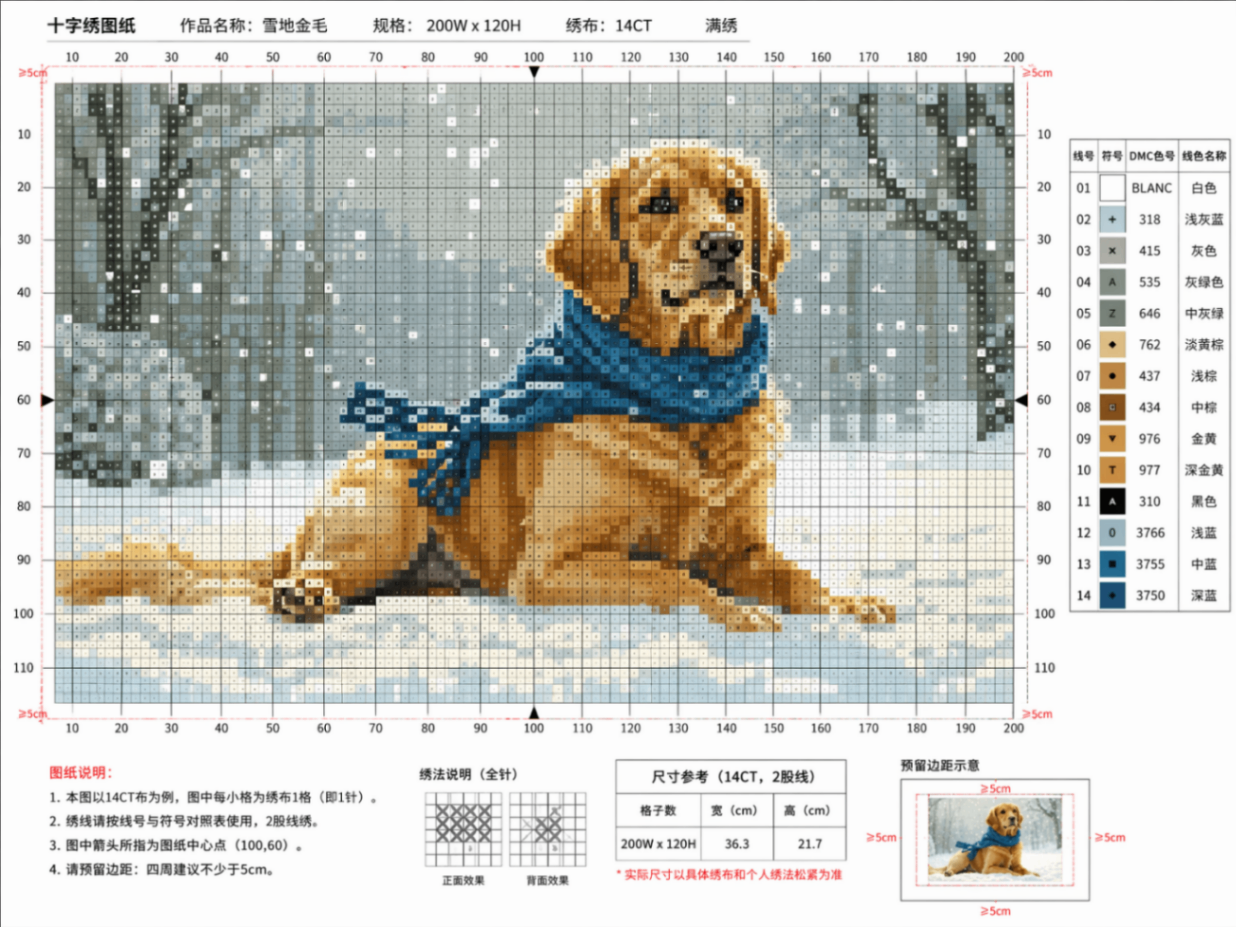
- Color reduction: compresses the original palette to a limited set of thread colors, up to about 25 colors, and maps them to DMC standard codes.
- Usage calculation: uses grid density, image ratio, and the mapped DMC palette to estimate total stitches, total thread length, per-color stitch count, and thread length.
- Chart generation: submits an asynchronous image generation task and polls until the grid chart is ready.
- Result packaging: combines the chart image, DMC reference table, usage statistics, fabric specs, and composition notes.
Boundaries And Notes
img_url is required. Real tasks are asynchronous and must be polled using the returned task_id, with partial results surfaced after each poll. The color table and usage estimates are useful for procurement reference, but final production should still account for thread batch, stitch style, and finished size. Without credentials, the system may run in simulation mode; that output is for preview only and does not represent a real generated result.
Screenshots
Use Cases
- Convert a family photo into a 14ct cross-stitch chart with a DMC color table.
- Create an 11ct pet photo embroidery design and review per-color stitch counts.
- Generate a landscape cross-stitch chart and check fabric size and thread estimates.
- Recommend a stitch-friendly image ratio from a photo to avoid cropping the subject.
Best For
- Craft makers who want stitchable charts, DMC codes, and thread usage from photos.
- E-commerce sellers preparing embroidery material budgets who need per-color thread lengths.
- Independent designers creating DIY product visuals who need landscape or pet cross-stitch grids.
- LLM application engineers building image-generation workflows who need task submission and polling.
Related Skills

Excalidraw Wrap is an Excalidraw-focused wrapper, with tags for TypeScript, GitHub, and automation.

Calibrate vague brand inputs, expose contradictions, distill a brand core and positioning boundaries, then stress-test the result into an executable brand skeleton.

Generate localized Chinese brand names, naming directions, slogans, and risk checklists with reusable templates and trademark search reminders.

A beginner-friendly photo analysis tool that infers shooting parameters from visual features and suggests post-processing, optimization, and learning keywords.