
Smart Bid Document Writing Assistant
Paste the following prompt into your AI chat to install this skill:
Please install @user_ba095919/biaoshu-writer-tech following the instructions at https://skillhub.cn/install/skillhub.md.
About this skill
Problem: bid preparation still requires manual parsing
Tender documents are long and dense, mixing qualification rules, scoring tables, commercial clauses, pricing requirements, and rejection risks. Teams need to turn PDF or Word inputs into checklists, draft .docx submissions, and verify compliance before submitting.
How it works: an App Key-driven API workflow
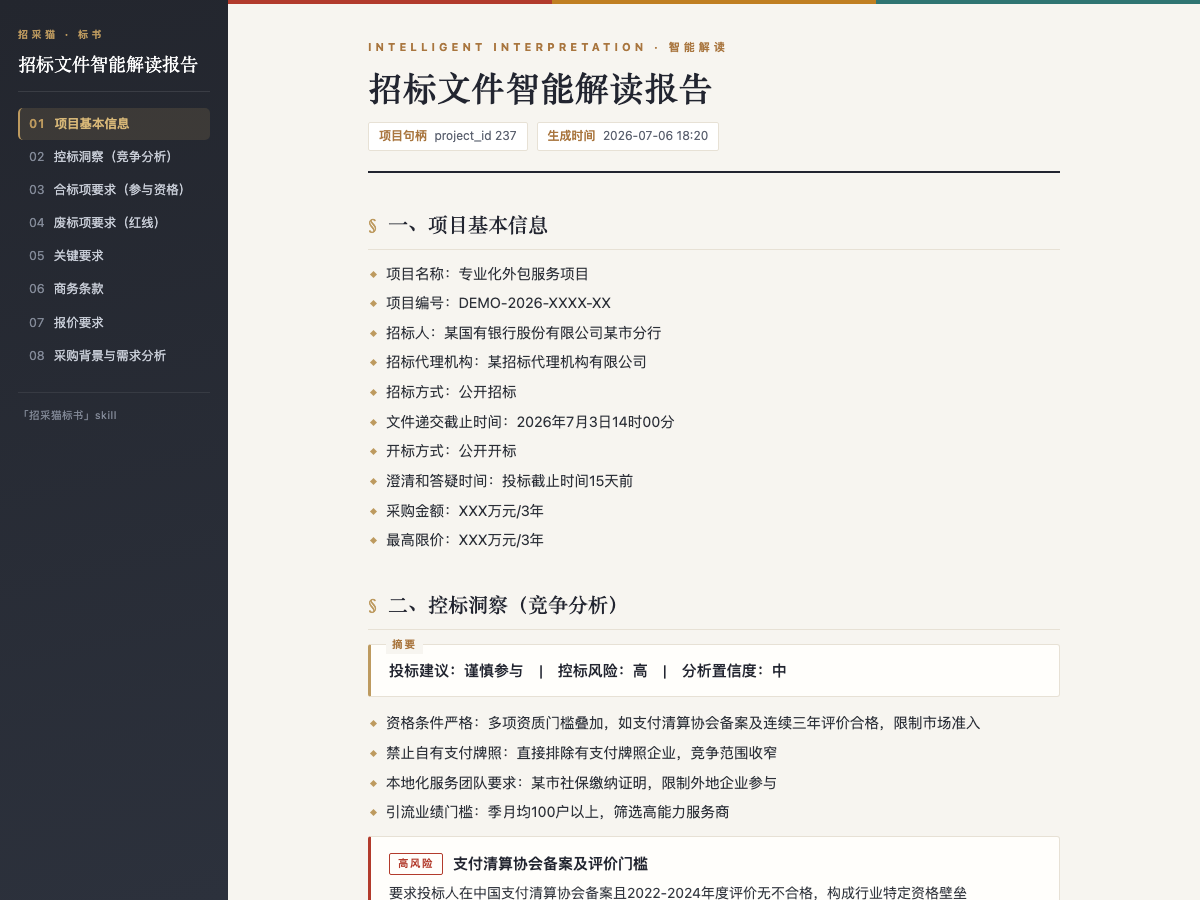
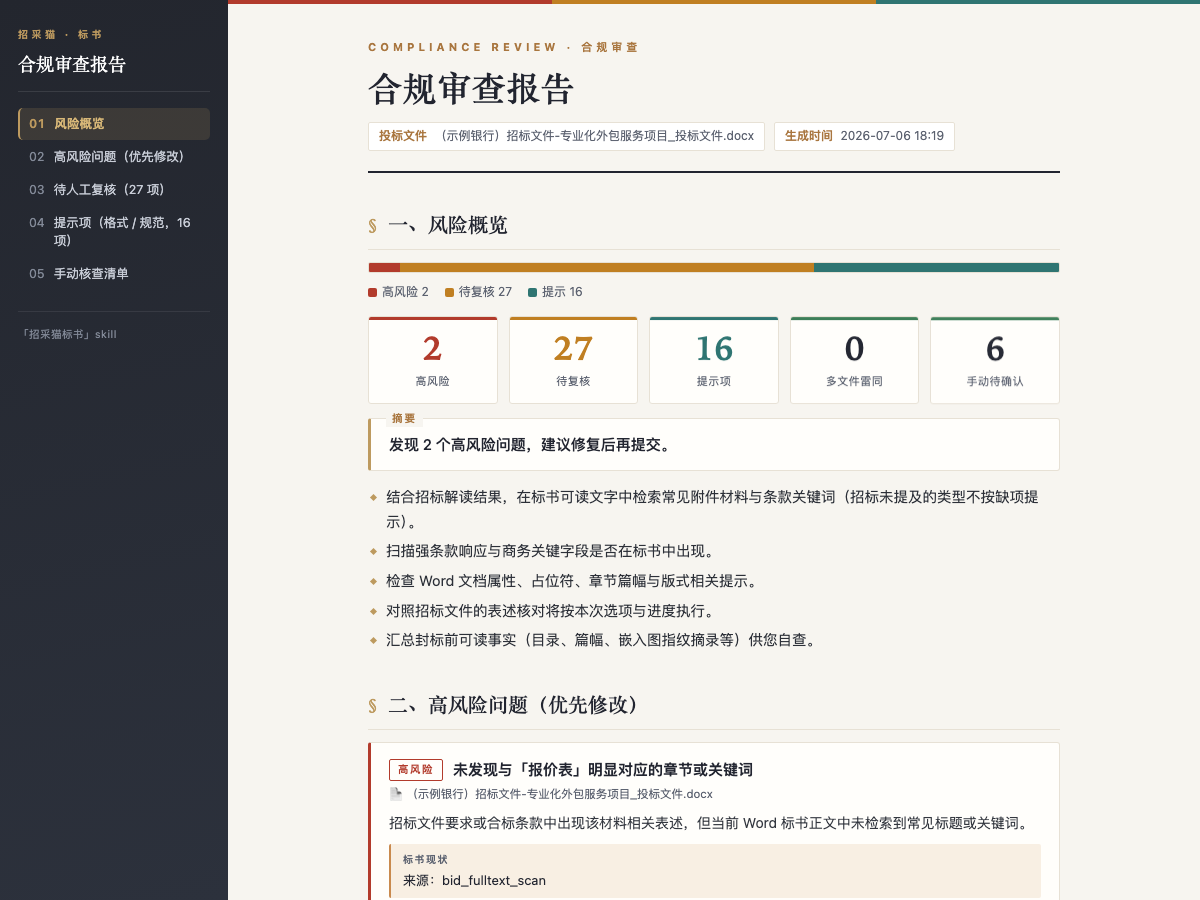
The skill wraps the Bailian Bidding open API into a document-centered flow. Users provide a tender file such as .pdf, .doc, or .docx up to 50 MB, either by upload or file path/URL. It then produces an eight-dimension interpretation: project info, qualification items, rejection red lines, scoring criteria, key requirements, commercial terms, pricing requirements, and procurement context, plus bid-control insights. After interpretation, it can generate a .docx bid document with a table of contents, sections, placeholders, and form-template filling. It can also review one or more .doc/.docx bid files, each up to 1024 MB, and return high-risk, review, and notice items with evidence and suggestions, including multi-file similarity checks.
Boundaries
The workflow depends on a valid App Key and platform credit rules. Bid generation consumes credits, and API calls require a positive balance. Dark-bid formatting, multi-package projects, partial semantic-review output, and auto-filled fields still need manual review; partial results should not be treated as a complete compliance conclusion.
Screenshots
Use Cases
- After receiving a tender file, quickly identify rejection risks, scoring criteria, and bid-control signals.
- Use an interpreted project to select a package and generate a .docx draft with TOC, sections, and placeholders.
- Before submission, compare one or more bid files against the tender to check format, red lines, and duplication.
- For dark-bid deadlines, review high-risk and pending items from the compliance checklist and export a report.
Best For
- Bid lead: needs to assess project risk, scoring logic, and bidding value before the deadline.
- Bid writer: needs to turn tender requirements into an outline, sections, and an editable .docx draft.
- Compliance/legal: needs pre-submission checks for rejection risks, formatting rules, and file similarity.
- Solution engineer: needs to extract scoring criteria, commercial terms, and bid-control signals to support pricing.
Related Skills

A Chinese early-stage VC pitch-deck framework covering stage judgment, 12 core sections, investor preferences, and policy risk disclosure.

A requirement alignment workflow that connects clarification, PRD generation, dual-panel Demo-PRD linkage, annotation write-back, and acceptance closure.
A local-life operations assistant for diagnosing bottlenecks and structuring group-buy, livestream, influencer, private-domain, and review plans.

Compare eight popular cross-border company jurisdictions on cost, tax, setup flow, and platform fit, then output recommendations, a comparison table, and registration checklist.