AI Makeup Guide and Effect Image Generation
Paste the following prompt into your AI chat to install this skill:
Please follow https://skillhub.cn/install/skillhub.md and install @showapi/makeup-guide-and-effect-generation-showapi.
About this skill
Problem
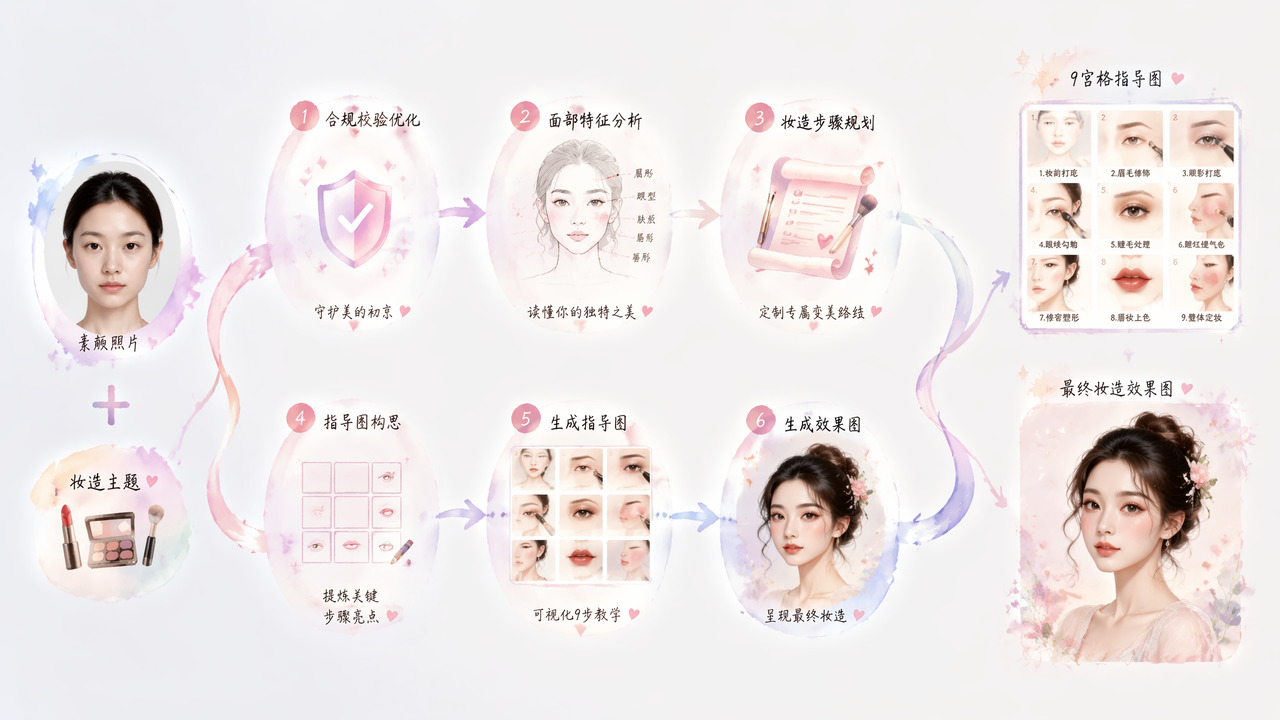
When makeup tutorials, personal styling, or e-commerce content need step-by-step guidance for a specific face, generic copy often ignores skin type, facial proportions, and visible skin concerns. This skill takes a bare-face photo and a makeup theme, then produces presentation-ready material: facial analysis, up to nine steps, a 9-panel guide image, and a consistent effect image.
How it works
The workflow is asynchronous. Required inputs are img (Base64 or URL) and makeup_prompt. The system validates the request, analyzes facial contour, skin texture, feature proportions, and skin issues, then plans steps. Each step can include key area, action, product, and Chinese explanation. It then generates guide and effect images and aligns text with images.
- Sandbox preview: without
showapi_appkey, it returns a complete preview result and does not runexecute_task.pyorquery_task.py. - Real execution: submission returns only a
task_id; polling is required, and each poll should surface the latest progress or core result to the user. - Output: extract the step list, guide image URL, and effect image URL, then render them in a simple HTML page.
Boundaries
This skill fits makeup tutorial assets, styling design, and image-text content creation. It does not support synchronous execution, requires a bare-face photo and theme, and image aspect ratios are configurable. Result quality still depends on photo clarity, lighting, and prompt specificity. Sandbox output is preview-only, not real generated content.
Screenshots
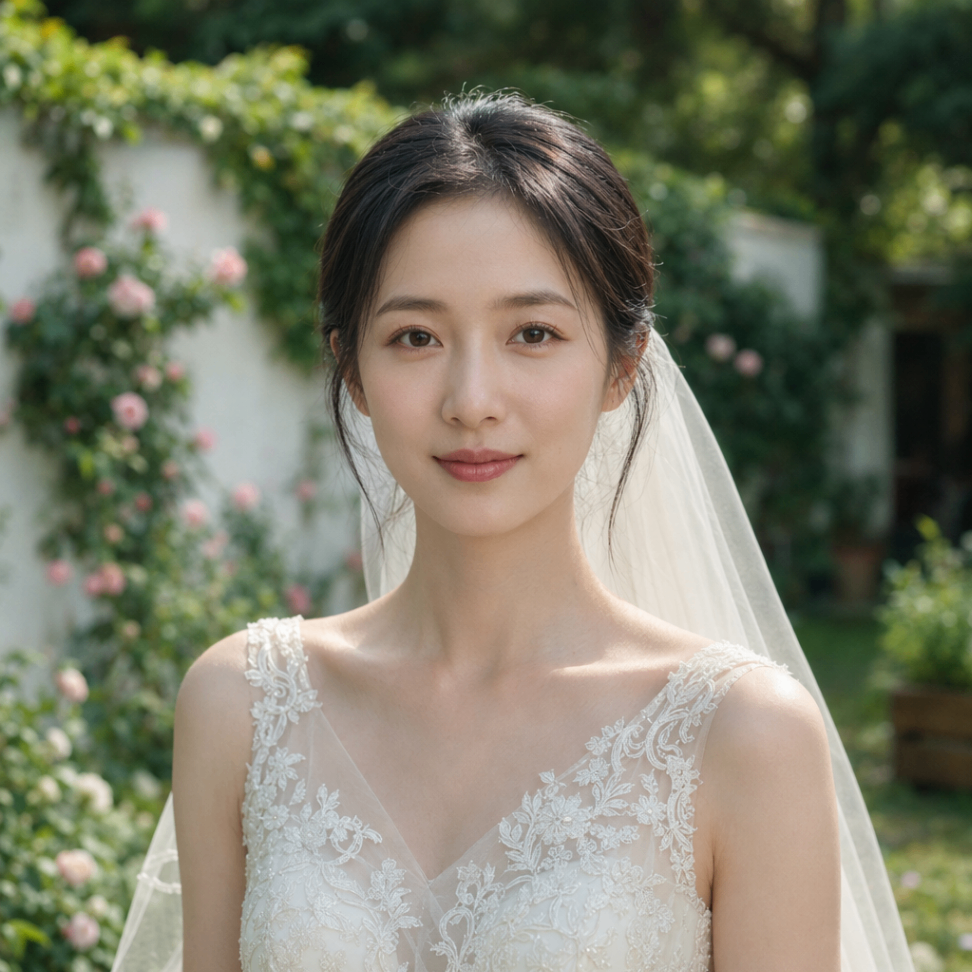
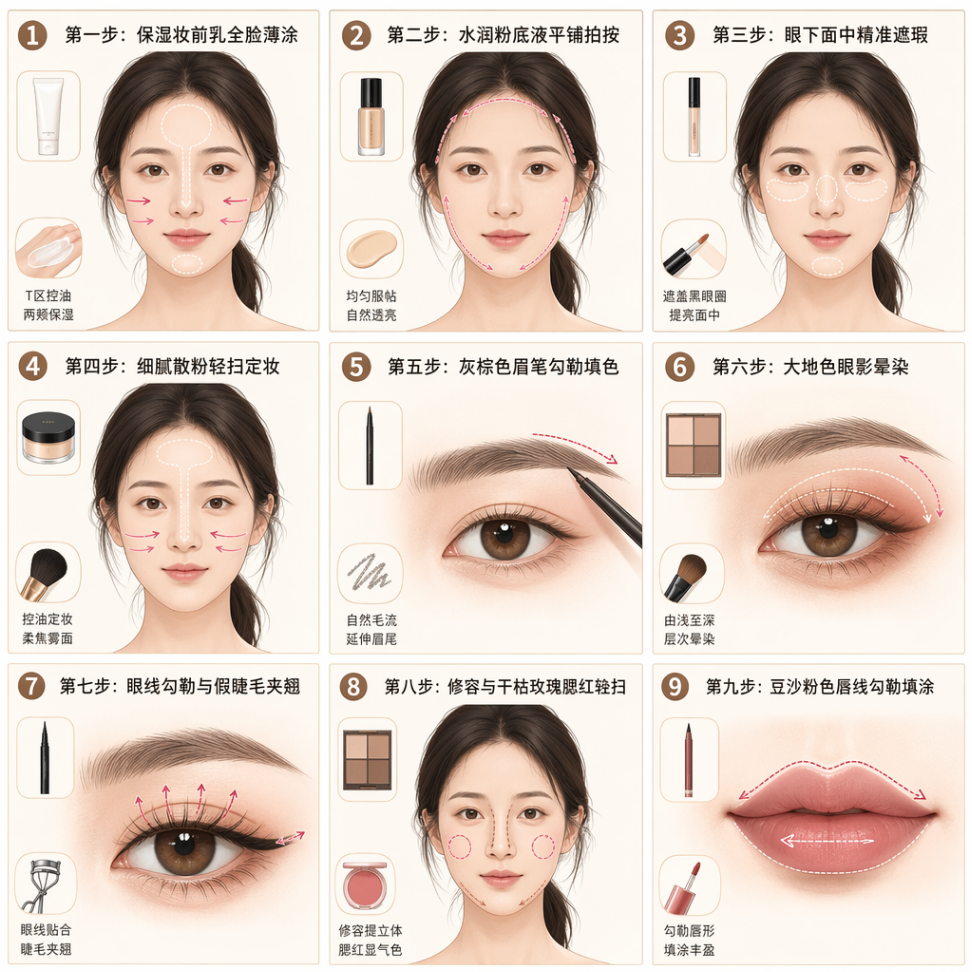
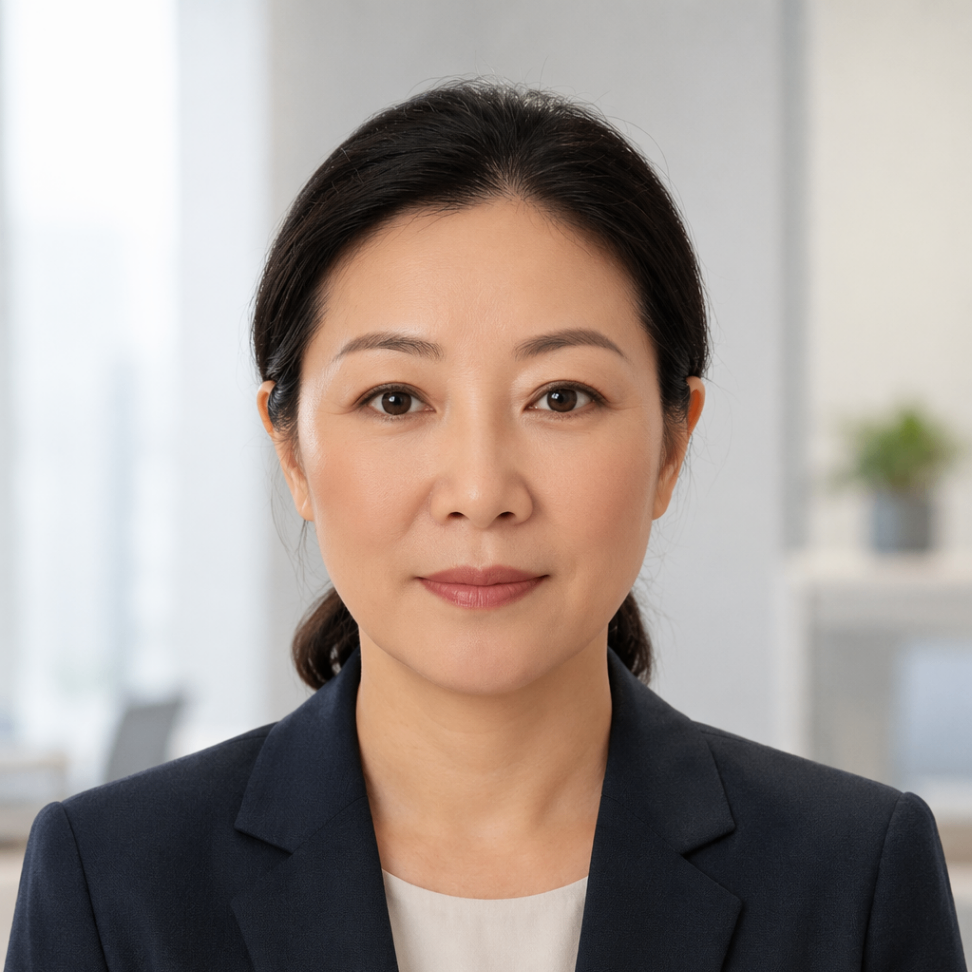
Use Cases
- Beauty tutorial creators who need to turn a client's bare-face photo into themed makeup steps and a nine-panel guide image.
- Styling consultants who need to create a bridal makeup plan with facial analysis, product suggestions, and an effect image for presentation.
- E-commerce operators who need product-detail beauty tutorial assets, using a bare-face photo to generate step images and widescreen effects for listings.
- Content teams who need to convert creator photos into publishable image-text tutorials without manually breaking down each makeup step flow.
Best For
- Beauty tutorial creators who need shareable makeup steps and image-text assets for clients, followers, or regular social media publishing channels.
- Styling consultants who need to convert client bare-face photos into concrete makeup plans, step notes, and effect images for client reviews.
- E-commerce content operators who need beauty tutorial page assets, including guide images and effect images tied to product selling points.
- Design teams who need to turn written makeup themes into visual image-text layouts for client-facing proposal reviews and presentation deliverables.
Related Skills

Converts image sequences, videos, or screen recordings into GIFs with Python, supporting timing, looping, optimization, and quick command-line use.

Adds white text, a yellow bar, and optional translucent masks to photos using OpenCV and Pillow.

Call Mew image and design APIs in two stages to create an emotional background and compose a share-ready quote check-in poster.

Generate felt-craft pendant designs, part breakdowns, and structured analysis from a product image or Base64 input.