
Felt Craft Pendant Design
Paste the following prompt into your AI chat to install this skill:
Please follow https://skillhub.cn/install/skillhub.md to install @showapi/felt-craft-pendant-design-showapi into your AI assistant.
About this skill
Problem addressed
Felt-craft pendant design often gets stuck between a reference photo and a workable craft pattern: the image shows the appearance, but not the outline, color scheme, stylization, or part breakdown. This skill targets DIY pattern generation. It converts a product image or Base64 input into a felt-craft pendant design image and a parts decomposition view, with structured analysis results. It is useful for engineers, makers, and crafters who need to preview a handcrafted pendant, refine design notes, or turn a character shape into cuttable parts.
How it works
The workflow is asynchronous. It first performs compliance checks, then uses a visual-understanding model to analyze the object’s form, palette, key details, stylization suggestions, and layering plan. It generates a polished design description under 200 characters and converts that description into image-generation prompt parameters. In real API runs, execute_task.py returns only a task_id, while query_task.py polls task status until the final design image URL is available. When showapi_appkey is missing, mock mode returns a one-shot preview JSON without executing those scripts, so the result is for previewing effects rather than real generation.
Boundaries and notes
img_url is required and accepts either an image URL or a Base64 string. All real tasks are forced into asynchronous execution; synchronous mode is not supported. During polling, each returned data batch should be shared with the user immediately to avoid long silent waits. If the input image raises copyright, brand, or compliance concerns, verify it first. The output is intended as a craft reference and does not guarantee commercial production readiness or precise engineering cutting accuracy.
Screenshots
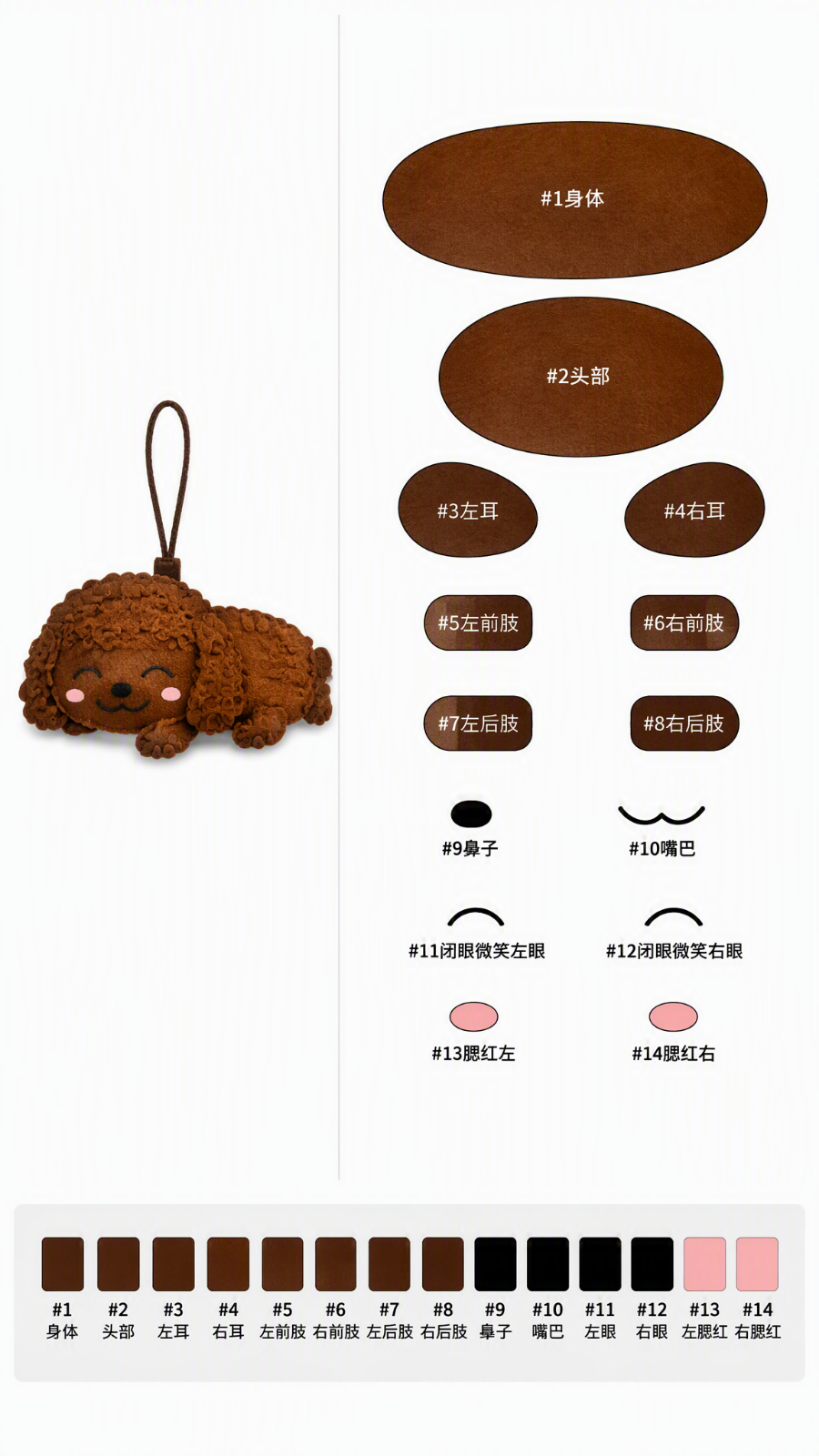
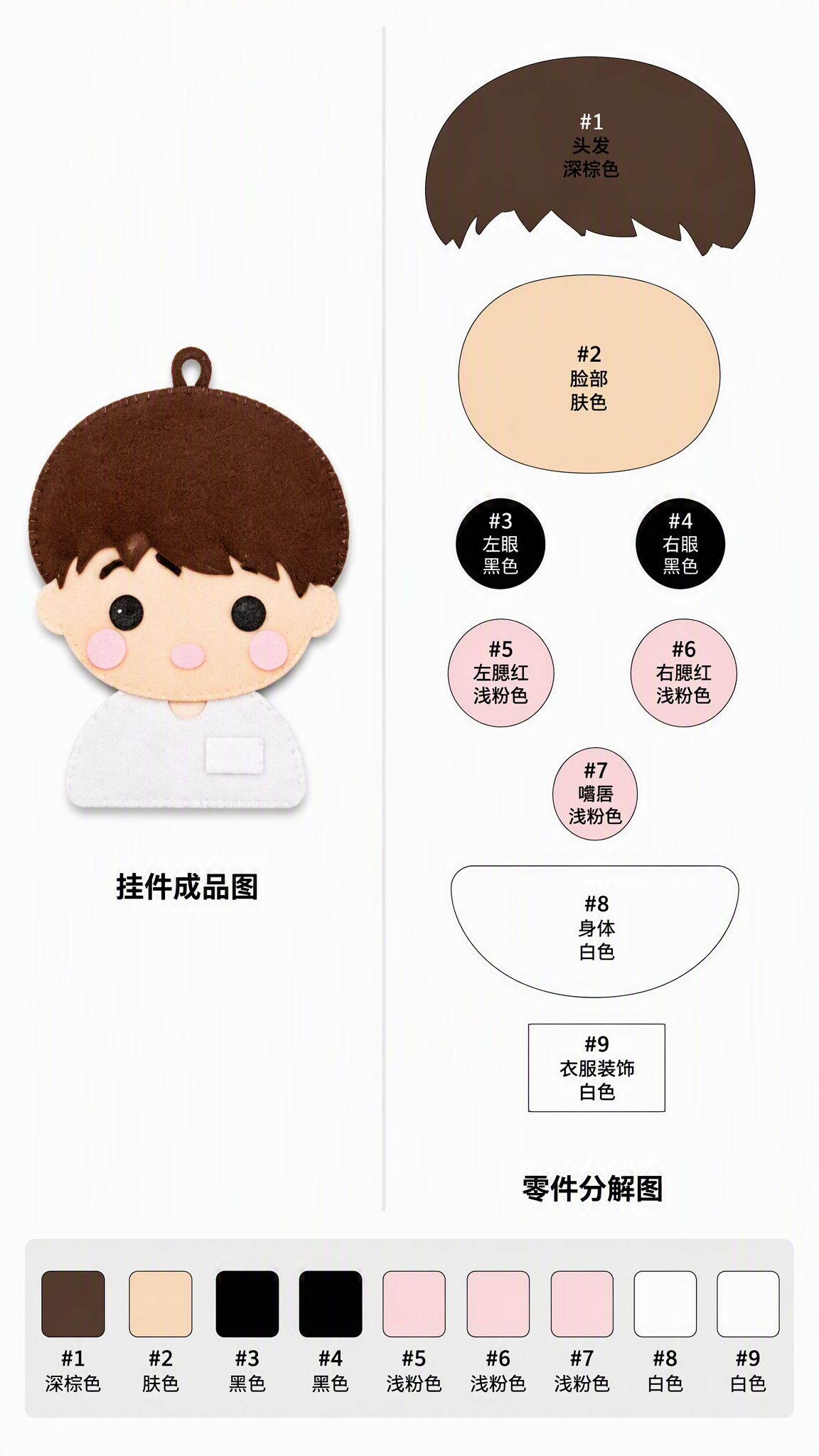
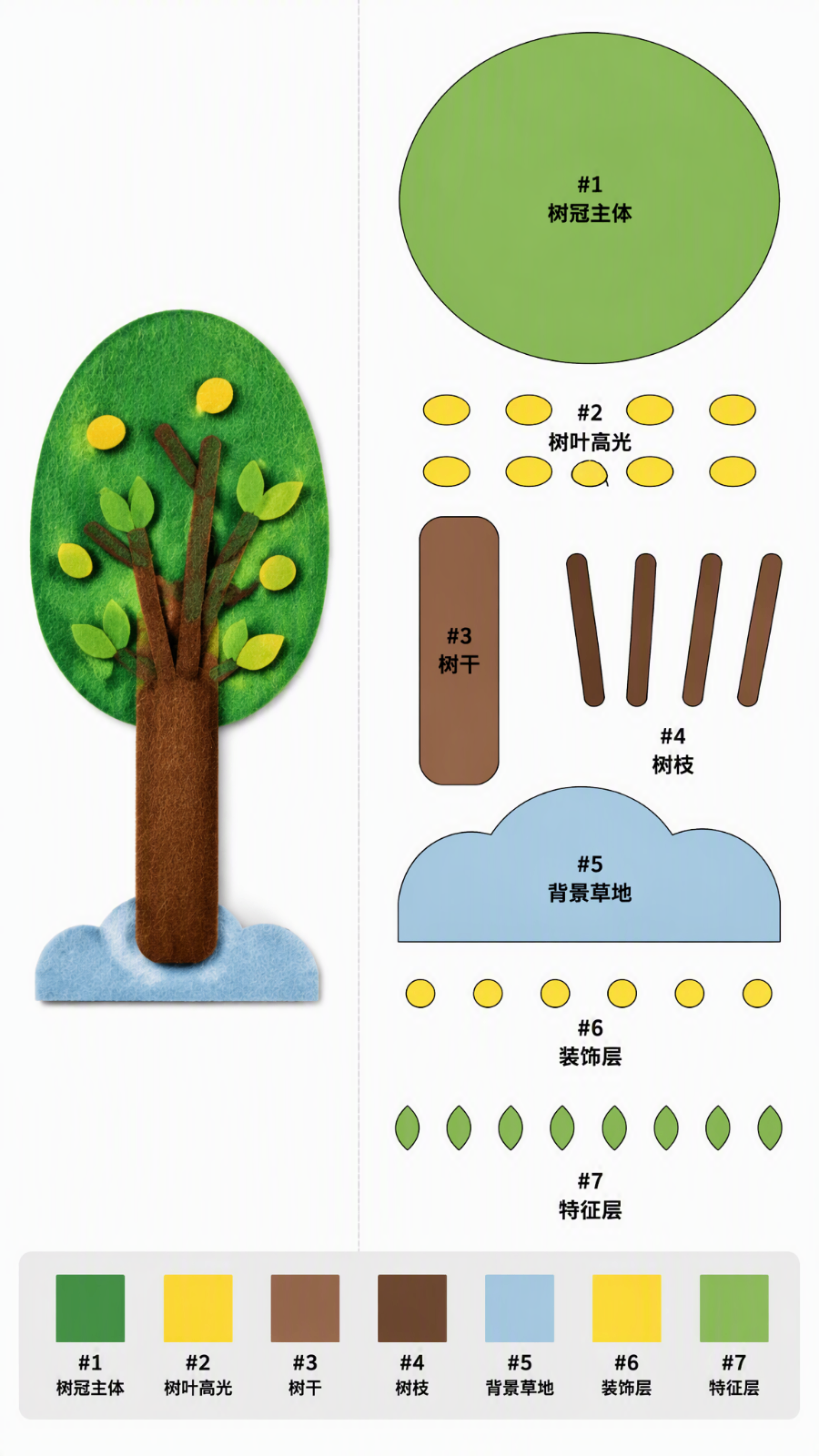
Use Cases
- A maker uploads a cat reference photo to get a pendant design image, palette advice, and layering plan.
- A product designer receives a character reference and generates a felt pendant parts diagram for glue assembly.
- A maker educator demos the full flow from object image and design notes to a craft pendant pattern.
- An API engineer submits `img_url` to ShowAPI’s async task and polls for the final design image URL.
Best For
- Felt-craft makers who want to turn character photos into reference pendant patterns.
- Accessory product designers who need quick craft patterns and concise design notes from reference images.
- Maker educators who need to demonstrate object analysis and pendant pattern output.
- API integration engineers who want to call ShowAPI async tasks and poll results.
Related Skills

Call Mew image and design APIs in two stages to create an emotional background and compose a share-ready quote check-in poster.

A ComfyUI image-generation skill that uses a five-step dialog to collect prompts, prefill templates, confirm parameters, submit API jobs, and return results.

A design-system guidance skill for Impeccable that produces token-based rules, component states, accessibility criteria, and QA checklists.

Director-level video lapian that diagnoses material precision, then produces frame evidence, director analysis, a style bible, and a showcase video.