
Intelligent Bidding Document Writer
Paste the following prompt into your AI chat to install this skill:
Please follow https://skillhub.cn/install/skillhub.md to install @user_ba095919/biaoshu-writer-studio.
About this skill
What It Solves
Bidding teams often struggle with scattered tender clauses, hidden disqualification rules, scoring weights that affect pricing, and the lack of line-by-line compliance checks before submission. This skill organizes tender interpretation, bid drafting, and compliance review into an executable workflow, reducing manual PDF digging and missed requirements.
How It Works
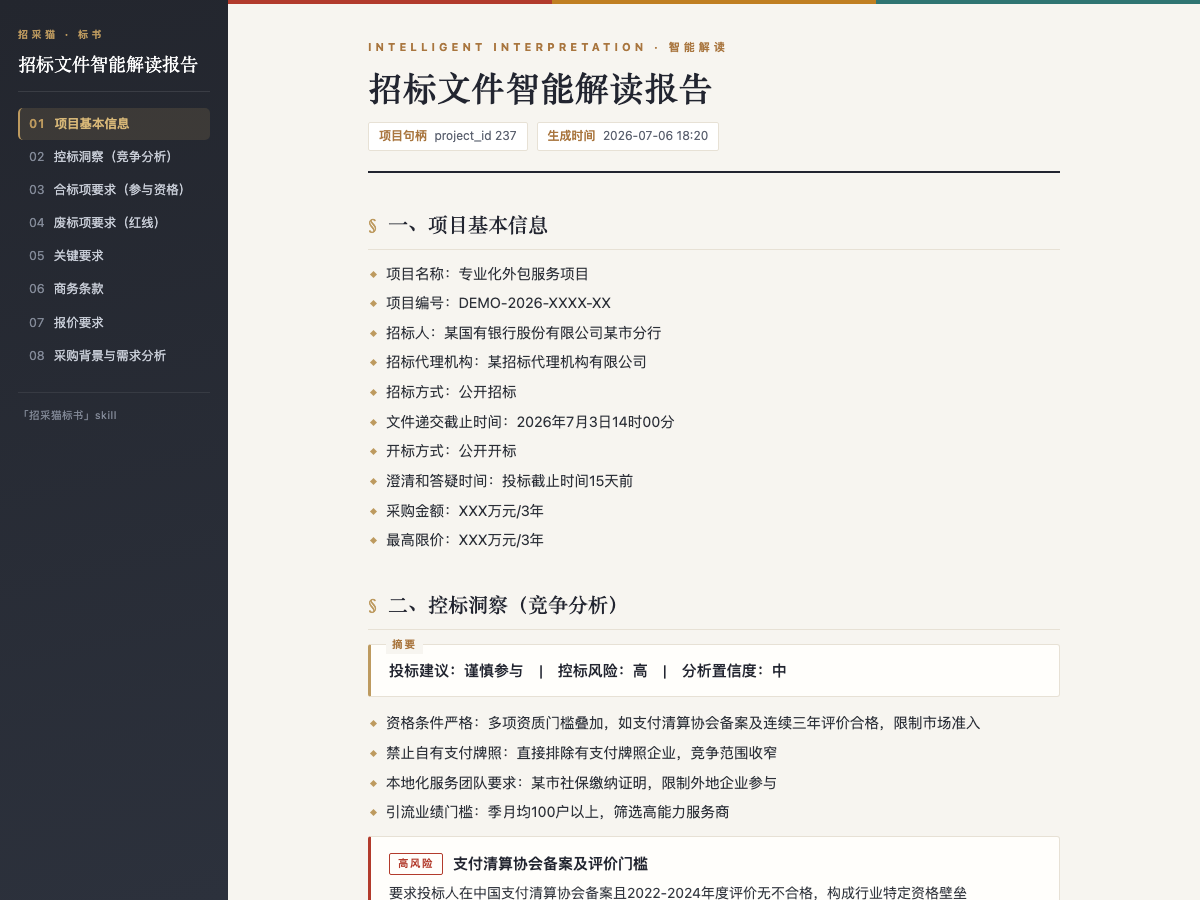
- Interpretation: Accepts
.pdf,.doc, or.docxtender files and outputs project info, eligibility items, disqualification red lines, scoring criteria, commercial terms, pricing requirements, plus bid-control insights and HTML/Word reports. - Drafting: Uses an interpreted project to generate a
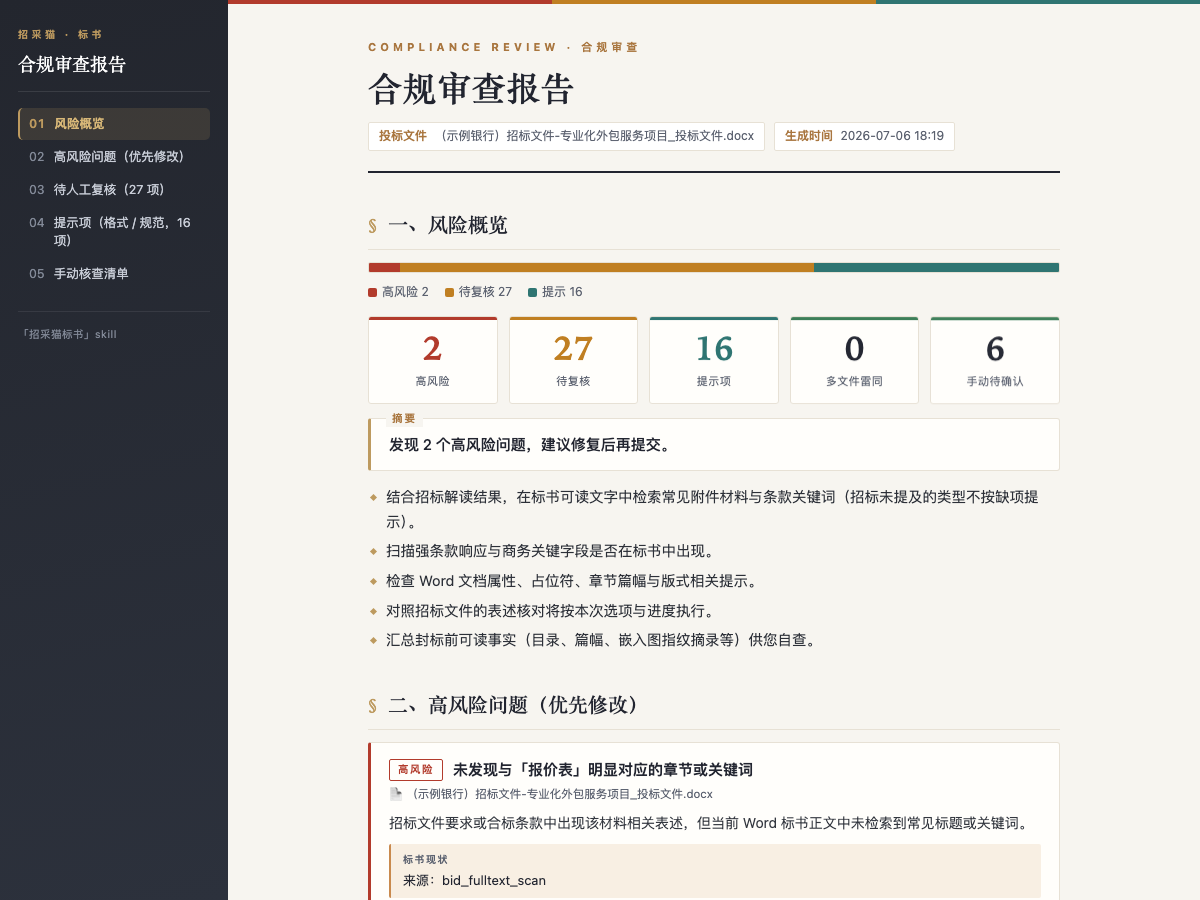
.docxbid document with table of contents, sections, and placeholders for pending fields. - Compliance Review: Checks one or more bid documents against the interpreted tender, producing high-risk, pending-review, and notice items with tender basis, evidence, and suggested fixes.
It calls the Bailian bidding API with an App Key, uses an async submit-poll-fetch model, and returns absolute file paths for local editing.
Boundaries
Best for structured tender analysis and first-draft bid documents in engineering, procurement, or pre-bid preparation. Complex or scanned tenders, and strong qualification constraints, still require manual review. Interpretation, package selection, and compliance review do not consume credits by themselves, but Skill calls require a positive balance; bid generation consumes credits.
Screenshots
Use Cases
- Before bidding, extract disqualification red lines, scoring criteria, and pricing requirements from a long tender file into a report.
- After selecting a package in a multi-package project, generate a draft bid document with TOC and placeholders at target page count.
- Before submission, compare one or more bid documents against the tender to check high-risk, pending-review, and similarity issues.
- With only a tender announcement fragment, assess go/no-go basics, then upload the full file for tailored interpretation.
Best For
- Bid manager: needs to turn tender eligibility, scoring, and commercial terms into a decision-ready interpretation.
- Bid specialist: needs to draft bid document structure and body text by package and target page count, reducing missed items.
- QA/risk owner: needs pre-submission review of bid documents against disqualification red lines with evidence-based fixes.
- Pre-sales engineer: needs to align technical responses with scoring criteria and locate pending technical items.
Related Skills
Generates a fixed-structure A-share tech daily across five tracks, screening 24-hour news and selecting leader and growth stocks.

Convert teaching schedules from talent development plan PDFs into structured Excel files, with cross-page tables, merged cells, multi-semester course splitting, major metadata extraction, and batch output.

Turn post-meeting text into bilingual minutes, preserving structure and consistent terminology.
Interprets tender files, generates bid docs, and checks compliance via the Bailian API.